NewCash appIntegration
Cash application is now available on Sage Intacct
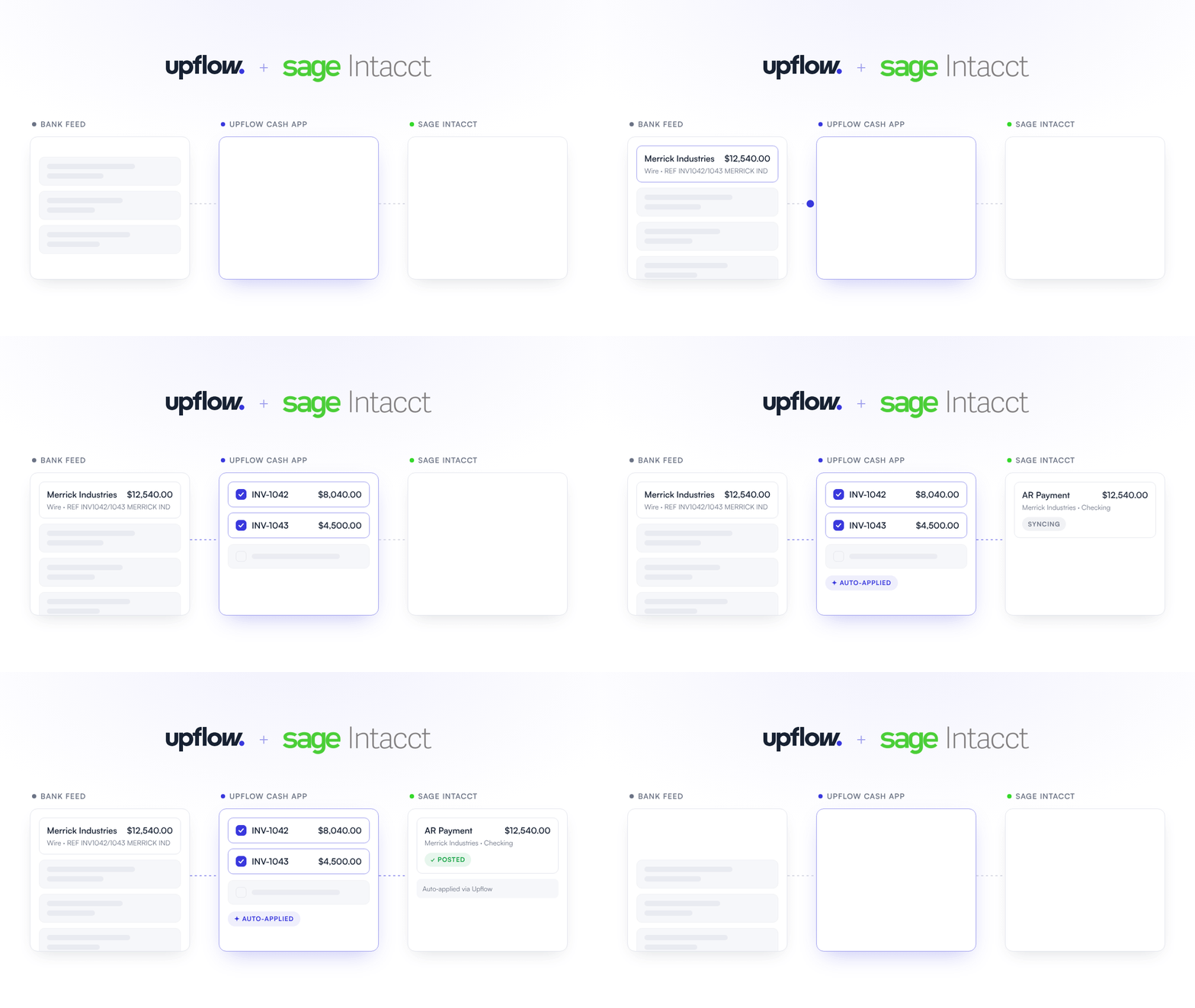
Upflow’s cash application is now available for all our Sage Intacct users. Automatically match every incoming payment to the right invoices and sync them in real time with Sage Intacct.- Bring in your bank transactions daily with an automatic bank feed, or upload a CSV when your bank can’t connect
- Get match suggestions for the right customer and invoices, even with a typo in the reference, a truncated payer name or one transfer for several invoices
- Let the Cash App agent apply clear matches for you, so your team only handles the edge cases
- Every applied transaction is posted to Sage Intacct as an AR Payment, with its invoices, payment method, and check number, so your balances stay in sync without double entry
ImprovementCash app
The Cash App agent finds more matches, with fewer false positives
Your customers rarely pay the way your invoices are written: a reference with a typo, a truncated company name, one transfer for several invoices. The Cash App agent now handles more of these cases:- Suggests the right invoice even when the reference in the transaction description doesn’t match the invoice number exactly
- Suggests the right customer when the payer name is truncated or spaced differently from the name in Upflow
- Matches partial payments when the transaction references a specific invoice
- When one transfer pays several invoices, finds the combination of the customer’s open invoices that adds up to the amount
- Stricter suggestions: Upflow no longer suggests invoices with a nearby amount, so an exact match isn’t buried among false positives
NewCash appIntegration
Payment method and check number now follow your payments to your ERP
When the Cash App writes a payment back to your accounting system, your team needs to know how it was paid to reconcile it. Each bank transaction now carries that information all the way through:- Bank transactions get a Payment method and a Check number, captured from your bank feed when your bank provides them, or from two new columns in the CSV import
- See both in the header of the matching modal, and add them as columns to your Bank transactions list
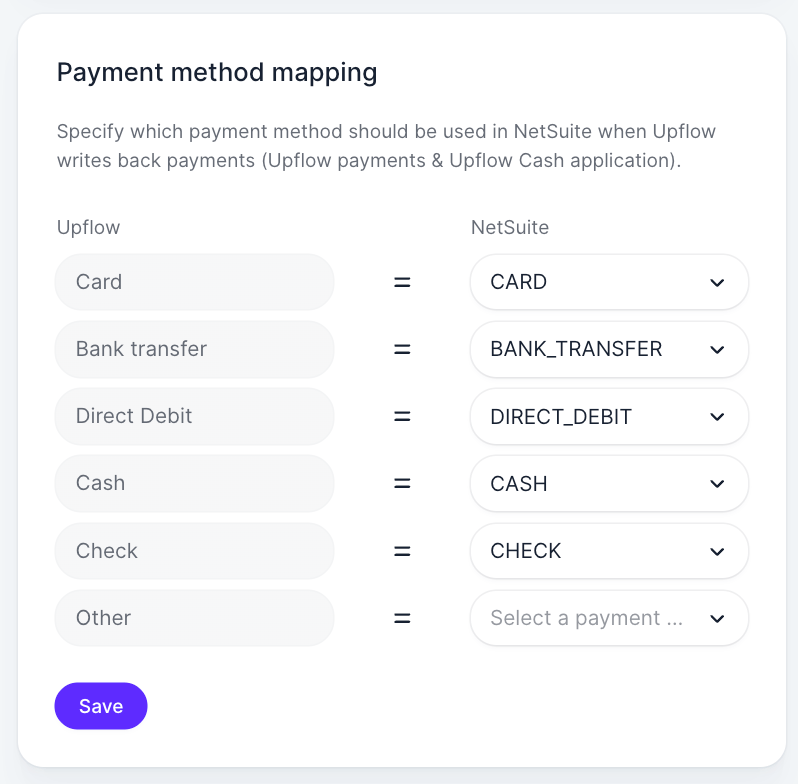
- On NetSuite, map each Upflow payment method to one of yours. Upflow fills Payment Method and Check # on the Customer Payment it creates
- On Sage Intacct, the payment method uses the built-in mapping and the check number goes into the AR Payment’s description
- Not paid by check? Use the Check number field to carry your ACH or wire reference for bank reconciliation
ImprovementIntegration
Let customers pay straight from your NetSuite invoice PDFs
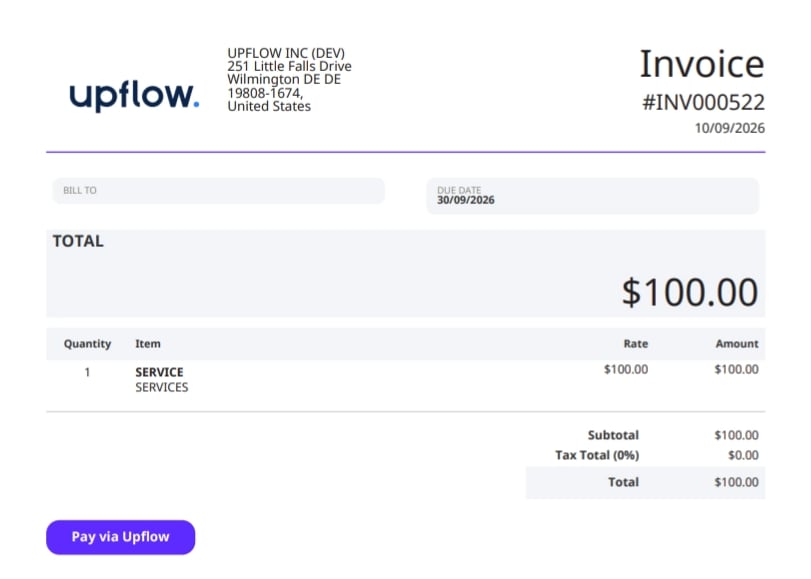
Your customers read the invoice PDFs NetSuite sends, but the way to pay online lived in the Upflow portal. You can now put a Pay via Upflow button right on those PDFs.- Export each customer’s Customer portal URL to NetSuite with Export to NetSuite
- Show it as a button or a plain link in your Advanced PDF/HTML invoice template
- The button only appears when the invoice has a portal URL, so customers never see a broken link
- Applies to invoices created after setup
NewIntegration
Use your HubSpot contacts for collection
If HubSpot is where your team keeps contacts up to date, you can now bring those contacts into Upflow and collect with them directly.- Turn on HubSpot Contacts during setup or from the HubSpot page of your CRM settings
- Contacts are attached to the Upflow customer that matches their HubSpot company
- With a billing or accounting integration, Upflow uses your HubSpot contacts instead of the ones synced from that integration
- Without one, Upflow imports your HubSpot contacts to enrich your collection
- Turn it off at any time. If you have a billing or accounting integration, Upflow re-imports the contacts from it
New
See and export customer data in the invoice list
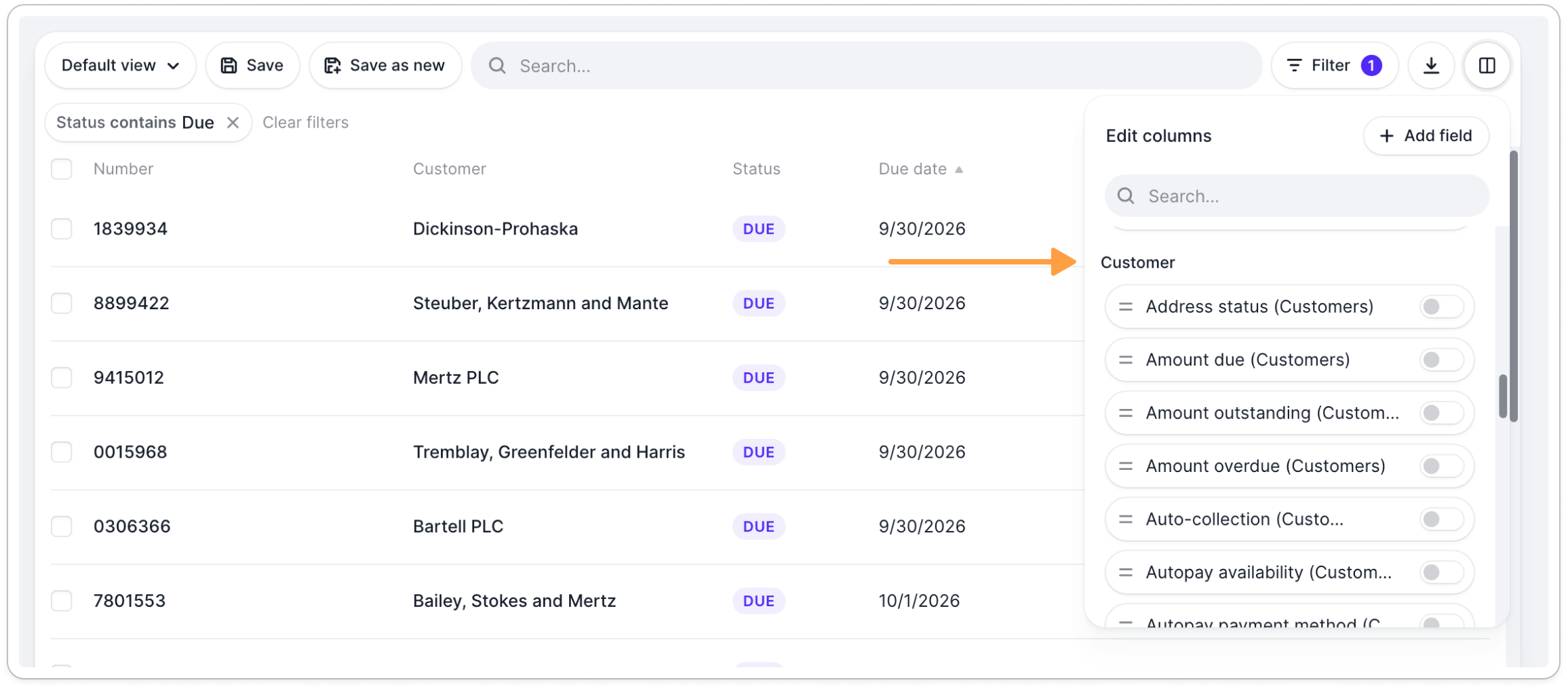
You can already filter invoices by customer data. You can now display it as columns and export it next to each invoice:- Add customer columns such as Owners, country, workflow, rating from Edit columns, under the Customer section
- Exports follow your view: the columns you display are exported in the same order, customer columns included
NewCollection
Choose how Upflow sends each customer’s invoices
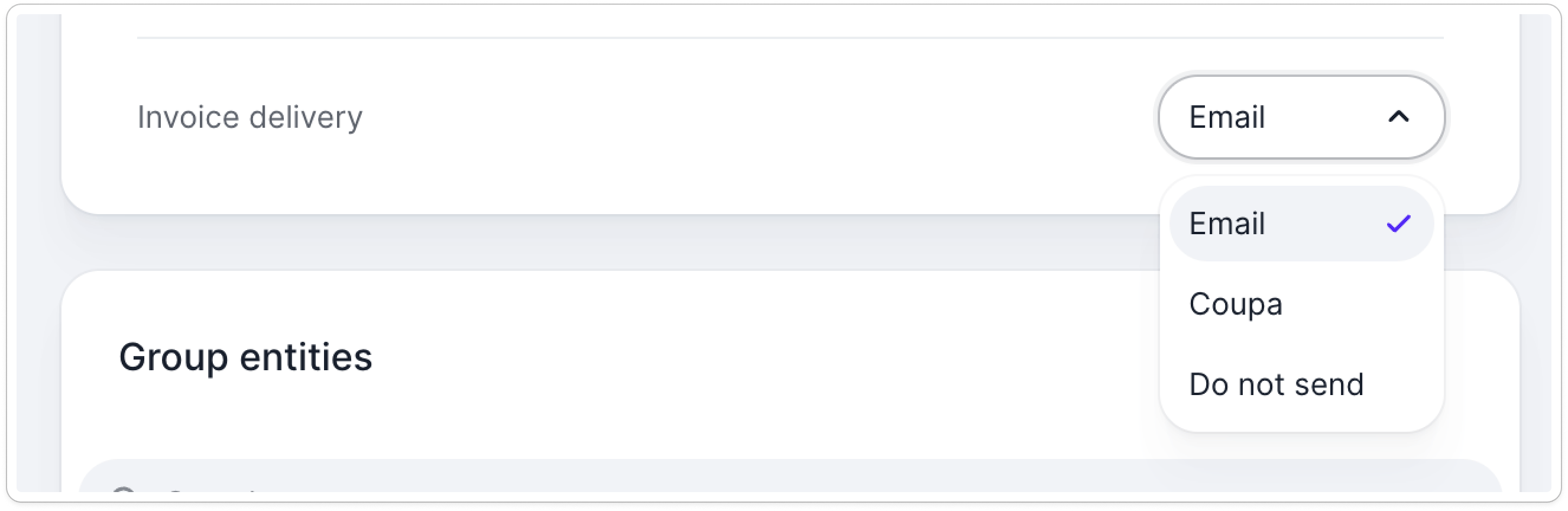
Some of your customers receive their invoices somewhere else — through an AP portal, an e-invoicing provider, or another billing system. Now you can:- Set Invoice delivery on a customer to Email, their AP portal, or Do not send
- On Do not send, invoices go straight to due rather than unsent while you handle delivery yourself.
- Change it on one customer, on many at once from the customer list, or automatically with a smart rule.
NewCollection
Reassign an action to the right person
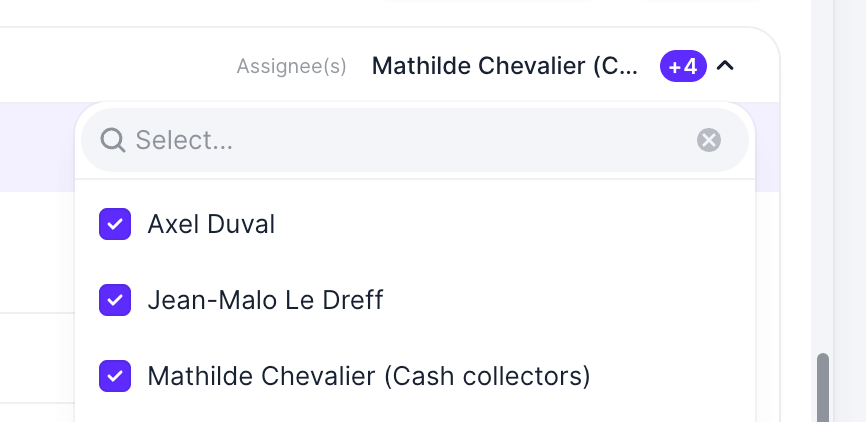
When a customer replies, the reply goes to everyone who owns that customer. You can now change who is responsible for a To do action:- Reassign a single action from your To do list, in the action header
- Reassign in bulk from the All tab, including Select all, so a colleague’s whole queue moves in one go
- The customer’s owner is untouched, only the action moves
ImprovementCollection
Clearer labels for who does the work and who owns the account
Two labels that sit next to each other used to mean different things in different places, which made it easy to confuse the person handling a single action with the person who owns the customer relationship. We’re standardising both across Upflow.- Assignee(s) now names the people responsible for an action — replacing “Owner” on workflow templates and “Assigned to” on the actions list.
- Owner(s) now names the user who owns the customer relationship — replacing “Assigned user(s)” on customers.
- Filters, imports, and CSV templates use the new wording, so the label you see in the UI matches the one you filter on.
NewCollection
Decide who gets the reminder when a contact is missing
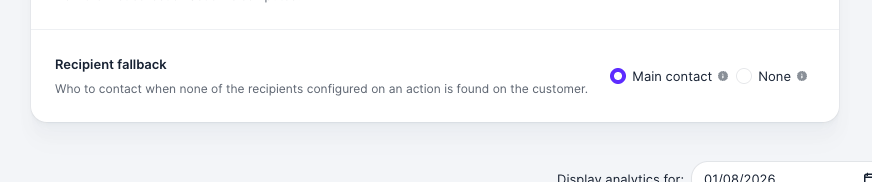
Your workflows target specific people, but sometimes that contact isn’t on the customer. Now you decide what happens next:- Choose a Recipient fallback on each of your workflows: Main contact or None
- With None, an action whose recipients aren’t found on the customer is no longer sent, it waits in your to-do list as a manual task
- Set it per workflow, so you keep the main contact fallback where it still serves you
NewCollection
Get through phone menus
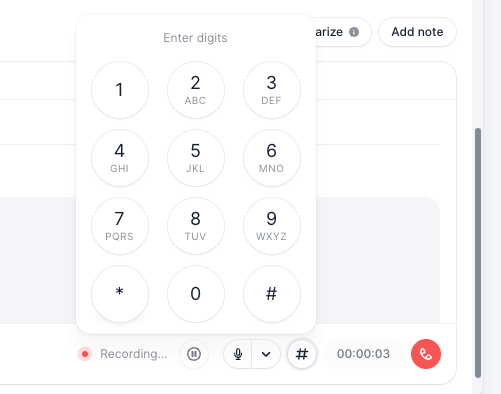
Some customers route every call through an automated menu or an extension. When a menu answers, you can now:- Open the dial pad from the call controls once your call is answered
- Click the keys, or type the digits on your keyboard while the pad is open
- See the digits you’ve entered so far, displayed above the keys
NewIntegration
See where each customer stands, without leaving NetSuite
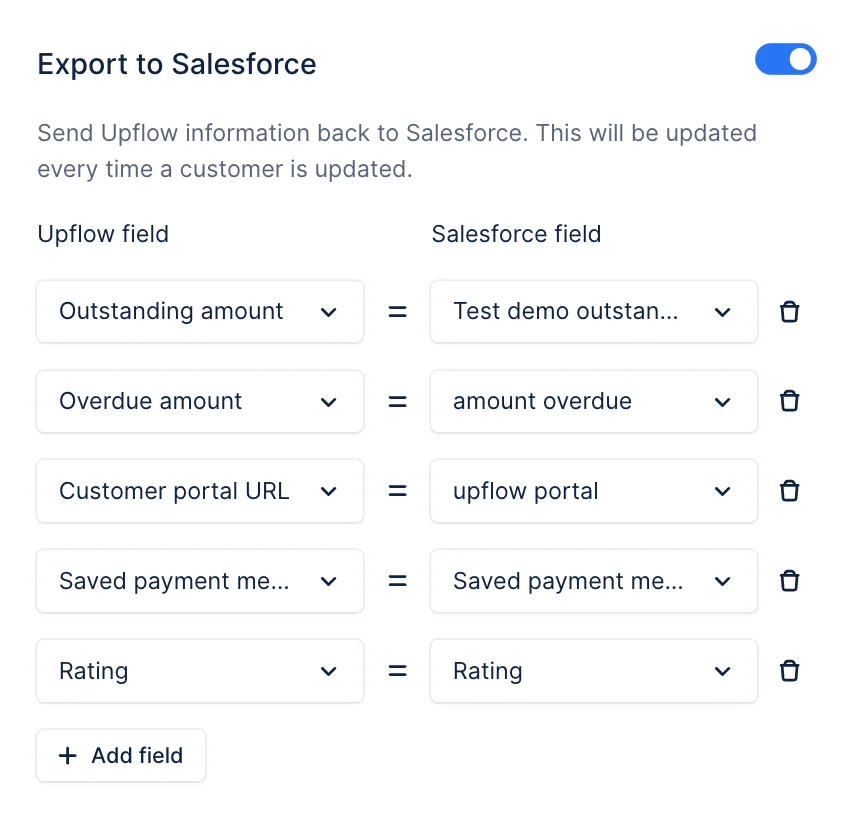
Your finance team works in NetSuite, but the collection picture — whether the collection is paused, whether the customer has a card on file or the portal payment link — lived only in Upflow.- Turn on Export to NetSuite from your Integrations settings and map each Upflow field to a NetSuite field you already use
- Push payment portal link, collection status or average payment delay onto the customer record
- Export your own customer custom fields alongside the standard ones
- Every mapped field refreshes automatically whenever the customer changes in Upflow

NewAI
Ask Upflow AI
Most questions about your receivables already have an answer sitting in your data, it just takes a filtered view or search to get to it.Now you can ask Upflow AI instead:- Ask from anywhere in Upflow: “Who are my top debtors?”, “Why has our DSO gone up?”, “How do invoice workflows fire?”
- Answers come from your own Upflow data and from Upflow docs, and each one links to its source so you can check it.
- Read-only and scoped to your permissions, it only sees what you already see, and it can’t change anything

New
Call from your own phone number
Place your collection calls from your own business number — the one your customers already recognize.- Verify a number you already own from your Calls settings — add it, confirm ownership with a quick code, and it’s live
- Set up several numbers and choose a default for your whole team
- Choose the right number per call whenever it helps you get through

NewAI
Meet your trusted collection agent 🤖
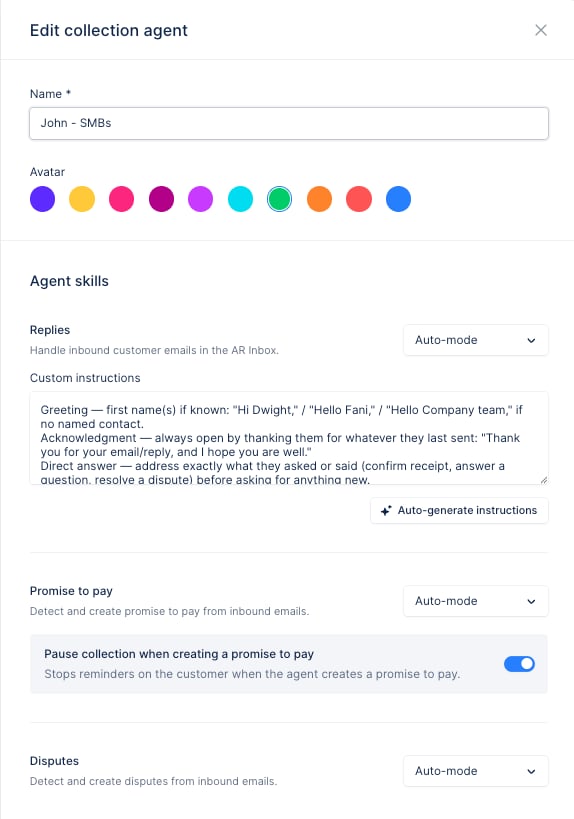
Handling every customer reply by hand — reading it, deciding what to do, writing back — falls on one or two people and eats their day, and much of it is the same answers over and over. Your collection agent takes that on: it works your inbound replies right inside Upflow, and you decide exactly how much it does on its own.- Create an agent, give it a name and avatar, and assign it to the workflows whose customers it should handle
- Give it three skills — Replies, Promise to pay and Disputes — and set the autonomy of each independently
- Choose per skill whether the agent stays off, prepares suggestions for you to review, or acts in auto-mode on its own
- Steer replies with custom instructions for tone, recurring situations, and when to hand back to a human. Ensure it sounds like you.
- See every agent action in your timelines and actions list, attributed to the agent — you stay in control, and it only acts when it’s confident
NewIntegration
Connect HubSpot to your collections
If HubSpot is your CRM, the context your team needs to get paid — account owners, customer details, the way each account really works — used to live outside Upflow, forcing custom connectors and email workarounds. You can now connect HubSpot to Upflow natively and keep both sides in sync.- Connect in a few clicks from your CRM settings — sign in to HubSpot and authorize the access
- Match the right HubSpot company to the right customer with a shared identifier
- Import HubSpot company custom properties to enrich your customers and drive smarter workflows
- Push your AR data back to HubSpot so your commercial team always sees where each account stands
- Connect several Upflow organizations to the same HubSpot account
NewPayments
Capture a payment method before your customer’s first invoice
Winning a self-serve or smaller account often means securing a card or direct debit up front — but until now that meant waiting for the customer to be set up in your accounting system first. If you run a native Sage Intacct or NetSuite integration, you can now create the customer and capture their payment method right in your sales or onboarding motion.- Create a brand-new customer through the Upflow API — Upflow writes them straight back into Sage Intacct or NetSuite
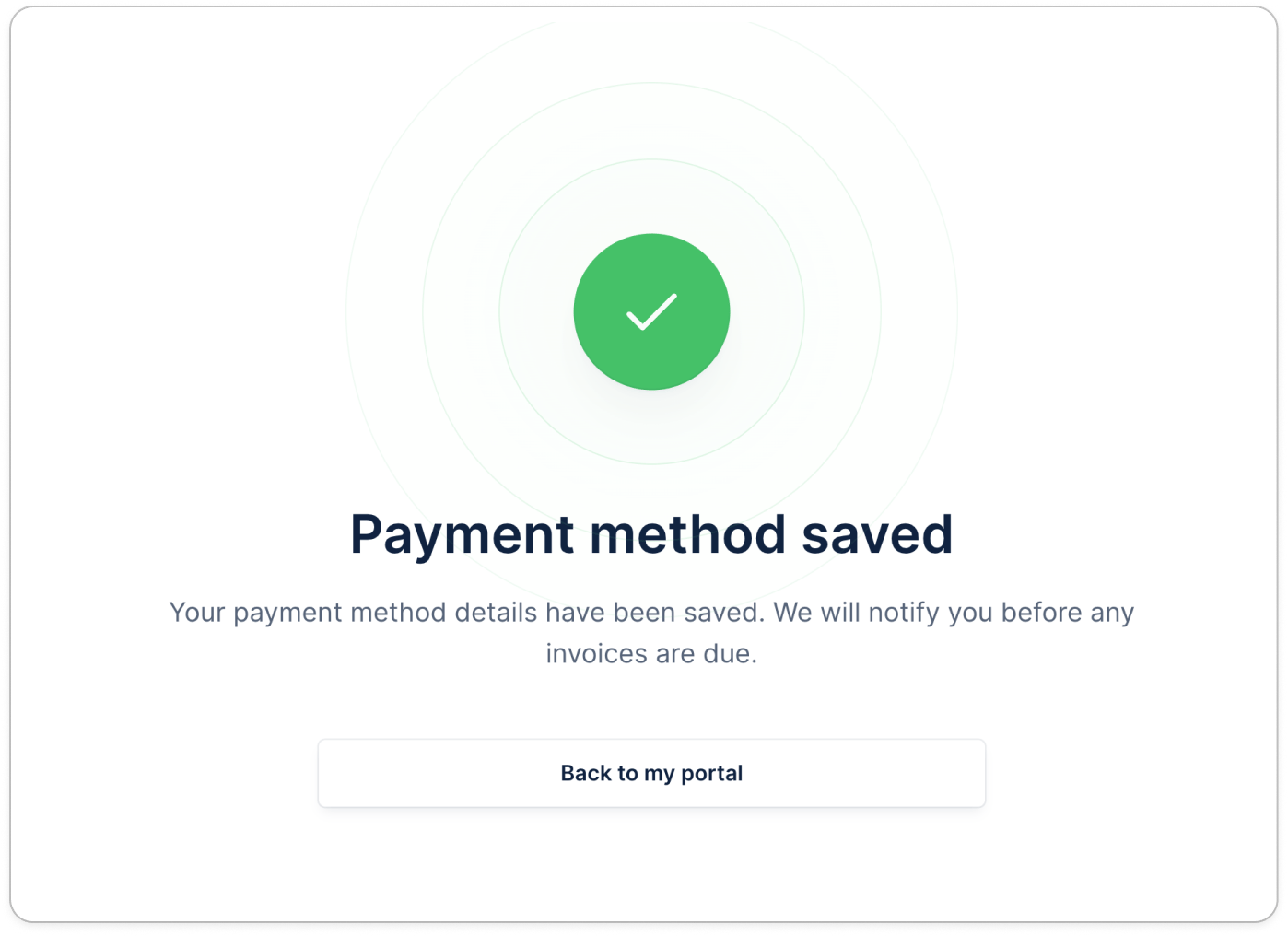
- Send them a portal link to save a card or direct debit before their first invoice is ever raised
- Track when the payment method is on file, ready to collect manually or with Autopay
NewIntegration
Sync your customer emails from Gmail
You can now connect your Gmail account to Upflow and automatically sync your collection emails sent to or from your address.- See the full conversation history right in the customer’s timeline
- Never miss a customer reply
- Get more from AI features like suggested replies and timeline summaries

NewCash app
Import bank transactions via CSV
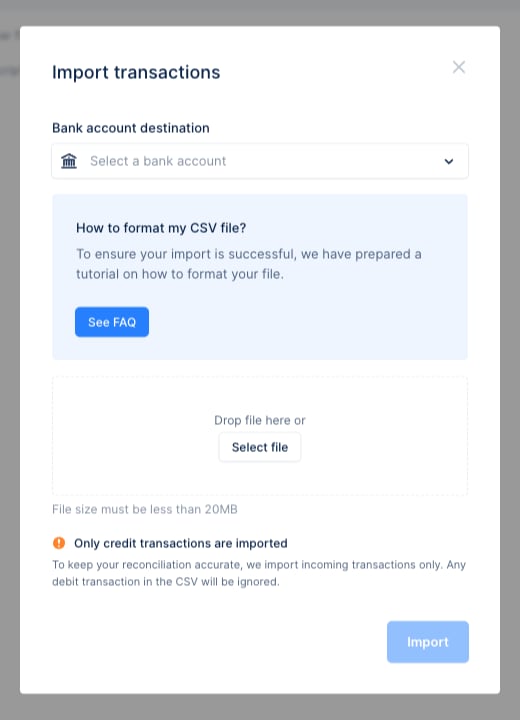
Cash Application needs your bank transactions to match payments to invoices — but not every bank connects through an automatic feed. You can now bring them in yourself by uploading a CSV, and benefit from our cash app agent.- Upload a CSV exported from your bank account or lockbox into Upflow
- Our Cash App agent reconciles most transactions, and you focus on the edge cases
- Payments are automatically written back to your ERP
NewPayment
Multiple saved payment methods
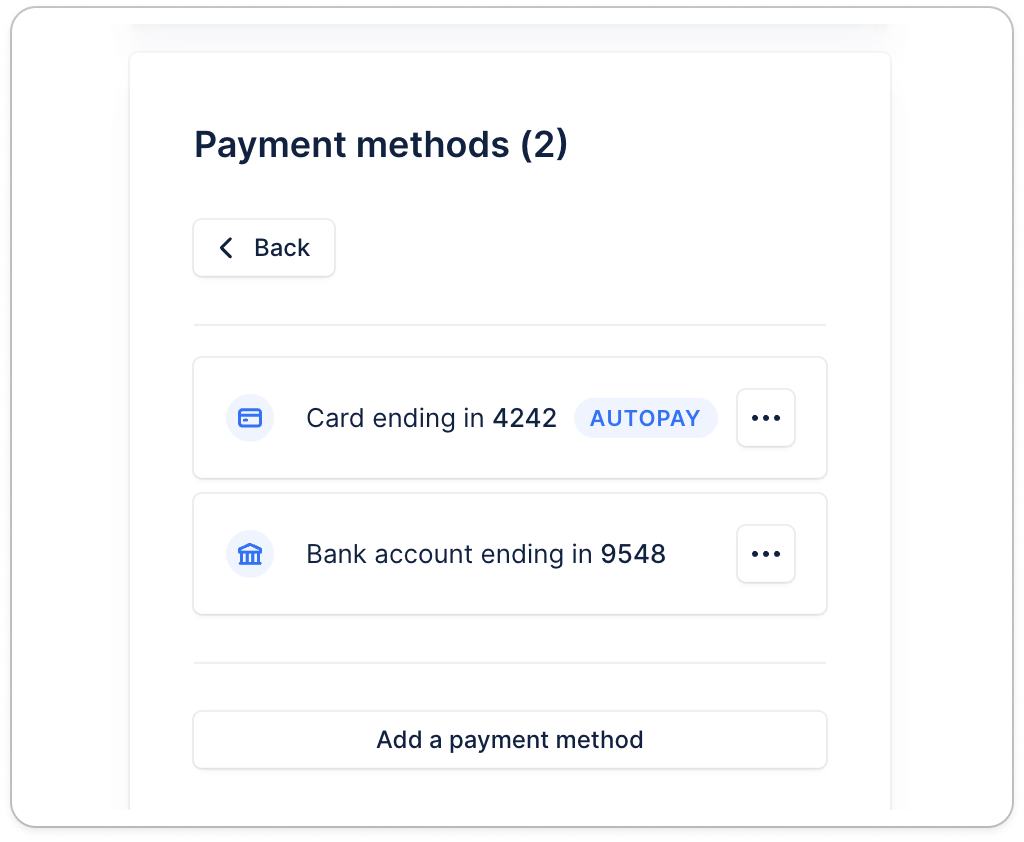
Your customers can now save multiple online payment methods via the Upflow Customer portal, making it easier to choose how they want to pay every invoice.- Save a new payment method anytime — no open invoice required.
- Choose the default method for Autopay and update it whenever needed.
- Pay any invoice using any saved payment method, without having to re-enter payment details.
NewCollection
Send SMS reminders from your own company name
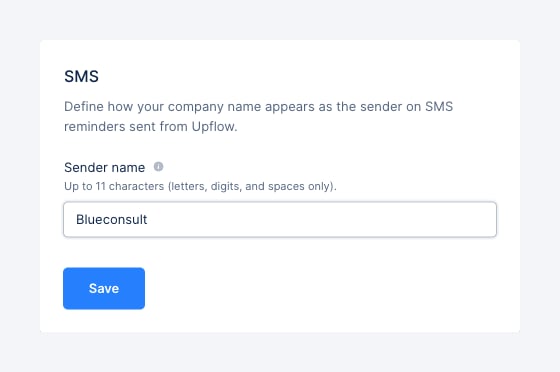
By default, SMS reminders go out from “Upflow” — a name your customers may not recognize, so they ignore the message or flag it as spam. You can now replace it with your own company name, so reminders are instantly recognizable and trusted.- Set your sender name in Settings → SMS — it applies to every SMS reminder from that point on
- Use up to 11 characters: letters, digits, and spaces
NewCollection
Send invoice reminders to the right person, automatically
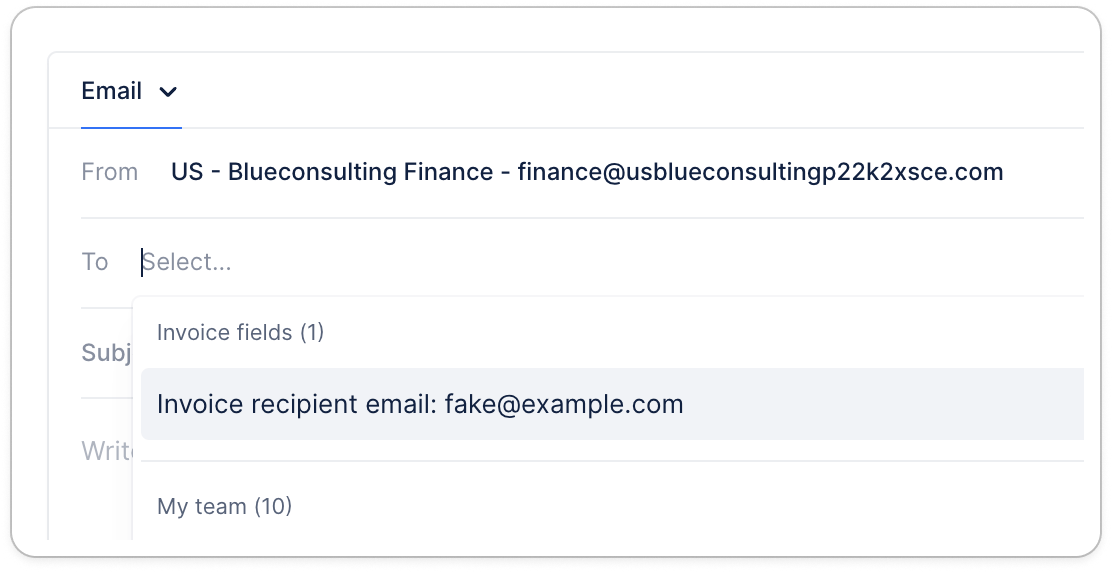
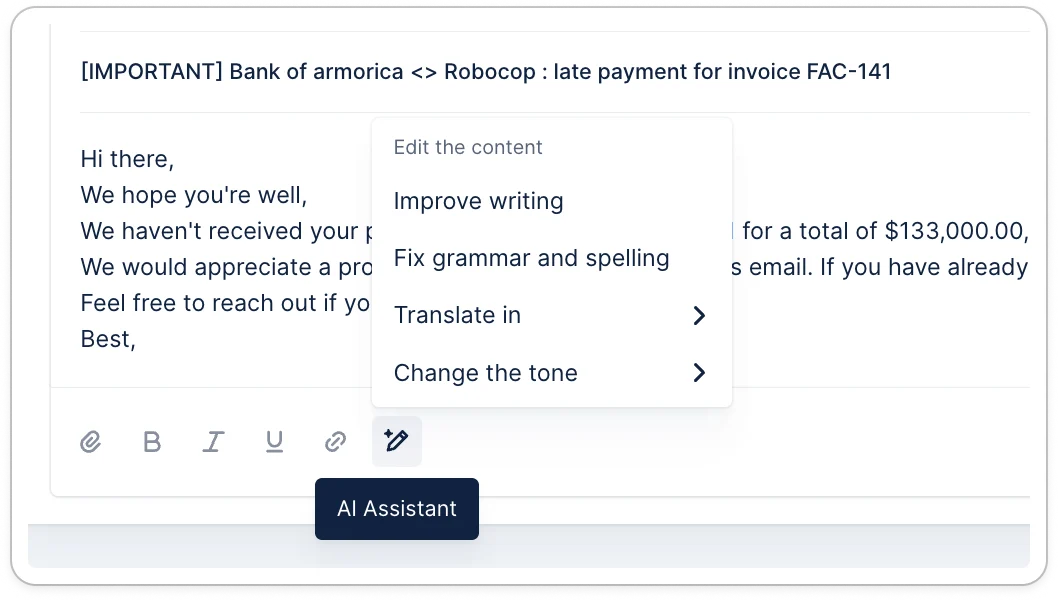
Some invoices need to reach a specific person — like a billing contact that’s different from one invoice to the next. Upflow now supports that natively:- Store the email in a custom field on your invoices — synced from your ERP or added directly in Upflow
- In any email communication or template, pick that field as the To, Cc, or Bcc, it shows up under the new “Invoice fields” group
- Upflow then uses that custom field as the recipient for each invoice — pulling the right email every time it sends
IntegrationAIImprovement
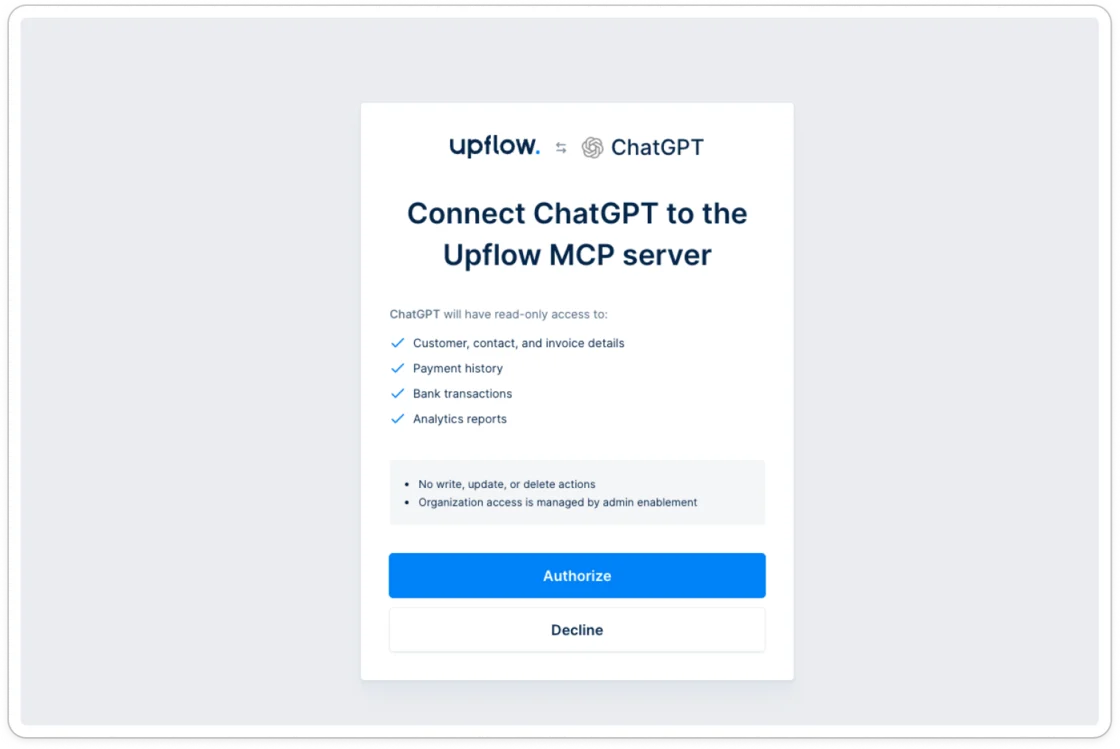
MCP server - Connect your AI client to Upflow
Ask Claude or ChatGPT anything about your receivables — and get an answer in seconds:- “How much have we collected this month vs. last?”
- “Create a custom ageing balance”
- “Draft me a cash forecast for Q3 2026”
Learn more here
New
Track ACH and BACS payments from the moment they start
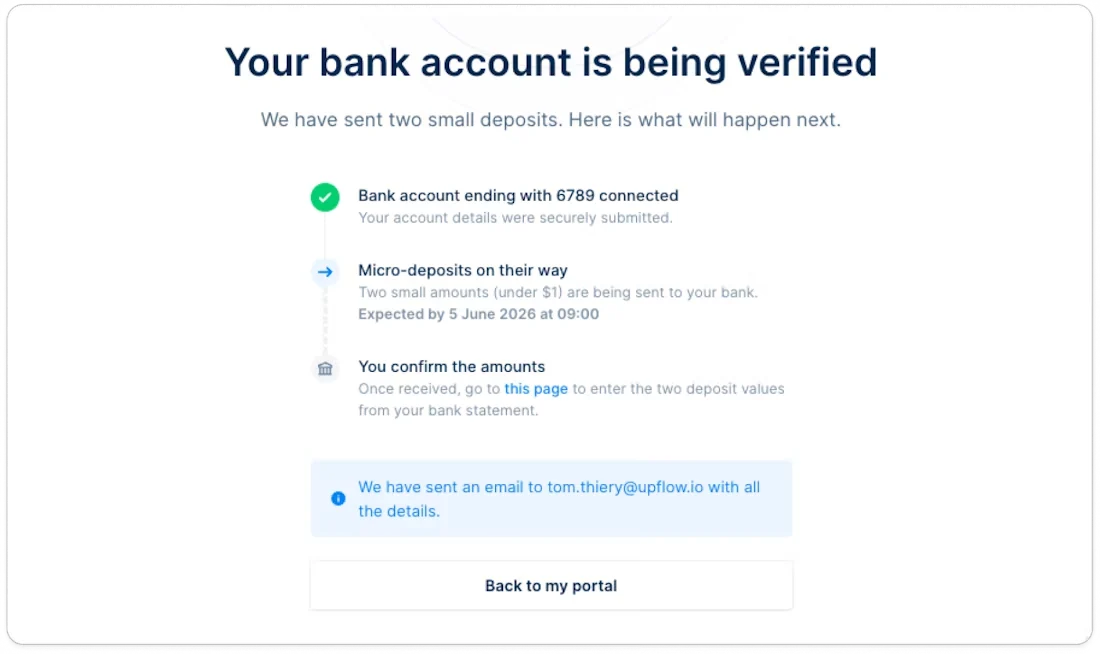
When a customer initiates an ACH (micro-deposit) or BACS payment, both you and your customer now see it in progress right away — no more wondering whether the payment was made.- Your customer sees a callout on their portal homepage with the amount, the linked invoices, and a cancel option. For ACH micro-deposits, the verification link is included.
- ACH verification emails are now sent by Upflow directly to the email address the customer entered when adding their bank account.
- On the customer portal, invoices tied to an in-progress payment are hidden from the payment selection — no payment duplicates.
- You see payment-in-progress status directly on the customer details page.
New
Meet our Cash App agent 🤖
The Cash App agent now reconciles your bank transactions automatically when the match is clear — saving your team the clicks on the obvious cases.The agent is conservative: it only applies the safest matches. Anything ambiguous still surfaces as a suggestion for you to review. You stay in full control — a single admin toggle to enable it, and a one-click unapply on any transaction the agent gets wrong.Auto-applied transactions show a distinct “Auto-applied” status in Upflow and sync to NetSuite with an “Auto-applied by Upflow” memo. Turn it on in Settings → Cash application.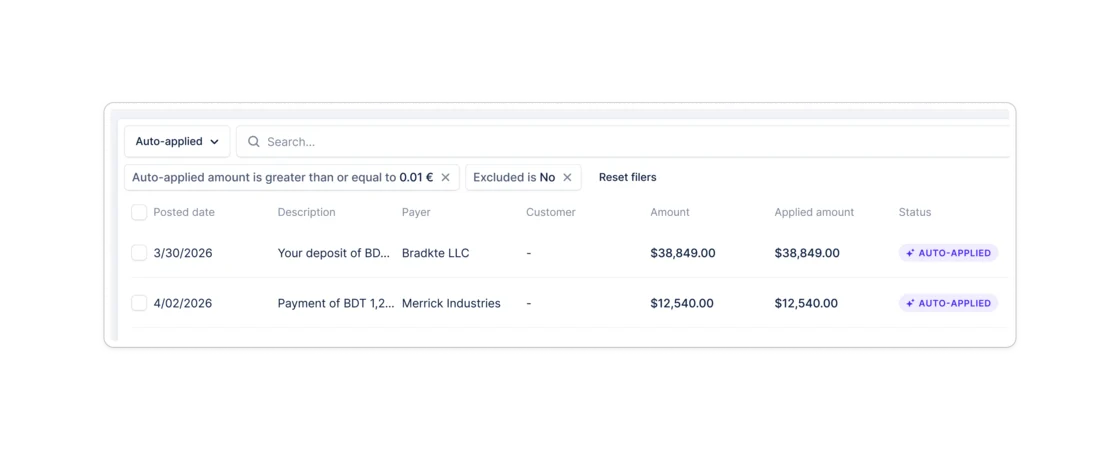
Collection
Templates
You can now create reusable templates for your workflow and campaign actions — write the content once and reuse it everywhere.- Create templates for any action type: email, task, call, SMS, or letter
- Link a template to any workflow step, campaign, billing action, manual action, or reply action — content is pre-filled; in workflow steps it’s locked to the template so it stays in sync automatically
- Update a template once to apply the change across every step that references it
- Track performance directly in the template library: open rate, click rate, and amount collected per template
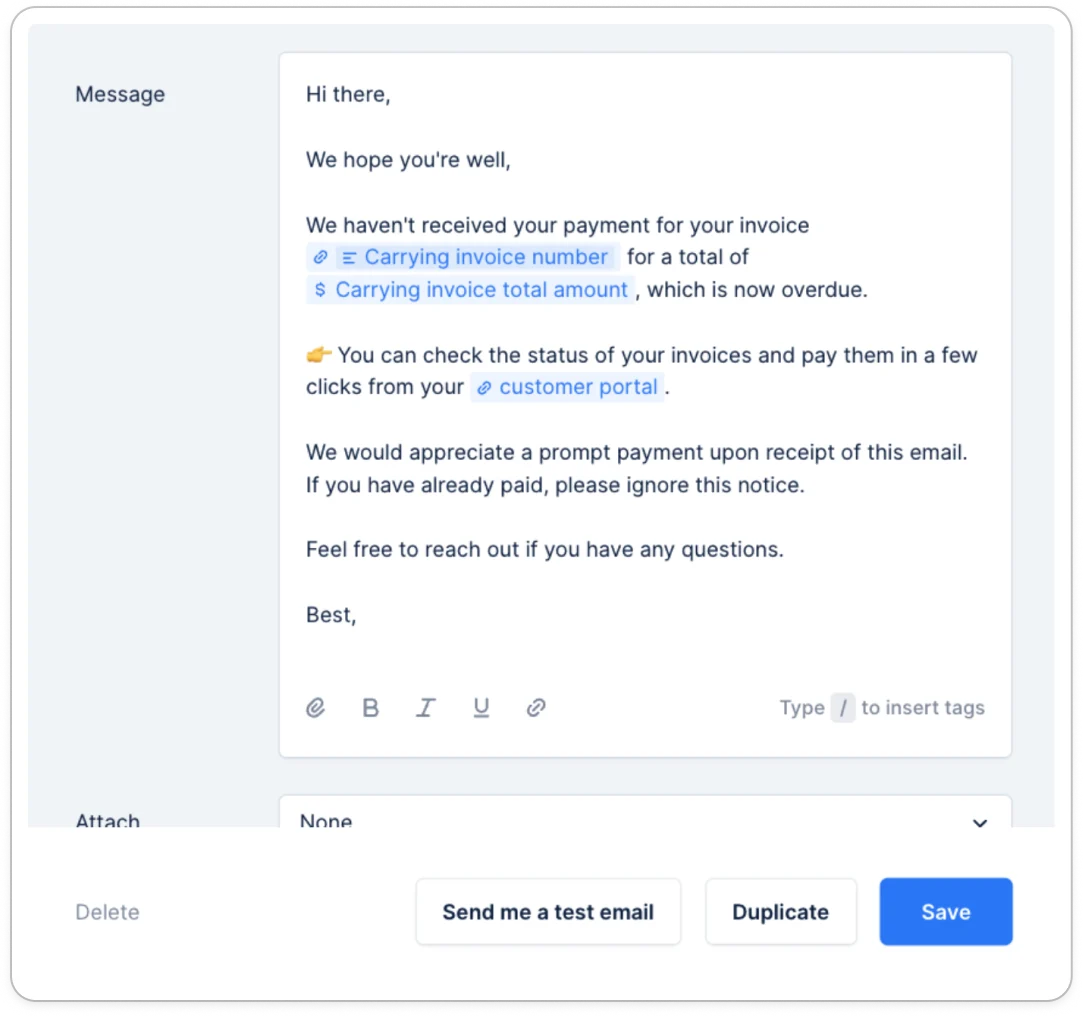
- Preview any email template before it goes live with “Send me a test email”
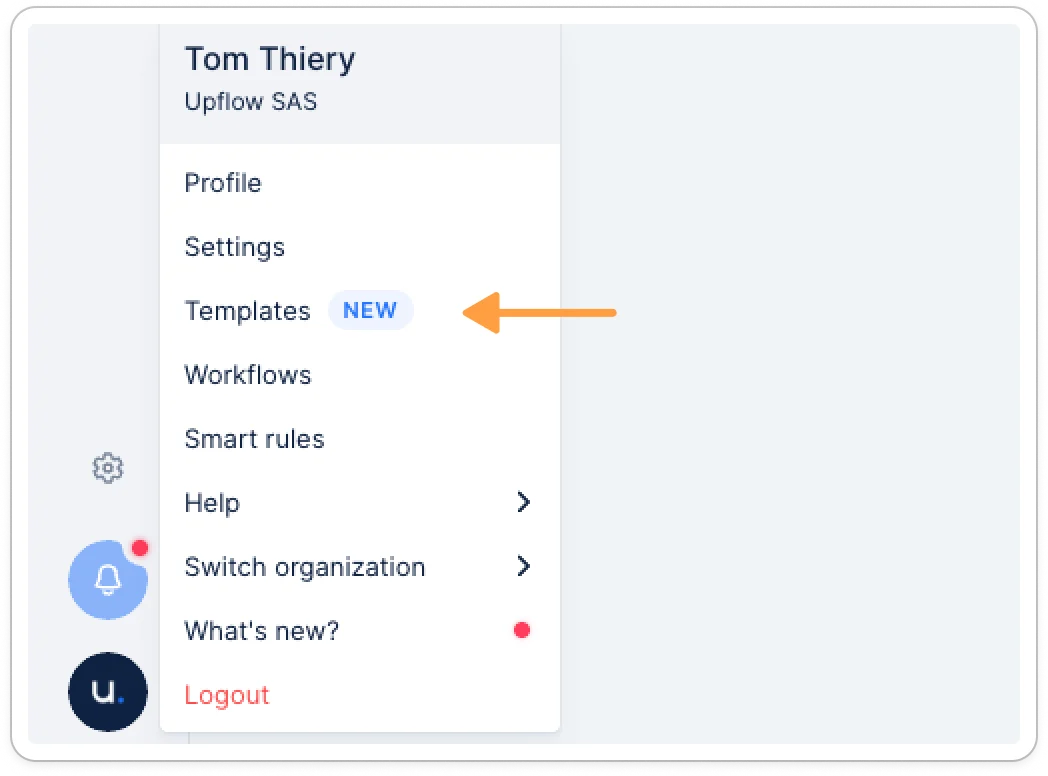
- Manage all templates from Menu > Templates — search, filter, duplicate, and analyze from one place
Misc
Test Mode is now on by default
New organizations now start in Test Mode automatically — manual actions are blocked and automatic actions cannot be enabled until you’re ready to go live.When you’re ready, click Go live on the banner. This unlocks manual actions immediately. You can then enable automatic actions separately from your Collection settings.Already live? You can now pause and resume automatic actions at any time from Collection settings — useful when your team is away or your data needs a reset.Help article available here
Filter invoices and actions by customer data
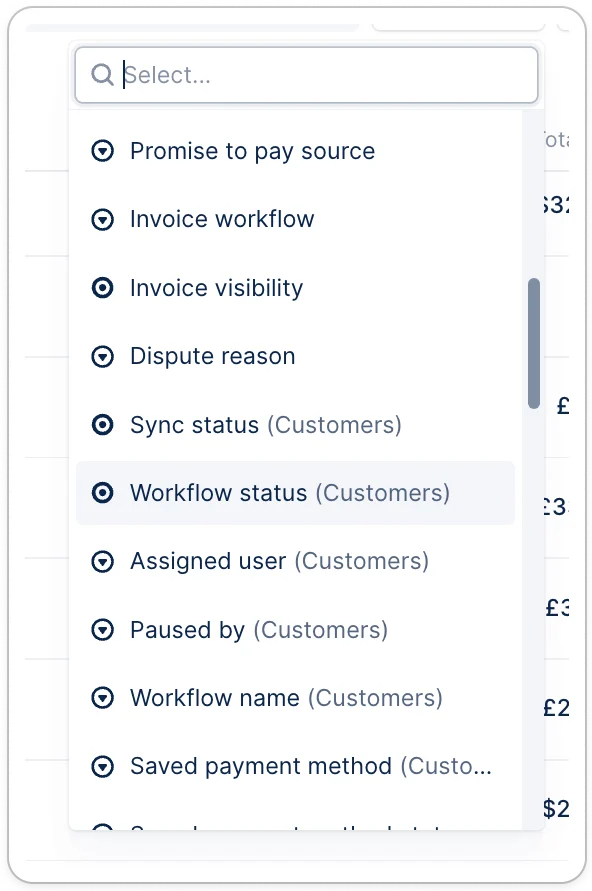
You can now filter the invoice and action list views using customer-level data.- Filter by customer country, account owner, custom fields, payment rating, dunning plan, and more
- All filters available in the customer list are now available in the invoice and action lists
- Customer fields are clearly labeled with a (Customers) suffix so you can tell them apart from invoice fields at a glance
-
Customer-based filters work in saved views, so you can build and reuse segments permanently.
Collection
Inline images in emails
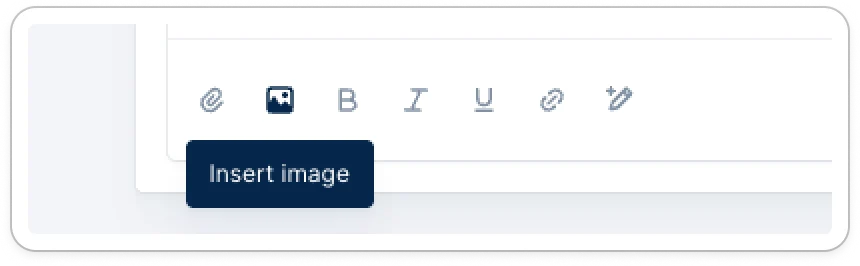
You can now use inline images in Upflow messages: Upflow lets you paste or upload images directly inside your emails and letters, and they’ll render in the message body (no more broken image icons) — so you can communicate faster and more clearly. With Inline Images, you can:- Copy/paste or upload images inline while writing a message
- Send and receive images that display directly in the timeline
- Use inline images across emails, letters, and timeline notes
-
Stay within supported limits (PNG, JPEG, GIF, WebP — up to 15MB per image)
CollectionAI
AI-Suggested Invoice Disputes
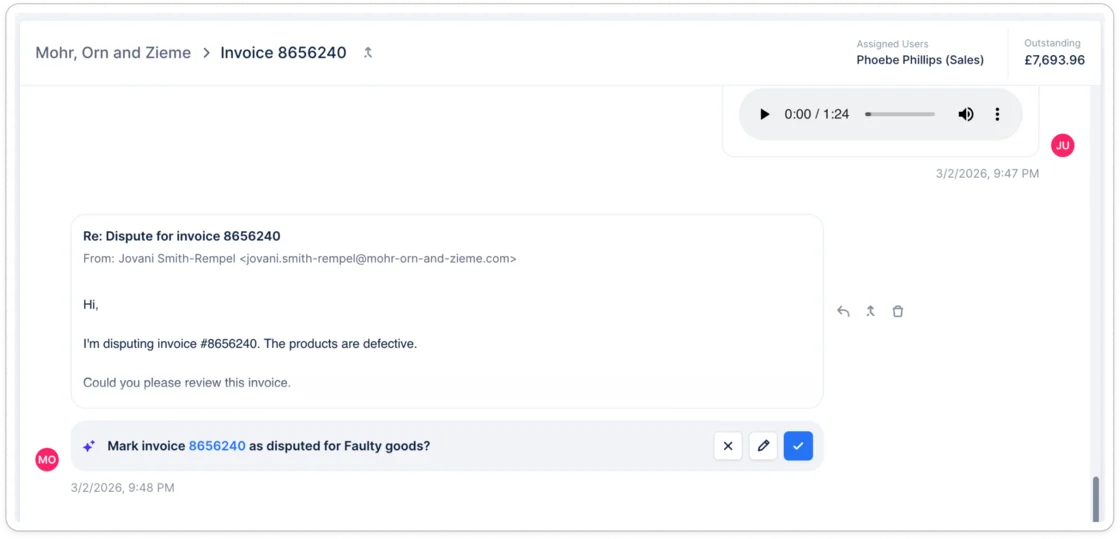
You can now use AI-suggested invoice disputes in Upflow: Upflow automatically detects dispute signals in customer replies and suggests a dispute reason you can confirm in one click—so you can resolve issues faster while staying fully in control. With Suggested Disputes, you can:- Automatically detect potentially disputed invoices from imported customer email replies
- Get a suggested dispute reason based on the message content
- See a supporting quote from the customer reply explaining the rationale
- Accept the suggestion, edit it, or reject it (you always stay in control)
- Email integration: You must have automatic reply imports configured so Upflow can analyze customer communications
- Custom dispute reasons: Make sure your organization has dispute reasons configured in Settings
Collection
Ad hoc actions
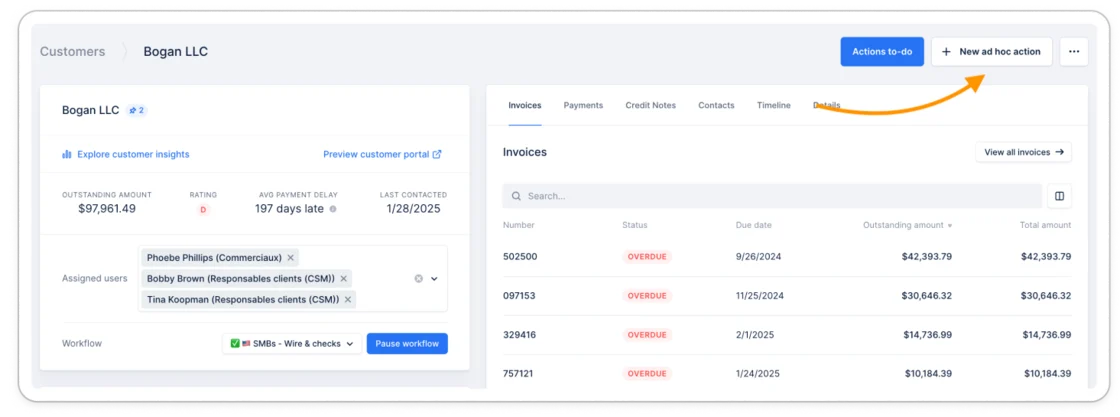
You can now create ad hoc actions in Upflow: standalone tasks and reminders that don’t require a specific workflow or invoice status. Use them to coordinate with your team, track one-off collection activities, and send follow-ups anytime.With ad hoc actions, you can:- Create an ad hoc action for a specific customer or invoice
- Start from an existing template or write your own message
- Works with any invoice status
Integration
Import custom field values via CSV
You can now import custom field values for your customers via CSV. Map your CSV columns to existing custom fields and set values for text, number, date, select, multi-select, and boolean field types—all with built-in validation to ensure proper formatting.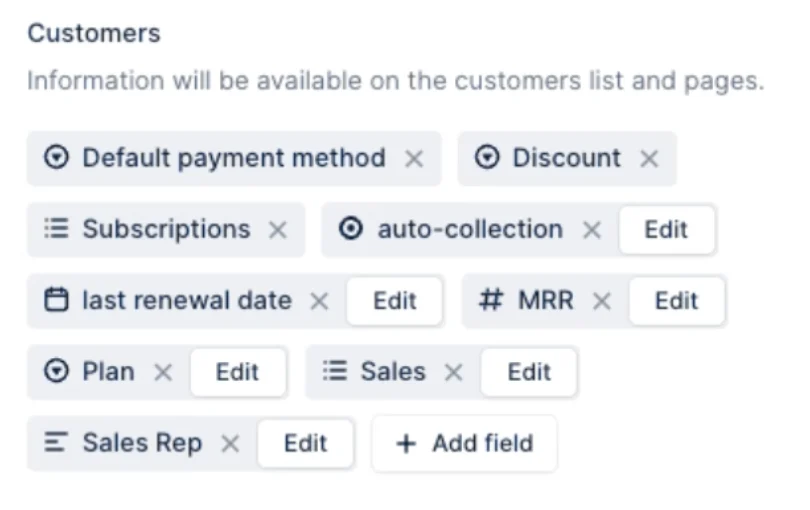
Integration
Export Upflow actions data via the API
You can programmatically export the actions data using Upflow’s REST API. Here is the corresponding documentation.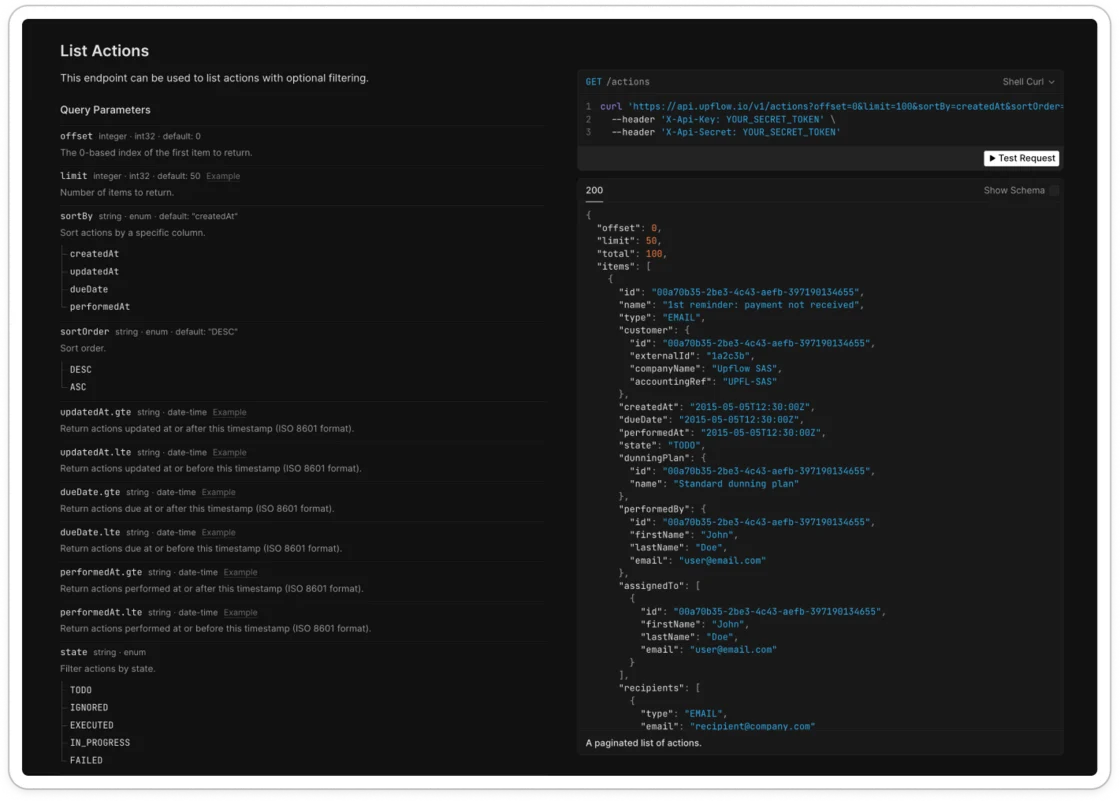
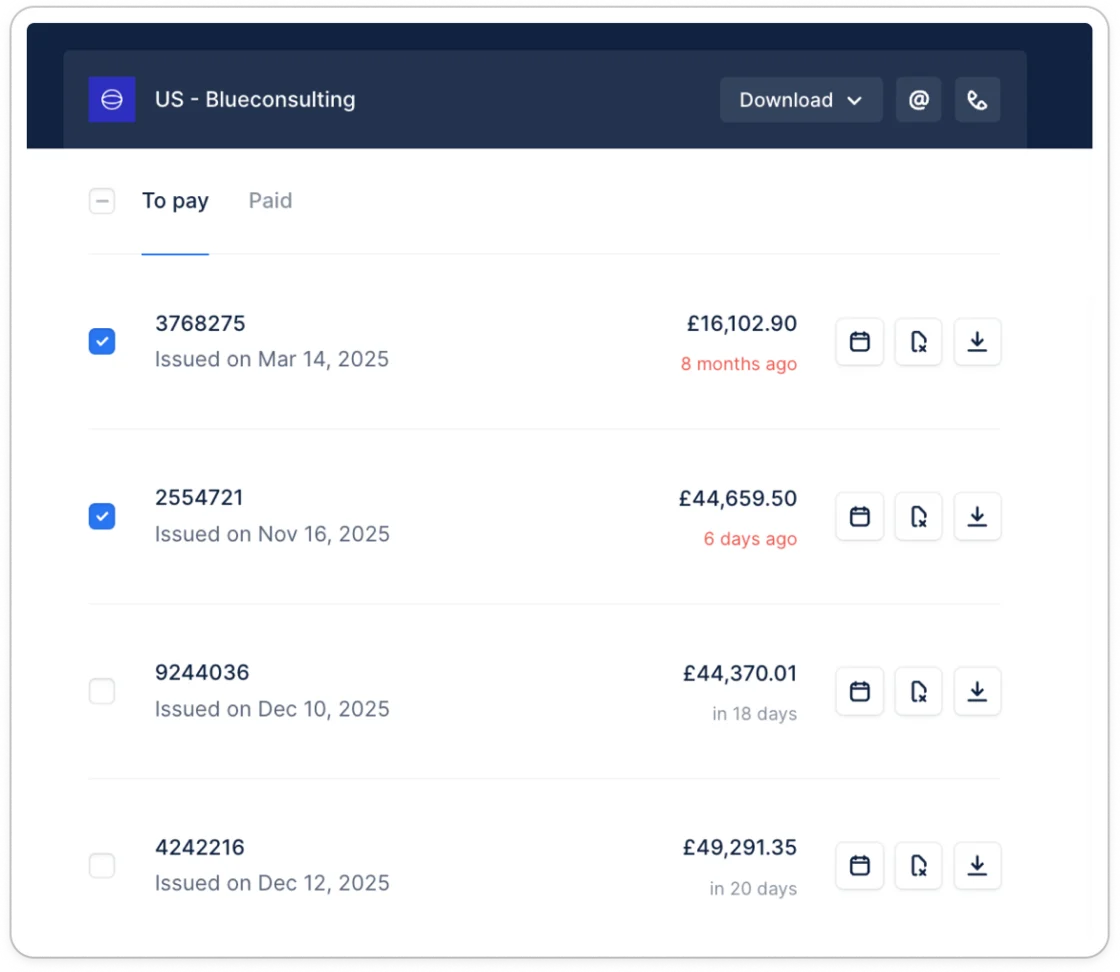
Collection
Customizable dispute reasons
From now on, you will be able to customize the dispute reasons so they better serve your needs. Those reasons will be available to you, your customers, and Upflow AI.Set them up in your settings.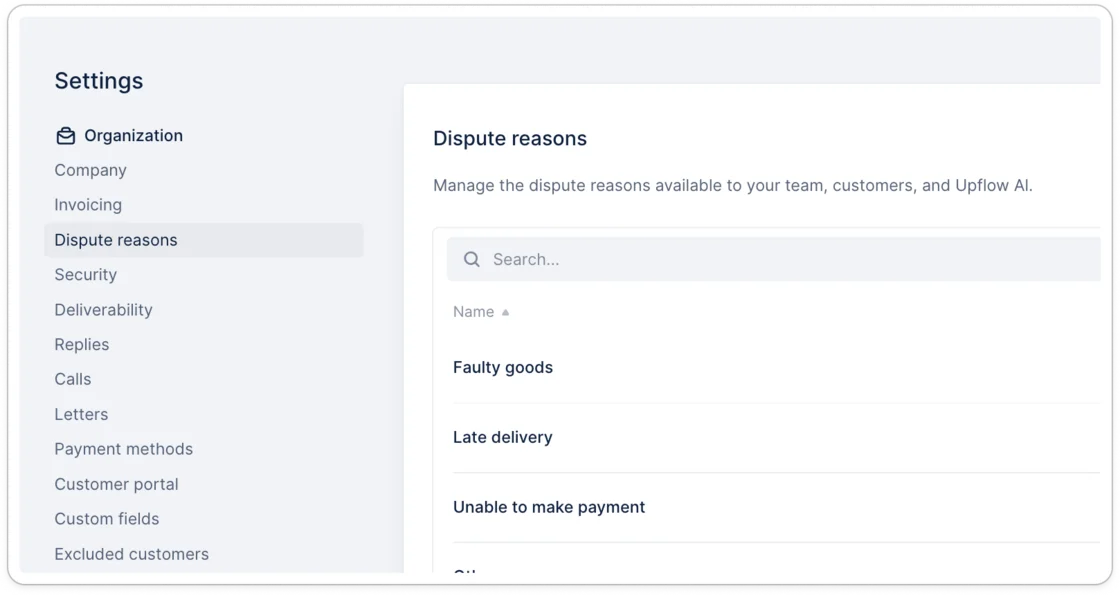
CollectionAI
AI suggested Promise to pay
By analyzing your customers’ communication, Upflow AI can identify promises to pay and suggest them to you. Just a quick look and accept it in a click!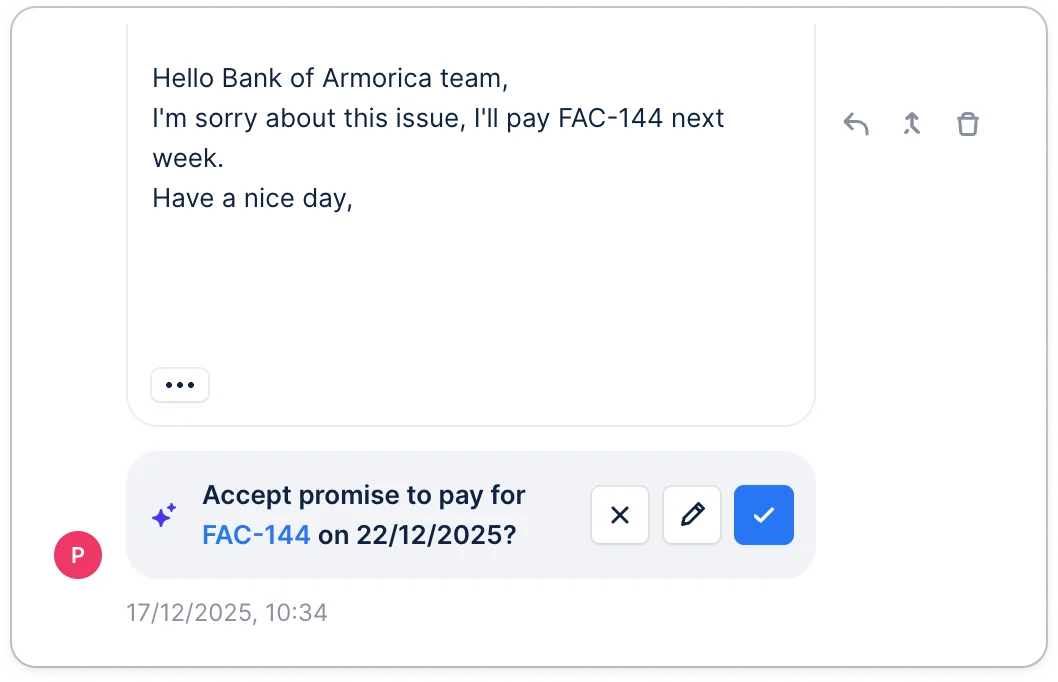
Integration
Stripe Billing - Support additional emails
Import the customer’s additional emails from Stripe billing into Upflow for a stronger collection. Set it up in your contacts settings.Note: this feature is in beta for Stripe, and you will need to request access to their support.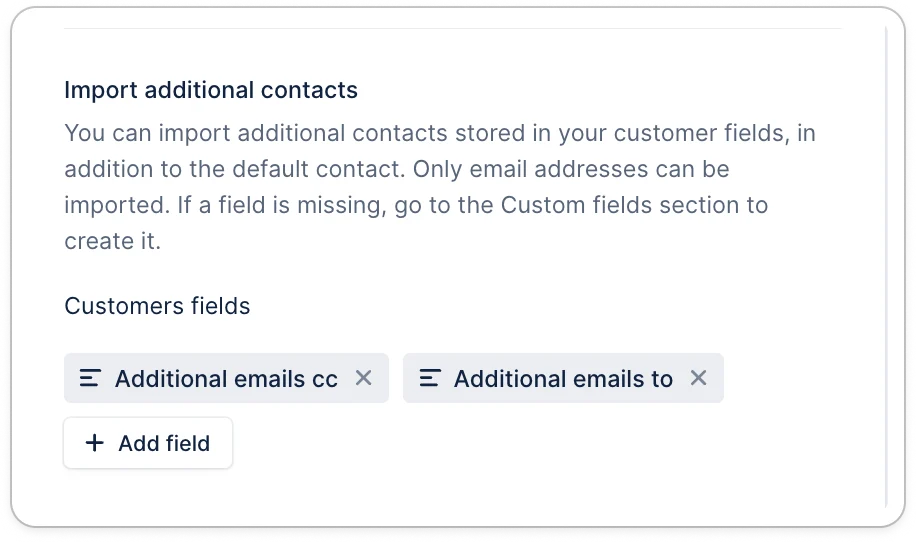
Collection
Add notes for any action type
From now on, you can add a note for any action you need to take, whether it comes from a workflow, a reply, or a campaign.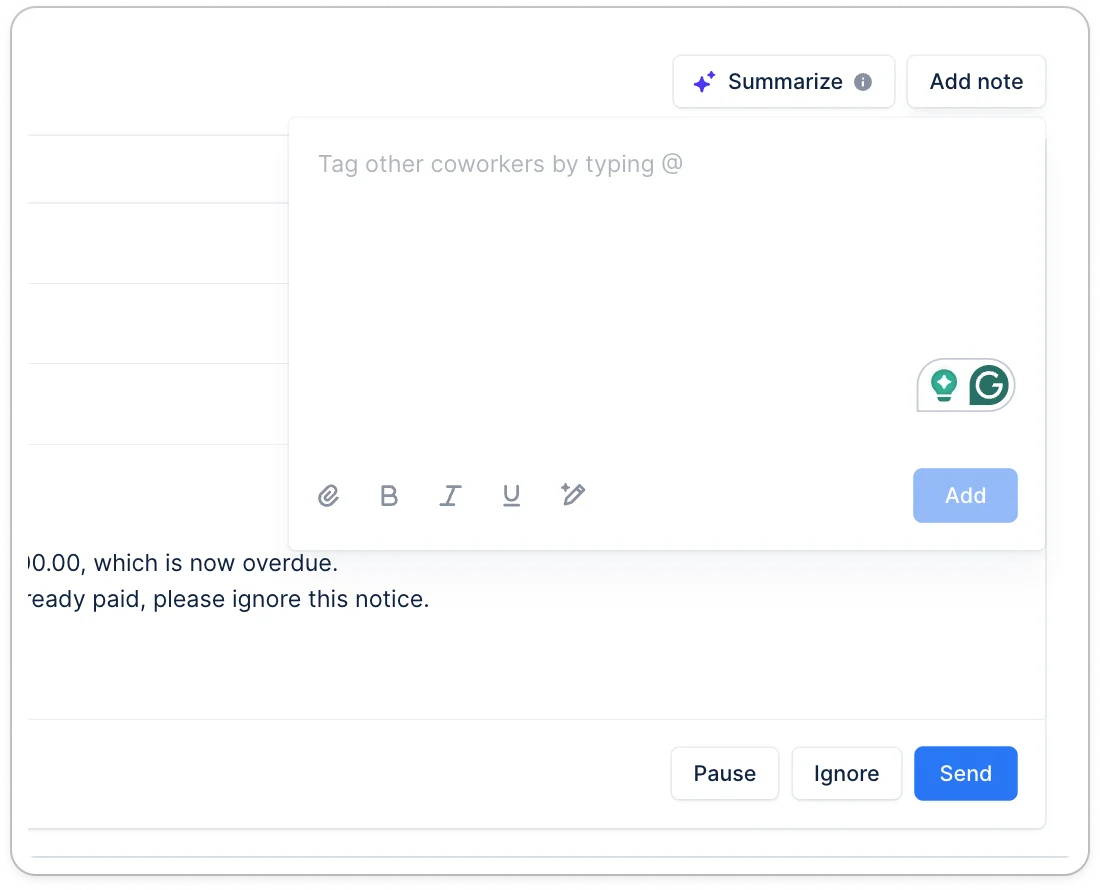
Payment
Download Upflow payment receipts
If you need to download the payment receipt that was sent to your customer, head over to your payments in Upflow and download it.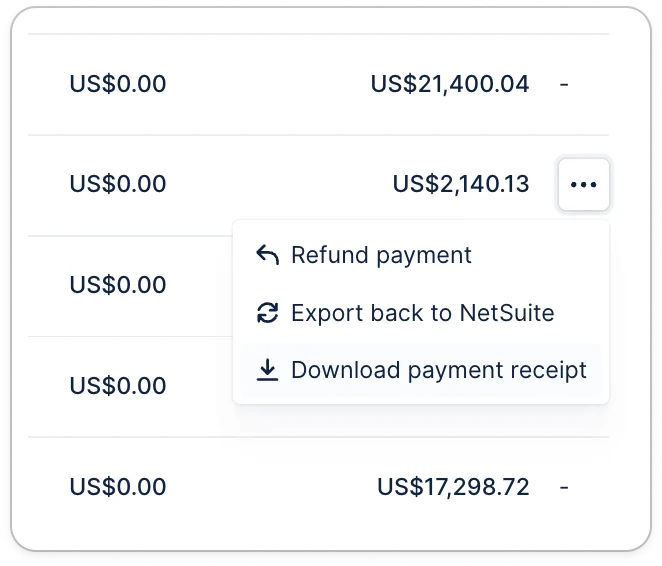
IntegrationAI
Collection
Specify contacts from custom fields as action recipients
You can now use the contacts that are imported from a customer’s custom fields in your collection workflows. To import those contacts, go to your contact settings.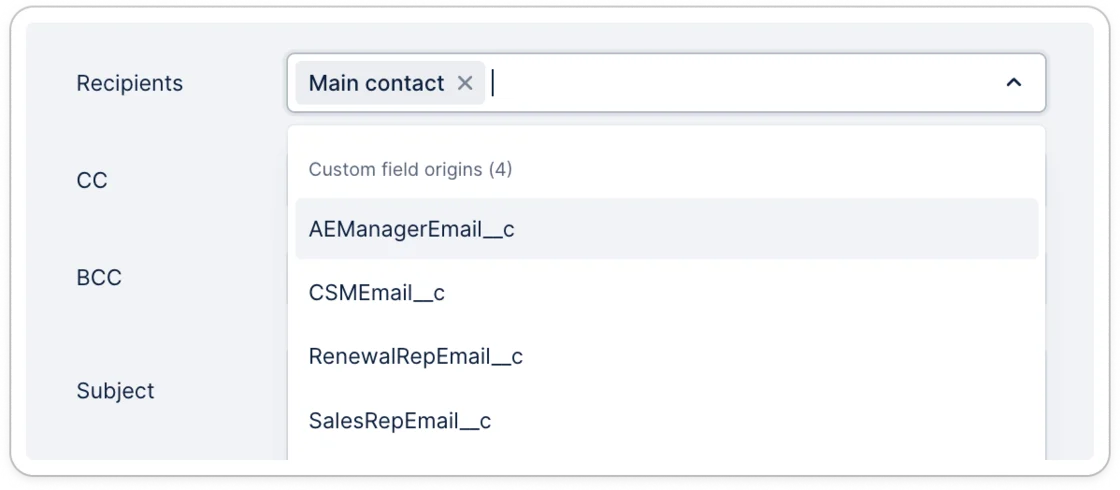
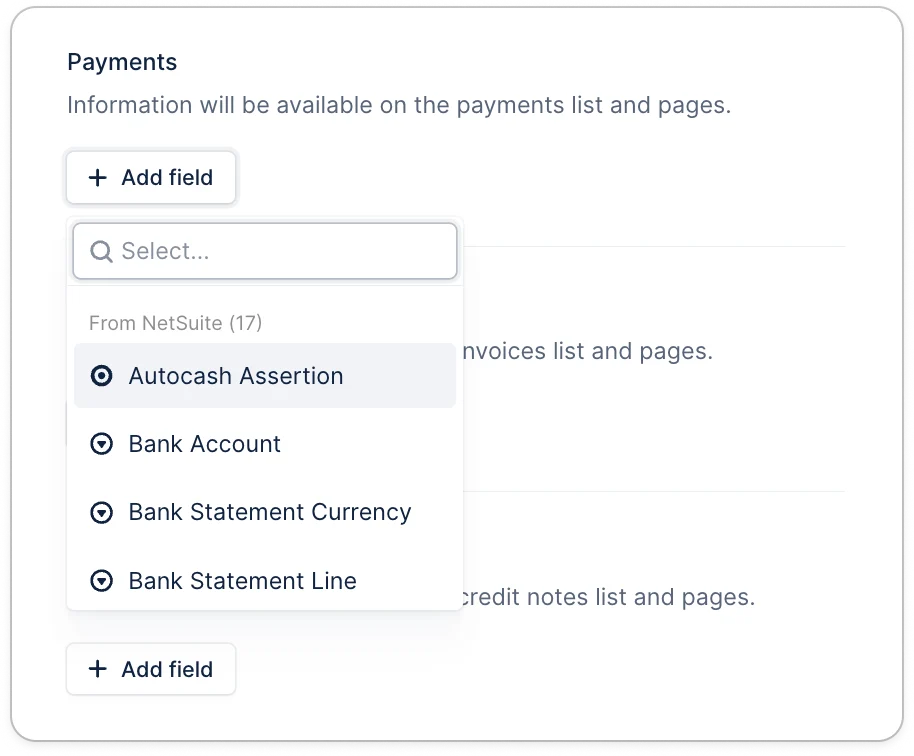
Refreshed API documentation
We’ve revamped our documentation so it’s easier for you and your team to integrate with Upflow’s API whether it’s to import data into Upflow or export it. Check it out at developer.upflow.io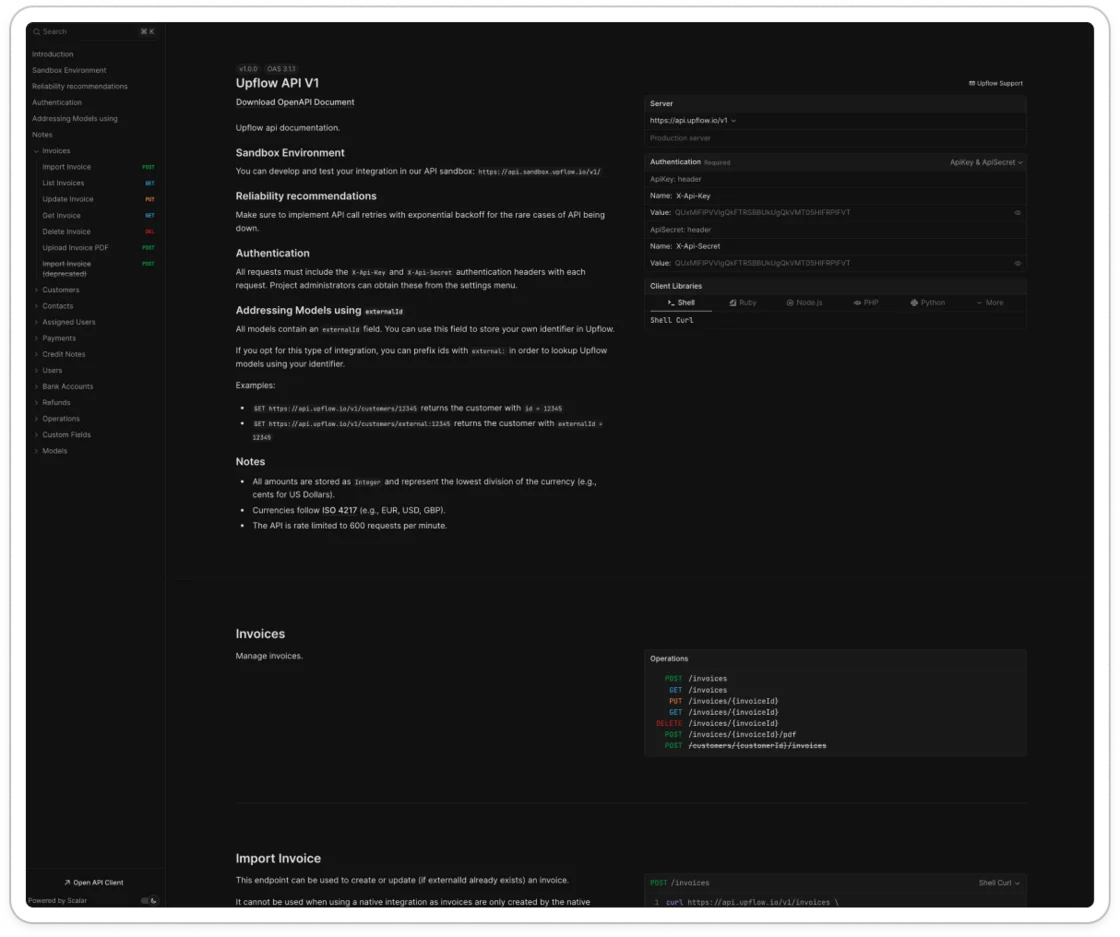
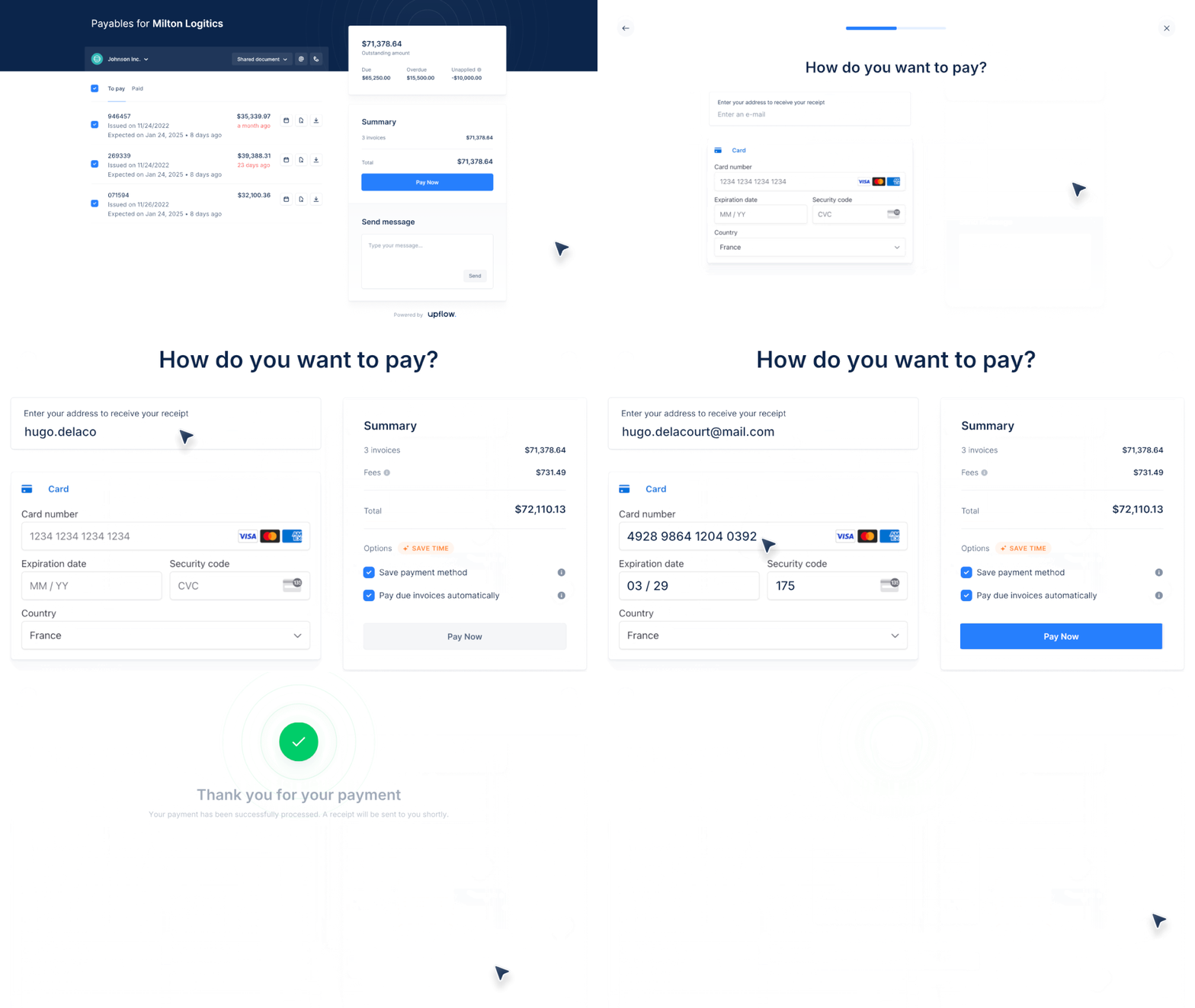
New portal payment flow
We’re launching a new portal payment flow on October 1, 2025, to help bring B2B payments online.You will benefit from:- A redesigned payment experience with technical enhancements to increase payment acceptance.
- Support for partial payments, allowing invoices to be split with ease.
- Let customers save a payment method for fast, one-click payments—no autopay required.
-
Collect payment details before invoicing to streamline your lead-to-cash cycle.
NewAnalytics
Payments widget breakdown by Invoice age
Better understand what is driving your payment volume. Is it the recent invoices only or can you recover some old ones? Try it out in the Analytics section.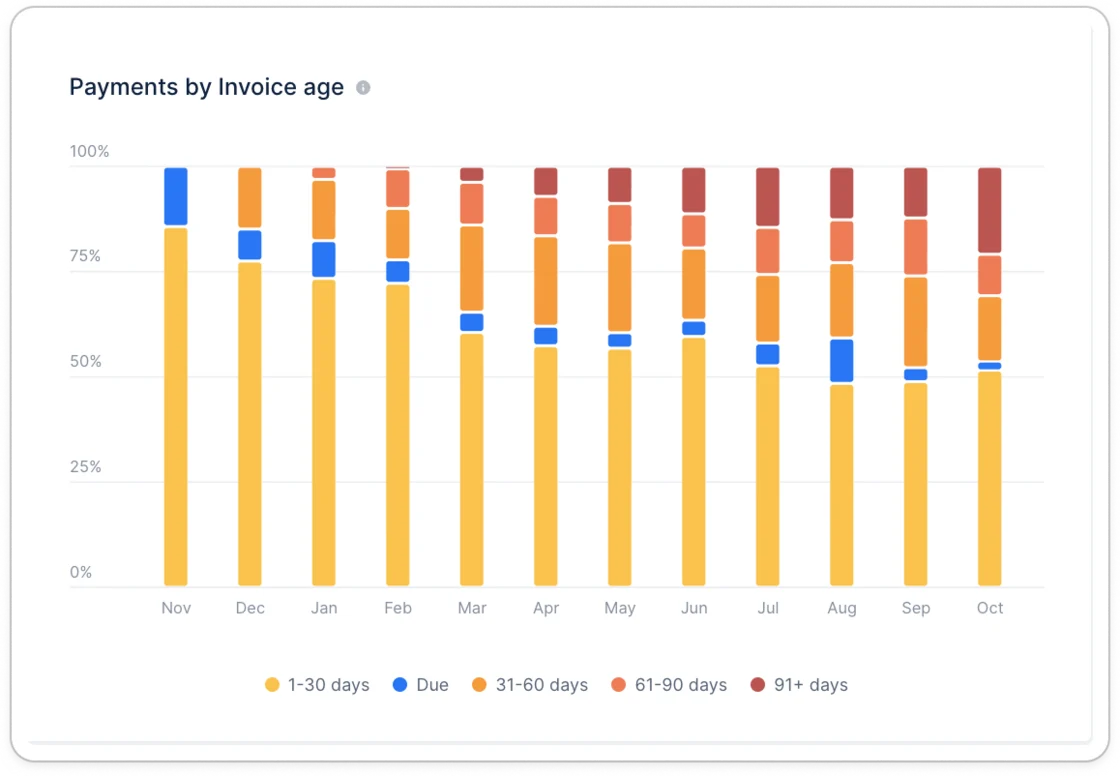
New
Import contacts from customer fields
If you have contacts stored in a customer field, you can now import them as contacts to send them reminders or add them to Cc/Bcc. To do so, head to your settings and select the corresponding fields.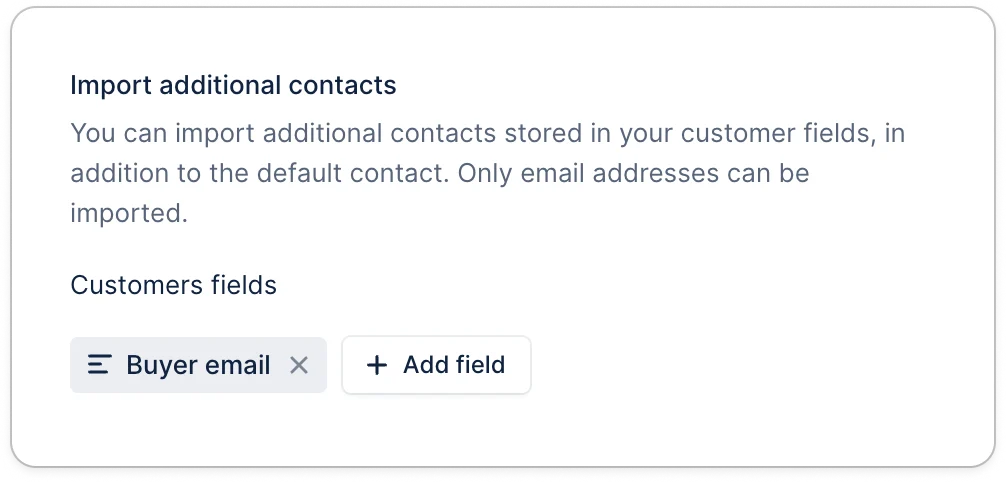
NewIntegration
Re-export payout in NetSuite
When a payout export fails, Admin users will receive a notification. Once the issue is fixed, you can re-attempt to export the payout.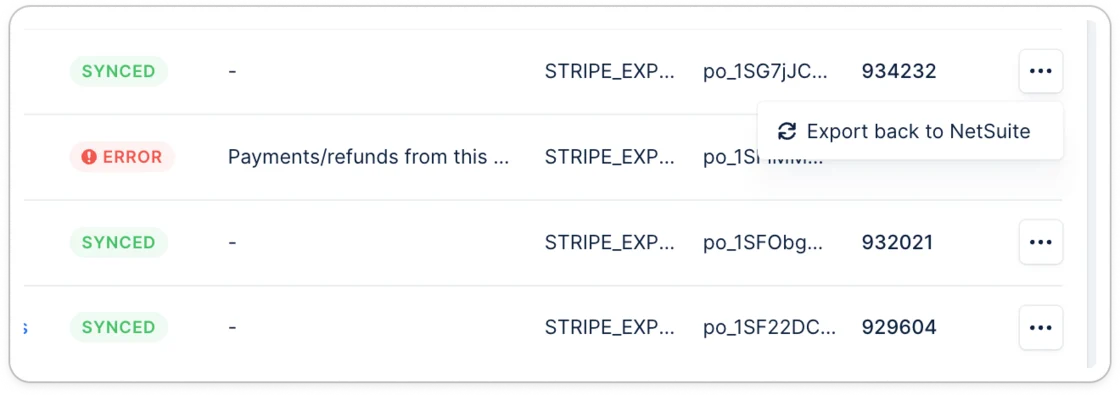
New
Portal partial payments
Do your customers lack the cash to pay the full invoice amount today? Allow your customers to pay a portion of the invoice. Right from their portal, they can specify how much they can pay.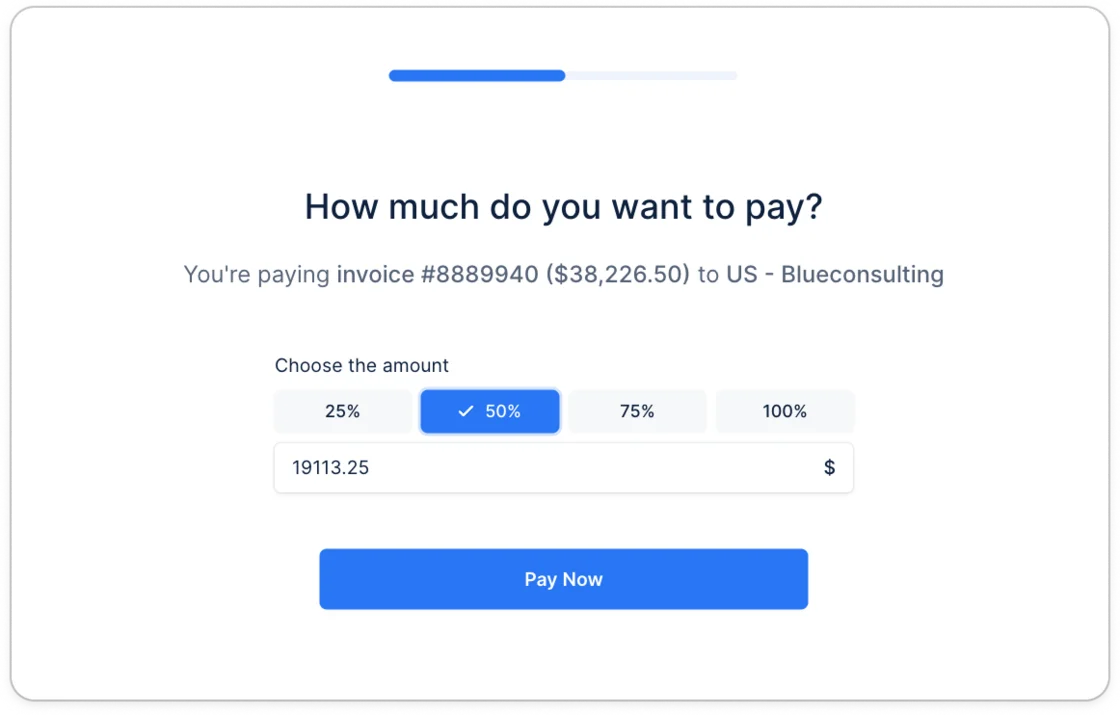
New
New tag - Outstanding invoice number list
Display the numbers of all the outstanding invoices in your emails.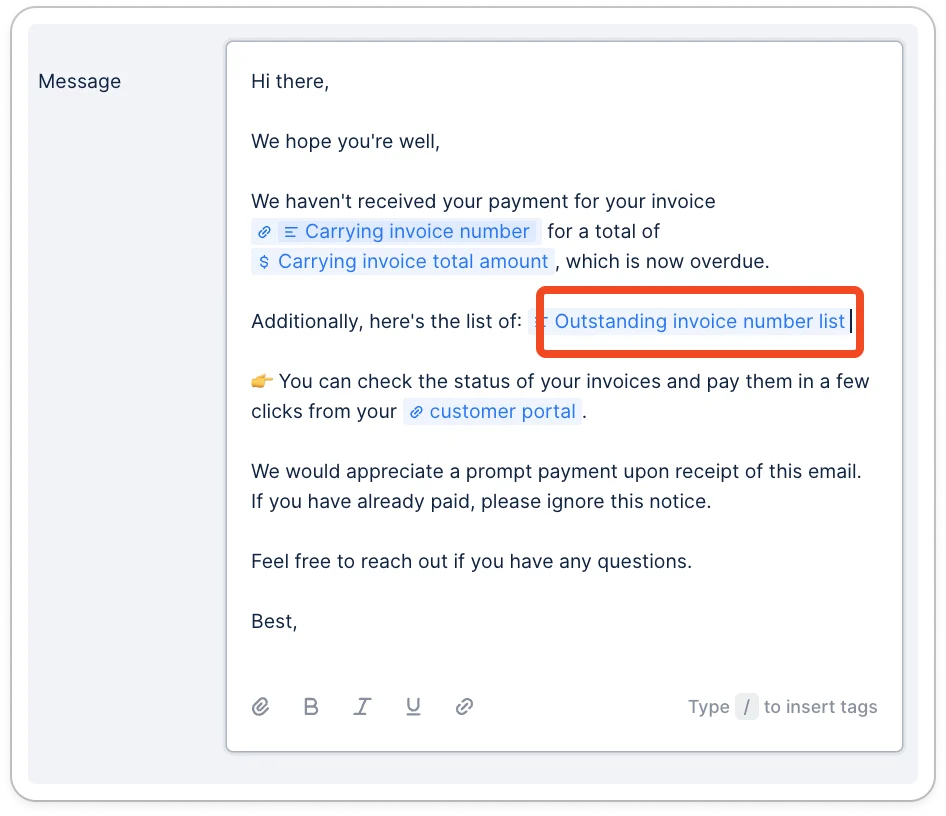
NewPayment
BACS debit payments
Let your customers in the UK pay via BACS direct debit. Your customers can now pay via their UK bank account for one-time payments or to enroll in autopay. Set it up directly in your settings.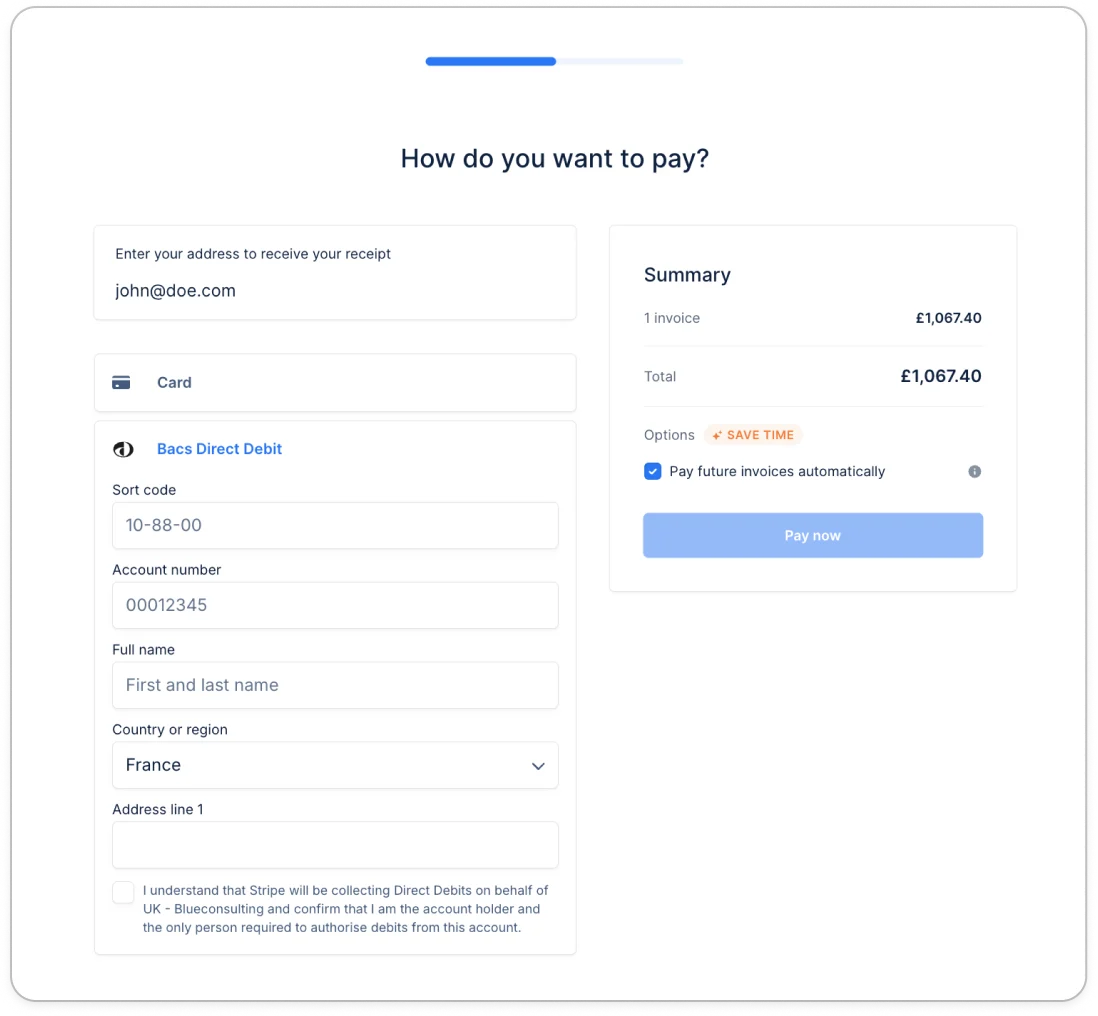
New
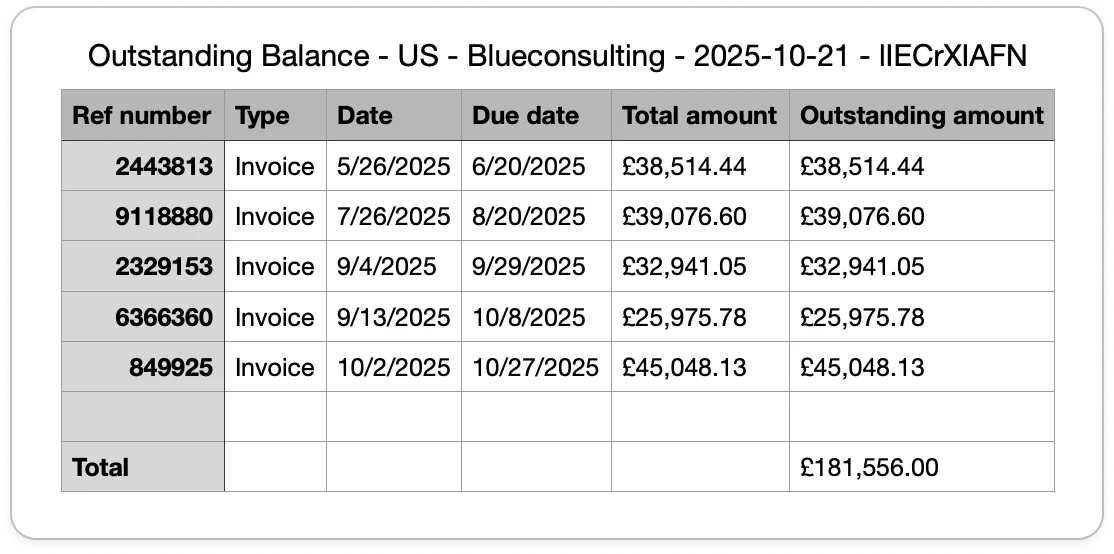
Outstanding balance statement
Let your customers download a recap of their outstanding balance from the portal. This will give them a clearer picture of what is open. They can choose to download it via CSV or XLSX.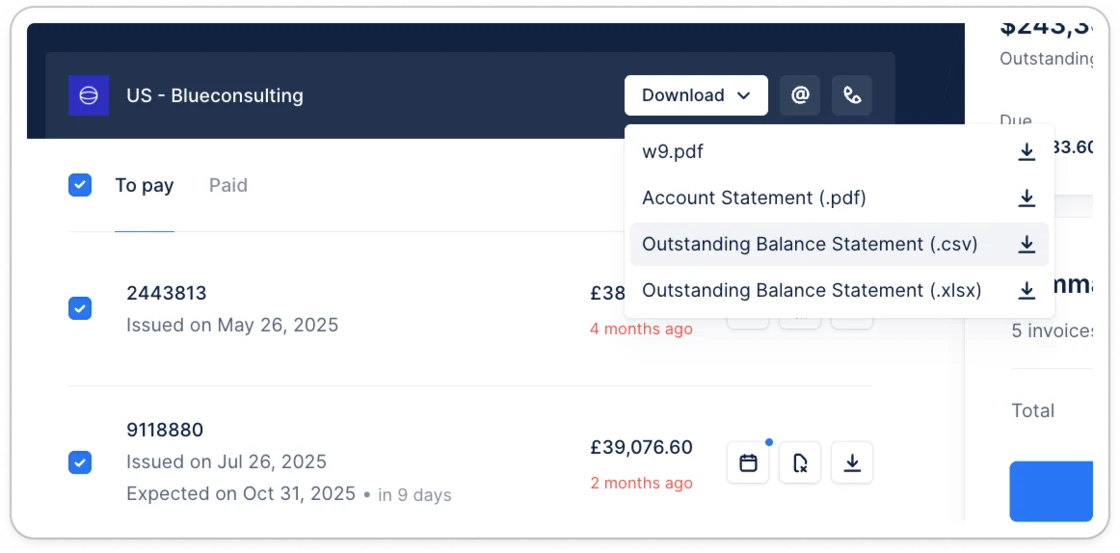
New
New
Promise to pay expiration
Get notified when your customer’s promise to pay has expired and the invoice is still unpaid.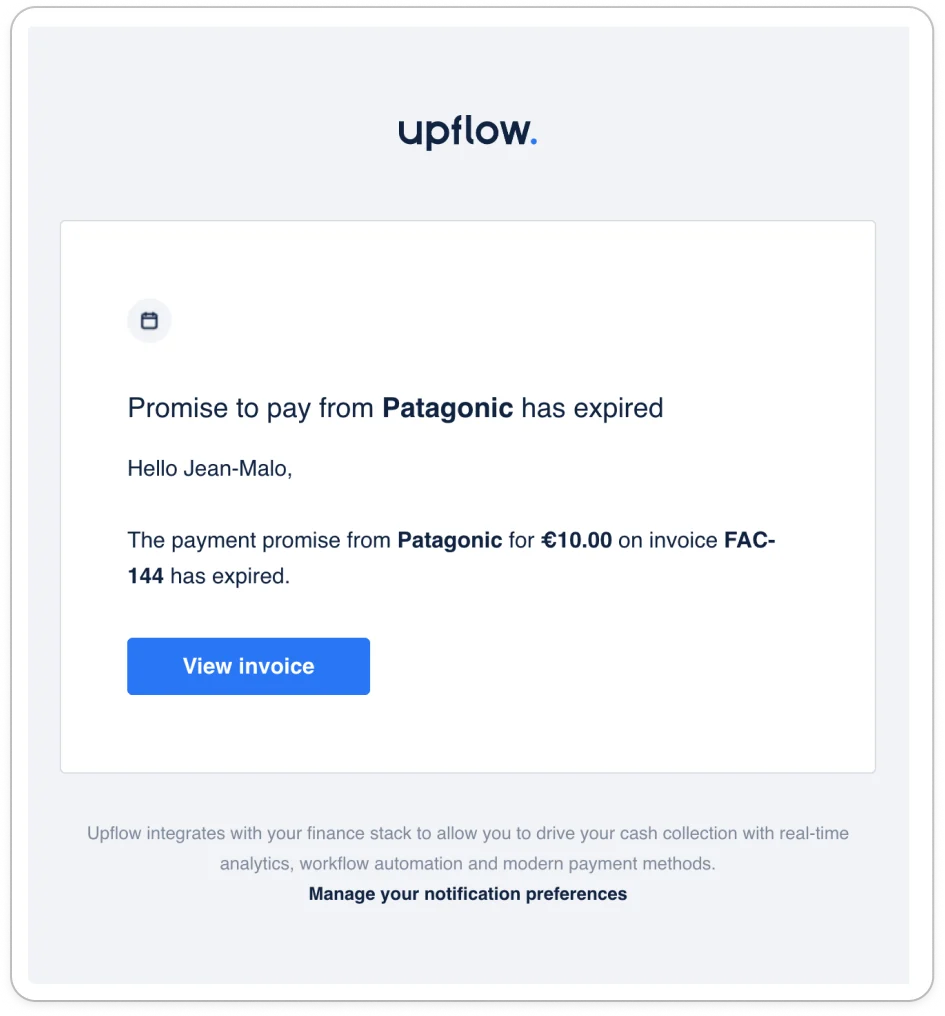
New
Cash application
Reconcile your bank transactions easily with Upflow. Connect your bank accounts, reconcile the transactions, and get the application automatically exported to your system. This feature is in Beta and only available on NetSuite today.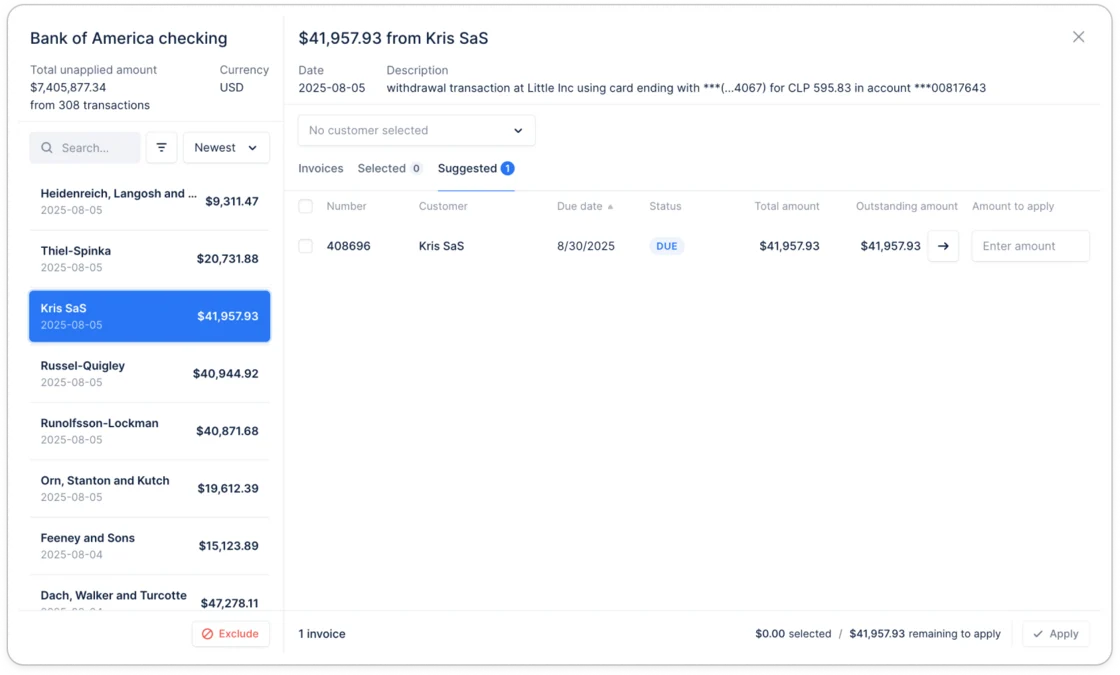
Improvement
Filters with operators in Analytics
The new filter component, including operators, is now available in your analytics section. Give it a try.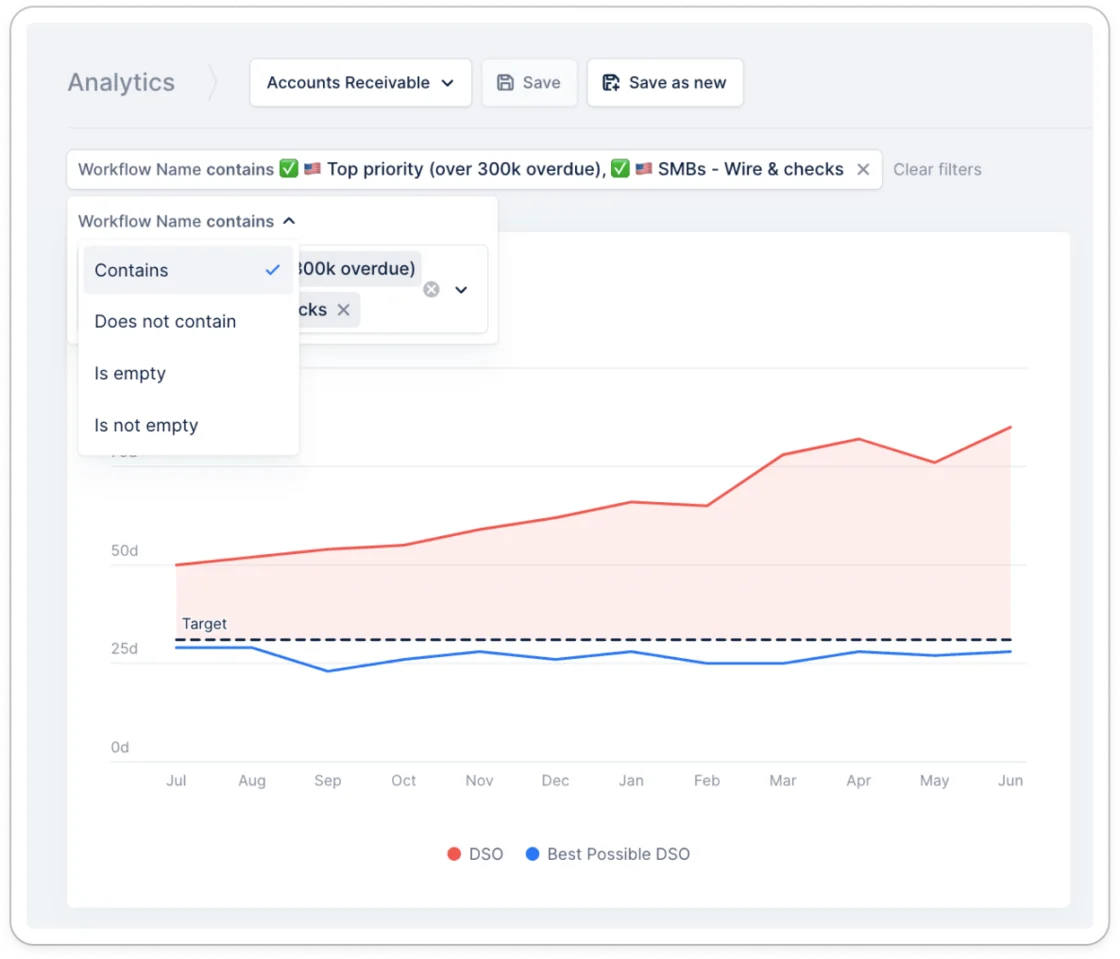
Improvement
Remove parent child hierarchy from NetSuite sync
If you want to run the collection at the parent level without considering the children’s invoices, you can now remove the hierarchy and send reminders separately. Contact us to set this up for your NetSuite account.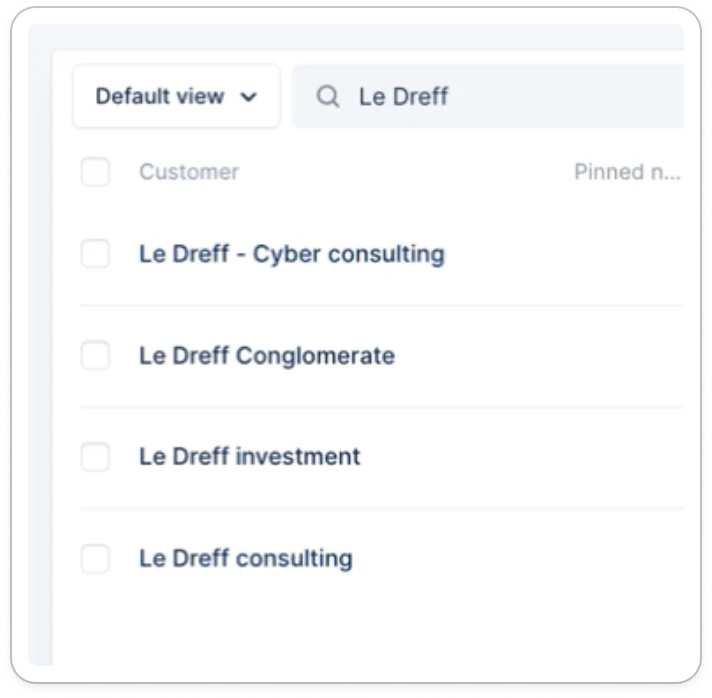
New
Improvement
New
New
New
New
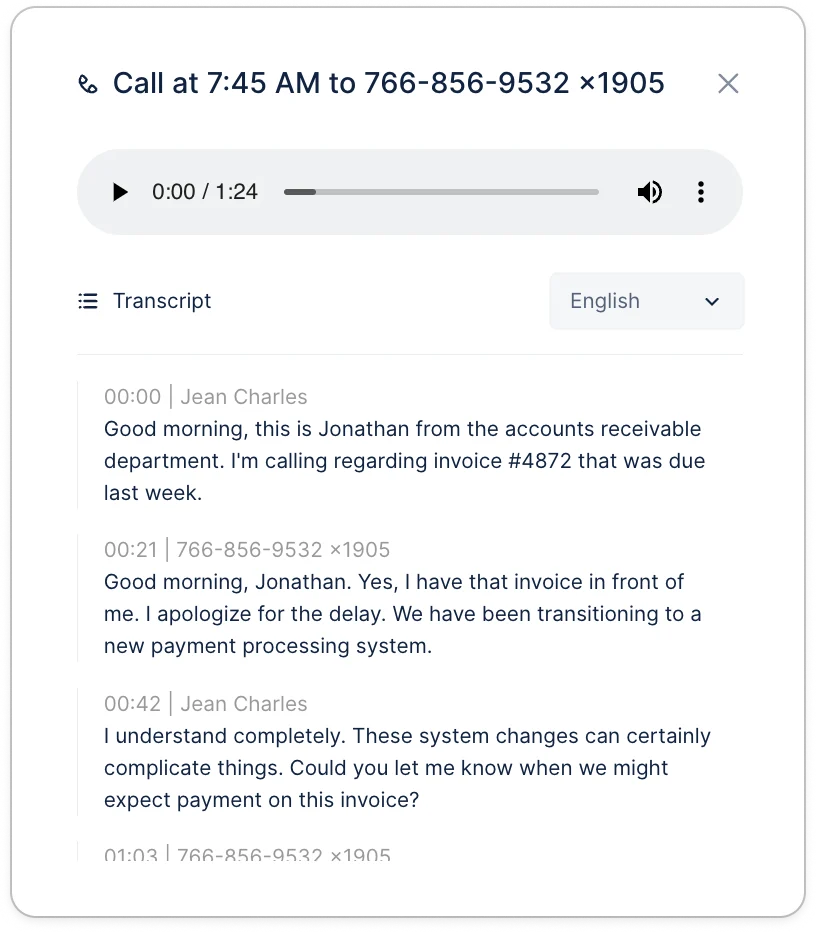
Call recording
Do you wonder what your customer told you during the last call? Did you forget to update your notes? Thanks to call recordings, this is no longer a problem.From now on, any call you make from Upflow can be recorded. After the call, you can review and listen to them in the customer and invoice timelines.Activate call recording here.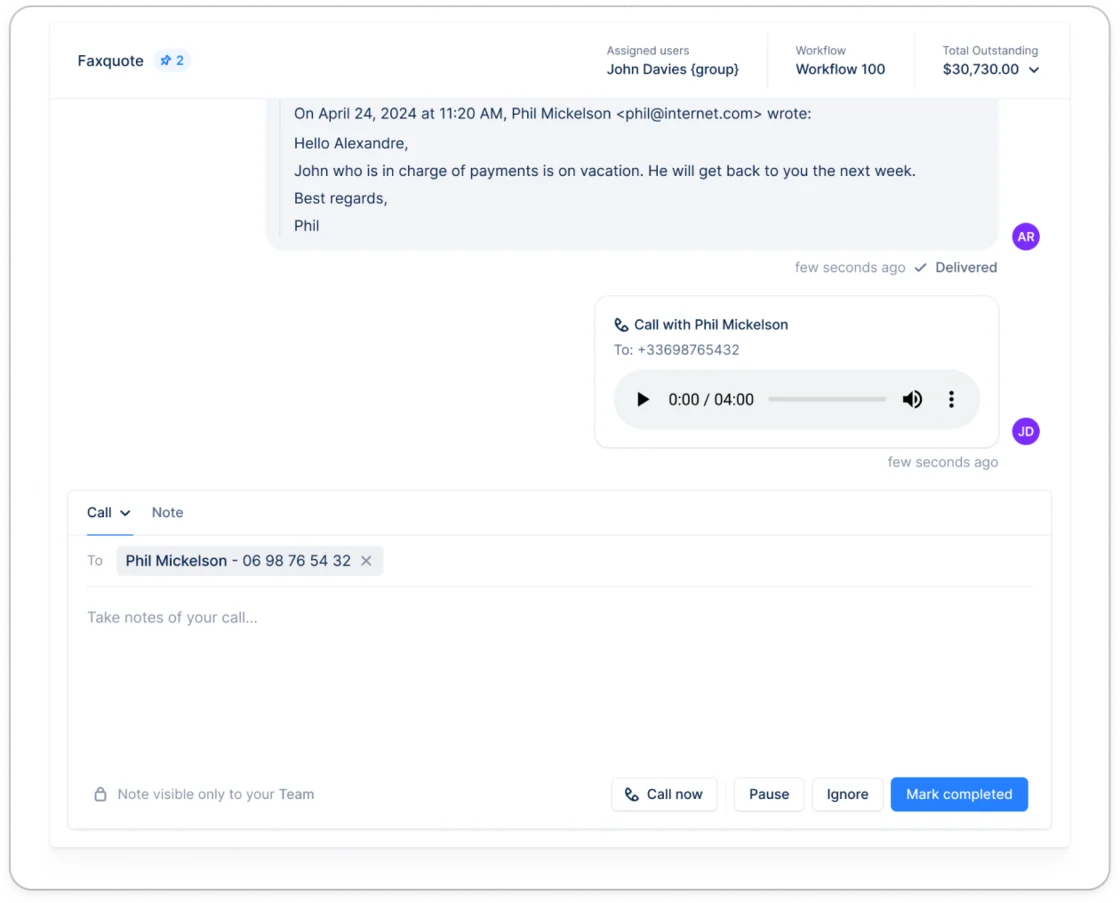
New
API - Update invoice
When using a native integration, if you have additional invoice information stored in a different place, you can import this into Upflow. You can update invoices with additional information using custom fields, specify the invoice workflow, and add a promise to pay.Link to the documentation.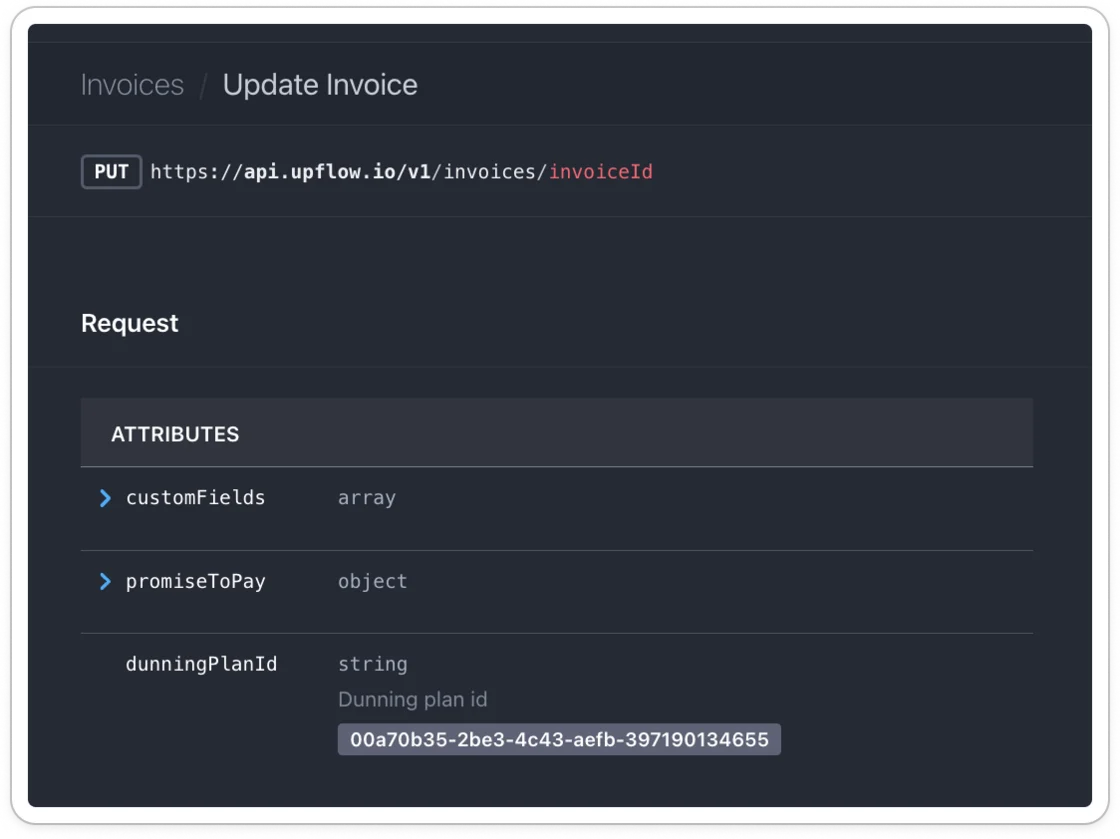
New
Improvement
Support SEPA Debit in the UK
Customers in countries such as the UK, Switzerland, or Monaco, which require additional address information, are now supported.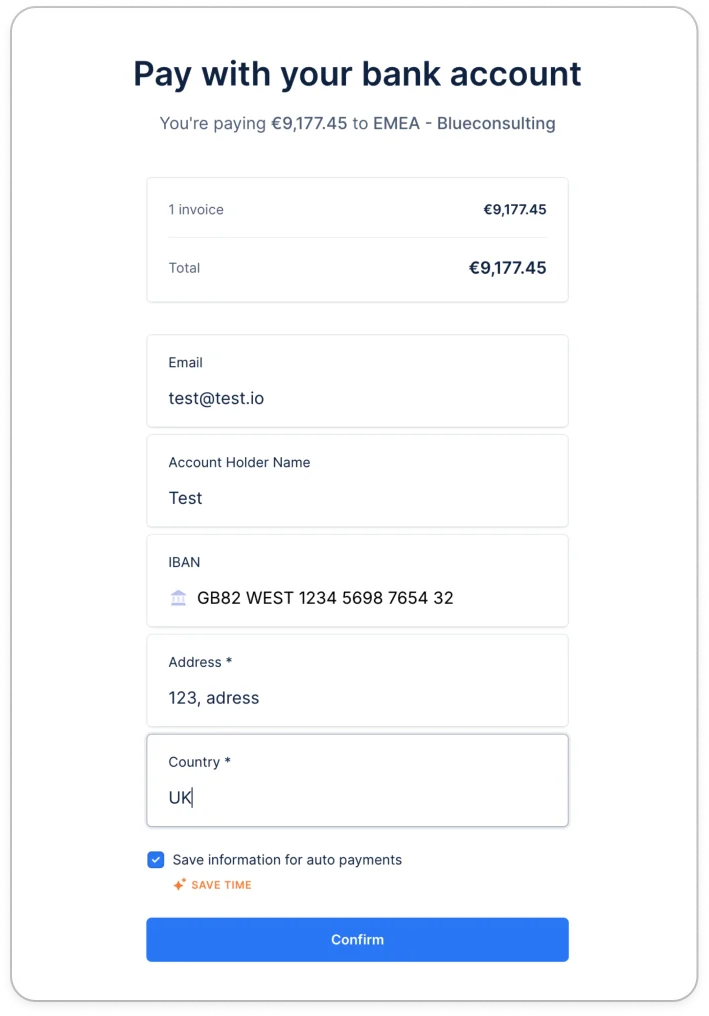
Improvement
Zuora - Invoice custom fields
Zuora users are now able to import invoice-level custom fields to increase their collection customization and deepen their invoice-level analytics.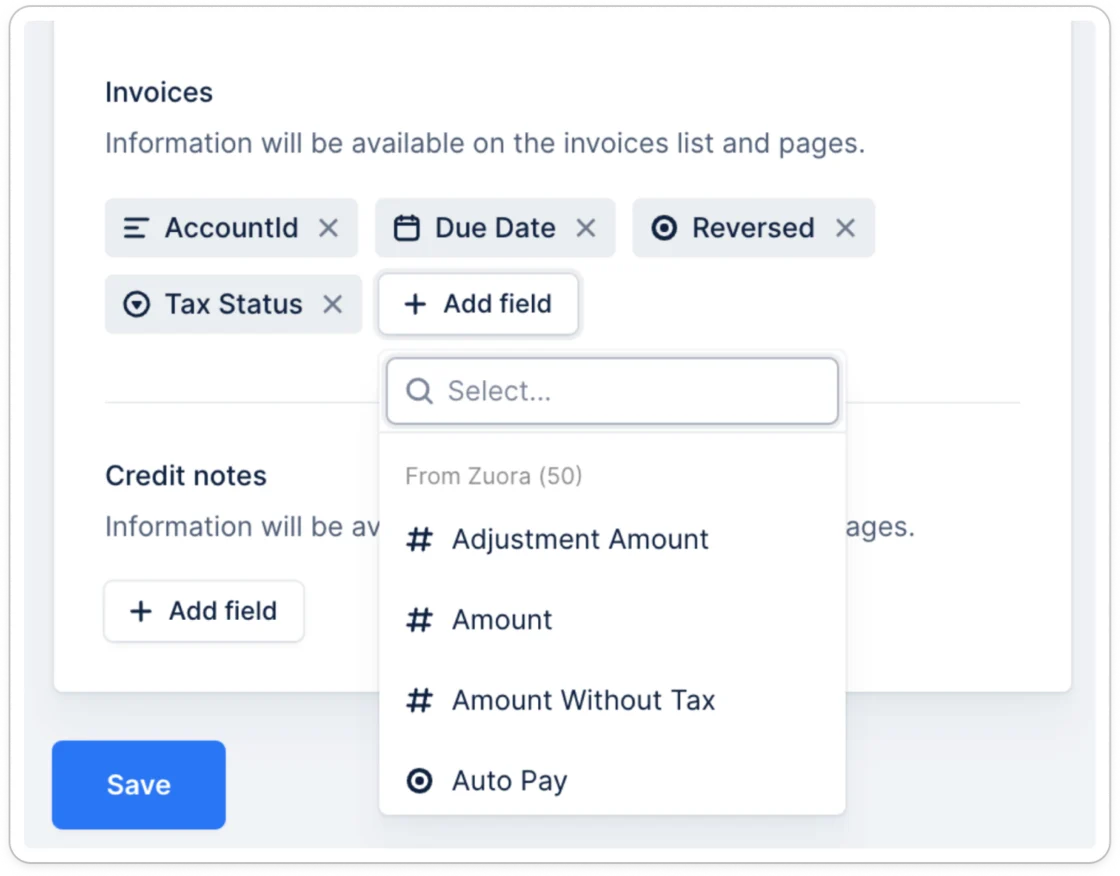
New
Invoice-level workflows
Customize your entire collection process with invoice-level workflows. Those allow you to break down the collection for each specific invoice and tailor its collection.Set them up in your workflow settings.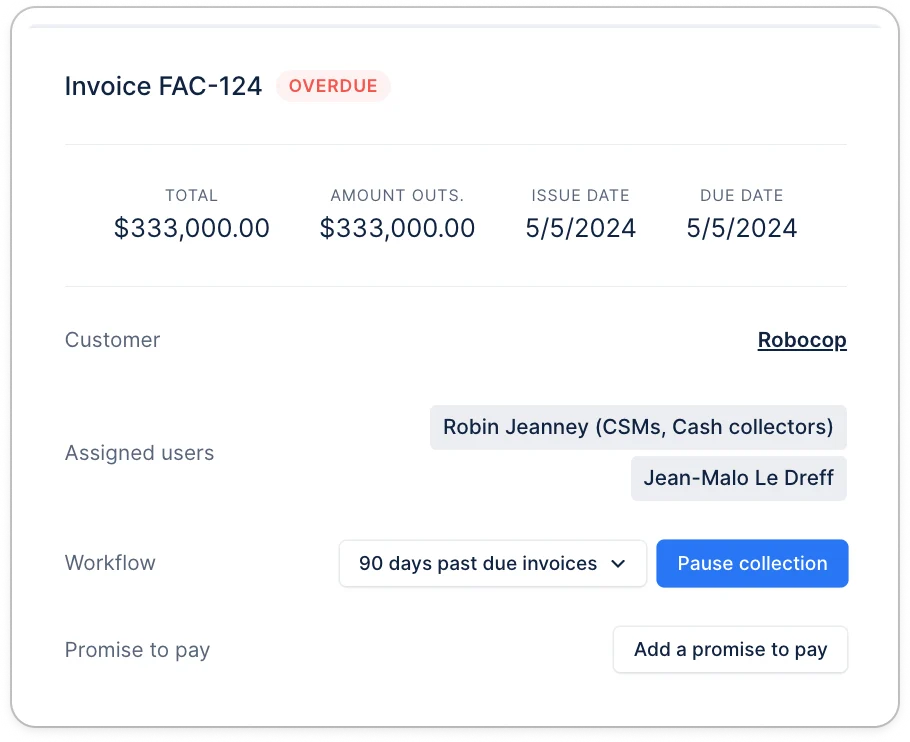
Improvement
New
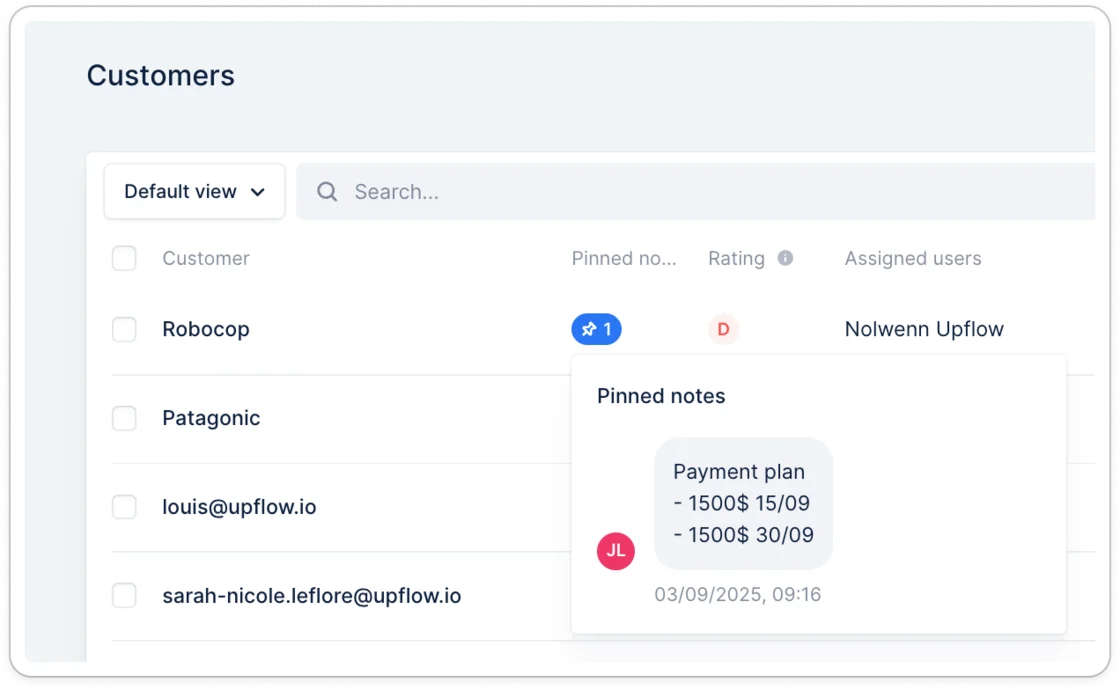
See pinned notes in the customer list
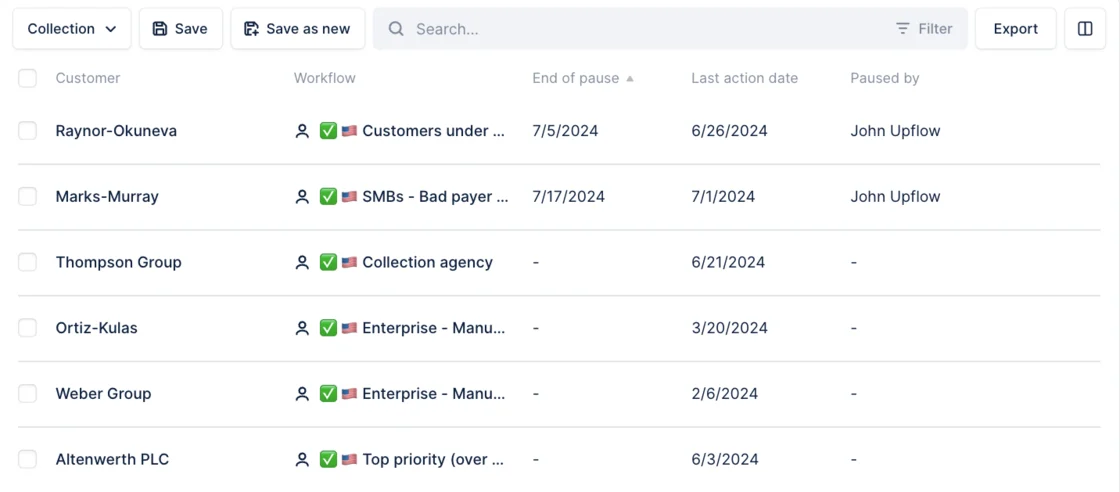
Thanks to your team’s pinned notes, you can get a quick overview of your customers’ situations. Add the column to your list.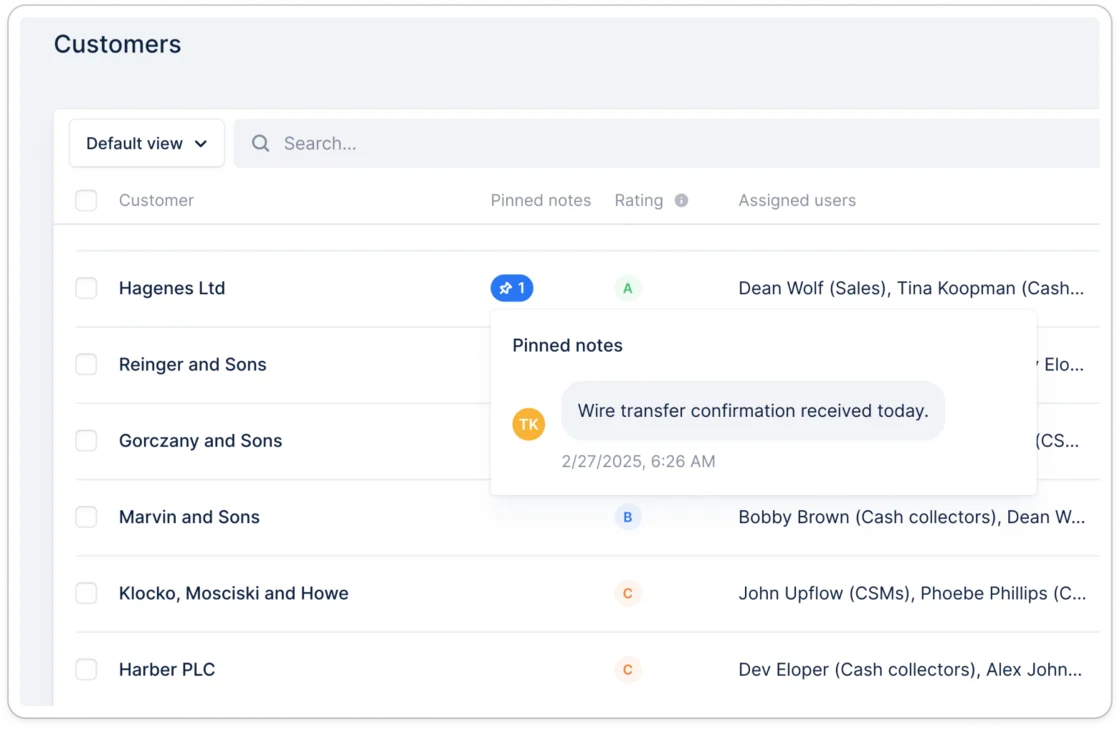
New
Convenience fees widget
See how much you are saving each month thanks to the convenience fees widget. It’s available by default to your payment and cash forecast dashboard.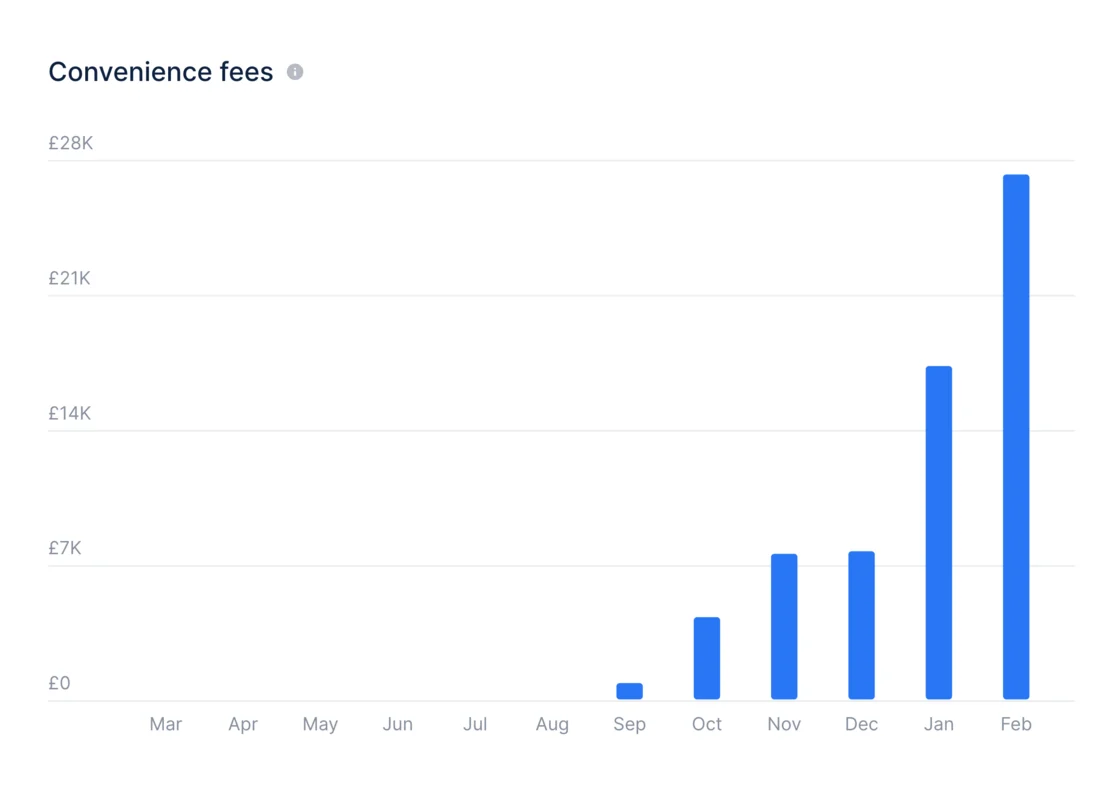
New
Hide invoices from your customers
Do you have invoices created for a migration that shouldn’t be visible to your customers? Are there invoices that you’re handling outside of Upflow? Hide those invoices from your customers. Once hidden, they will no longer be visible on the portal or in your reminders. Learn more.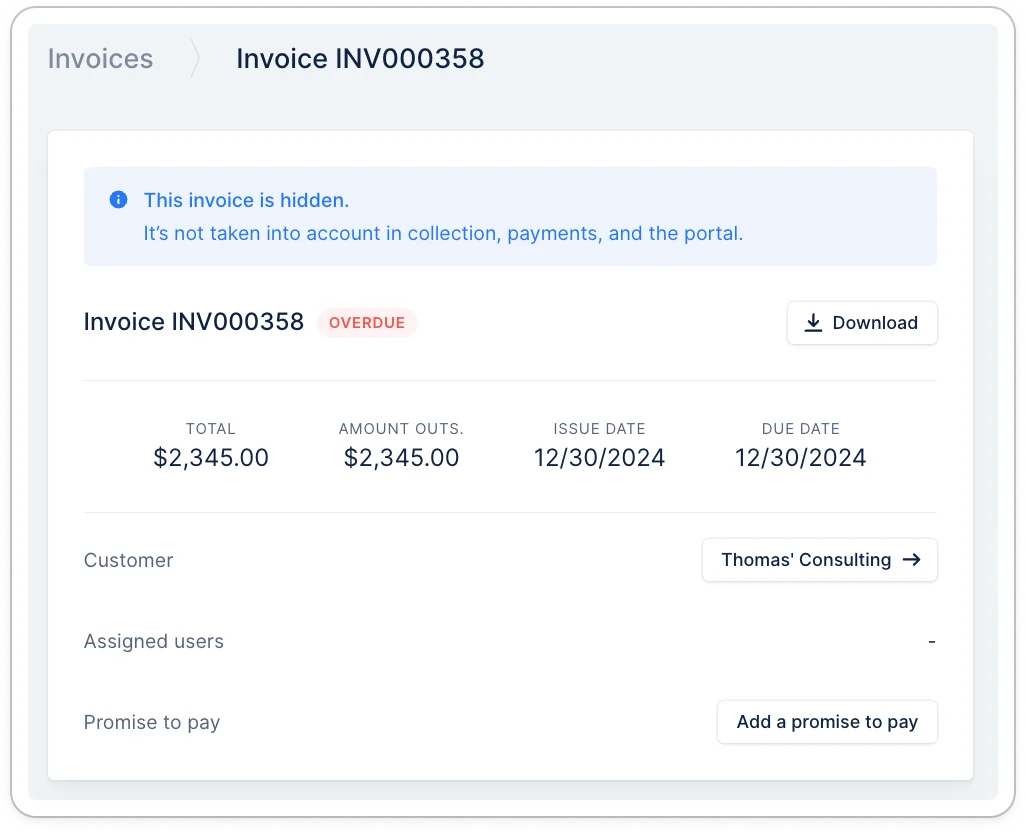
Improvement
Select / un-select all invoices on the portal
We just made it easier for your customers with dozens of outstanding invoices to choose which invoices they want to pay.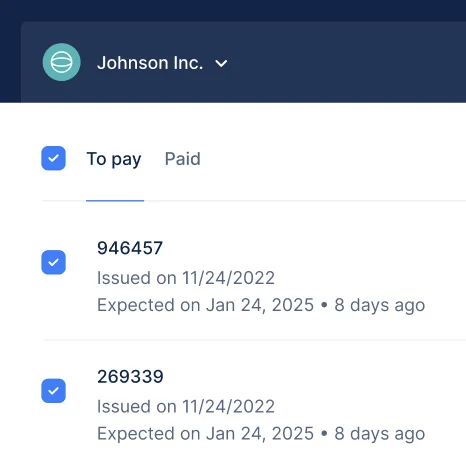
New
Manage your entire emails communication with Upflow
From now on, you can activate the ability to import any new email in Upflow so it can be managed right from your inbox. If we don’t know which customer the emails belong to, you can map it right within Upflow. Learn more.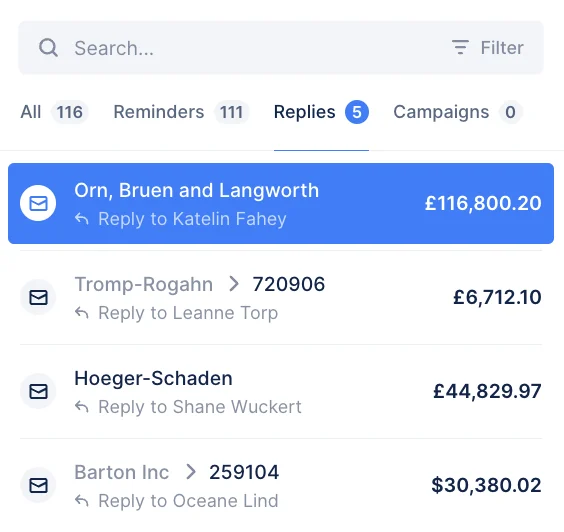
New
New
Letter & SMS campaigns
Following up on the email campaigns, you can now send mass communications to your customers via letters or sms.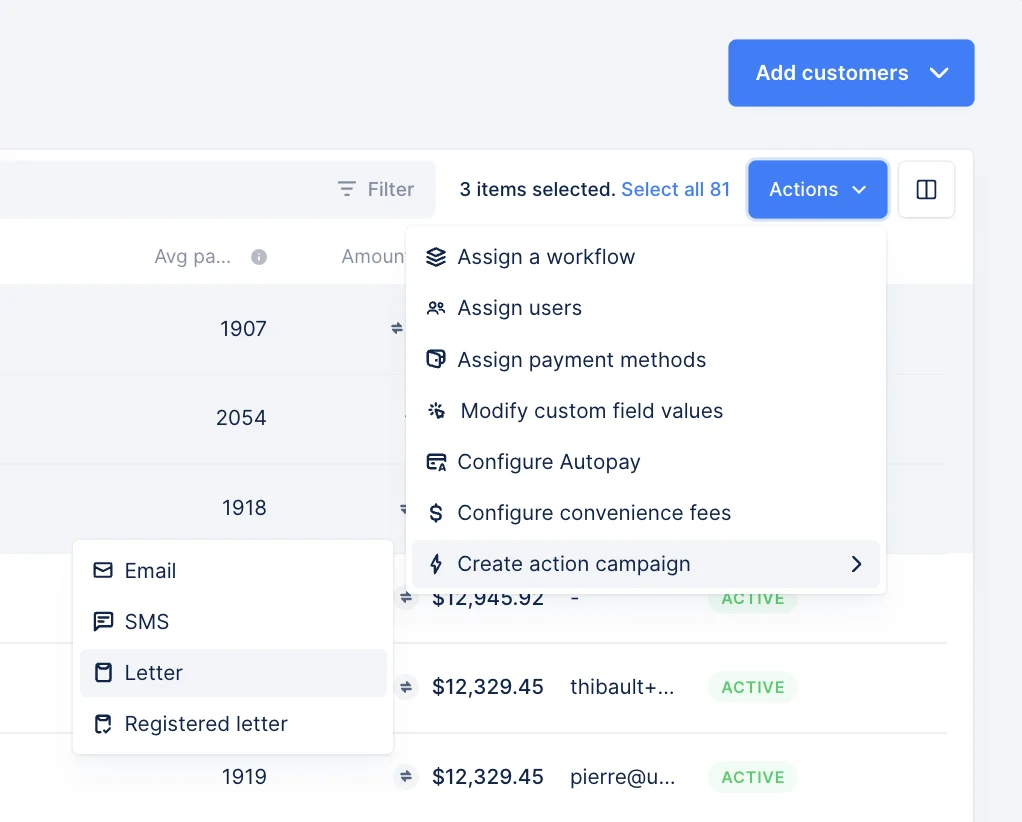
New
Attach documents to your actions templates
Attach any document to your action templates to automatically include them in your upcoming communications.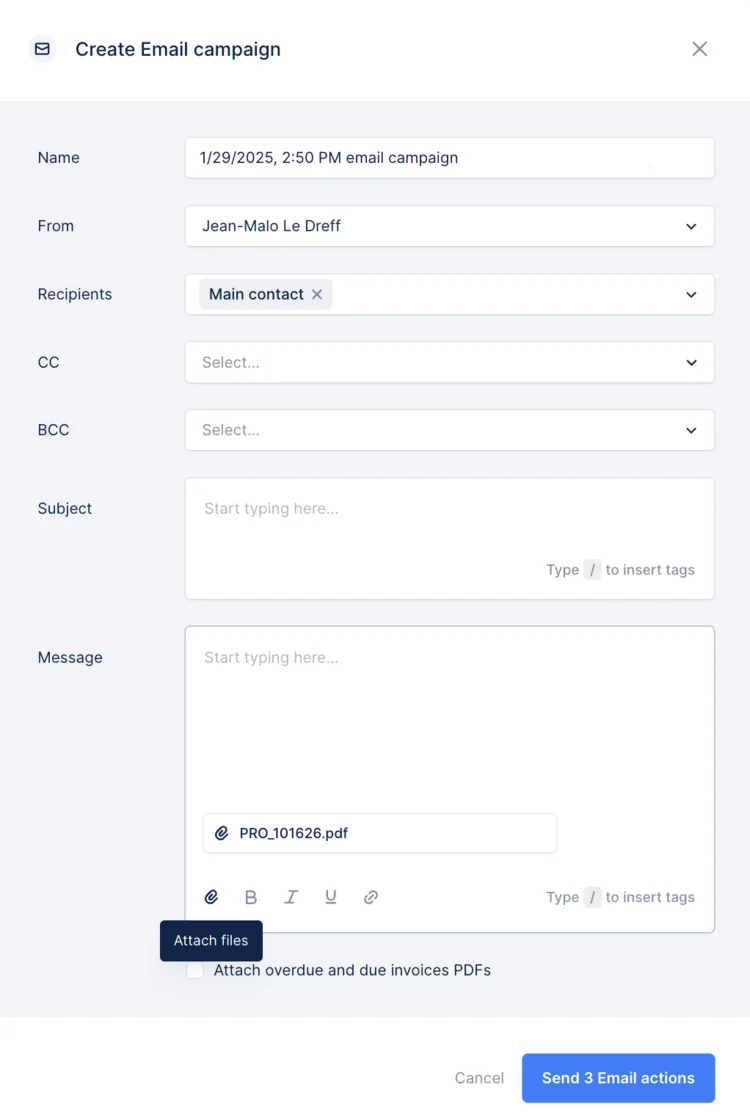
New
Attach invoices PDF by default to manual actions
Stop manually attaching the invoice PDF to any action. Update the template and save a few clicks with each reminder.
New
Online payments sync for NetSuite
Enhanced NetSuite integration for automated online payment processing. This add-on provides real-time synchronization of payments, deposits, bank fees and convenience fees. Select your GL accounts, payment methods and classifications to ensure accurate and up-to-date accounting records. Learn more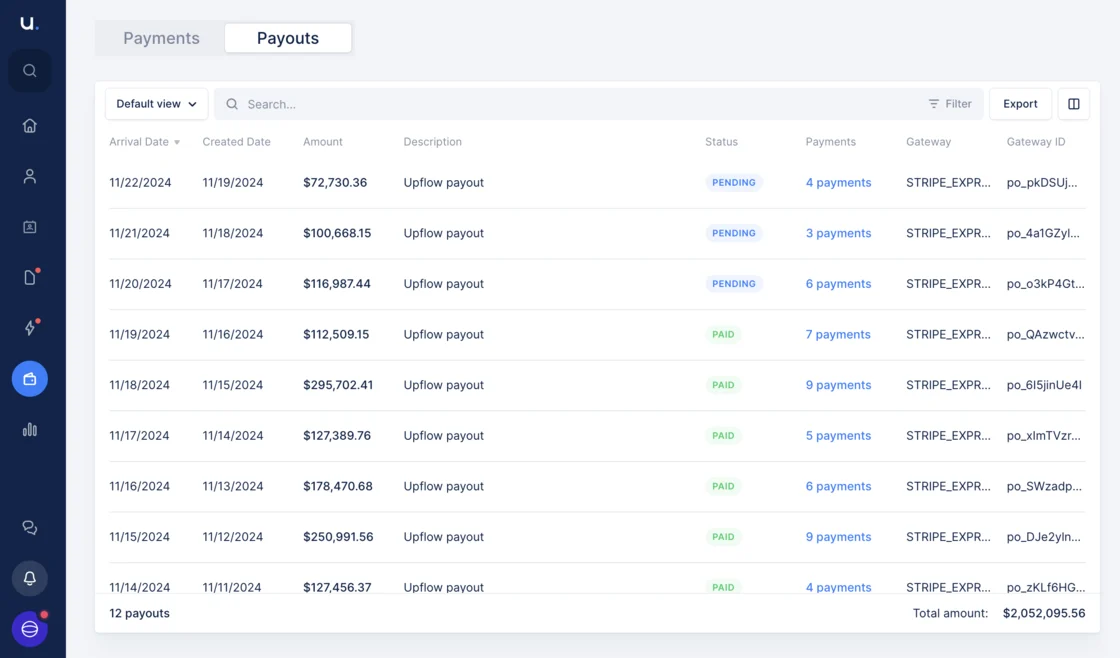
New
Campaigns
Effortlessly send targeted emails to specific groups of customers, whether it’s for payment requests, updates, or sharing important information.Simply bulk-select customers, select an action type, write the action content, and send it automatically. More time is saved to focus on what matters for your business!Start now here.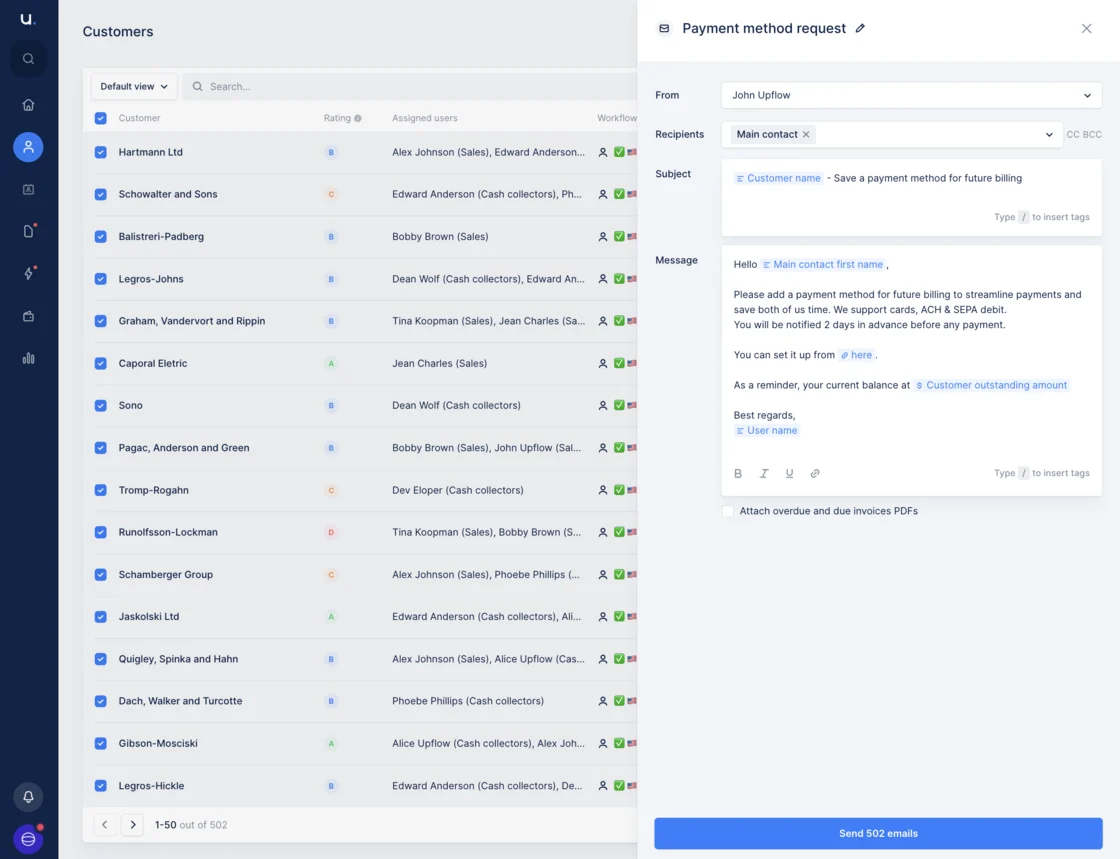
New
Contact custom fields
From now on, you can add custom fields to your contacts and use them to specify the appropriate recipient for your reminders. Additionally, if you are on Netsuite or Salesforce, you can import them natively. Simply head over to your custom field settings.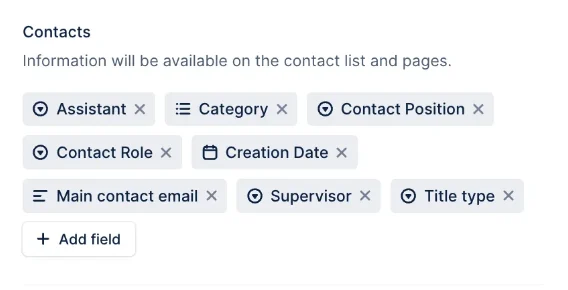
New
Revamped tag inserter
We have revamped the tag inserter so it’s easier to personalize your reminders and send more impactful communications to your customers.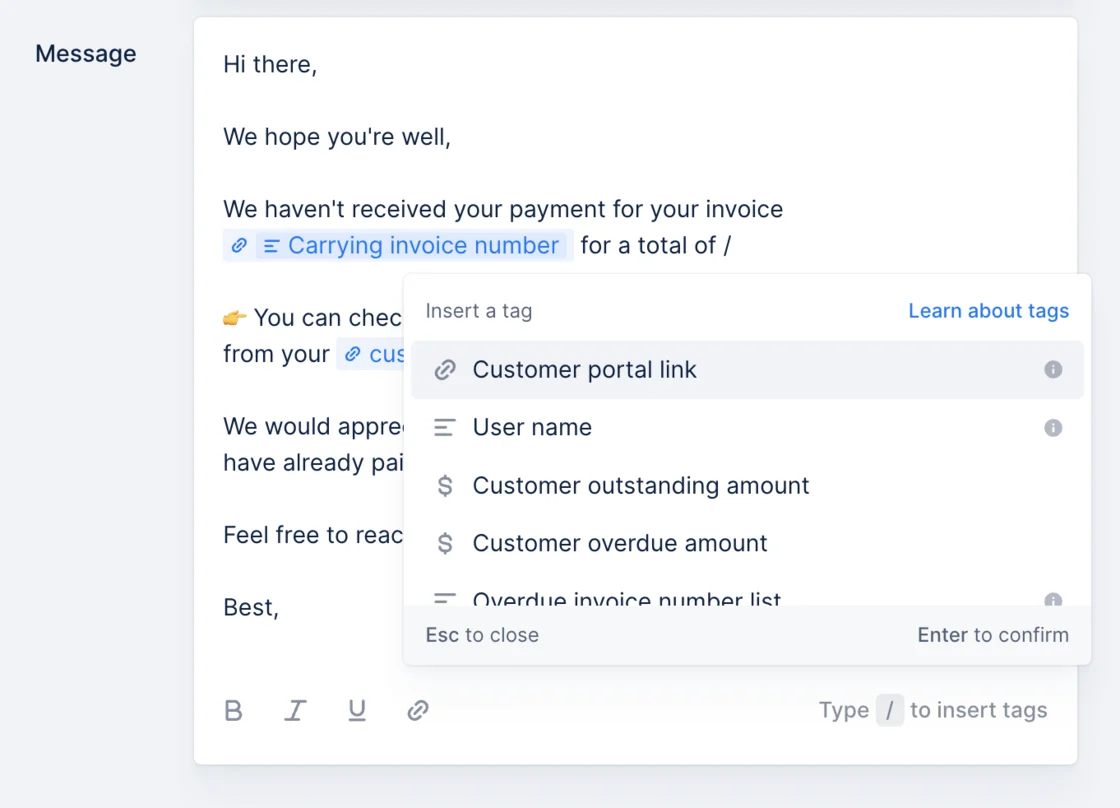
New
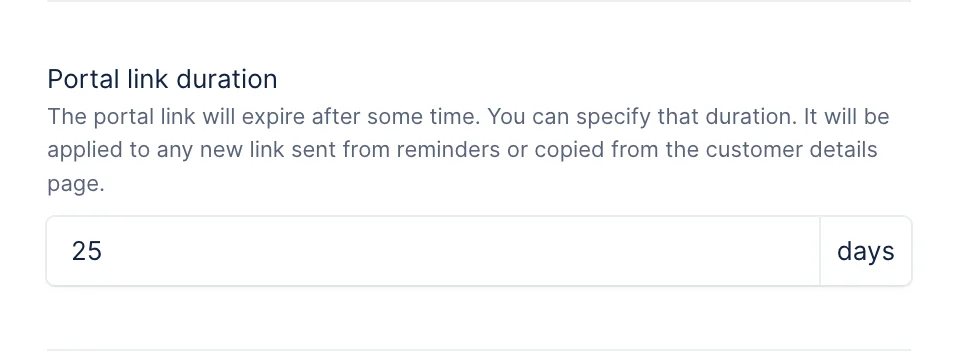
Custom domain on the portal
Finalize your portal branded experience by using your domain instead of upflow.io in the portal URL. To do this, go to your portal settings.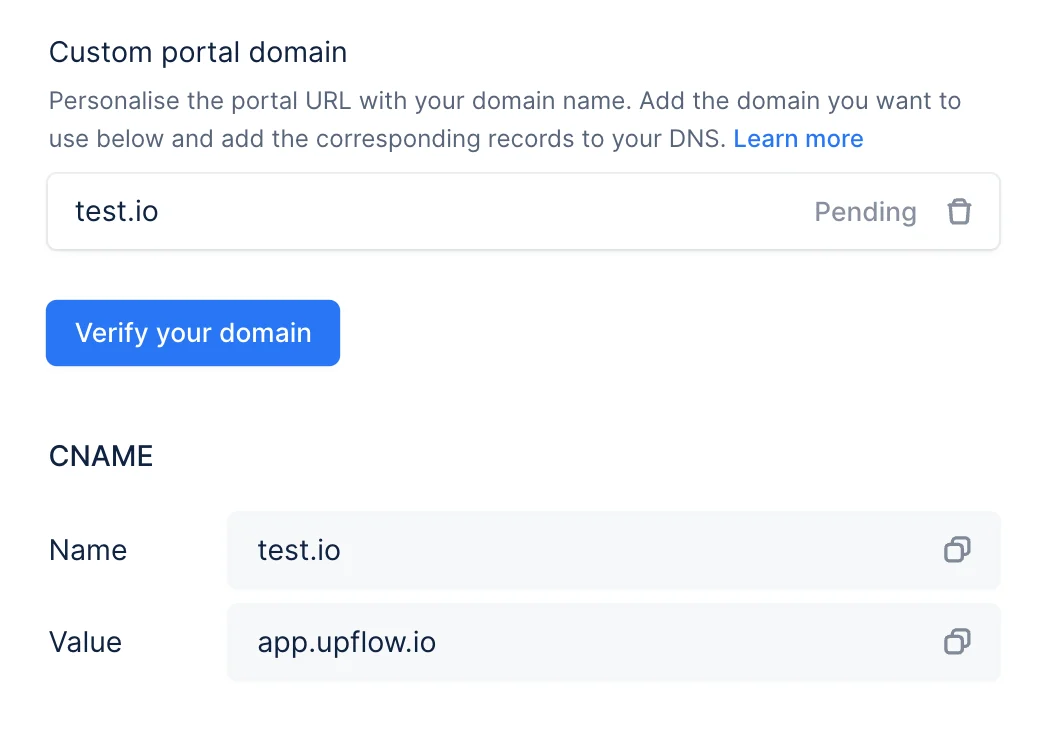
New
Custom portal page title and Favicon
From now on, the portal URLs will appear with your organization name in the browser’s tab. Additionally, you can use a custom favicon to replace Upflow’s one. Head to your portal settings to set it up.New
Import Stripe payment failure reasons
You can now see directly from Upflow the reasons for online payment failure. Head over to your payment list to view those payments and proactively contact your customers to help them finalize the payment.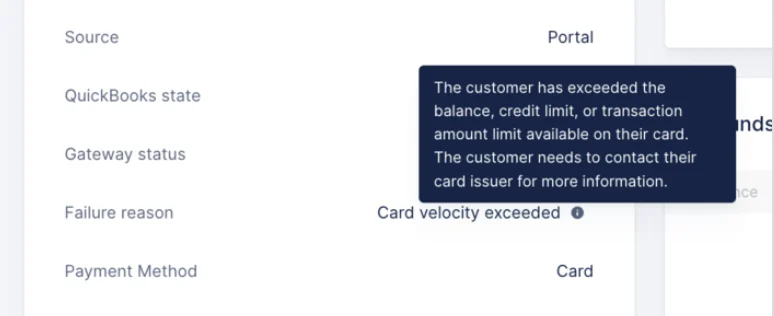
New
Use aliases for your collection
Doing your collection from a shared email such asaccounting@yourcompany.com? Create the corresponding alias and use it in your workflows. This way you can still connect with your personal address and perform the collection as a team.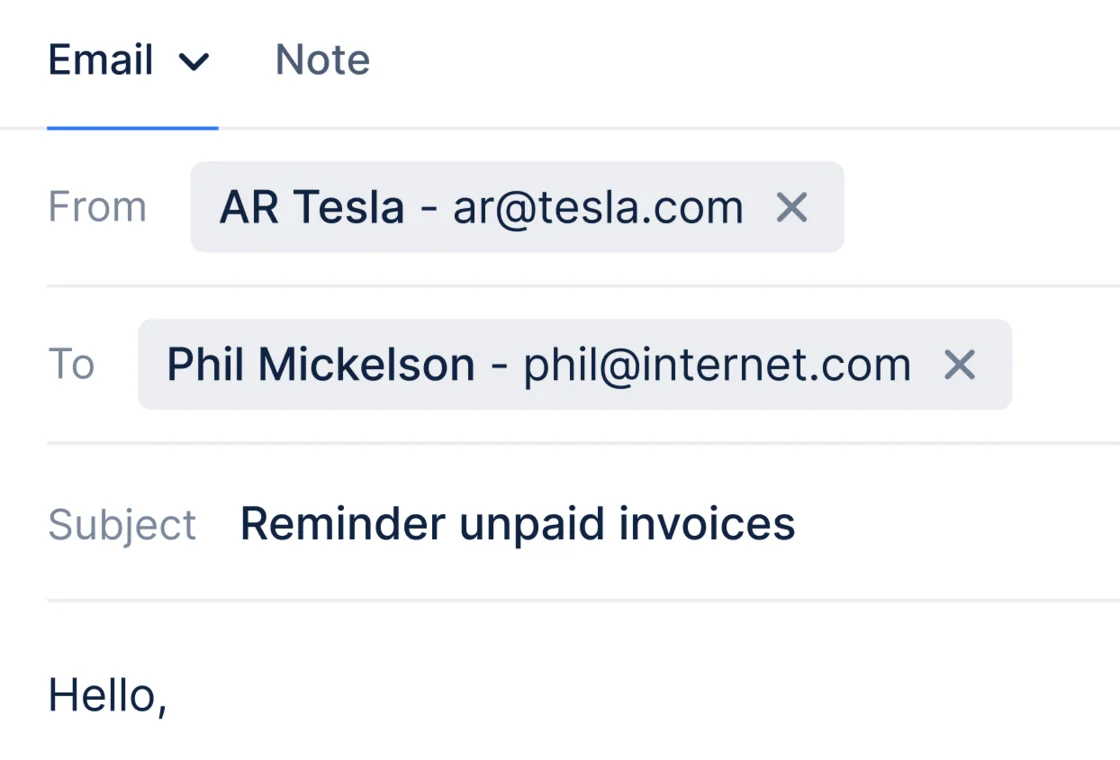
Improvement
Let your customers save a payment method on the portal at any time
From now on, your customers can save their payment method at any time on the portal to allow future payments. Even if they don’t have outstanding invoices.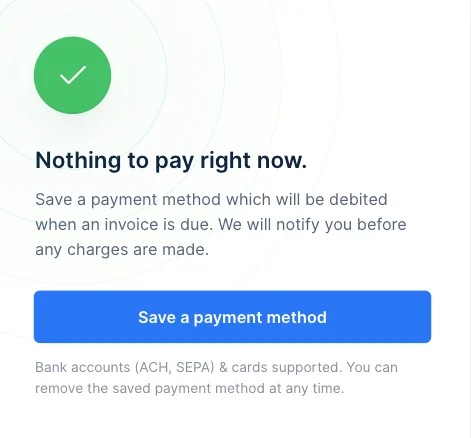
New
Inbox
Reply to your customers’ replies directly in Upflow, ensure you see all their emails and that no automated action is sent in the meantime.You can activate the inbox from your replies settings.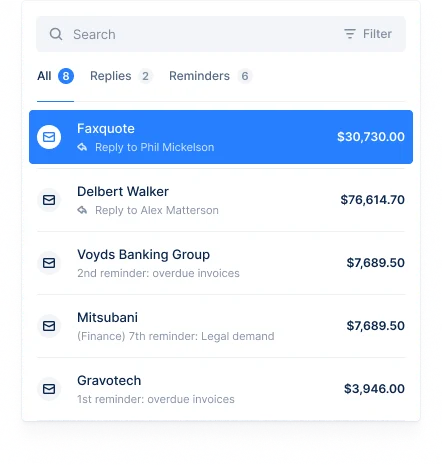
Improvement
Attach document to notes
Received the proof of payment? Add more context to your notes with attachments. You can add up to 25 files.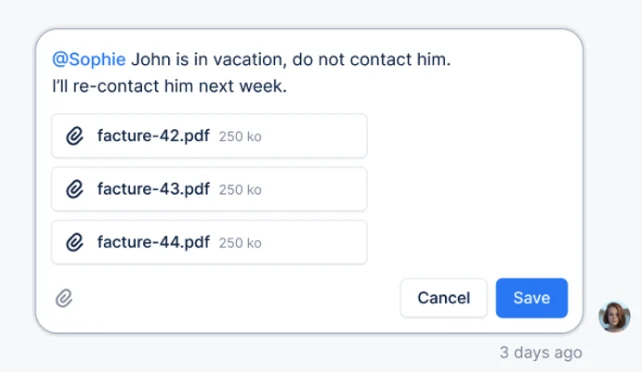
New
New
White-labeled portal notifications
Send all the communications from the portal with your name on it instead of Upflow. You can set it up by creating an alias, and selecting it in your portal settings.Improvement
Unapplied amount on the portal
We have clarified the way we display the unapplied amounts on the portal.In addition, your customers will now be able to pay outstanding invoices even if there are some payments or credit notes that are unapplied.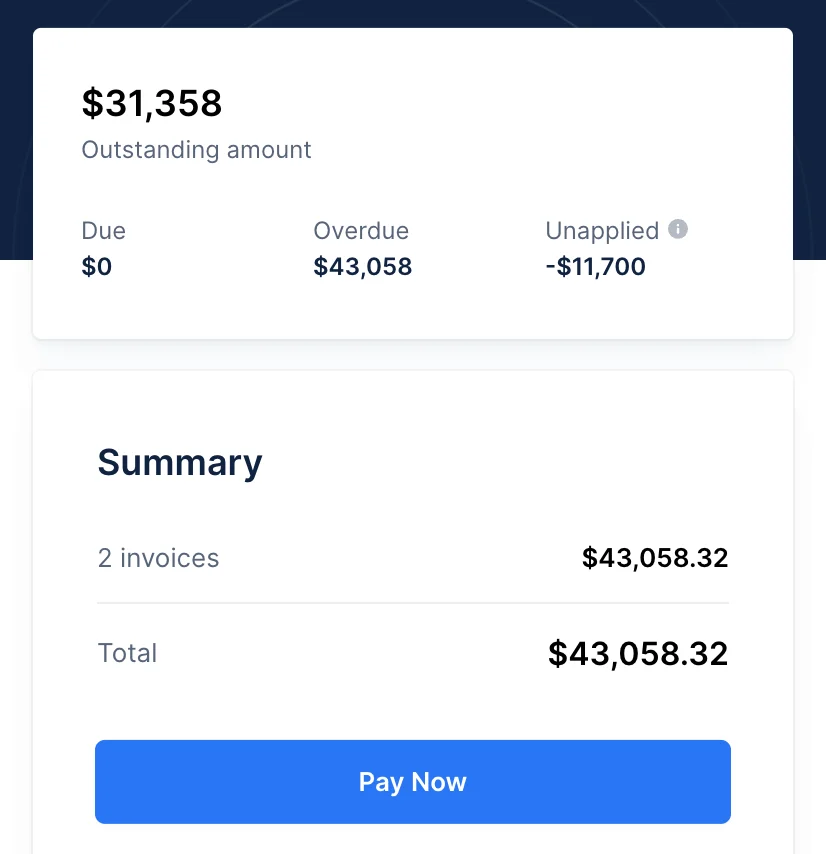
New
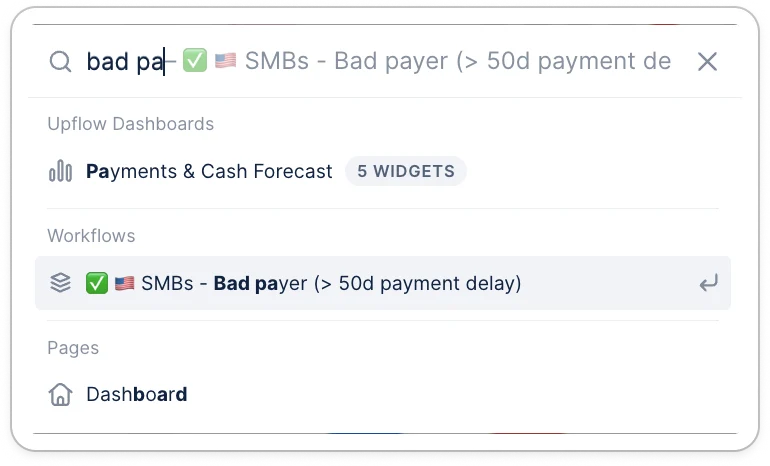
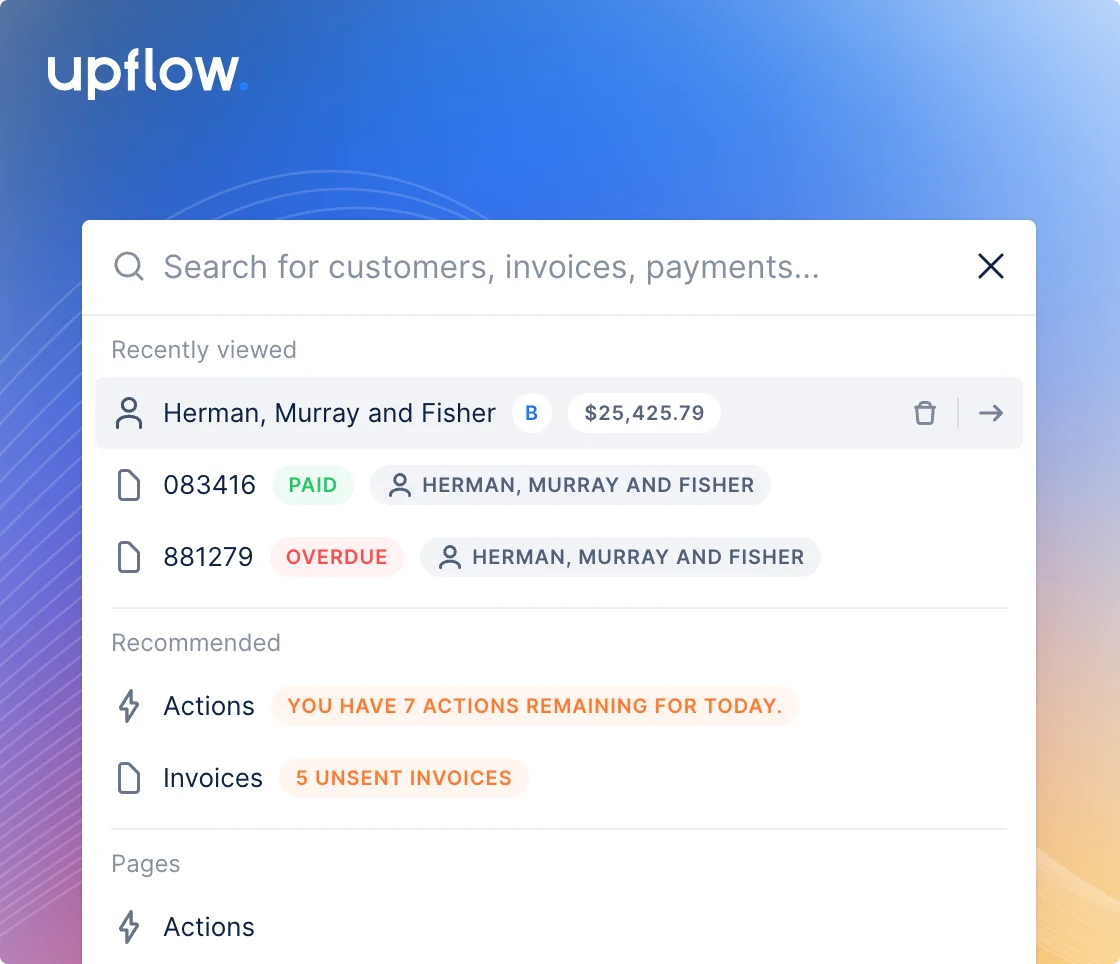
🔍 Global search
Navigate across the Upflow app through our new search interface.The search interface gives you a quick and easy way to:- Search and navigate to a particular invoice, customer, or transaction
- Quickly access pages and settings
- Switch between organizations and perform basic tasks
Improvement
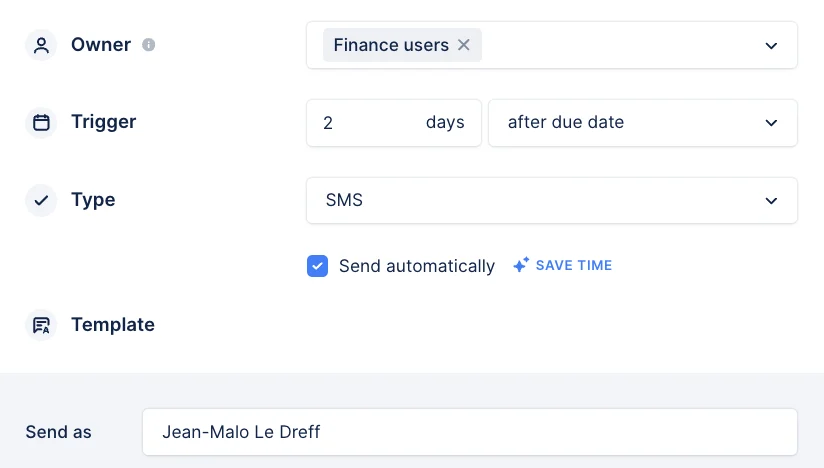
Assign actions to an entire group
Start assigning the collection actions to an entire group, so the whole team is on top of their collections.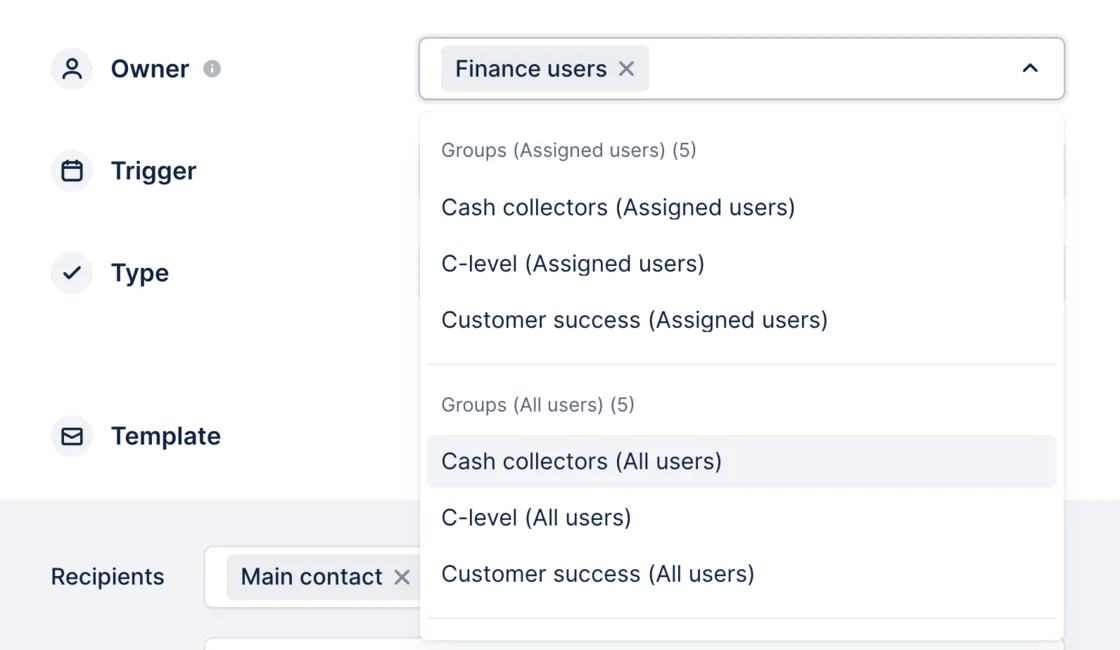
Improvement
SMTP verification
Know instantly if your SMTP configuration is valid and your emails will be sent.If there is any issue, you will get notified.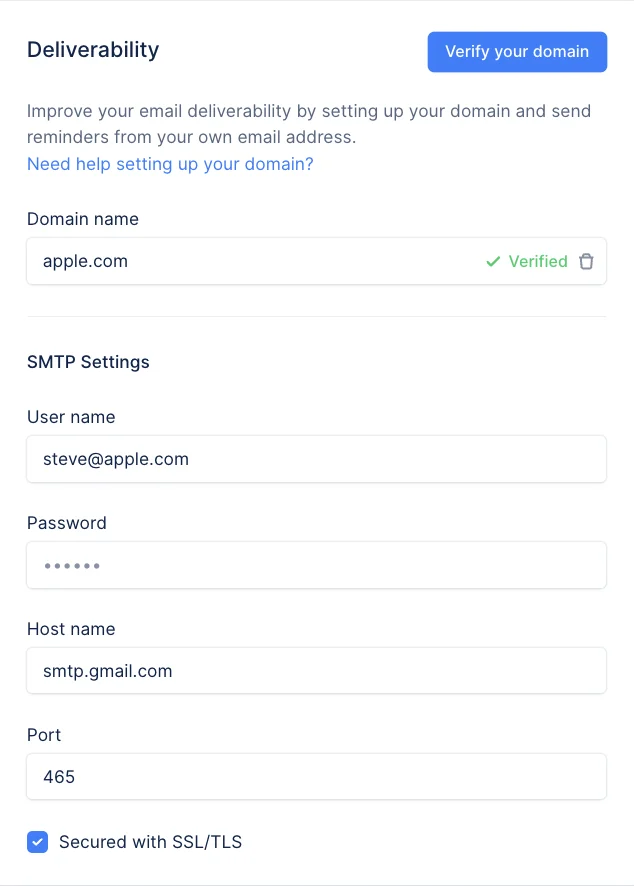
New
📞 Live calls
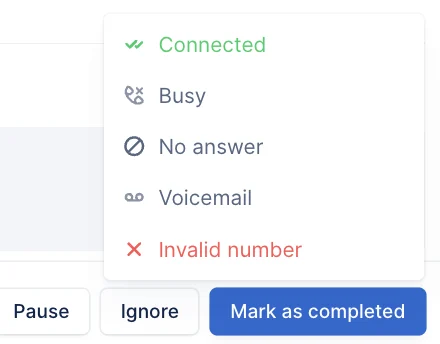
Thanks to live calls, you can call your customers directly from Upflow without needing to pick up your phone.To set it up, go to your settings or ask an admin to activate it.
New
Automatic letters ⚡️
From now on, you can automatically send your letters from Upflow, and there is no need to hit the send button manually. To activate this, head over to your workflows.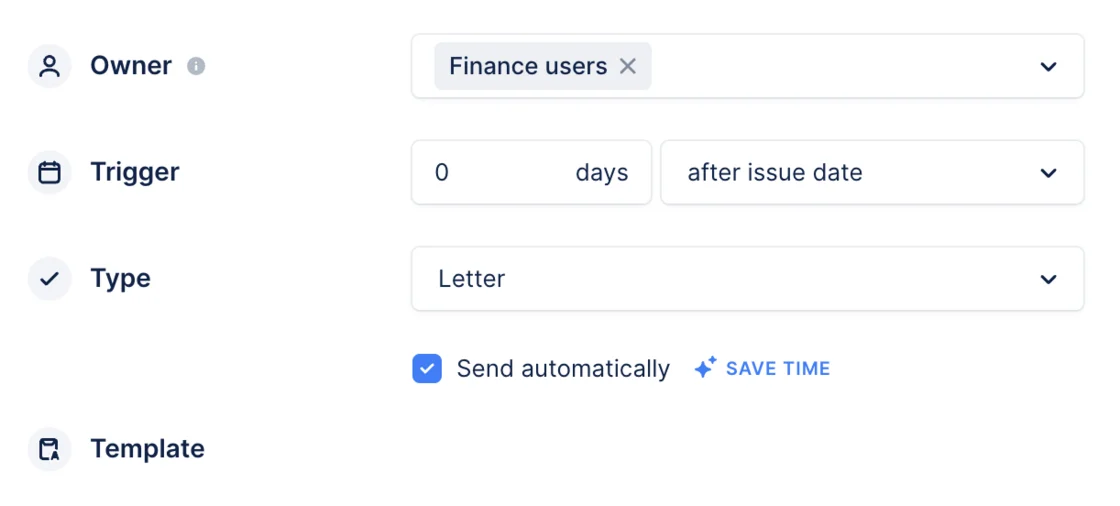
New
NewPayment
New
NewAnalytics
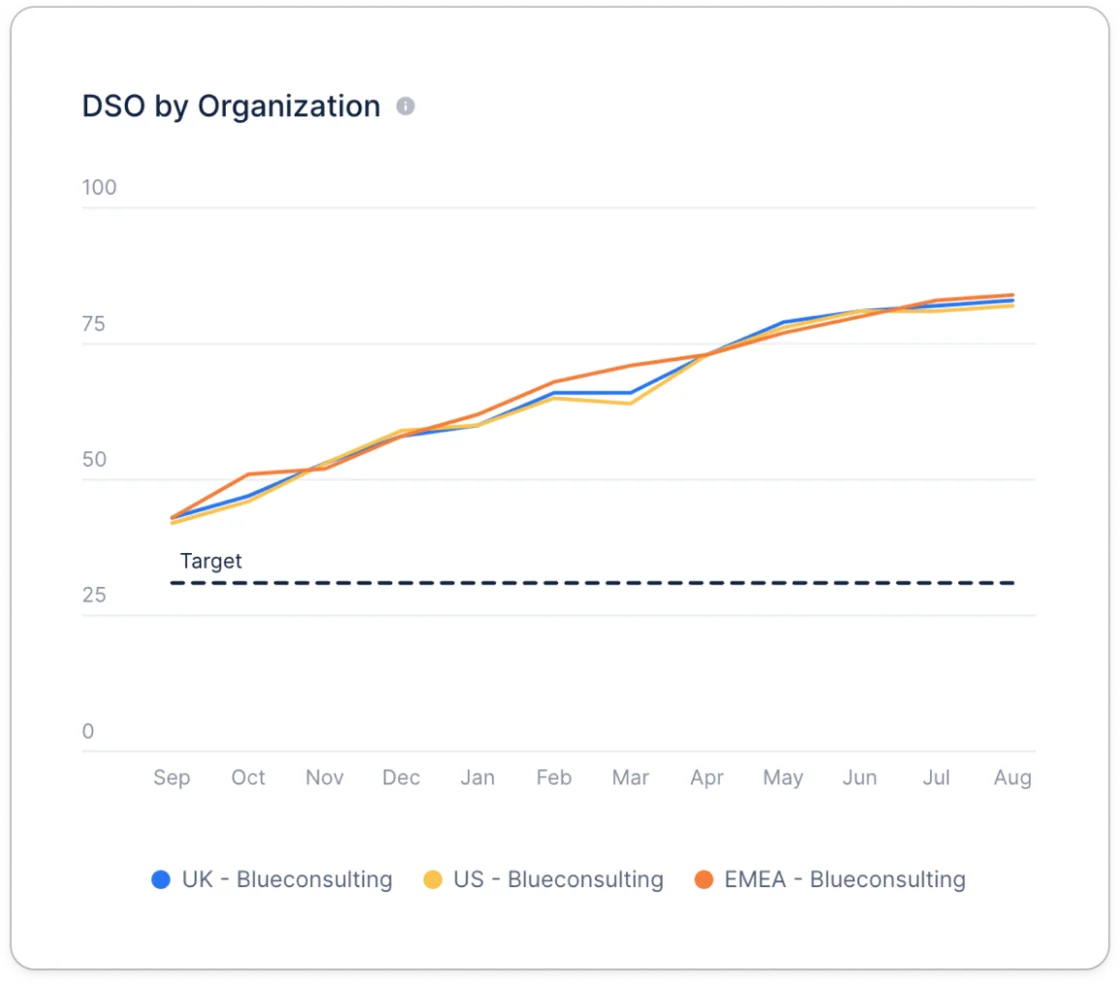
Benchmark your DSO
Compare your collection performance with your peers. Select at least one dimension or business model to see how you rank. This widget is available by in the “Cost Savings & Benchmarks” dashboard.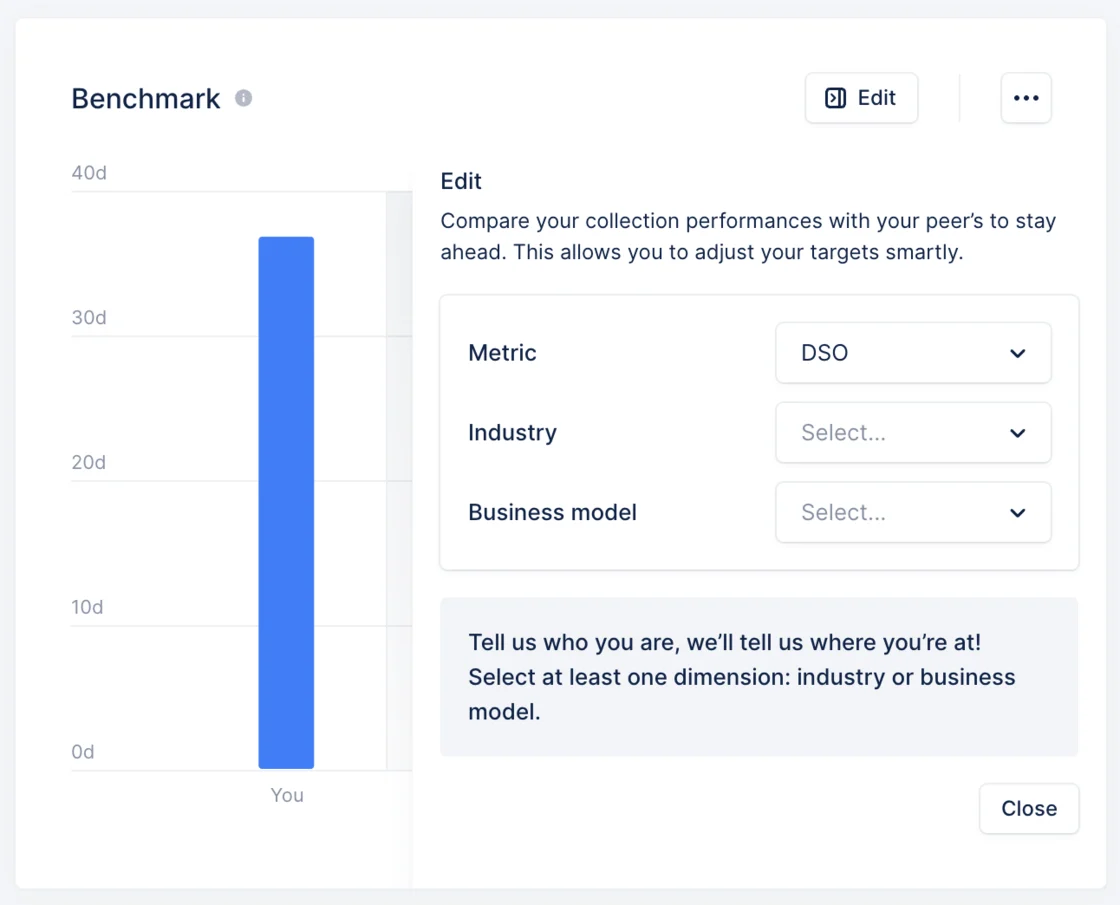
Improvement
Select any template when you send a reminder
Want to use another template when you have an action to do?You can now select any of the templates available directly from your actions view.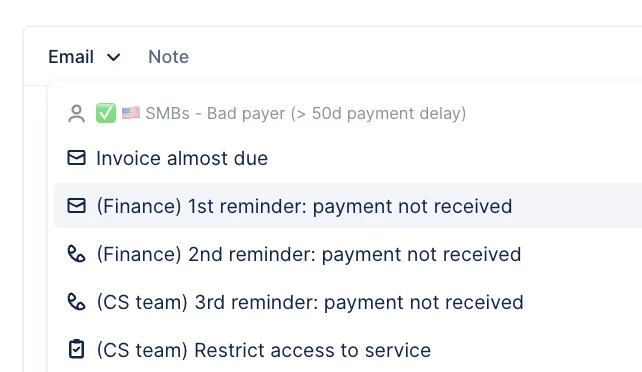
NewPayment
White label portal
You can now fully customize your portal to your company colors and brand, improving your customers’ experience and improving your chance of getting paid. Simply head over to the new dedicated setting section.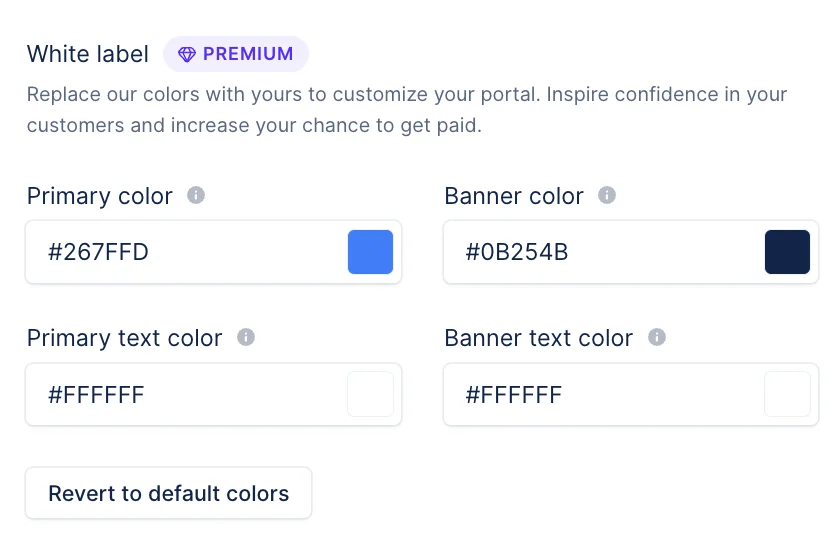
Improvement
Send reminders to all contacts
Want to ensure your customer receives your email? Send it to all of your contacts there.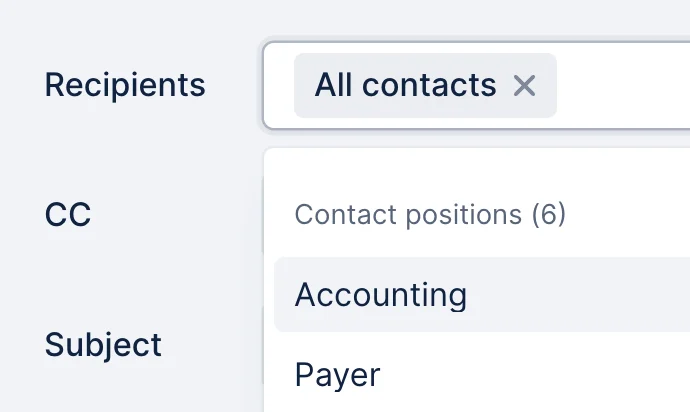
NewAnalytics
Schedule dashboards
Schedule your analytics dashboards to run automatically and receive them via email. You can customize the recipients, recurrence and time of day.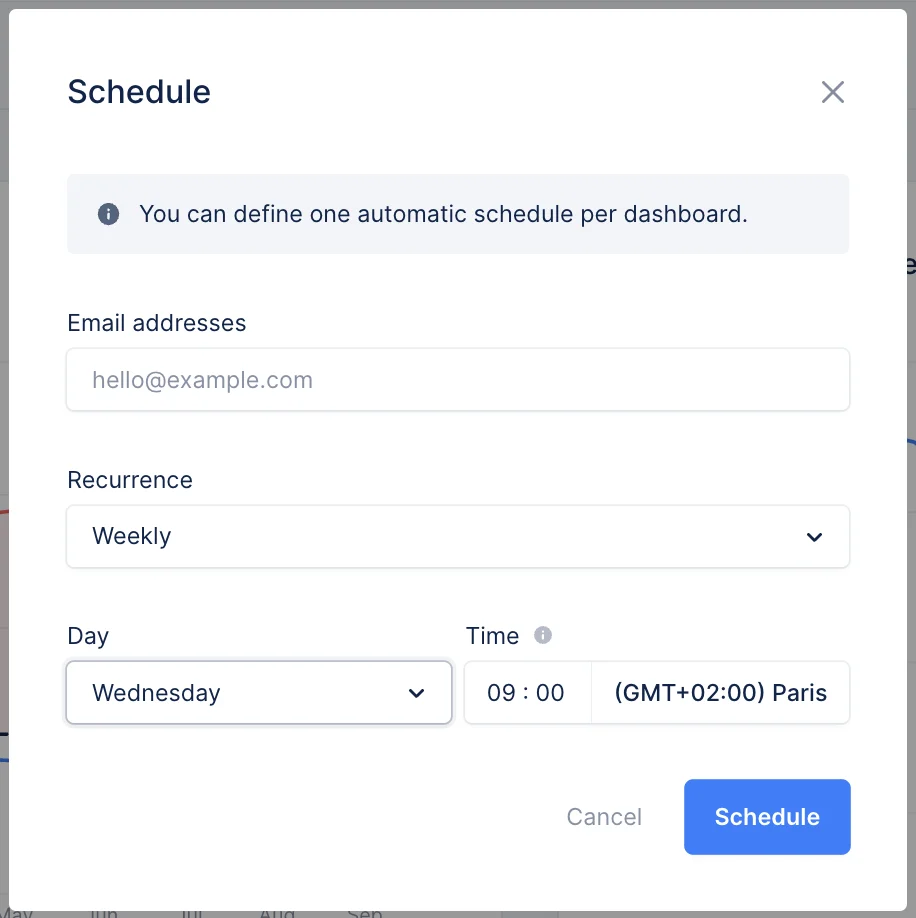
New
Custom contact position
Want to escalate your reminders through your customers’ contact & get paid faster? You can now customize the contact position to reflect your customers’ contact even more accurately. Head over to your settings to set it up.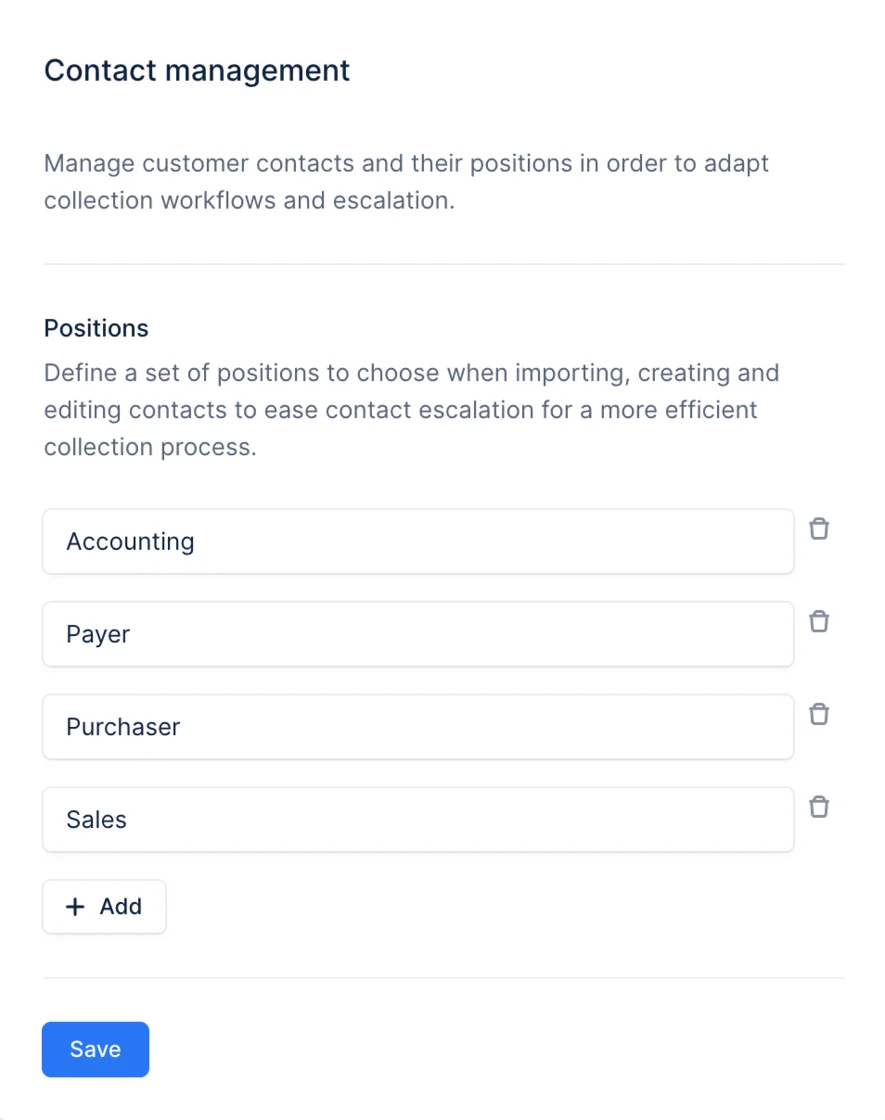
NewIntegrationPayment
NetSuite - Late fees
Improve your chances of receiving timely payments by setting up automatic penalties for customers who pay late. Upflow now offers assistance to NetSuite users in automatically generating late fees within both Upflow and NetSuite, based on the amount owed by each customer and the length of their payment delay.You can read more about it here!Enable late fees now on your platform and improve your collection.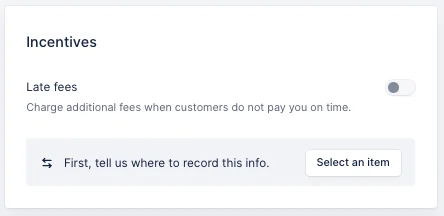
NewCollection
SMS reminders
At Upflow, we understand the importance of effective collection processes for merchants. To enhance the impact of collection reminders, we are introducing the capability to send SMS reminders directly through Upflow.This feature aims to streamline the collection process, reduce manual work, and improve communication with customers.Add one to your workflow and see its impact on your collection.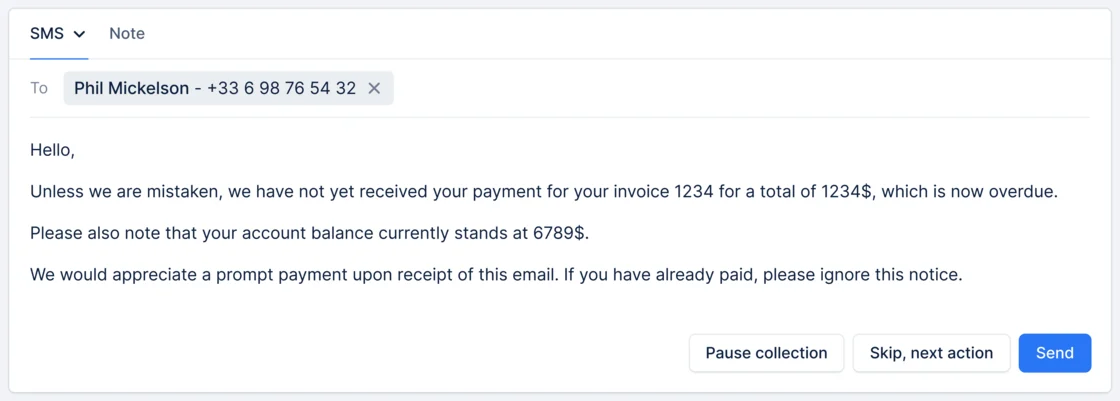
NewCollection
Reply notifications
Get notified when a customer replies to one of your reminders, and continue the conversation immediately to get your invoices paid.You can be notified via Slack, email, or the app.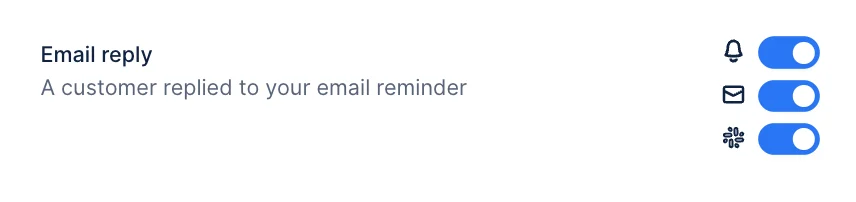
NewAnalytics
Email deliverability widgets
Identify email delivery and open rate issues with two new widgets on the “Team Activity” dashboard. Display data from the past 12 months and download as csv or excel to review failure reasons and impacted email addresses. Ideal for those overseeing email workflow performance.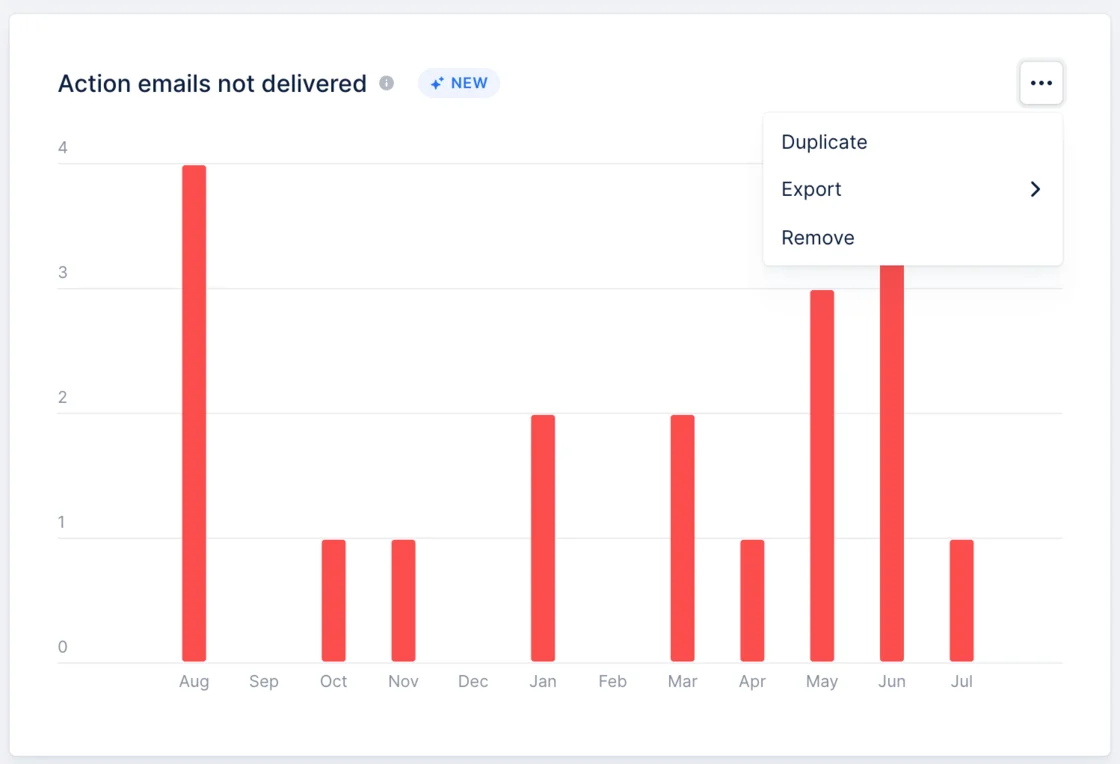
NewCollection
Notification center
Do you want to select the right channel for each notification coming from Upflow? Select it from your profile settings, and adapt Upflow to your needs.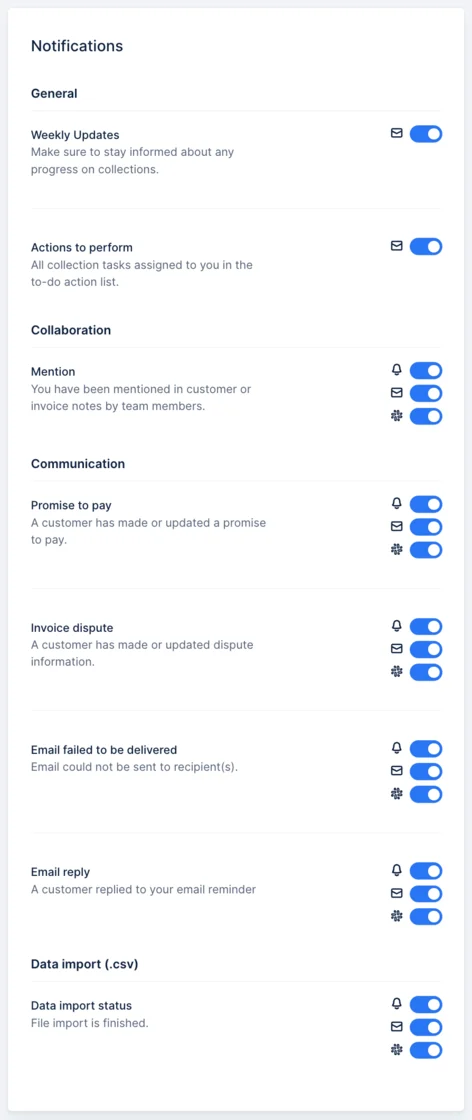
NewAnalytics
AR Financials summary table
A summary of your key financial numbers and metrics for each period.Adjust this table to fit your needs by adding, removing and re-ordering its columns. Download it in csv or Excel format to customize your calculations further: what was the ratio of credit notes to billed amount? How many actions were sent per amount paid ?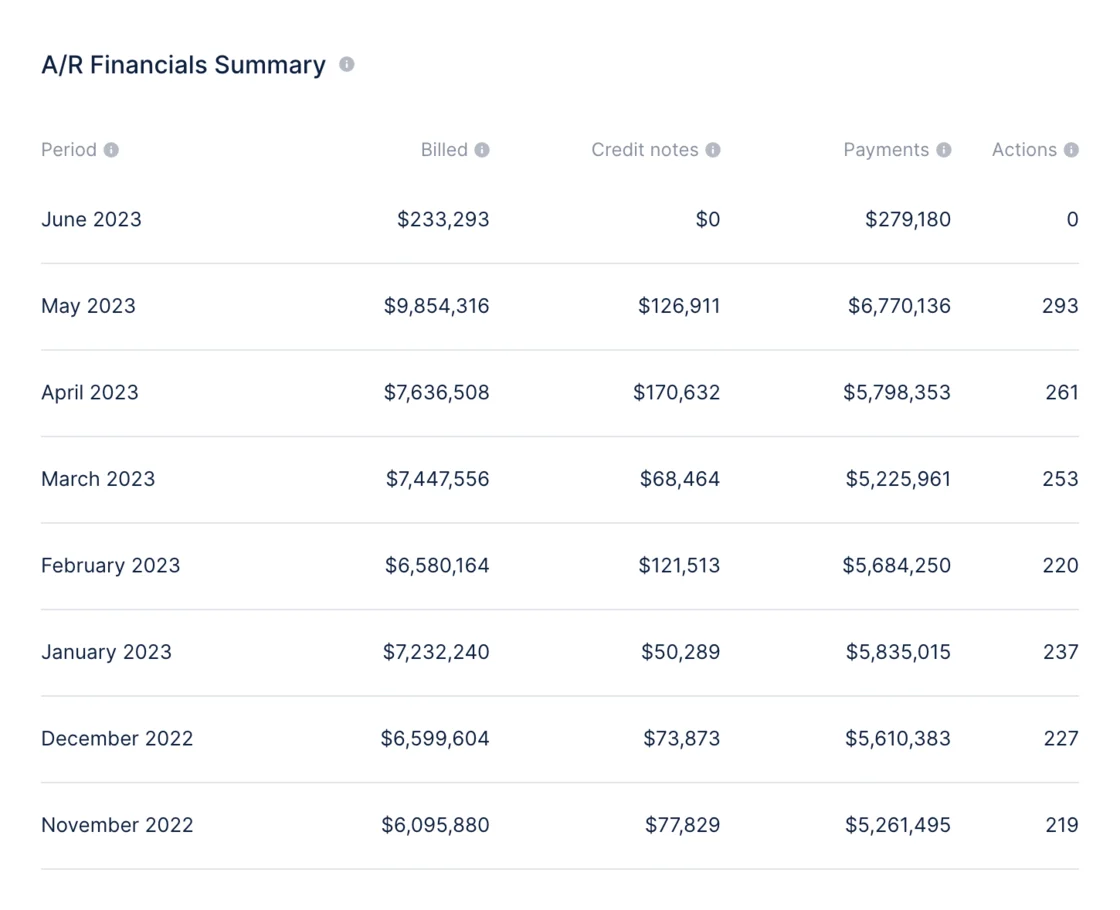
NewPayment
Convenience fees
You can now pass on your credit card fee to your customers. Define the fee structure applied by your payment service provider in your payment methods settings and strategically pass on those fees to the customers that wish to pay you by card on the Upflow Portal.Read more about it here.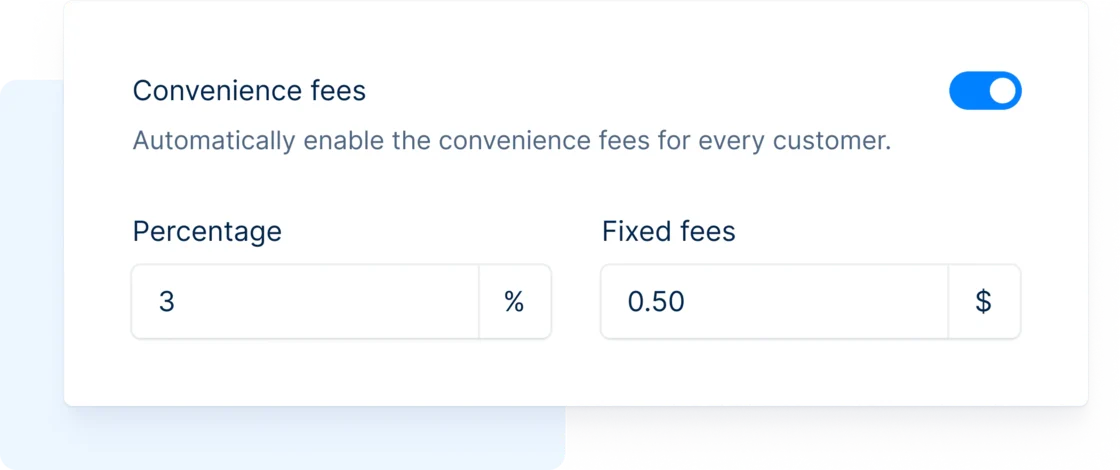
NewCollection
Invoice disputes from the portal
Let your customers dispute invoices as soon as possible to allow you to identify issues promptly. If your customer raises a dispute, they will have to select a reason and can add more details. Once the dispute is submitted, you will be notified so you can intervene directly!You can find all the outstanding disputes here.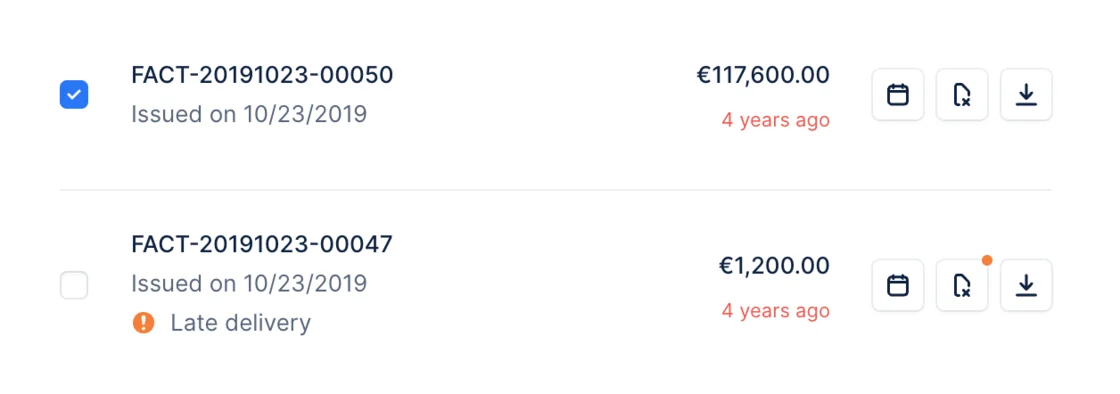
New
Invoice custom fields
Add new fields to your invoices to better understand the health of your AR.From your settings, specify new fields you can use with your team to track each invoice situation.Add them to your organization from your settings.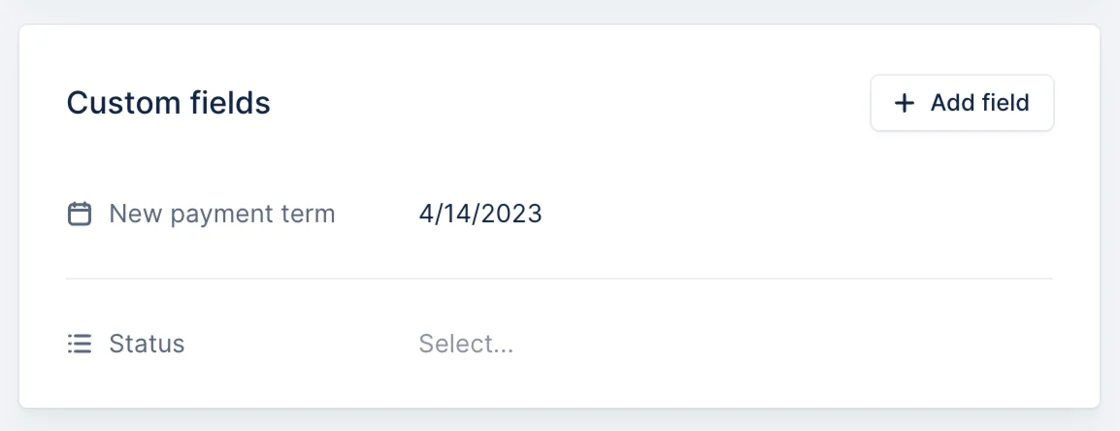
New
Custom task in workflows
Stop using Call actions to specify a task your team has to perform. You can now create dedicated tasks in your collection workflows with instructions for your team to follow. Add them from your workflow library.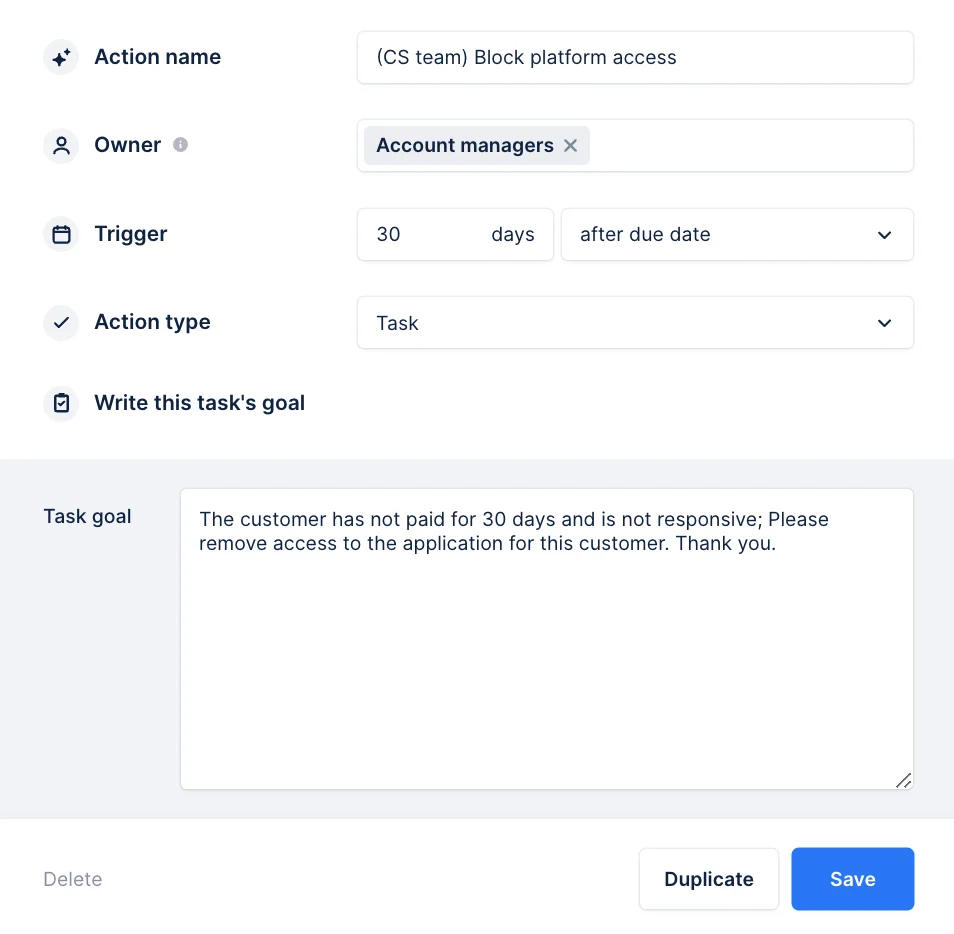
New
Customer custom fields
Following on customer custom fields imported via integrations & the API, you can now add new custom fields directly in Upflow to better support your use cases.Whether it’s to see the credit limit offered for that customer or have a sticky note you want to see firsthand when you review the collection pipeline, you can do it.Head over to your settings and customize your app even more.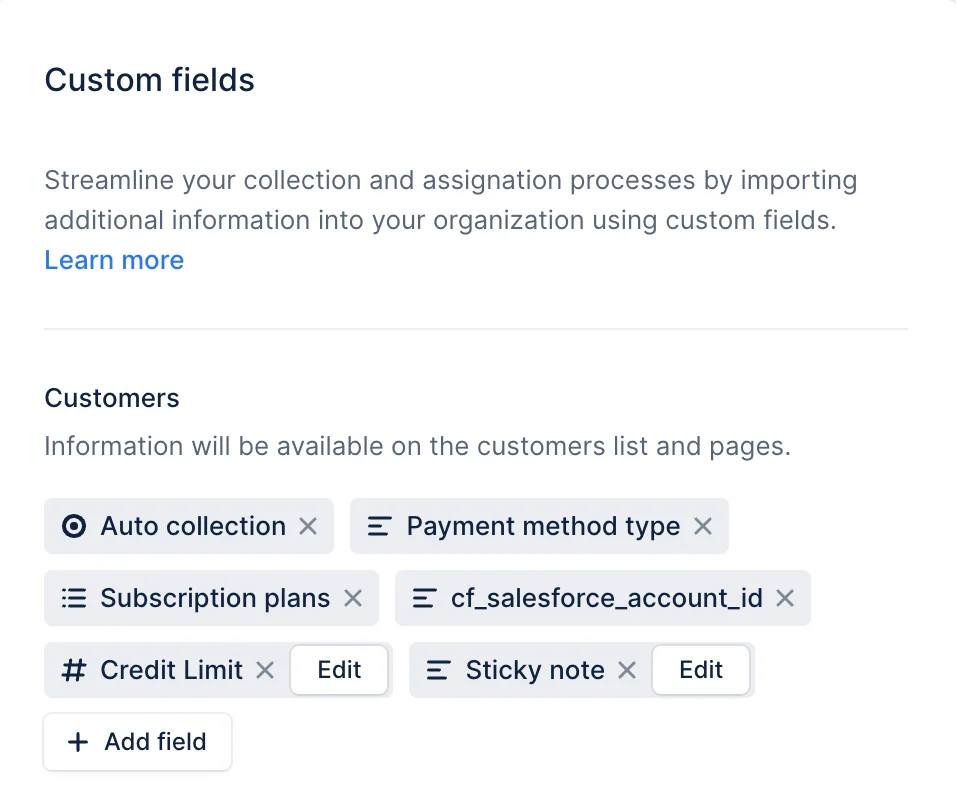
NewAnalytics
Premium Analytics
Customizable graphs and dashboardsCreate a personalized experience that will make managing your information a breeze, while also offering you greater control and flexibility.Display widgets of your choice, arrange them as you like and filter their values. Happy with the result? Save your preferred dashboards so they’re accessible with a click.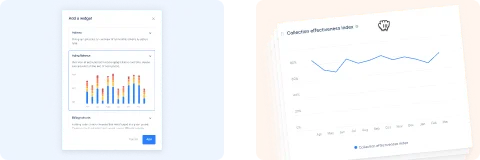
NewAnalytics
Toggle between # and %
Compare your data in absolute terms (#) or percentage-wise (%). Quickly toggle between the two to understand the weight of each category.For example: has the overdue balance as a percentage of the total changed over time ?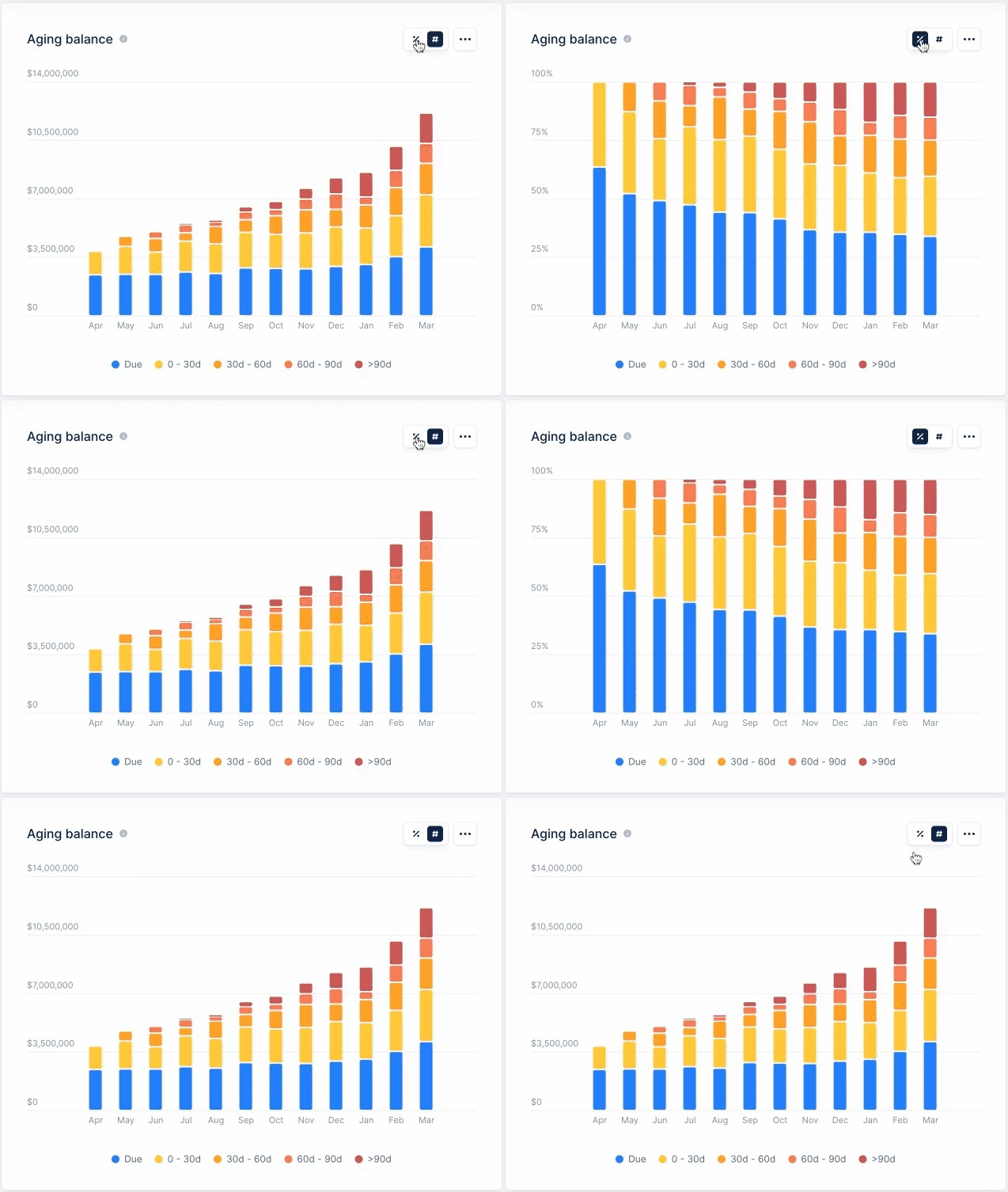
NewAnalytics
Actions breakdown by
Support your team performance analysis with the Actions widget.Breakdown your completed reminders per month, per type, and more.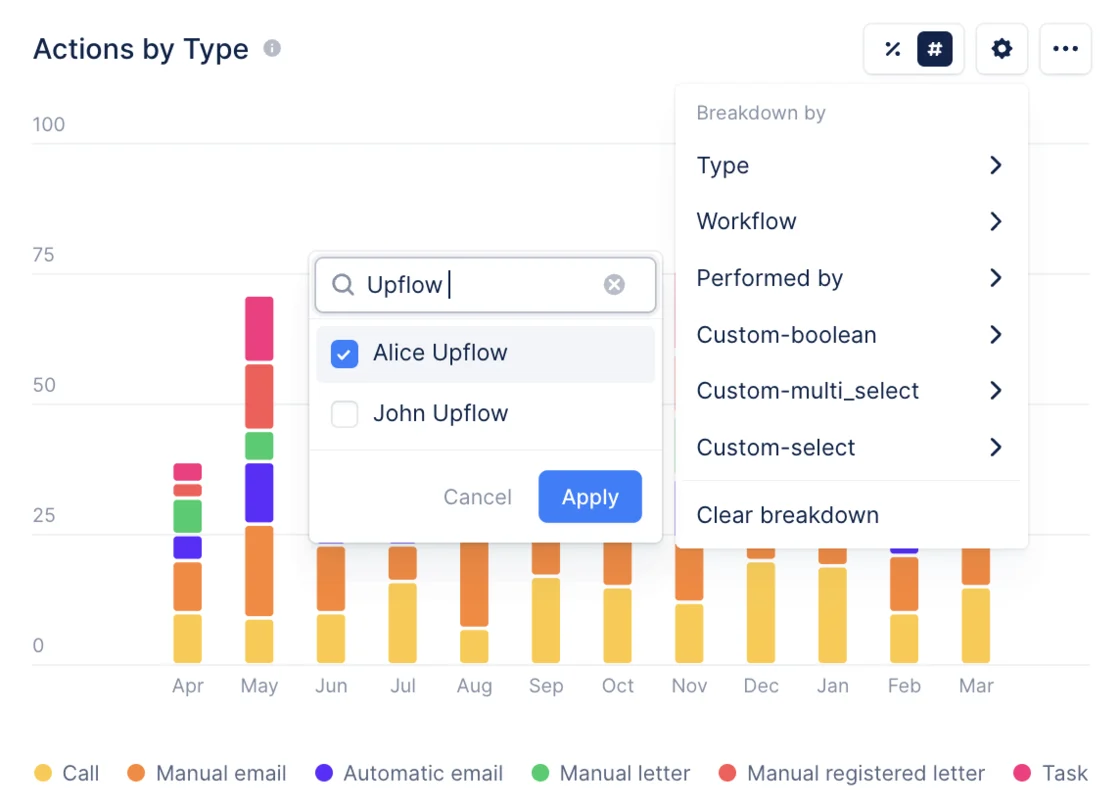
NewAnalytics
Historical Aging Balance
Understand how your outstanding amounts evolved over time thanks to the Aging balance widget.Learn where you were at the end of each month and compare these results with your actions summary to ever-improve your collections strategy.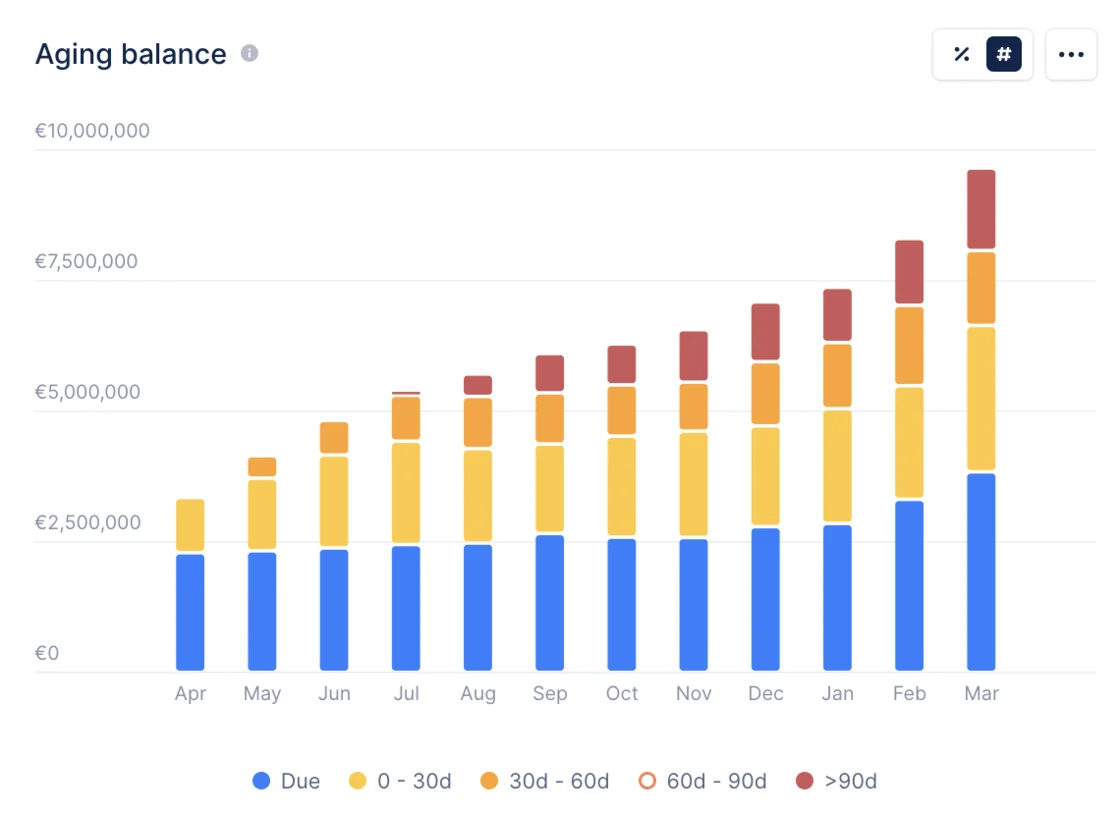
New
Customer rating based on payment delay
From your customer list, discover your worst payers based on their ratings and set them on a more aggressive workflow to ensure their swift payment.The rating is computed based on the payment delay on the due date.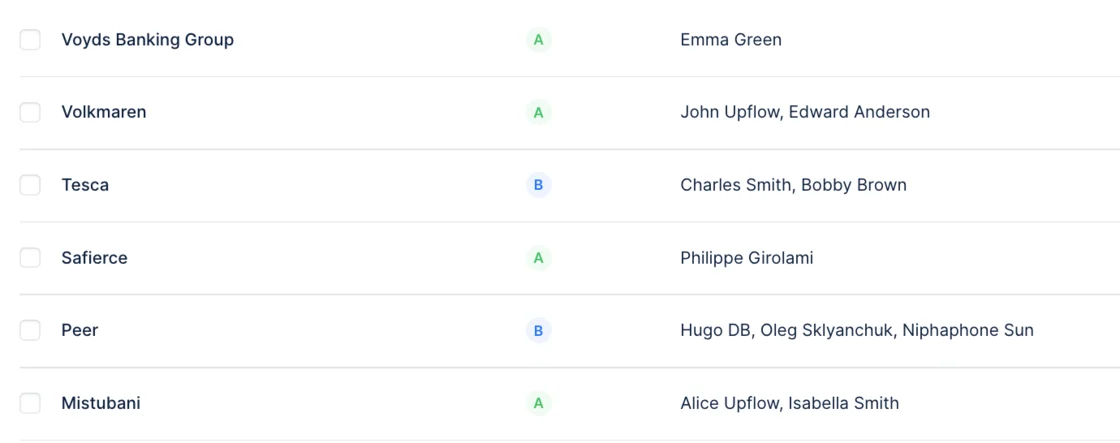
New
Last visit to Upflow
From the Members list, quickly check when your team connected for the last time to ensure they stay on top of their collection.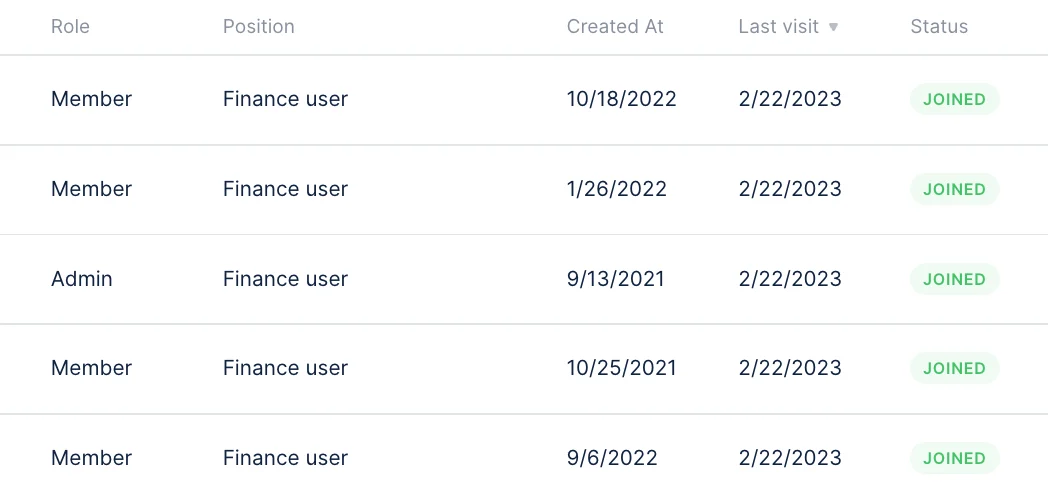
New
Promise to pay from the portal
We are excited to announce the launch of the new Promise to Pay feature!This new feature allows your customers to add a promise to pay directly from their portal. When they do, their account manager will be automatically notified.Additionally, you can see all the invoices with a promise to pay from your invoice list.Check it out here.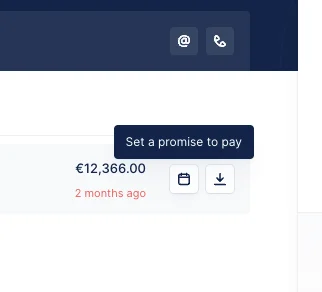
New
Improvement
Upflow now support Voided Invoices
These invoices are still visible in the product but are excluded from the collection and your outstanding amount.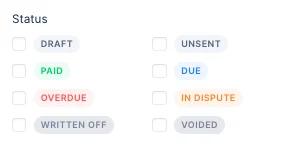
New
NetSuite - You can now perform your collection at the Project level in Upflow
You can now collect your unpaid invoices at the Project level in Upflow.Toggling this new setting, will reorganize your data and import your dedicated contacts, invoices, and Project name. You can then assign dedicated collection workflows and account managers to your Projects in Upflow.Set it up here.You can read more about it here.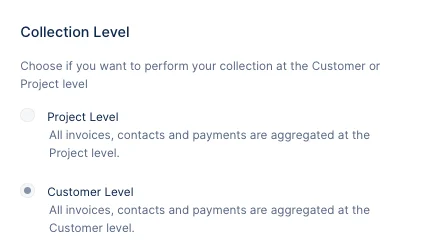
New
Contact’s job titles - Know exactly who you are talking to
Thanks to the contact’s job titles, imported from Salesforce or the interface, you can customize your communication on the spot to have the best impact.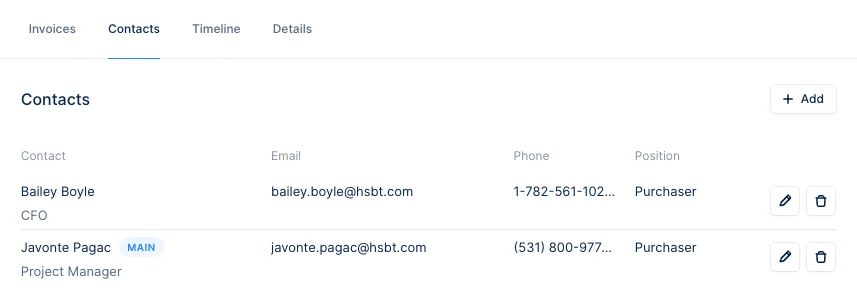
New
Set a target for your DSO
You can now set a target for your DSO directly from your analytics section to track your performance and define concrete goals for your team.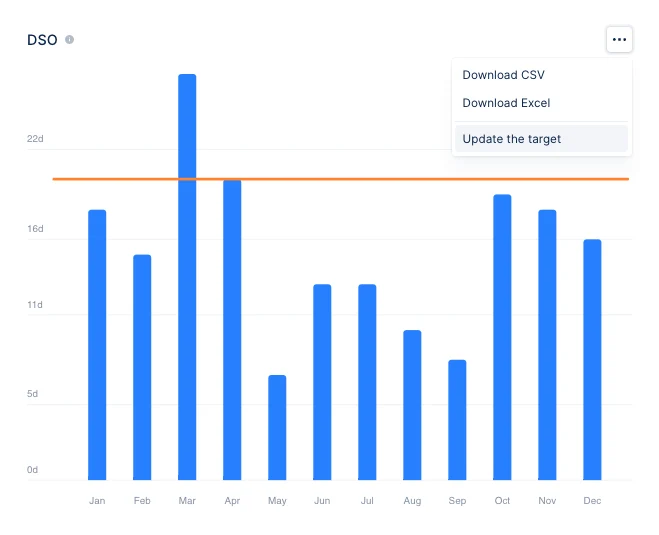
New
New
New
Send your automated emails at the right time
As an Admin, you can now update the time automated emails are sent. This way, your emails will always be on top of your customers’ inboxes. Set it up from your company settings.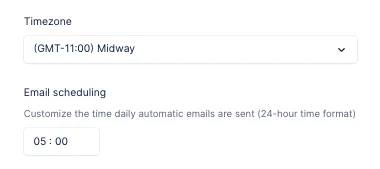
New
New
Reply to your customers directly from Upflow
Once you get a reply from your customers, you can now continue the discussion from Upflow. Want to follow up on an email previously sent? You can also do it by replying to your own email.You can try it directly from your actions view.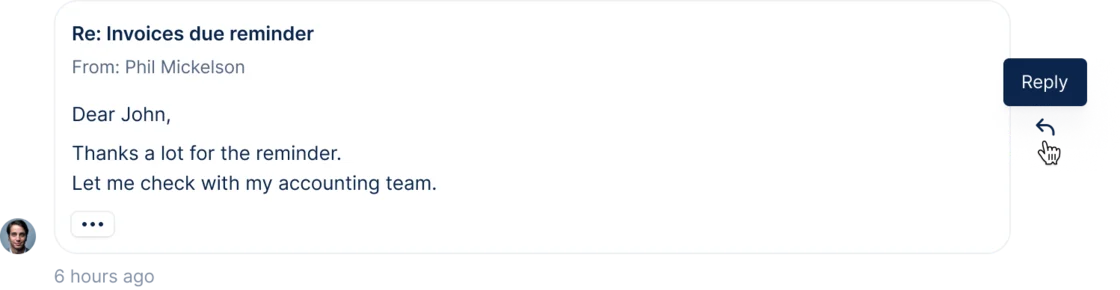
New
NetSuite - You can now import Pending Approval invoices in Upflow
You can now import Pending approval Invoices directly from NetSuite as Draft Invoices in Upflow and review them with your team directly from your platform.You can activate this new feature directly from your Integration settings section here.Once validated in NetSuite, invoices will be automatically synchronized as Due.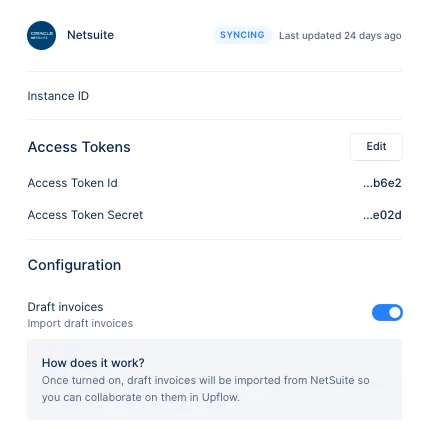
New
SSO - Signing in Upflow gets a whole lot easier
Signing in software can sometimes be a hassle and multiplying passwords is often a security risk.That’s why you can now use SSO with OpenID Connect to log in to Upflow.Want to enable this for your organization? Ask your Upflow admin to reach out to your CSM and you can read more about it here.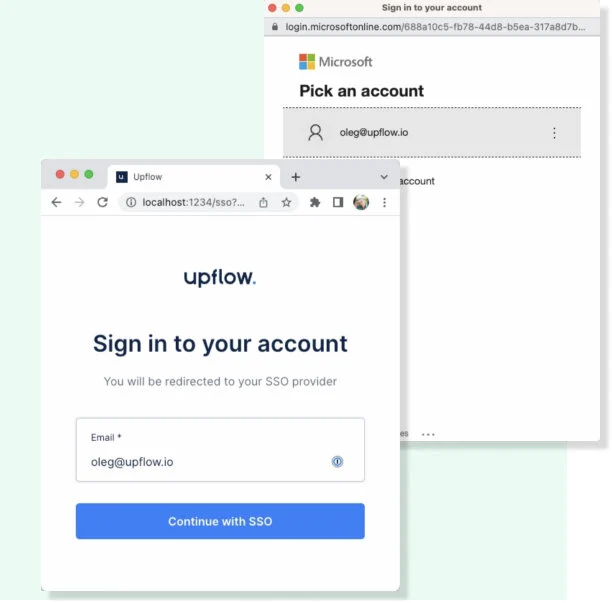
New
Keep your teams up to date thanks to our new Slack integration
There are many things very important to make a collection process successful. Our latest Slack integration will supercharge two of them: Speed and collaboration.You can now automatically notify from Upflow into Slack your team members whenever they are mentioned in a specific collection timeline.The notification will include the message and a link to redirect them to the specific timeline where they were mentioned, encouraging them to act right away.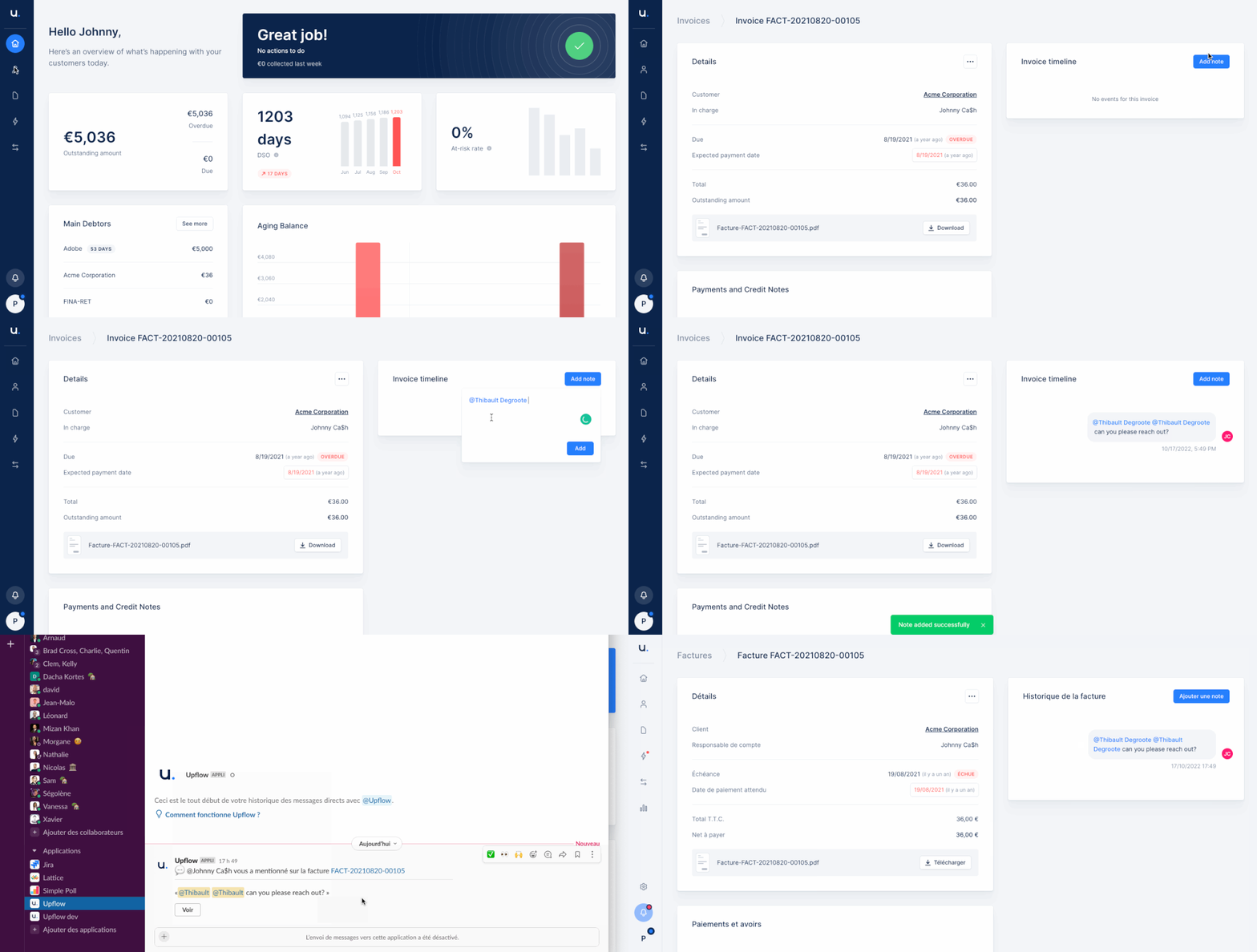
Improvement
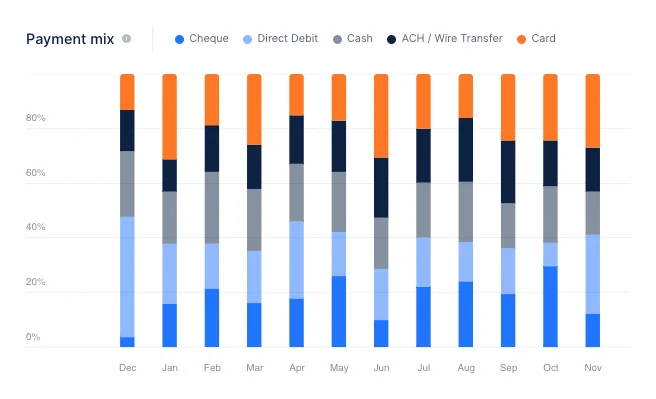
Understand your Payment mix at a glance and start improving it
We decided to divide the ‘Type’ columns into 2 more relevant and actionable ones: ‘Source’ and ‘Method’.With the Source one, Upflow displays where the payment information comes from (Invoicing tool, Upflow Customer portal…)With the Method one, Upflow displays, you guessed it, what payment method was used (Card, Direct Debit…)The new colors, sorting and filters will help you access useful information faster to craft the best strategy to improve your payment mix. Pro tip: you should have a look at our Customer payment portal.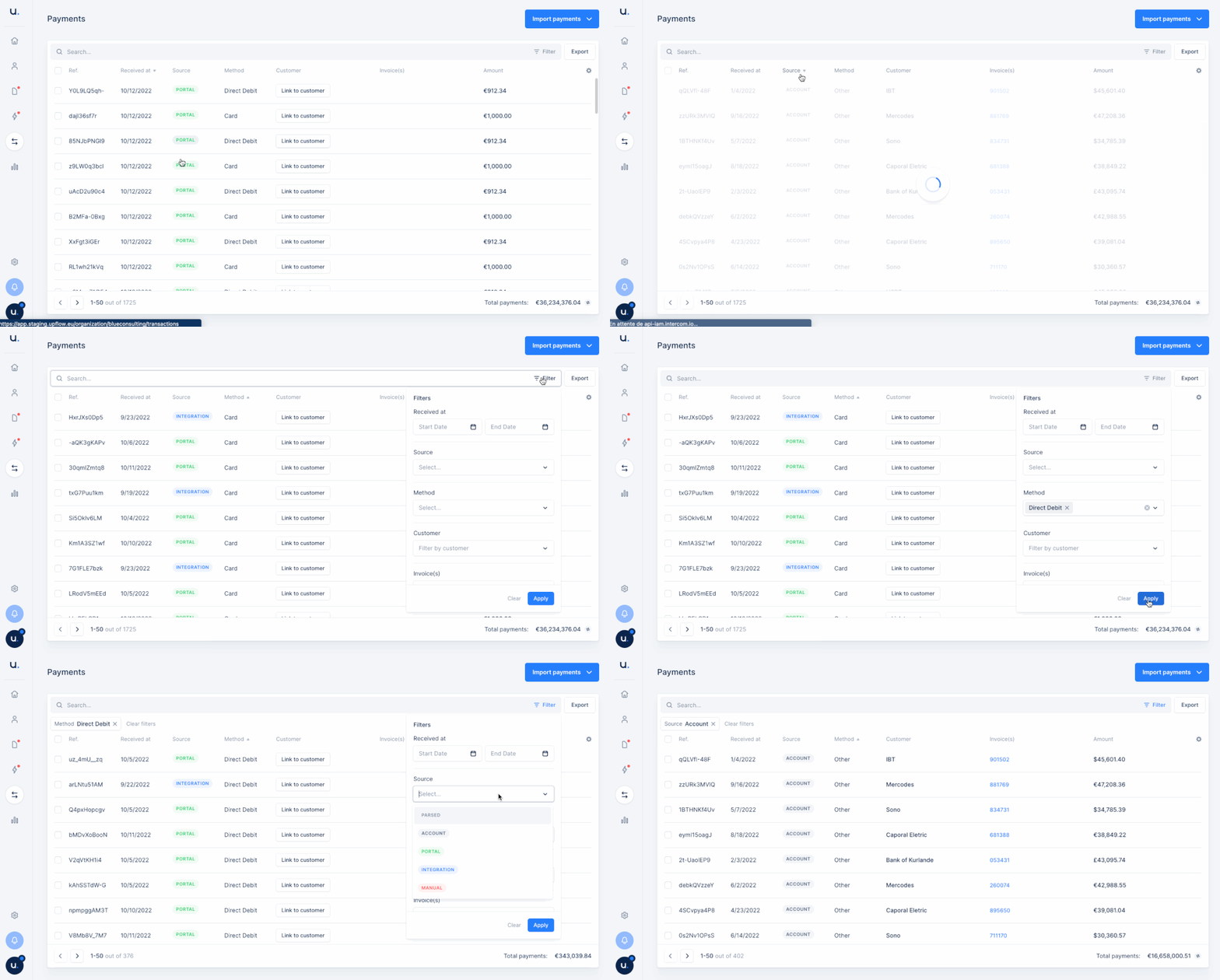
New
Never send a reminder into the void again
It is always frustrating when your customer tells you earnestly that they’ve never received your reminders.From now on, whenever you send a reminder to an invalid email address, you will be notified via email, of the issue. You can then update the contact info and send the reminder properly.Say goodbye to one-sided conversations!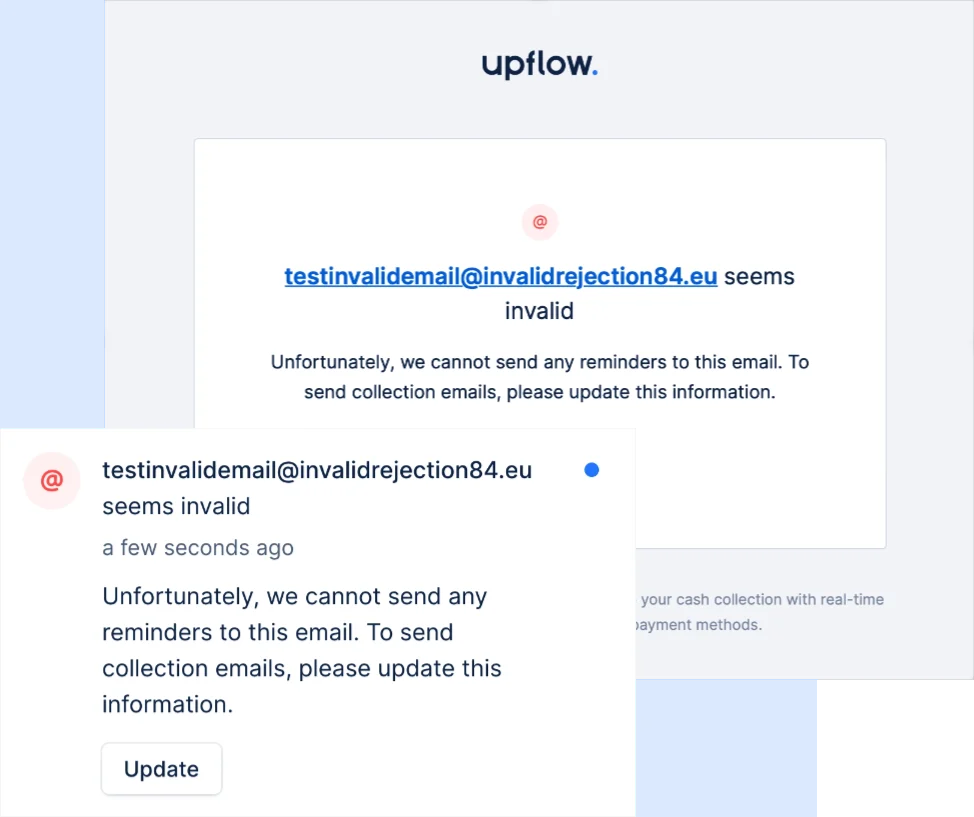
New
Sit back and let our Salesforce integration take the wheel
Our Beta salesforce native integration imports your contacts and syncs your Account Managers to Upflow.Say goodbye to double entries, missed portfolio changes, and reminders sent to the wrong contact.Implement it in just a few clicks.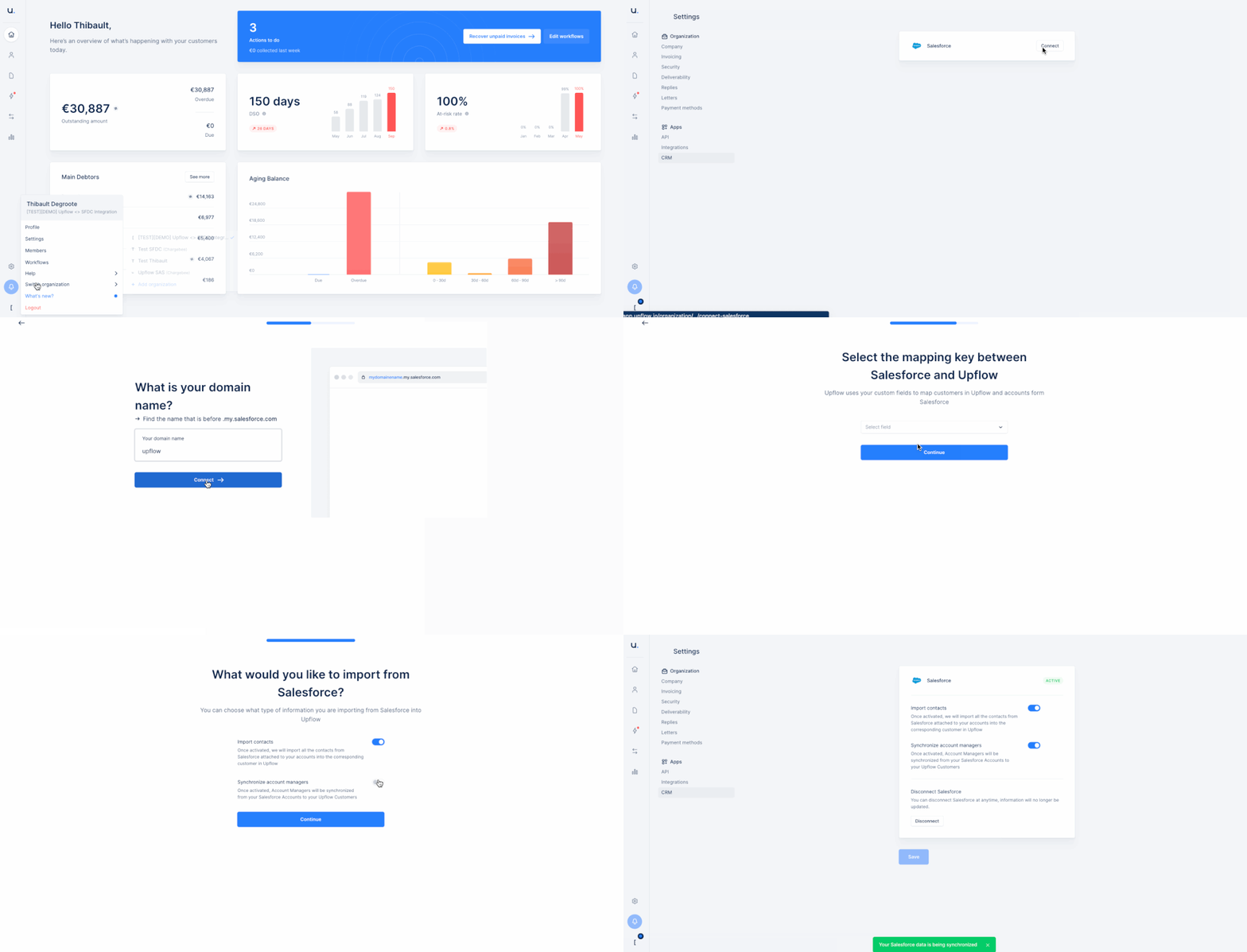
Improvement
Display the currency prefix only if necessary
We improved the way currency is displayed in Upflow:Automatically, Upflow will display the currency symbol. Yet, if there are multiple currencies with the same symbol, then the relevant prefix will appear (for example, CA$). If there is no symbol, then it shows the full ISO code.No settings required!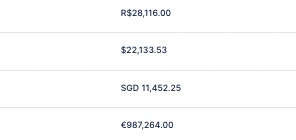
New
Find out who the is the owner of your organization
You need to change a parameter in Upflow but don’t know who the owner of your organization is?No need to contact our support anymore. Simply go to ‘Members’, filter on the ‘Role’ and that’s it! You can even ask for an ownership transfer.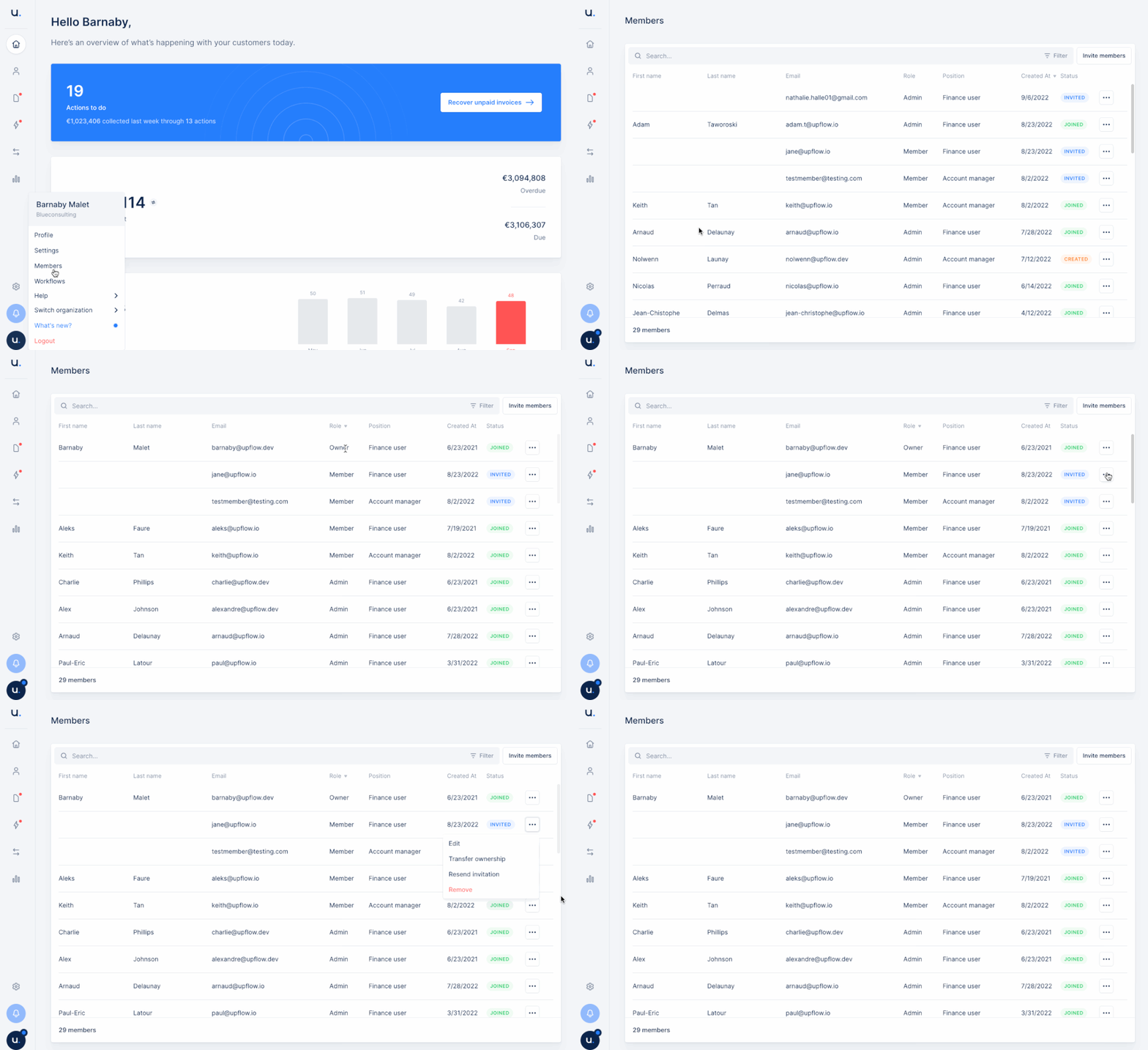
Improvement
Un-assign account managers all by yourself
You’ve decided to change the account manager for an account (or more than one)?You don’t need to contact your Upflow Customer Success Manager to do so: you can replicate now this in Upflow autonomously.You can un-assign and/or re-assign an account manager directly from the customer page.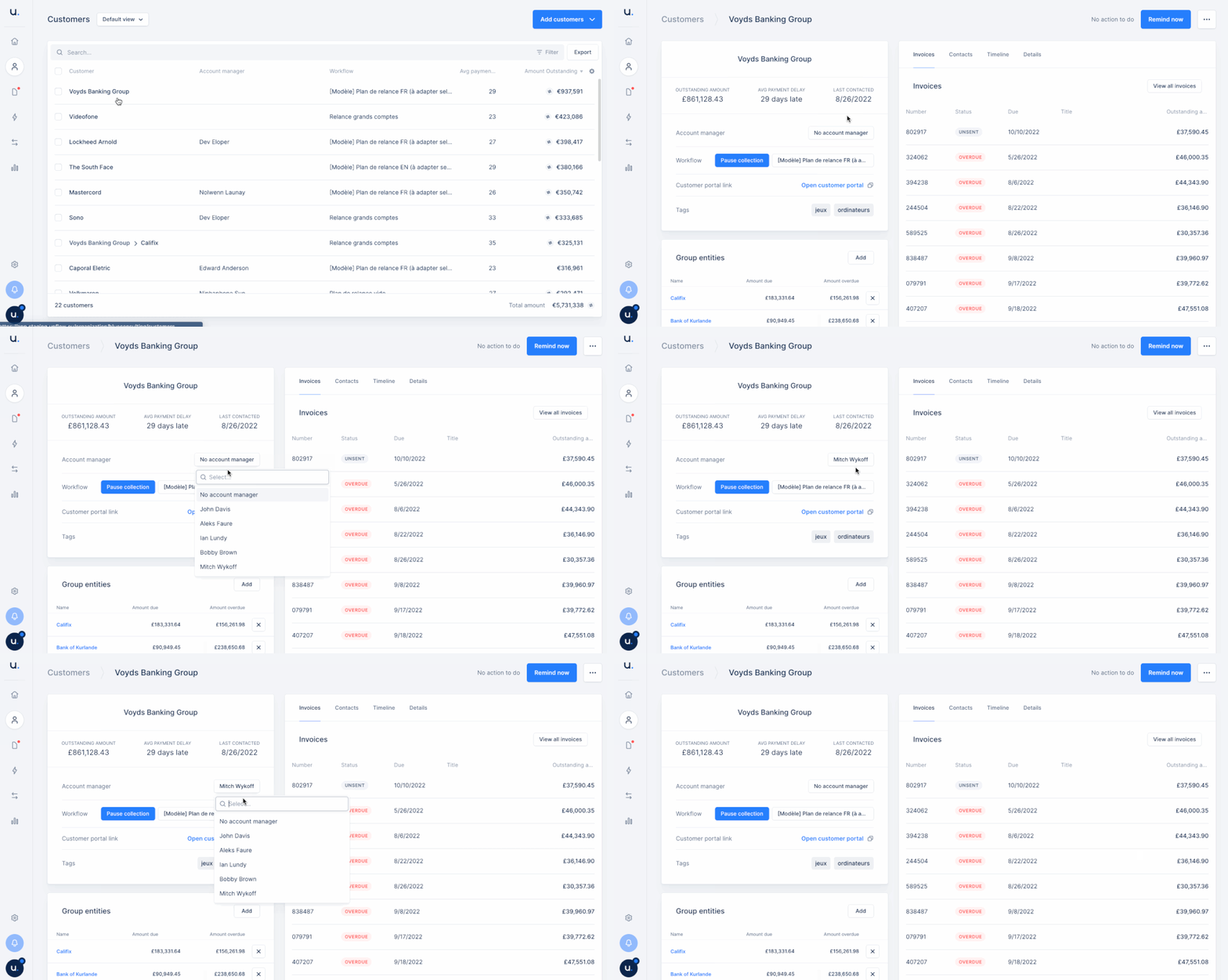
New
Display your outstanding balance using the currency code
Do you have several dollar currencies and struggle to differentiate them?You can now display those with their currency code (USD, CAD, etc.) to differentiate them easily.To activate it, go to your settings and update the Display from symbol ($) to code (USD, CAD, etc.).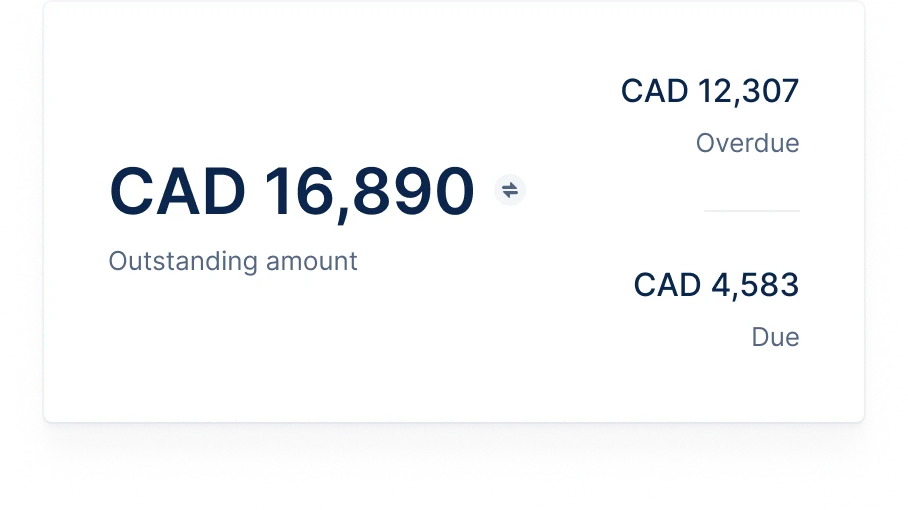
New
Automatically merge attachments to your invoice PDF
Your invoice PDF don’t include all the necessary information for your customer to pay them fast?You can now automatically merge other relevant documents to the invoice in Upflow before sending it to your customer.Available for our QuickBooks Online and Xero integrations, Upflow can merge natively sync Invoices with PDF attachments.Contact your Customer Success Manager to- check if this is relevant for you,
- activate this feature.
New
Attach any necessary document to your letters
At later stages of your collection workflow, some customers need a physical reminder to get them to pay their invoices. It takes the form of a letter sent from Upflow.We want to remove as much manual work as possible from your cash collection and save you even more time. That’s why this letter could already include a printed version of the invoice. Now, you can attach any other relevant document you need to it.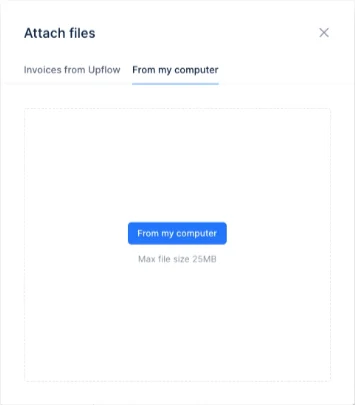
New
Only Admin users can now set an organization live
To avoid over-enthusiastic team members setting an organization live in Upflow, it is now exclusively possible for the admin users to do so.Why? It prevents triggering automatic reminders to be sent without the admin being aware of it.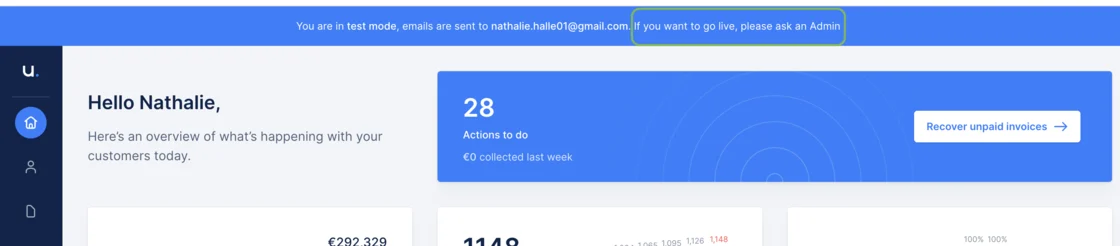
Improvement
The Transactions list gets a makeover
After the Invoices and the Credit Notes, it’s time for the Transactions list to be upgraded.This new view allows you to better manage the transactions thanks to filters and customization options.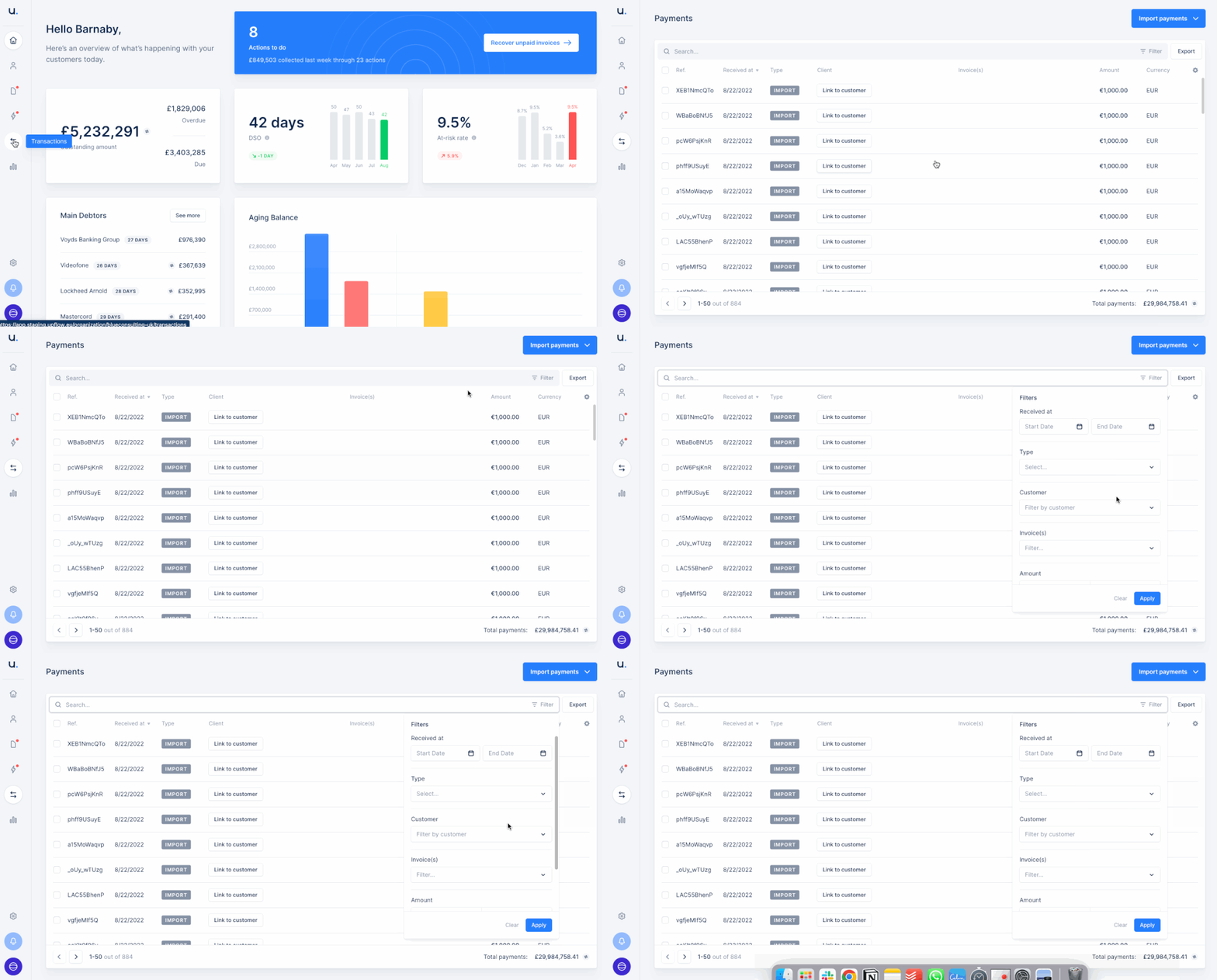
New
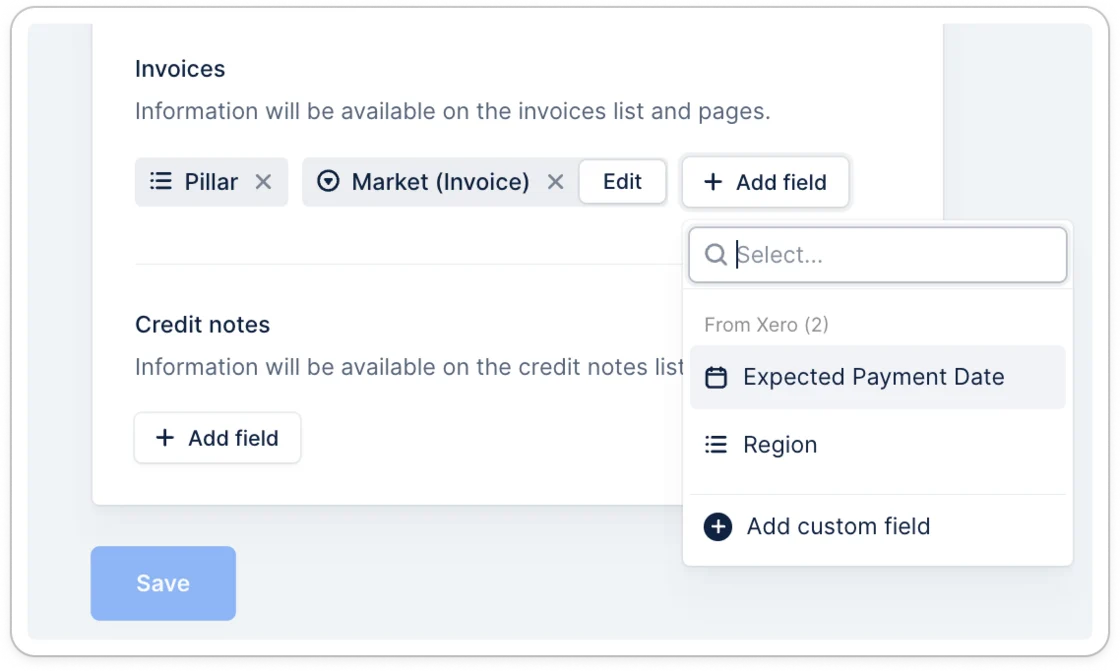
You expected it: you can now add the Expected Payment Date
When your customer tells you that “The payment is on its way. You should get it by (date)”, it is now possible to add this information in Upflow as the ‘Expected Payment Date’.All you have to do is go to the Invoice view > add the respective column > add the information anytime you get that information.It is precious to avoid sending reminders to a customer who has already sent the payment, as it will by default offer to pause the collection for that specific invoice.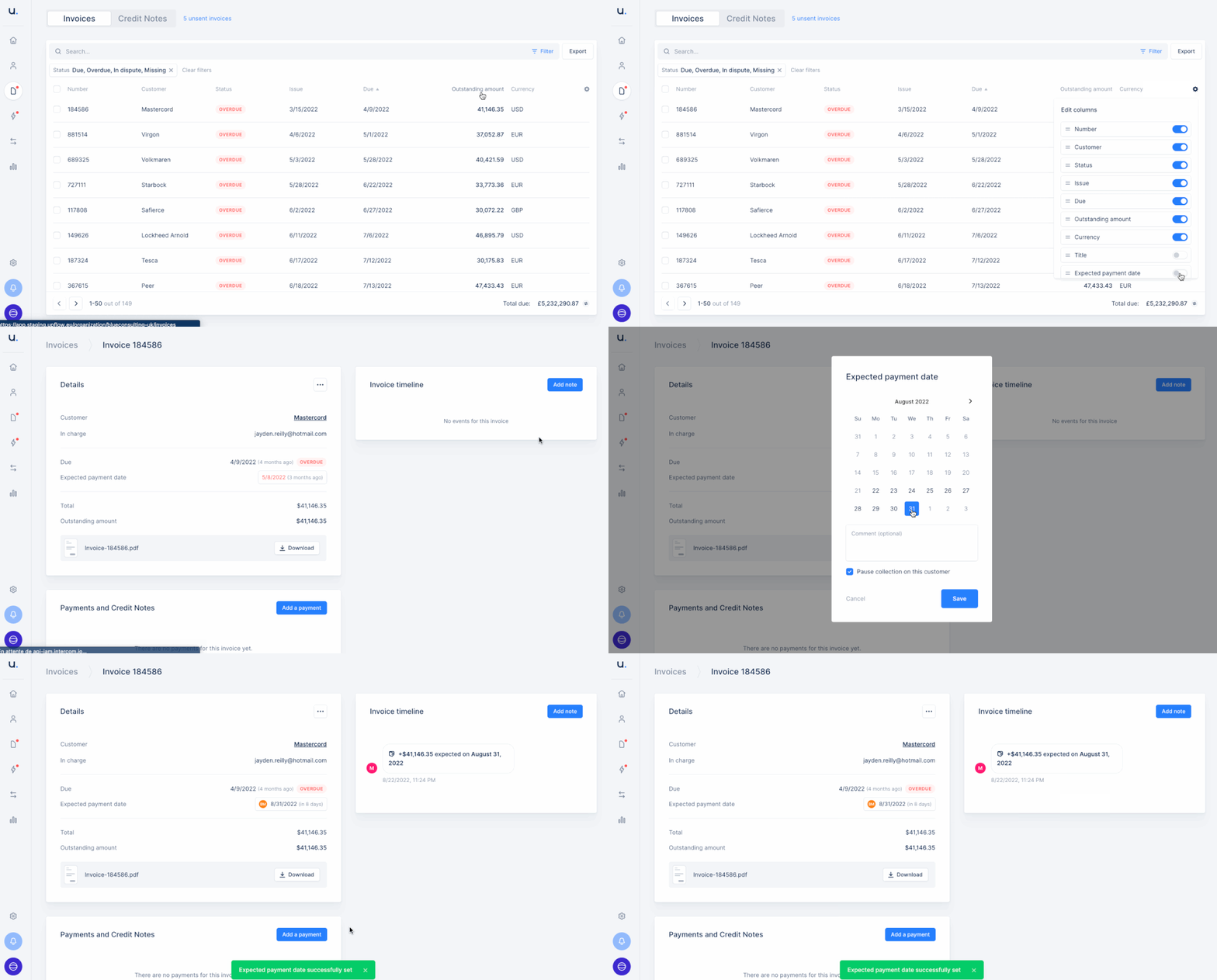
Improvement
We updated your Credit Note view
You liked your Invoice view and its many filtering possibilities?You can now appreciate your updated Credit Note view which now offers many options! You can filter and customize it to better manage your Credit Notes.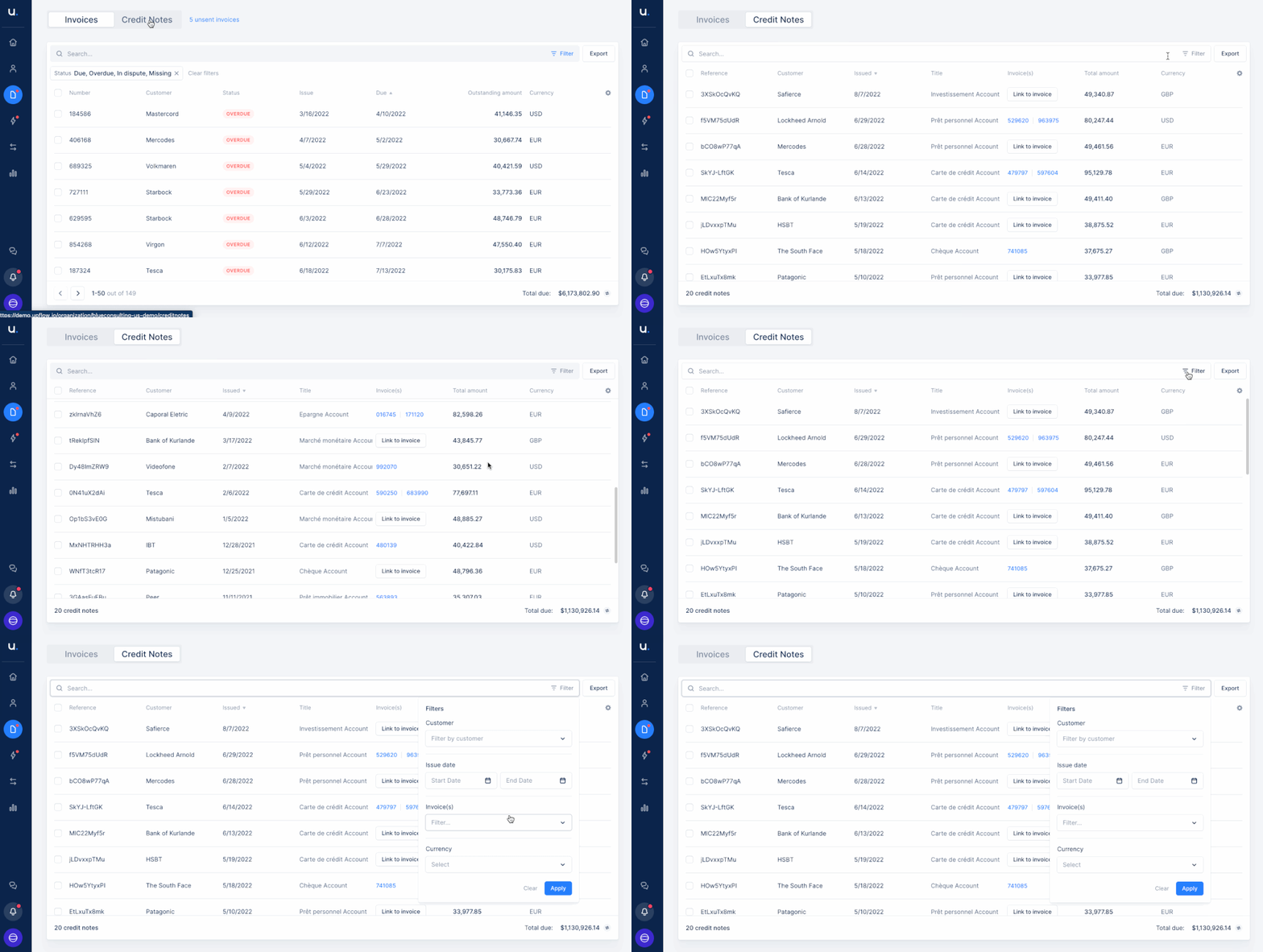
New
Segment your cash collection and analytics to mitigate risks
You already knew about our custom fields feature. It was only available with a few of our native and real-time integrations.Now, whether your Upflow platform is integrated with Chargebee, Netsuite, Quickbooks, Sellsy, or Stripe Billing, you can segment your Accounts receivables, build your workflows, and deep-dive into your analytics or assign Account Managers the way that best fits your organization.The best part is that it is very (very!) simple to set up:All you need is to import in Upflow any relevant data from your tool and work with the custom tags that suit your organization.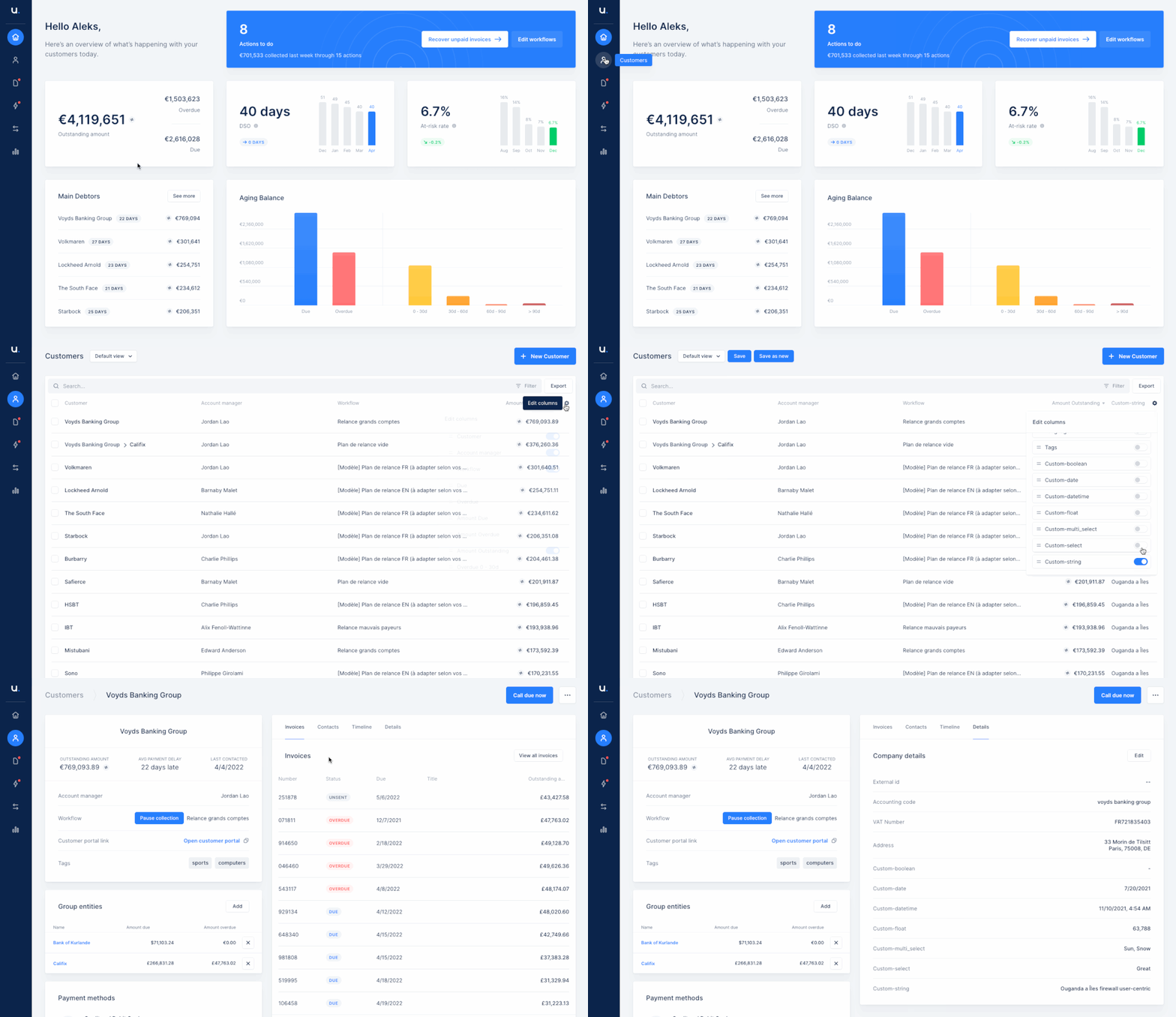
New
Payment receipts notifications are now available in French
Our French users can now also benefit from improved customer communication and payment visibility.These notifications can also serve as subtle reminders for any outstanding invoices that are pending in the customer’s portal.Improvement
Know your source tool
The source tool Upflow is integrated with is now apparent, from the ‘Switch organization menu’.It can be a helpful reminder of which tool Upflow is integrated with when your stack is more complex. It is especially useful to companies with several organizations in Upflow: it can help differentiate when the organizations’ names are similar.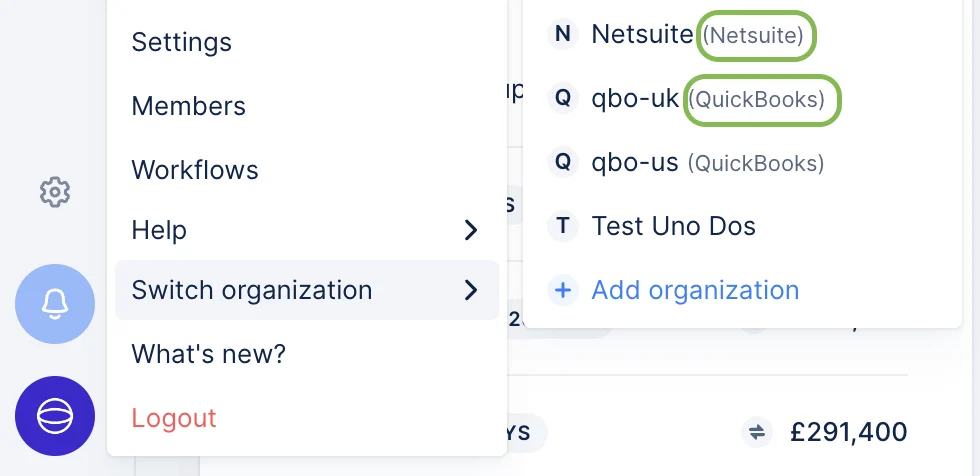
New
You like our analytics? You can now share them.
The analytics in Upflow keep getting better every week!After the ability to filter your analytics on your relevant criteria, you can export them in just a couple of clicks.You have all you need to download the data for billing cohorts, cash flow, DSO, and more to integrate them into your monthly reporting or to do a proper audit.You simply have to filter the data you need (or not) and then export it as a .CSV or .XLS file.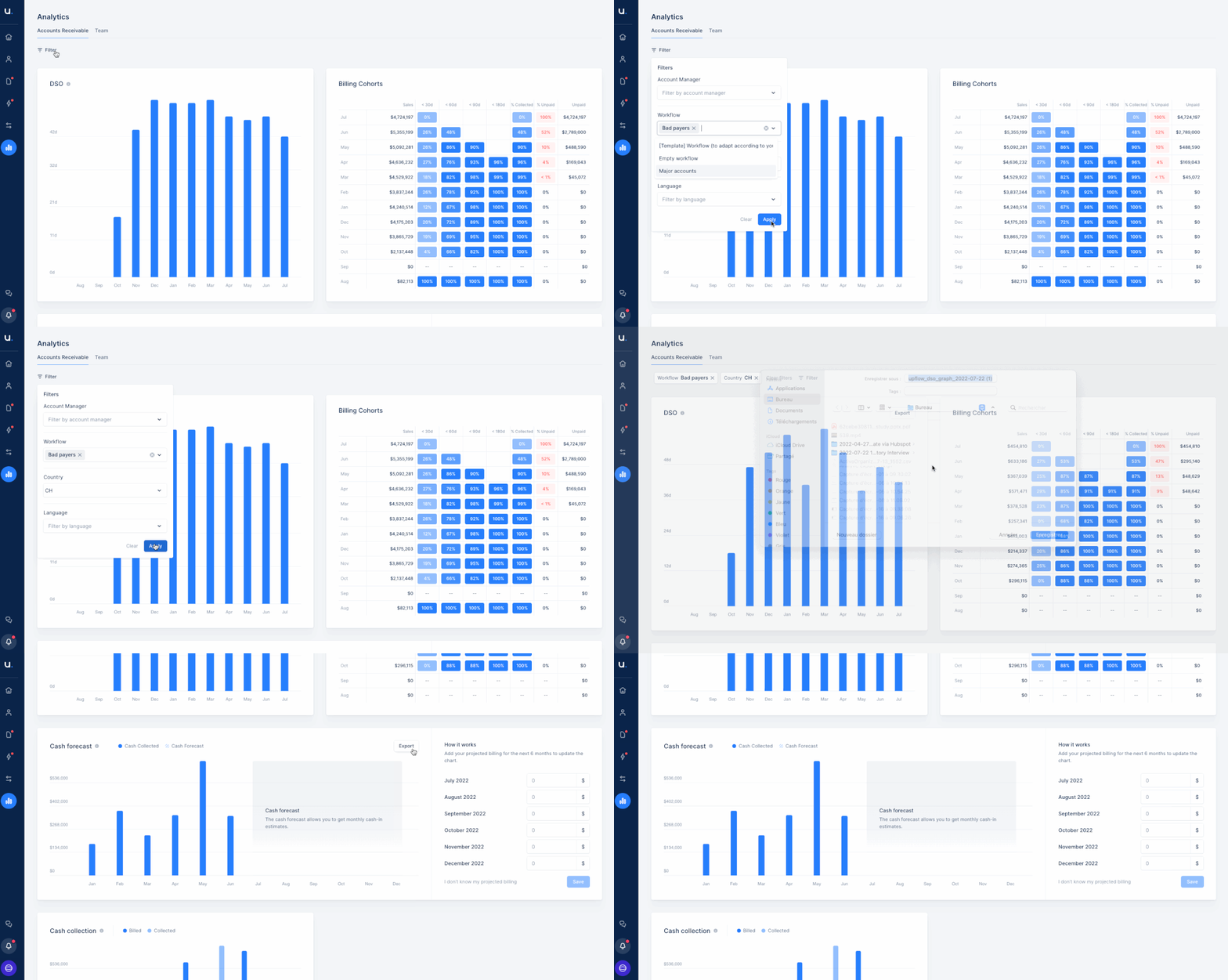
Improvement
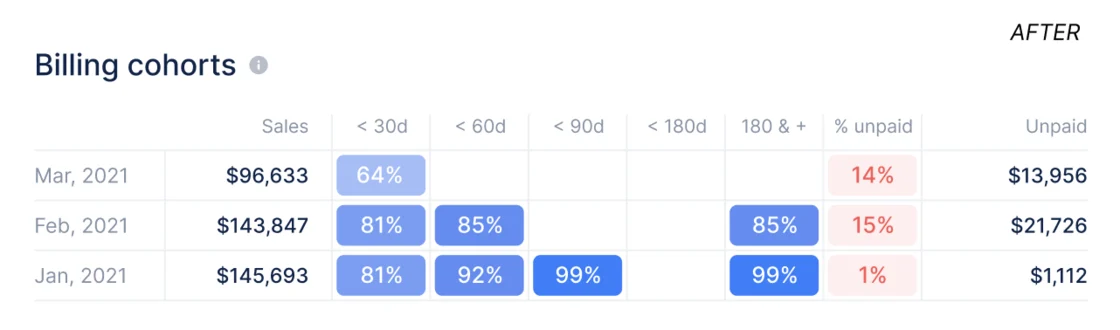
Your billing cohorts at a glance
Upflow provides you with many actionable metrics from the dashboard. Our goal is to help you understand at a glance what your priorities should be.That’s why we improved the way the percentages of the billing cohorts are displayed to best represent what your own range is**.Before: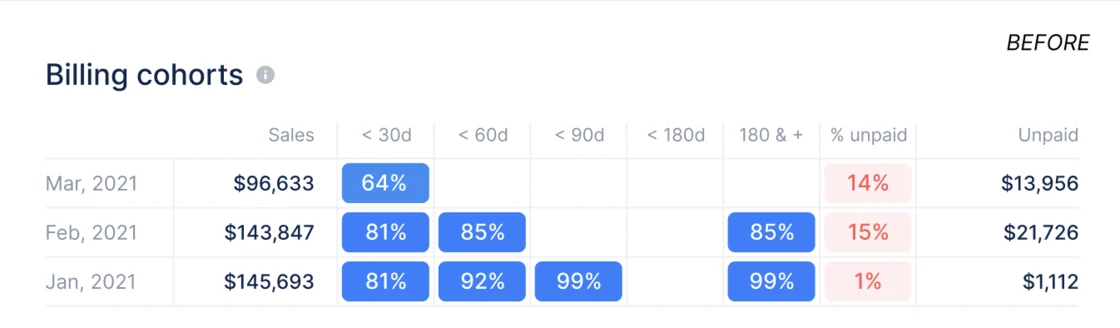
New
Get the data you need in a couple of clicks
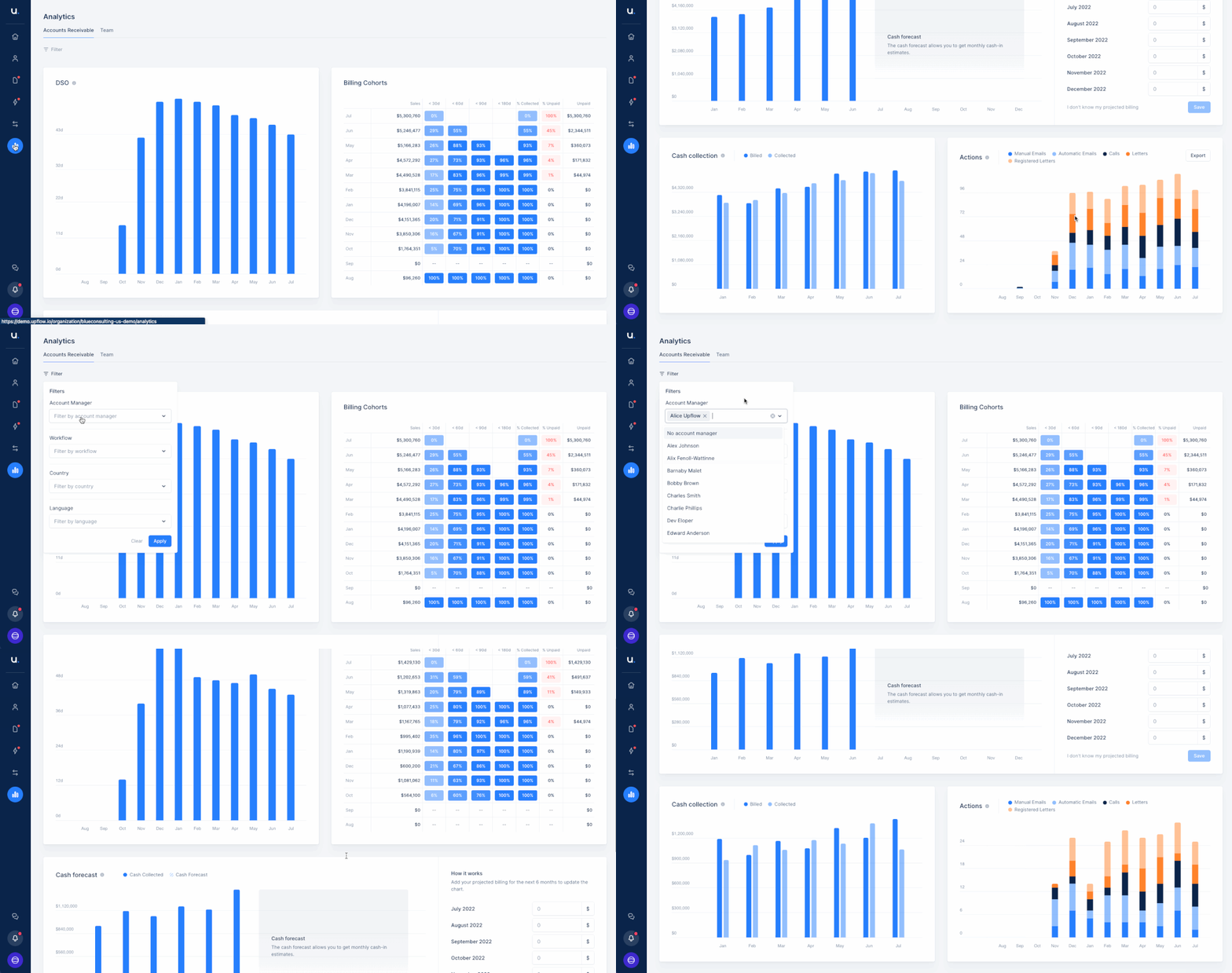
Reporting has never been so easy.With our new Analytics filtering feature, you can now select the information that is actually relevant to you at any given moment.Say goodbye to manual and human error-prone spreadsheets, and welcome to accessible, reliable and real time data filtered to your specific use cases.How? Simply add filters on the current Analytics tab and that’s it!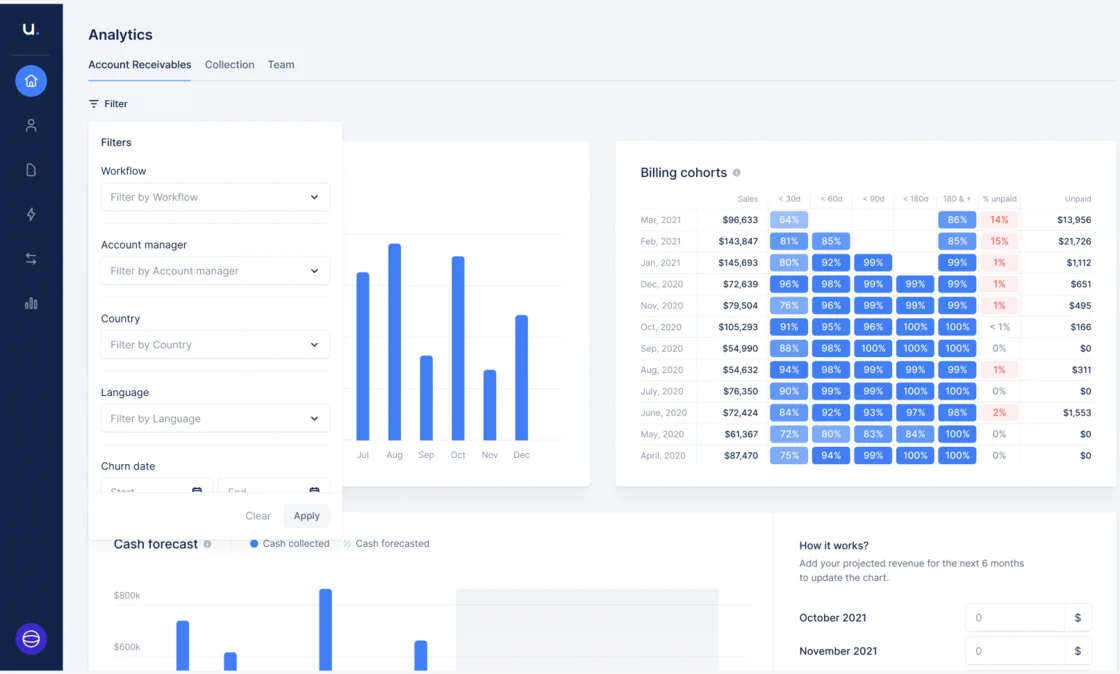
New
Track your actions in Upflow and adapt your strategy
Since Upflow is now your one-and-only tool to drive your cash collection efforts, you want to make sure you’ve designed the best strategy and that it is executed in the most efficient way.That’s why you can now:- have access to a graph displaying all the reminders you set, by type of action
- filter this data to show the relevant information you need. For example, seeing how your cash collection effort is trending by customer typology.
New
Customize your collection to mirror your very own business
Because you built your business like none other, Upflow makes sure your collection process reflects this. You can now sort your AR, build your workflows, or assign Account Managers the way that best fits your organization.How? Just import in Upflow any (yes, any) useful data from your integrated accounting/invoicing tool and use the custom tags that work for you.Yes, with Upflow, it is that quick and simple to tailor your AR.Learn more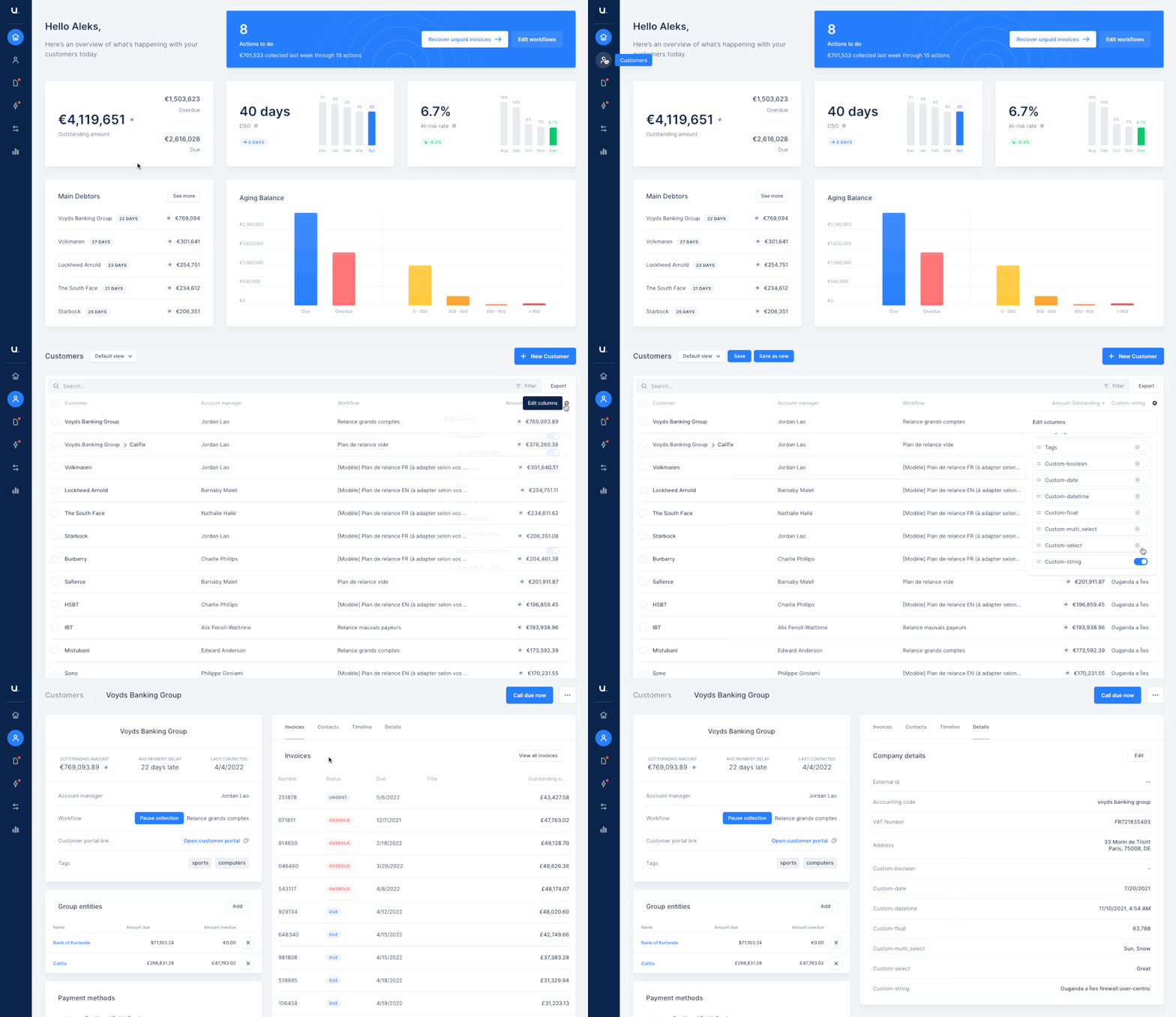
New
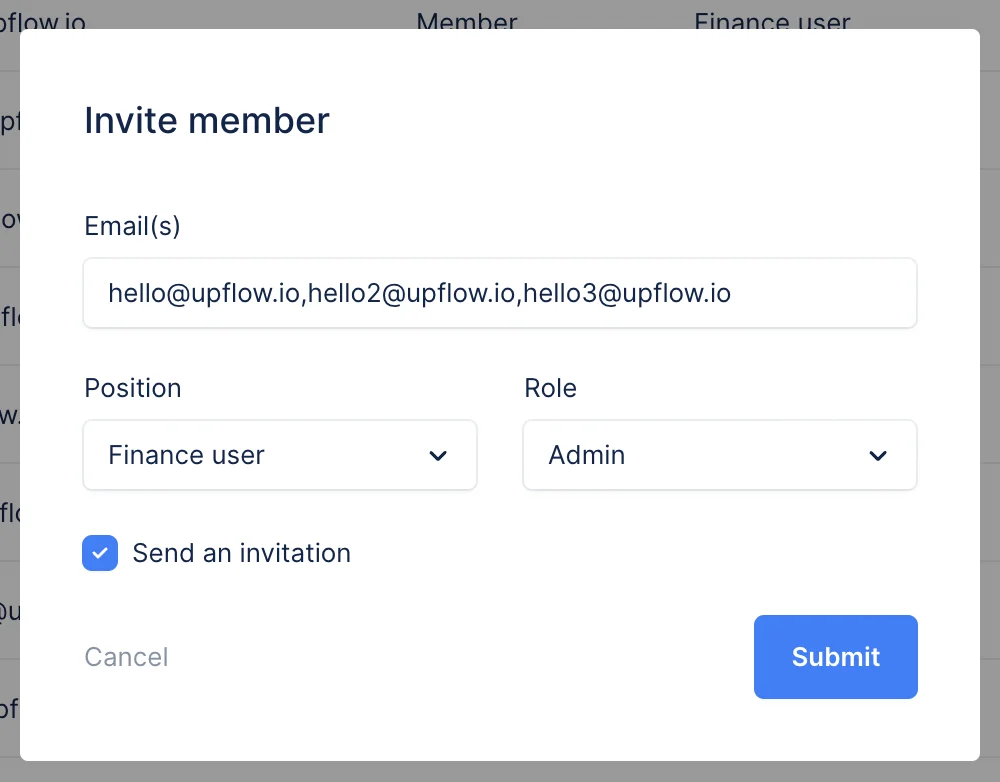
Filter team members and monitor who joined
When your organization reaches a certain size, many teammates are involved in the cash collection process and therefore start using Upflow.It is now very easy to find out what their status is in Upflow: ‘Created’, ‘Invited’, or ‘joined’.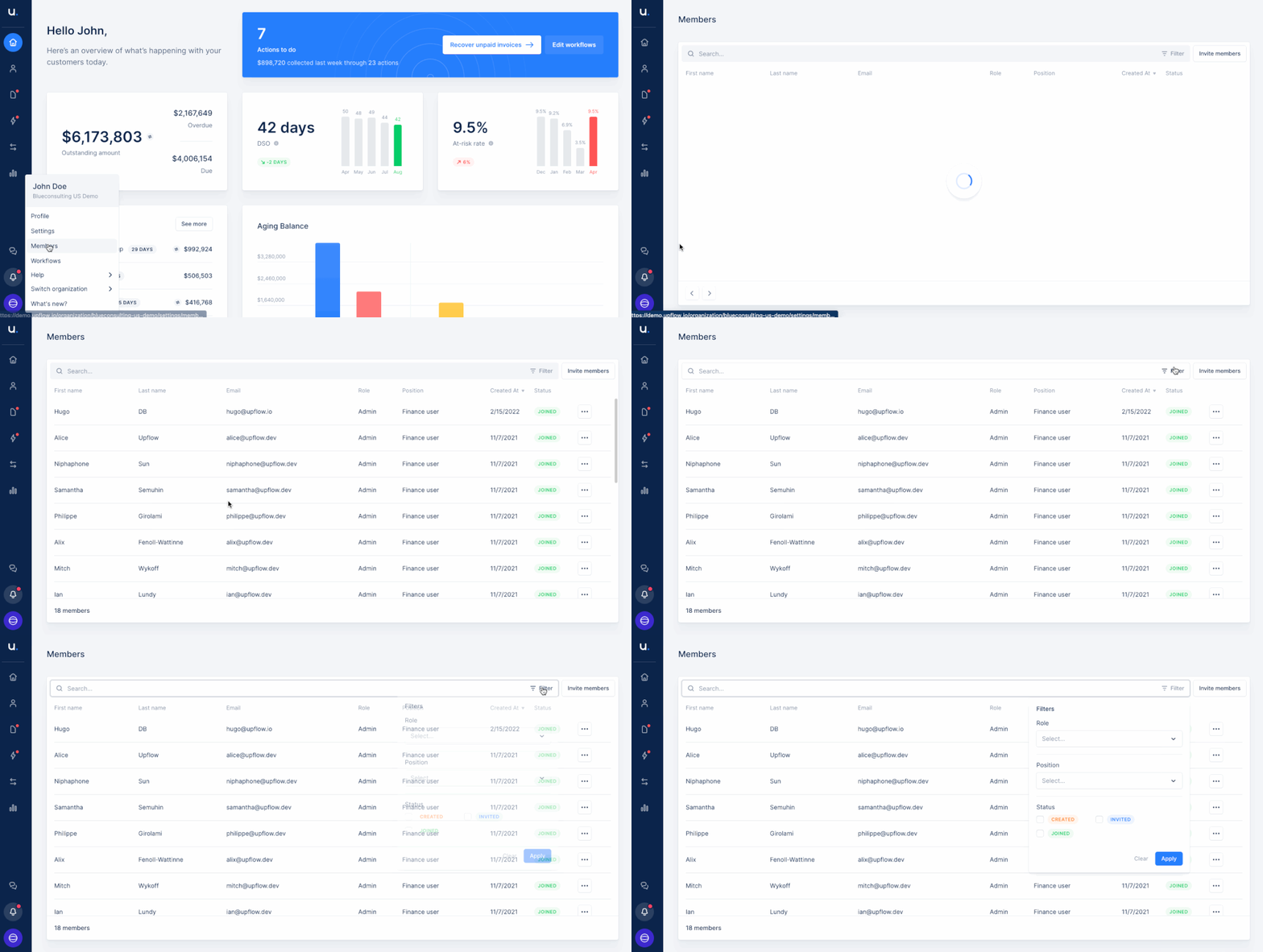
New
Take control of your customers’ payments with One-time direct debit SEPA
Paying invoices can be a hassle for your customers. We’ve all been there!Good news, you can now activate our new payment gateway, the One-time SEPA Direct Debit. Get paid faster and on your terms!All you need is a Stripe account in €. You’ll save a lot of time on reconciliation, as the transactions are automatically linked with the related invoices.I want to know more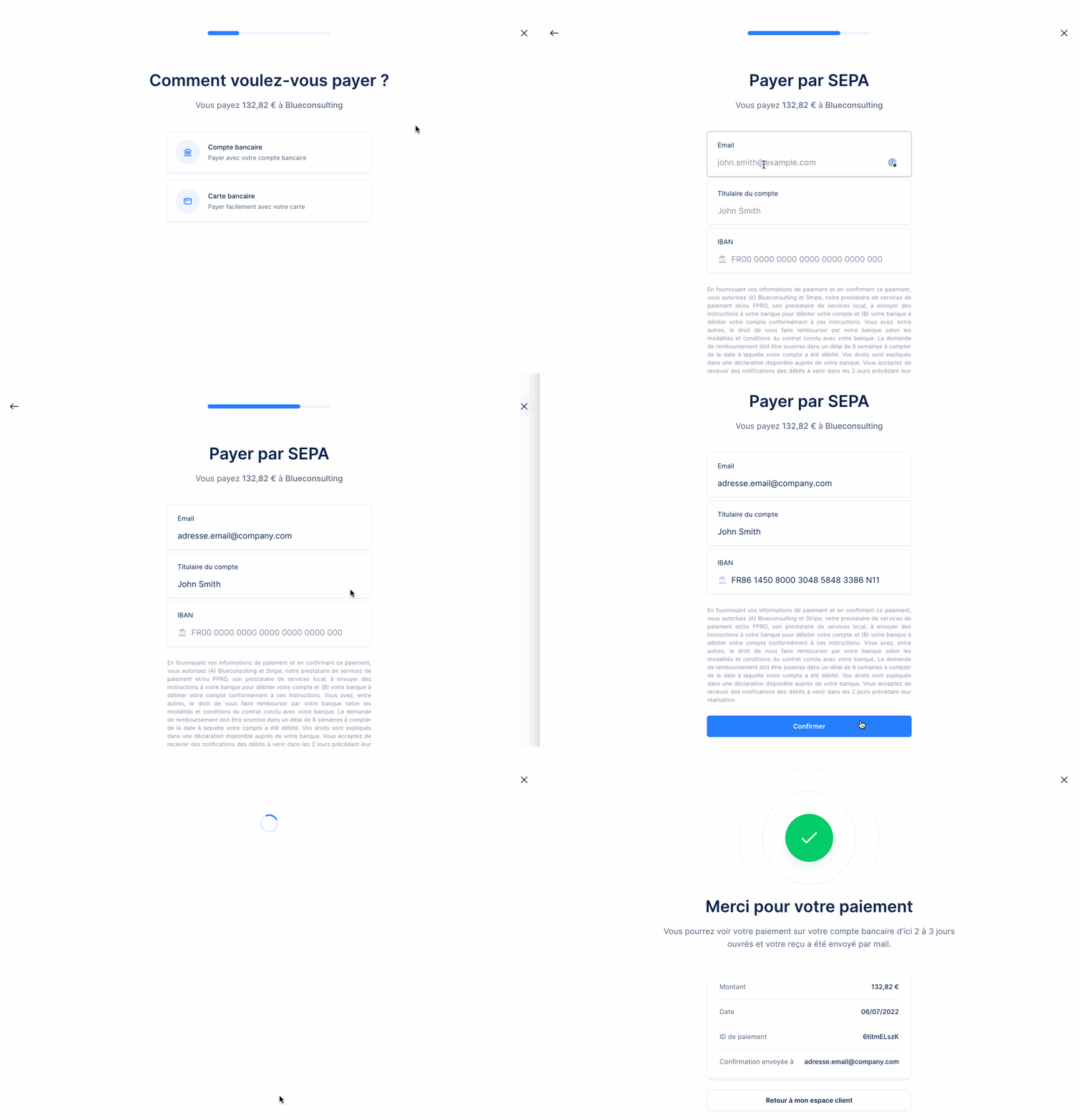
New
New
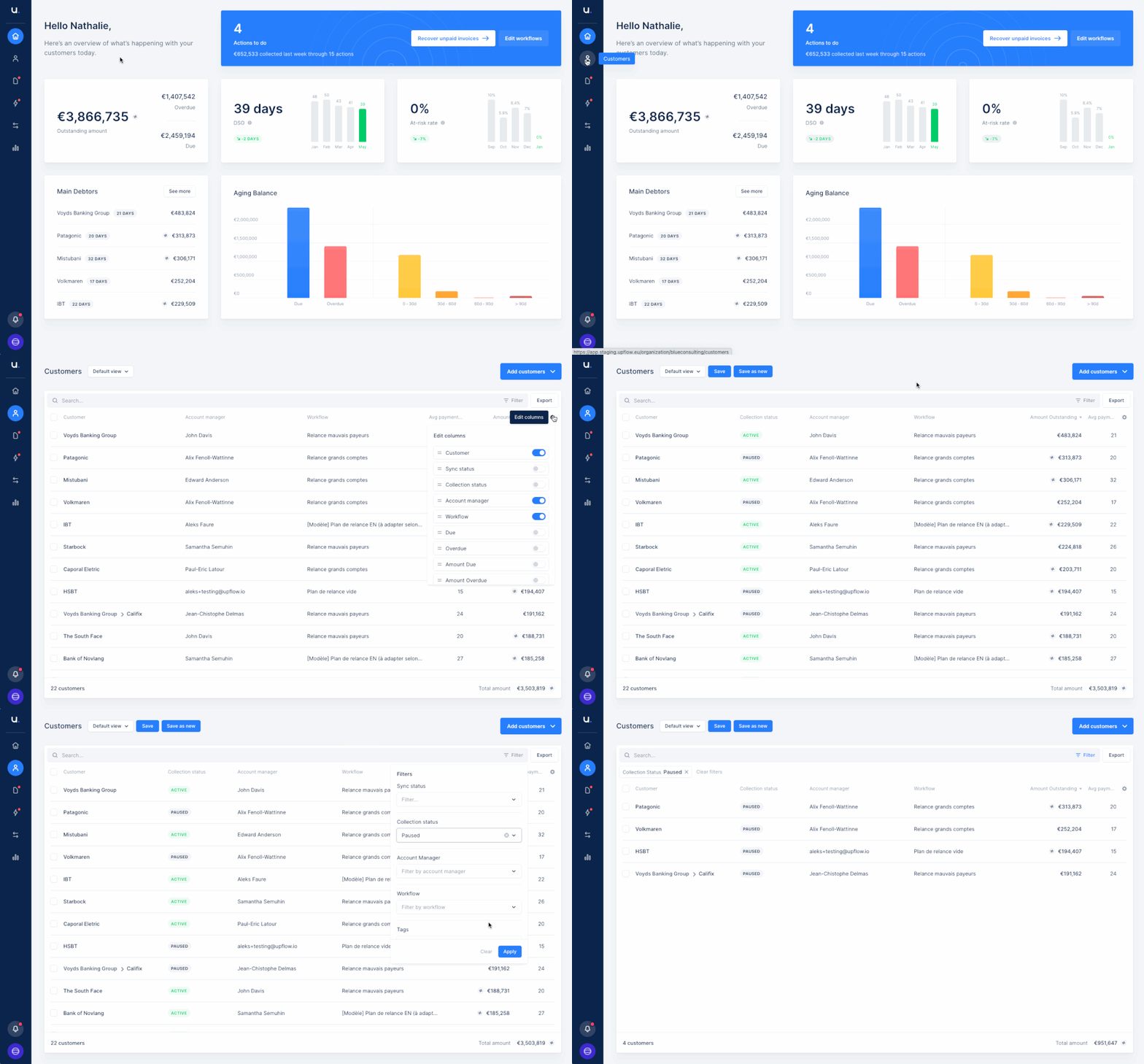
Filter on your paused customers
Context is everything in your collection process. So Upflow allows you to pause the collection for a specific customer.But when you have many customers, it can be easy to forget a process on pause.To help you track your team’s collection efforts and make sure nothing falls through the cracks, we provide you with an overview of where your customers are in the collection process and more specifically which ones are paused.We’ve thus added new filtering options where you can:- Simply be able to list out which customers have been paused in order to sit down with your team and do a portfolio review, or @ mention them in the timeline to challenge the pause status.
- Have some visibility of the total outstanding paused
New
New invoice list design
Sometimes, looking for specific invoices can be like searching a needle in a haystack.That’s why we improved our invoices list to make it easier for you every step of the way: Better ergonomics, more advanced features, you’re going to love it!You can now add, remove and re-order columns but also have advanced filters.Let us know if you have any feedback!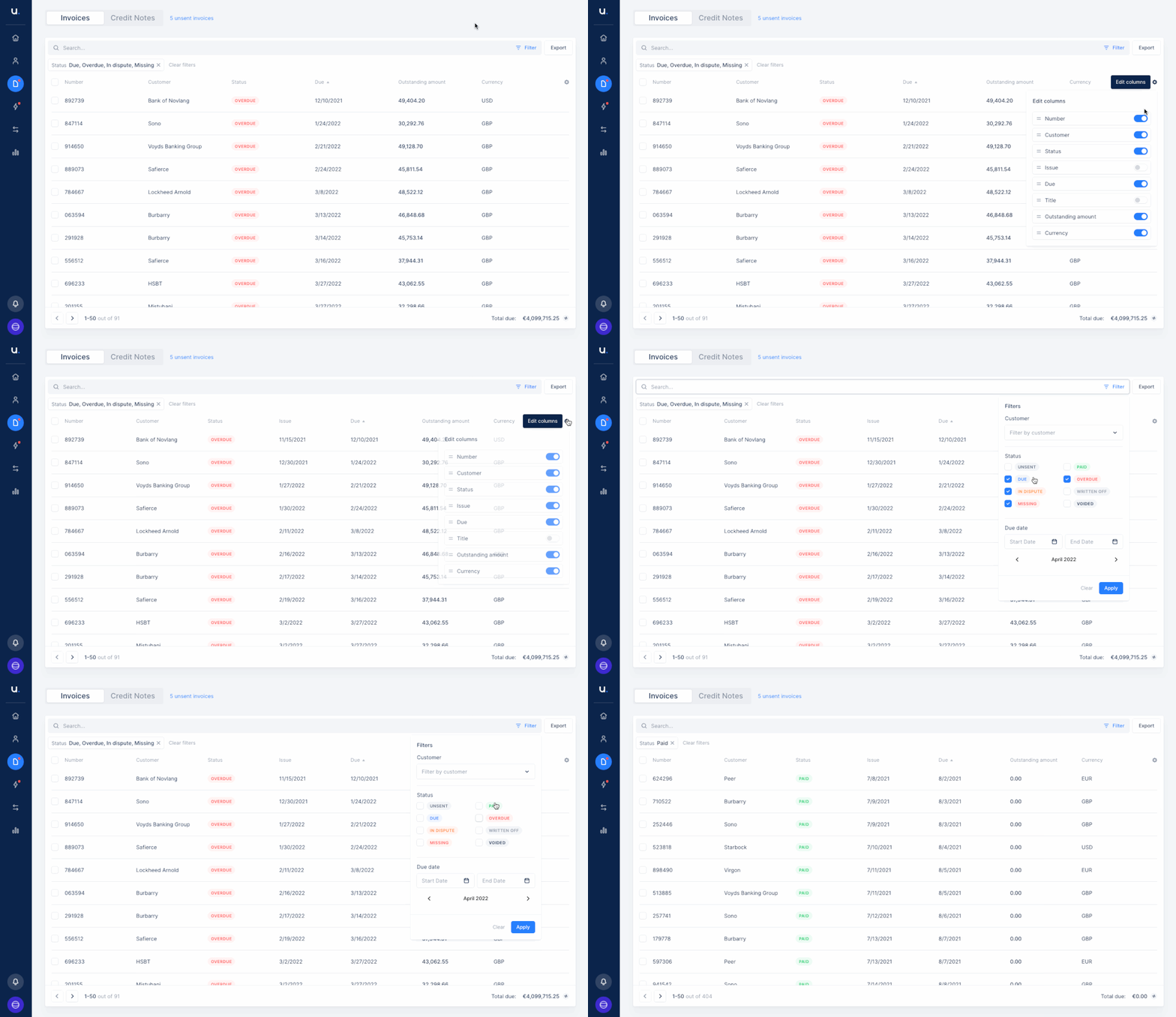
New
How to mention a teammate in Upflow?
Cash collection can involve many teams at different stages. You want to make sure the right people have access to the right information at the right time, which can be difficult to do as every team has its own tools, and often, conversations get lost.Upflow @mention feature helps you collaborate cross-department.Ping another coworker of your Upflow platform without switching to another tool and keep everything logged on your customer’s timeline, even internal conversations with your teammates!Discover here how it works and improve your AR collaboration now.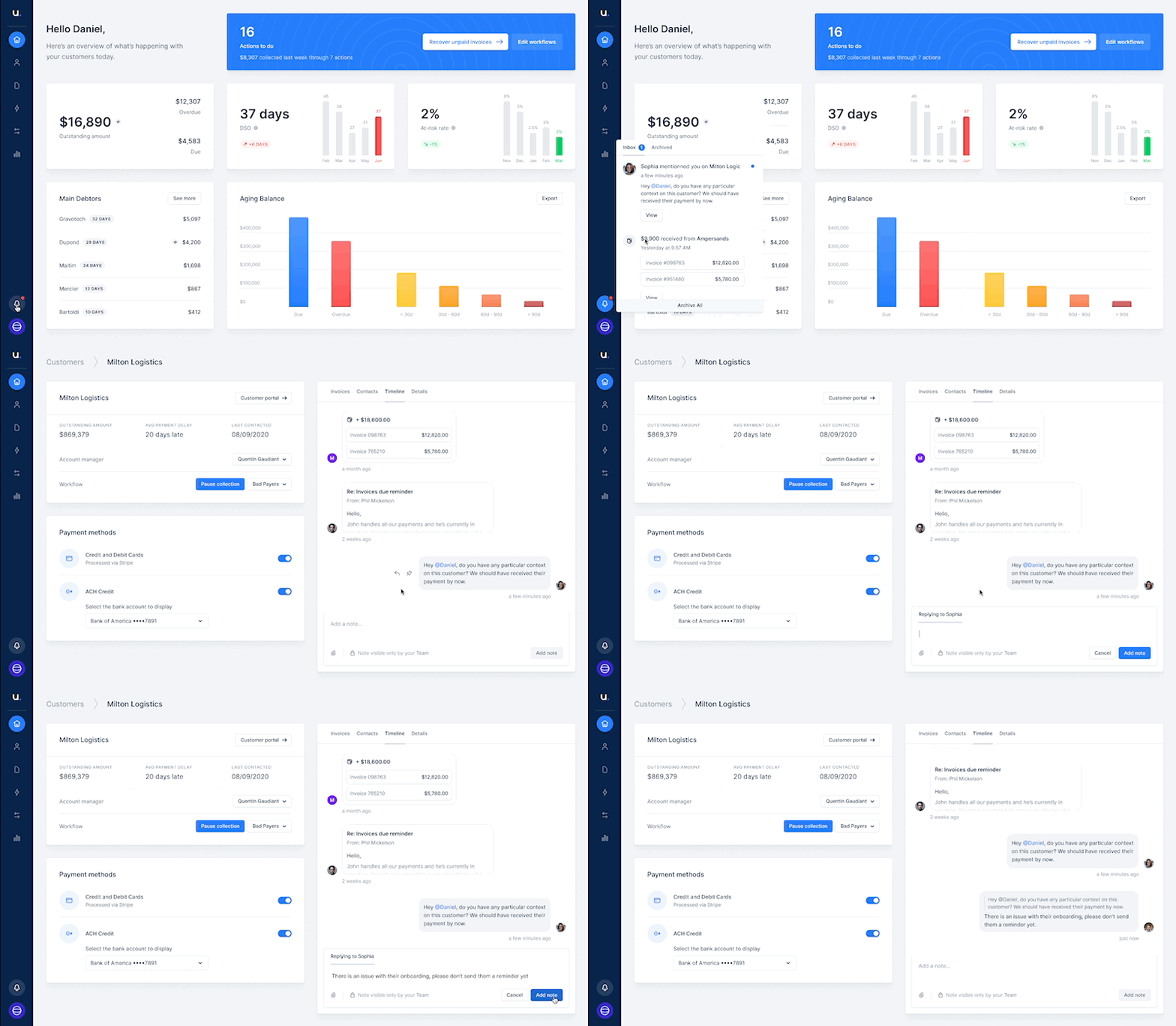
New
Add your outstanding invoices to automatic email reminders and collect cash faster!
Want to make it easy for customers to see their outstanding invoices?Your customers are not opening the customer portal despite your instructions?You can now attach invoices to all automatic email reminders in Upflow.Click here to learn more.See on my platform →New
Cash forecast
Good news! We just added a cash forecast feature. It will help you plan your growth and know how much cash will come in over the next 6 months.How does it work? It’s quite simple! It’s based on your previous sales and your past collection speed. You only have to add your projected sales to get an estimate of how much cash will come in.Check out the FAQ articleSee on my platform →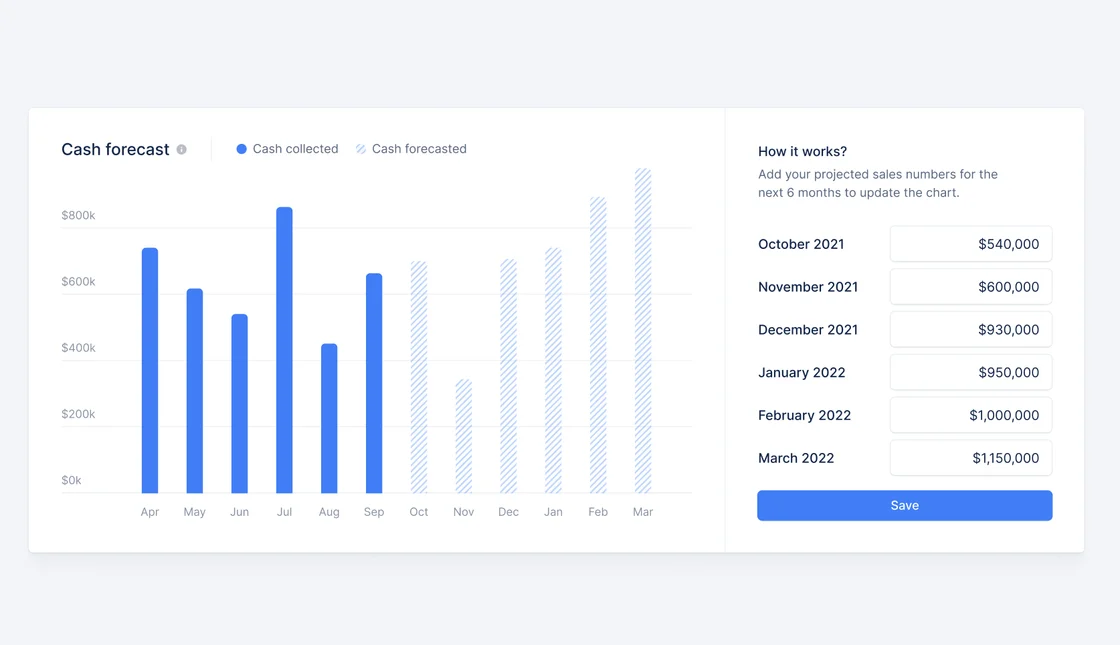
New
Monitor your DSO evolution
Do you want to compare last year’s performance to this one? Want to understand your cash seasonality?Now you can with our historical analytics. Go back in time and track your progress!See on my platform →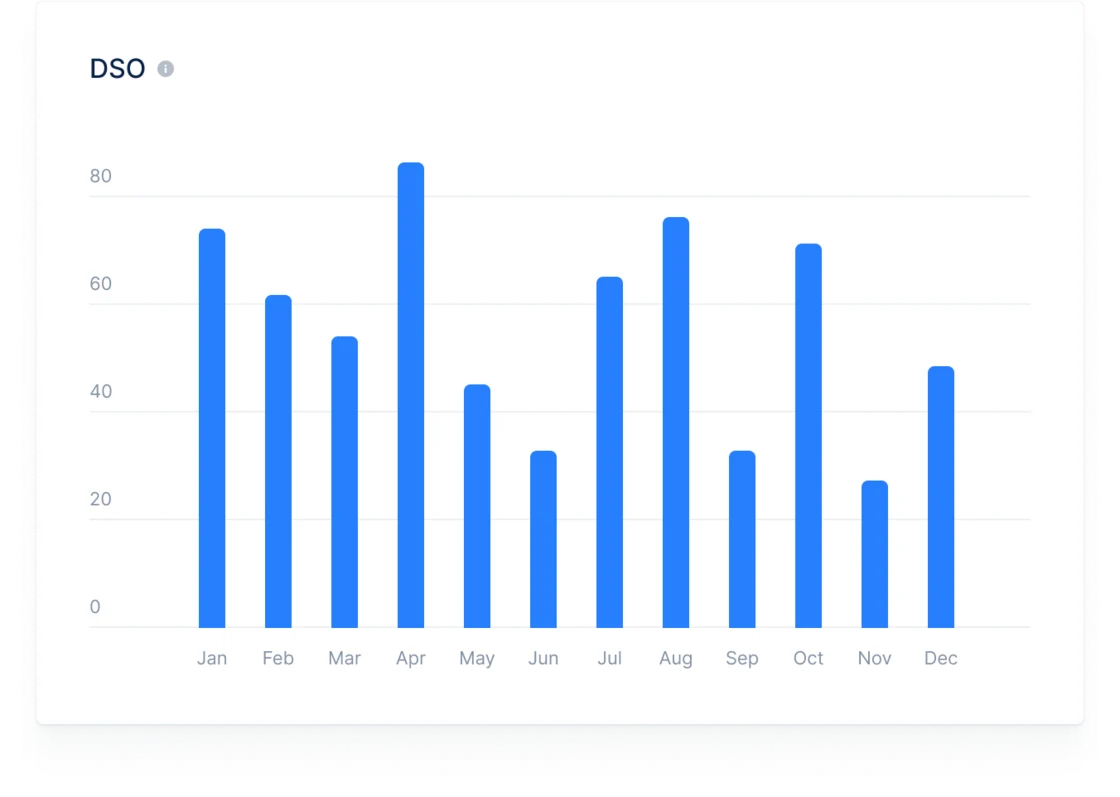
New
Add attachments to your reminders
Add any contextual document that will help you collect your cash faster!You can easily send your customers order forms, tax documents or timesheets along with their invoices. Find out more!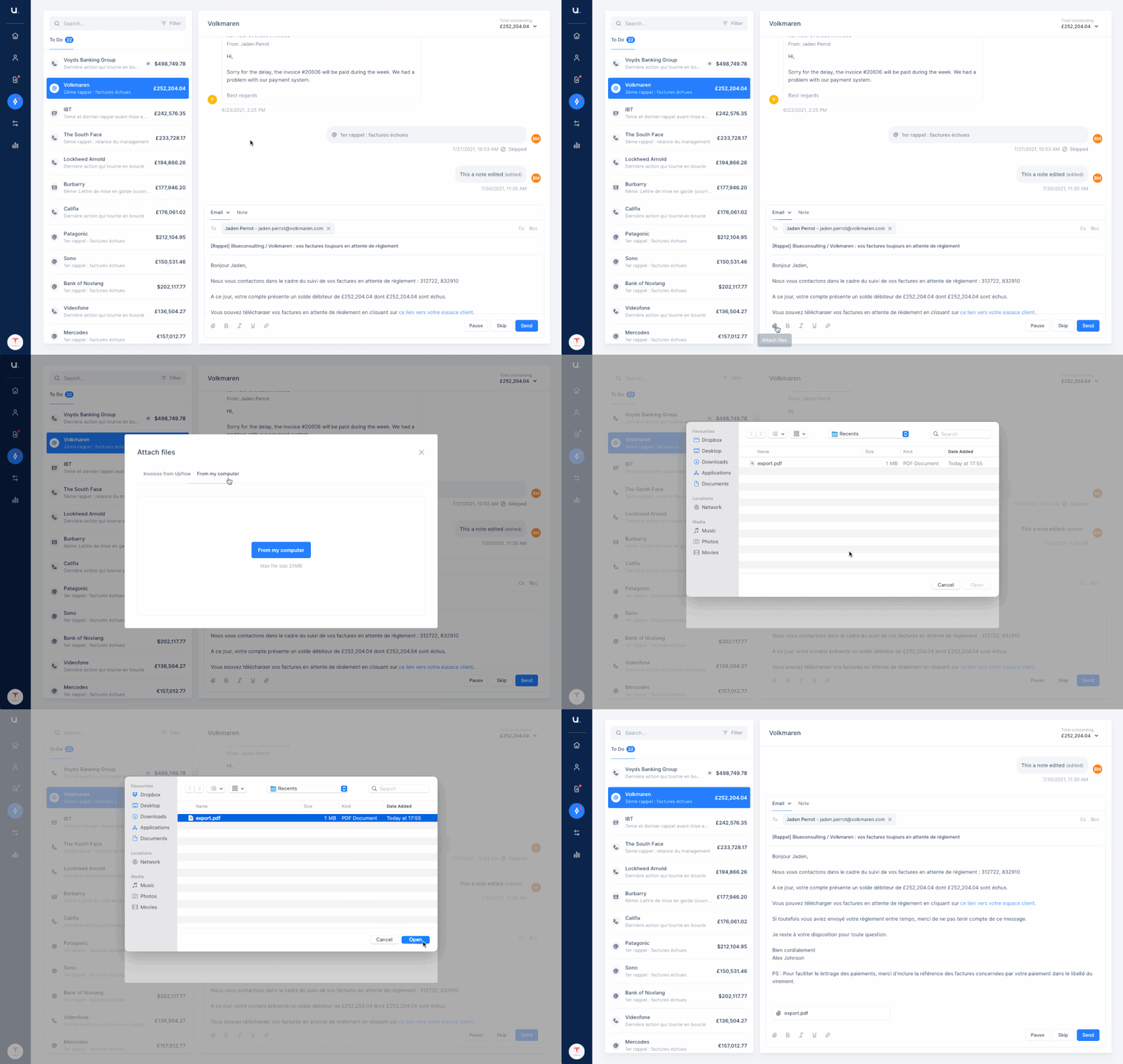
New
ACH payments on your portal
Make it easy for your customers to pay you by offering ACH payments on your portal.Using our Stripe integration you will be able to debit your customers’ bank accounts, save time and reduce your payment fees.Add this new payment method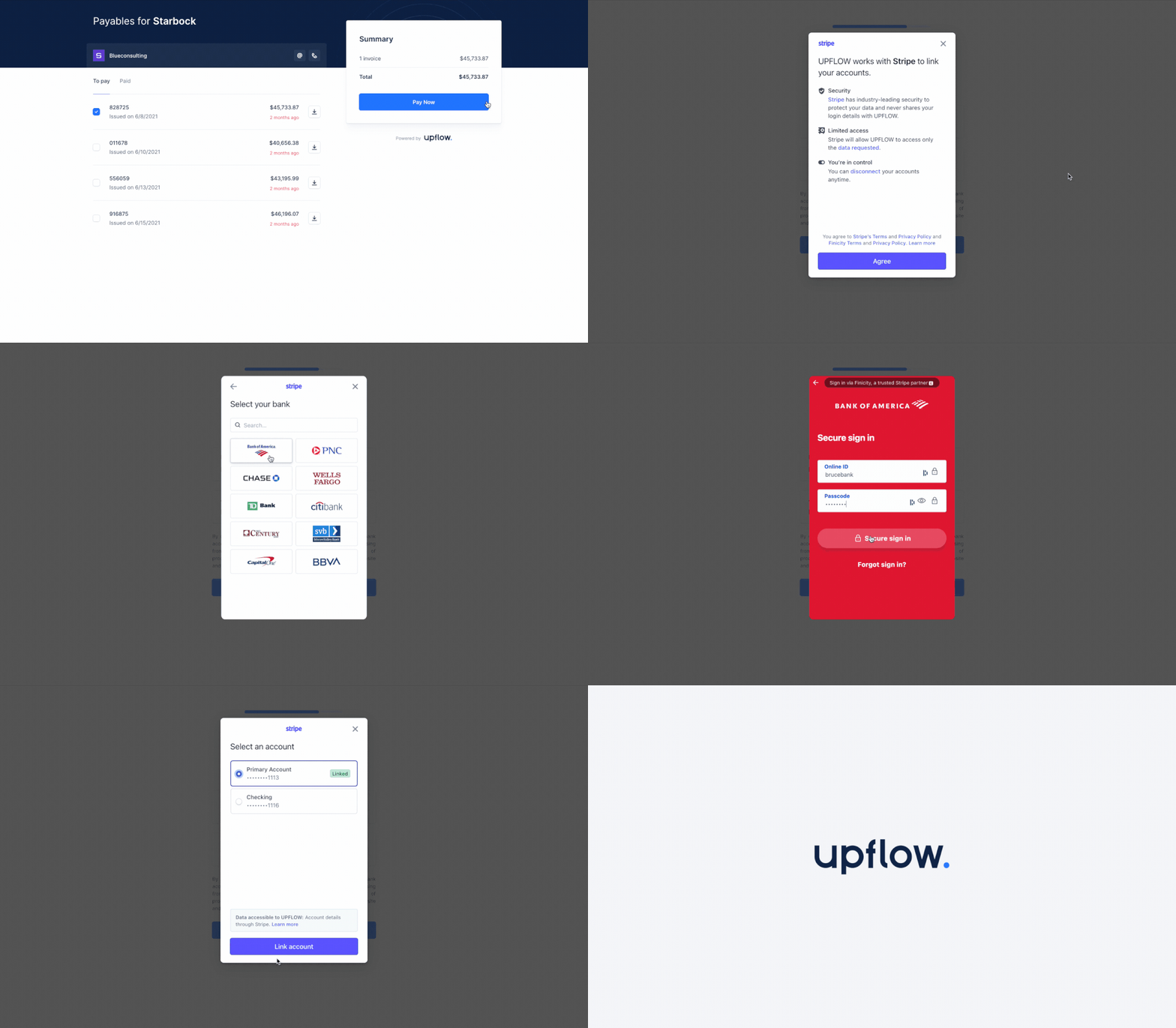
New
Create new organizations easily
Do you want to add another business or subsidiary to Upflow?Head over to the menu and quickly get started!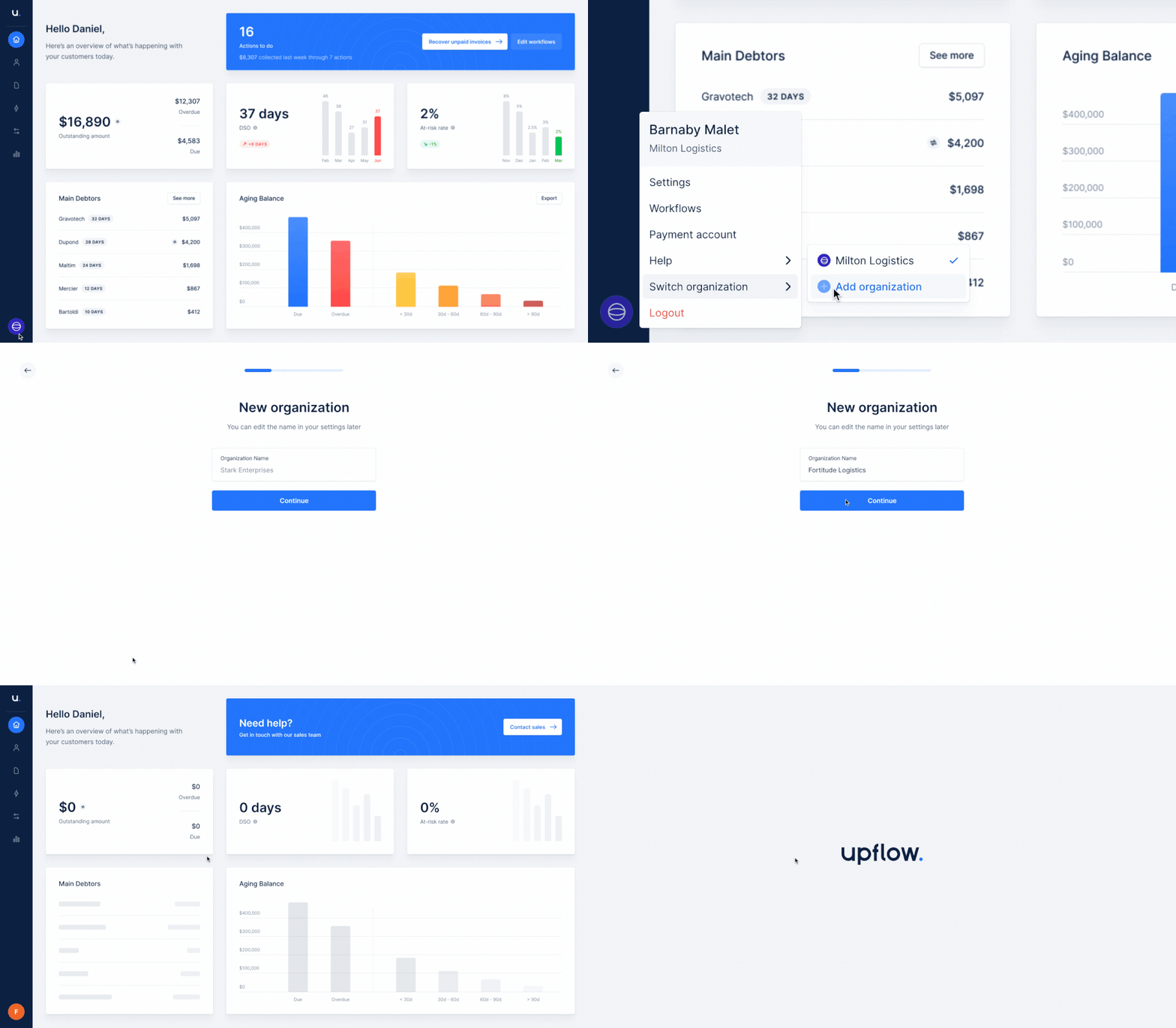
New
Pin, edit and delete your notes
How frustrating is it to write a note, publish it, and 2 seconds later realizing there is a typo and that it will stay there forever? We used to inflict you this, but not anymore. From now on, you can delete or update notes even after they are published.Does the last note need to stand out? Pin it to your customer and access it easily.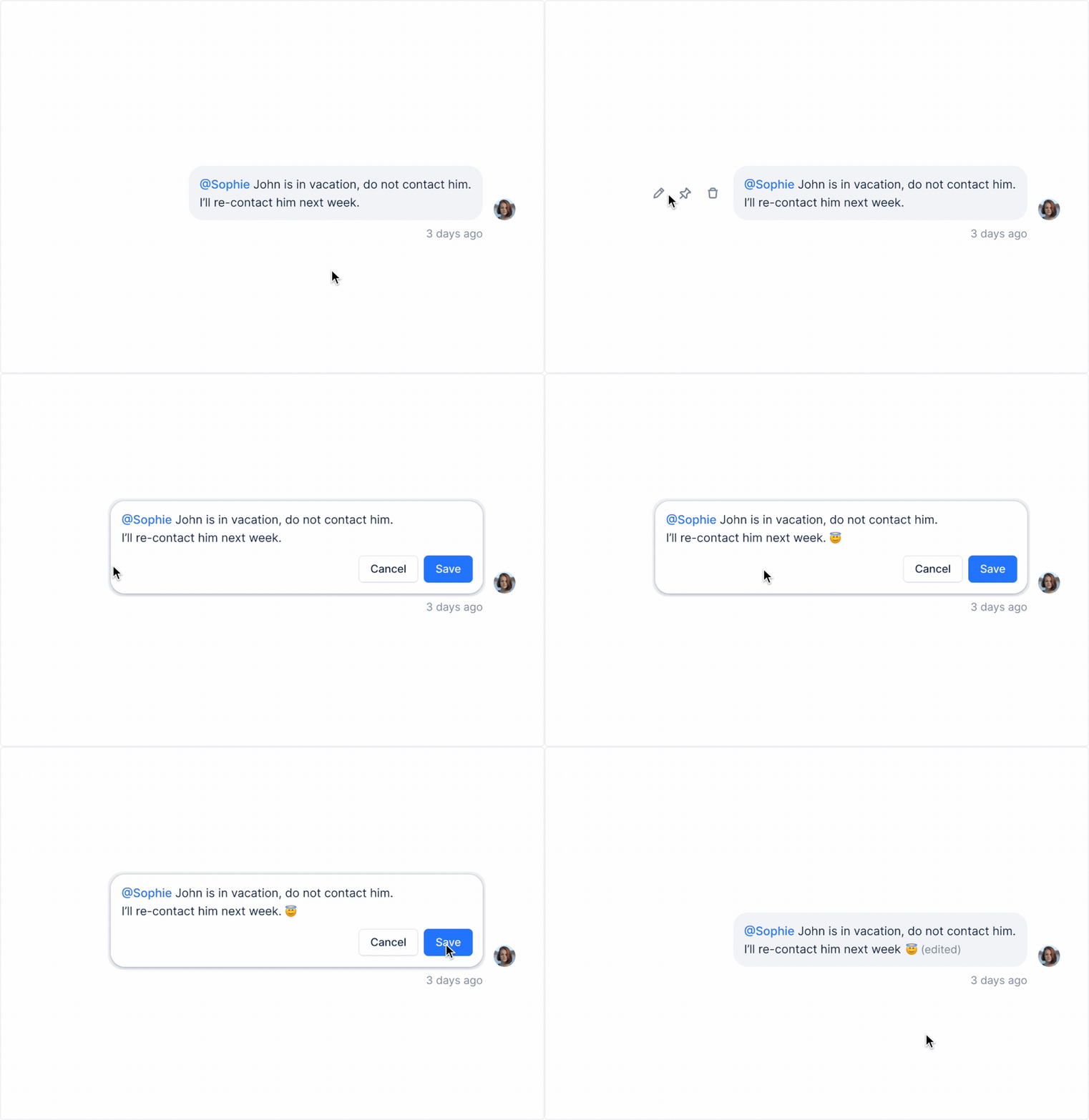
New
Customer replies
Tired of using notes to add your customer replies in Upflow?Set up the replies import feature to get everything you need in one place. Whether you import your customers’ replies automatically or manually, you will now be able to read them in their respective customer timelines.Open your settings and get started!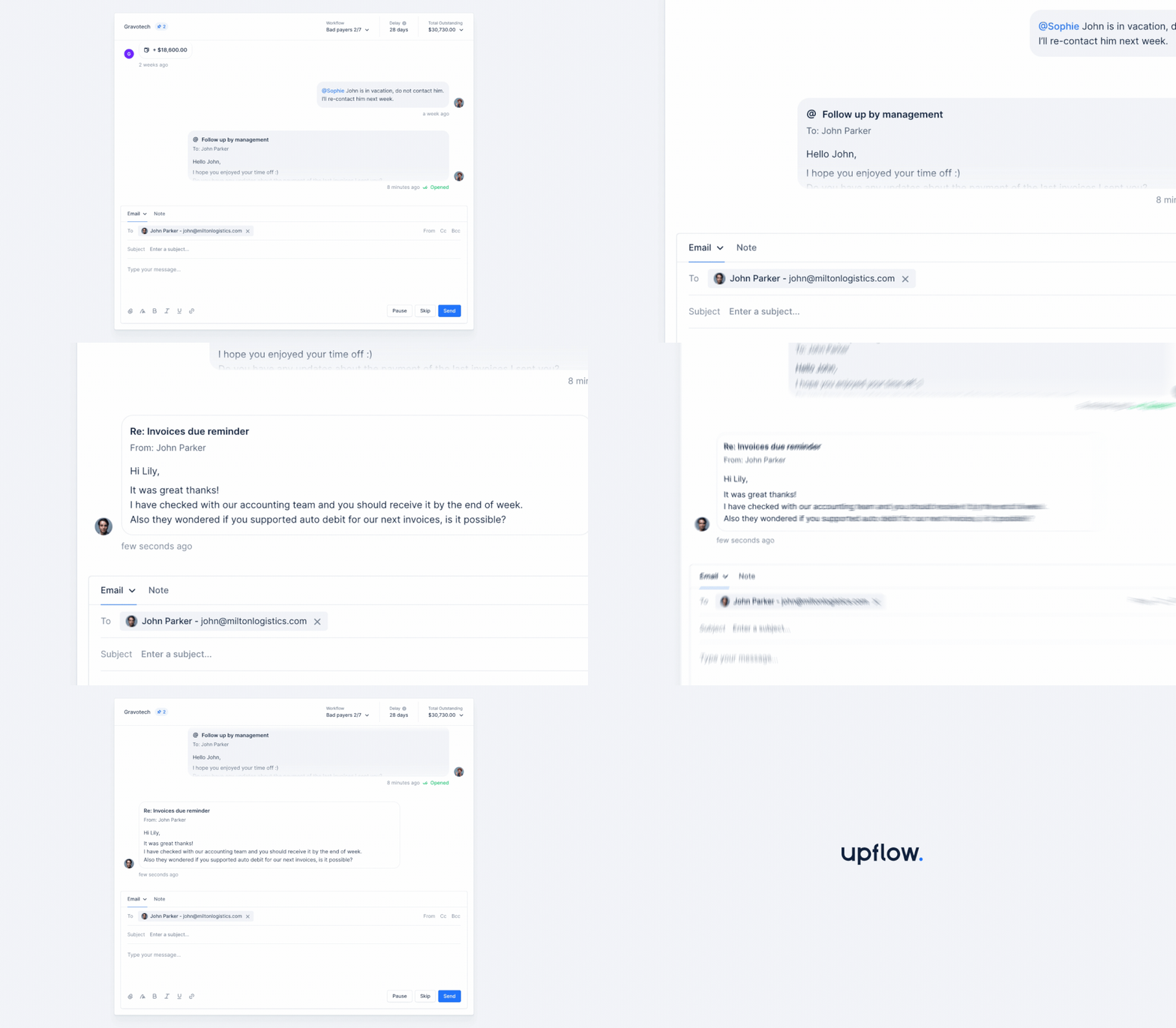
New
Contextualized first action
Do you want to make sure all workflows start at the very first step? Or maybe, you’d prefer to start with the most relevant action.You can now decide and manage all of that in your app settings.Select “Contextualized” to start every workflow with the action that is closest to your latest overdue invoice delay!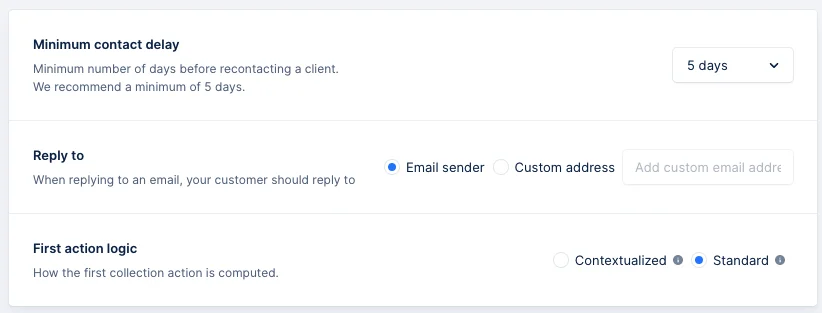
New
At-risk rate
At Upflow, we consider outstanding invoices to be at-risk when they are 90-days past due. As a result, you can now see the percentage of your billed invoices on your dashboard at a given month that is left unpaid after 90 days.Make sure it’s as low as possible!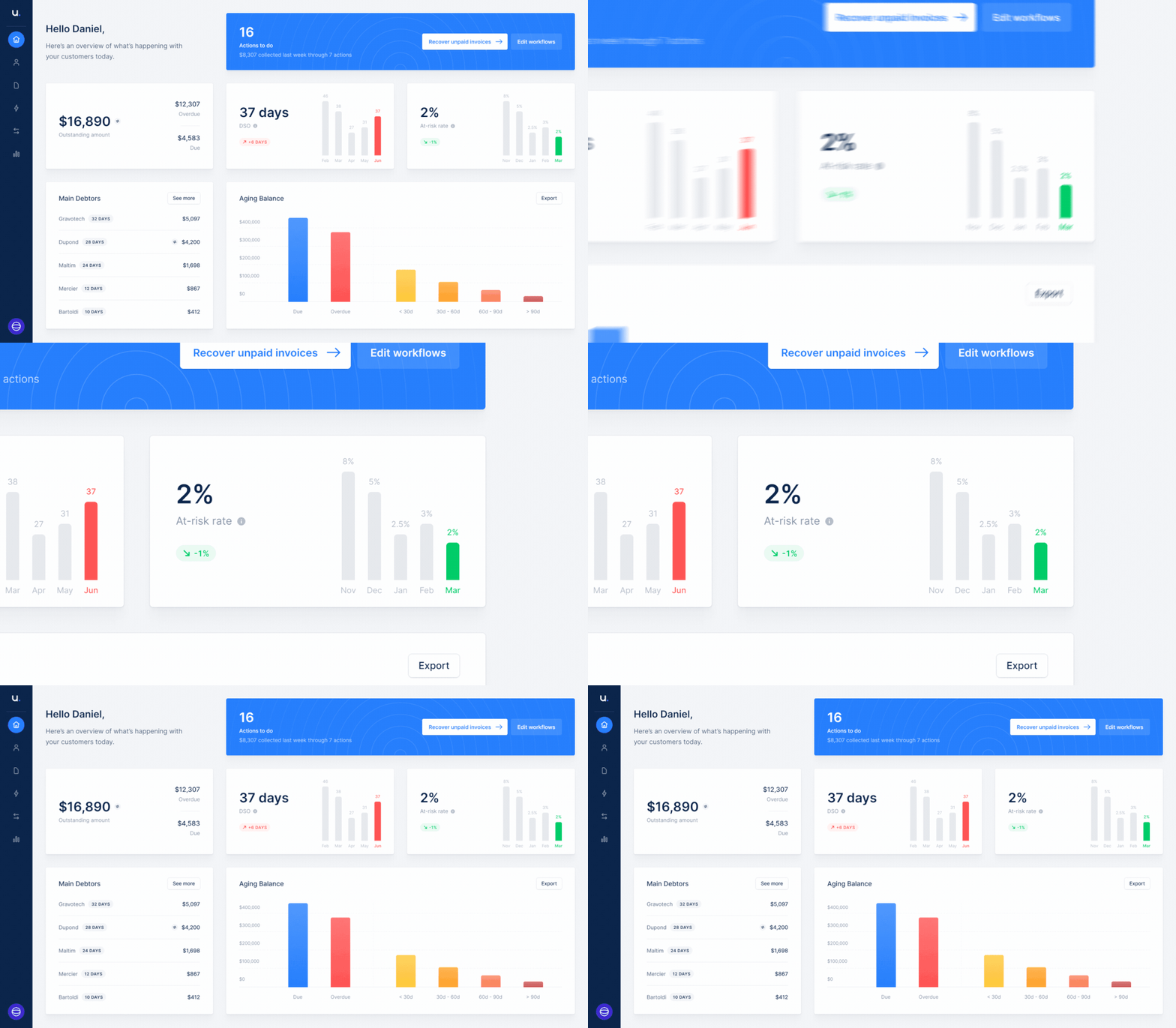
New
Help your customers pay via check
With every reminder you send, offer your customers the possibility to pay via check.From their portal, they will see your mailing instructions so they always send checks to the right place and simplify your reconciliation.Side by side with card payments, who knows? Maybe they will switch 😉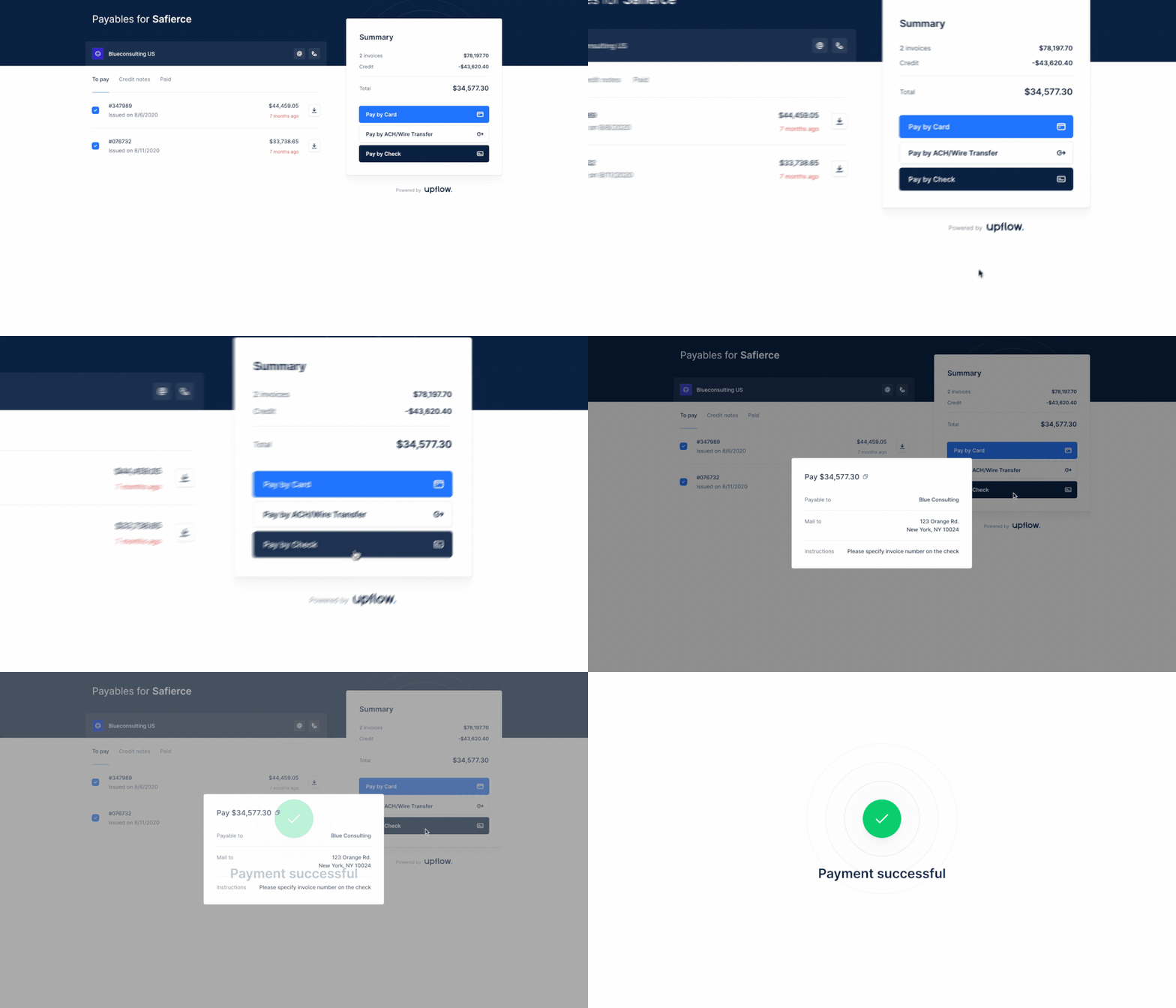
New
Aging balance by customer
It’s not so much about who owes you the most but who has the most at risk. For any customer you have, quickly look at the 90+ days overdue bucket to focus your collection effort on the most difficult customers.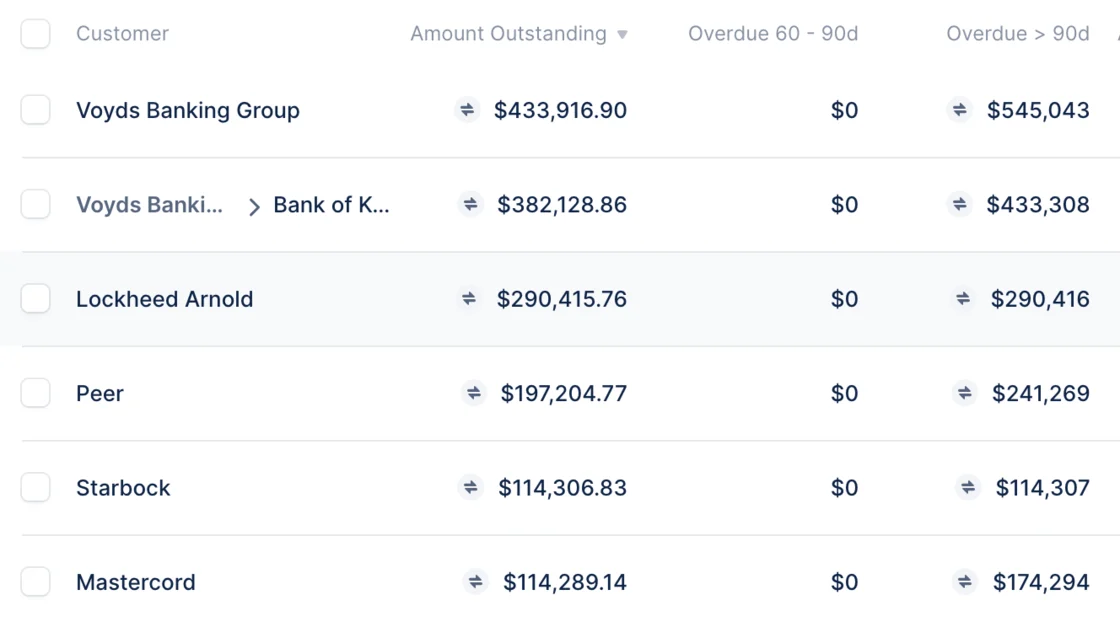
New
Tailor Upflow to your needs with saved views
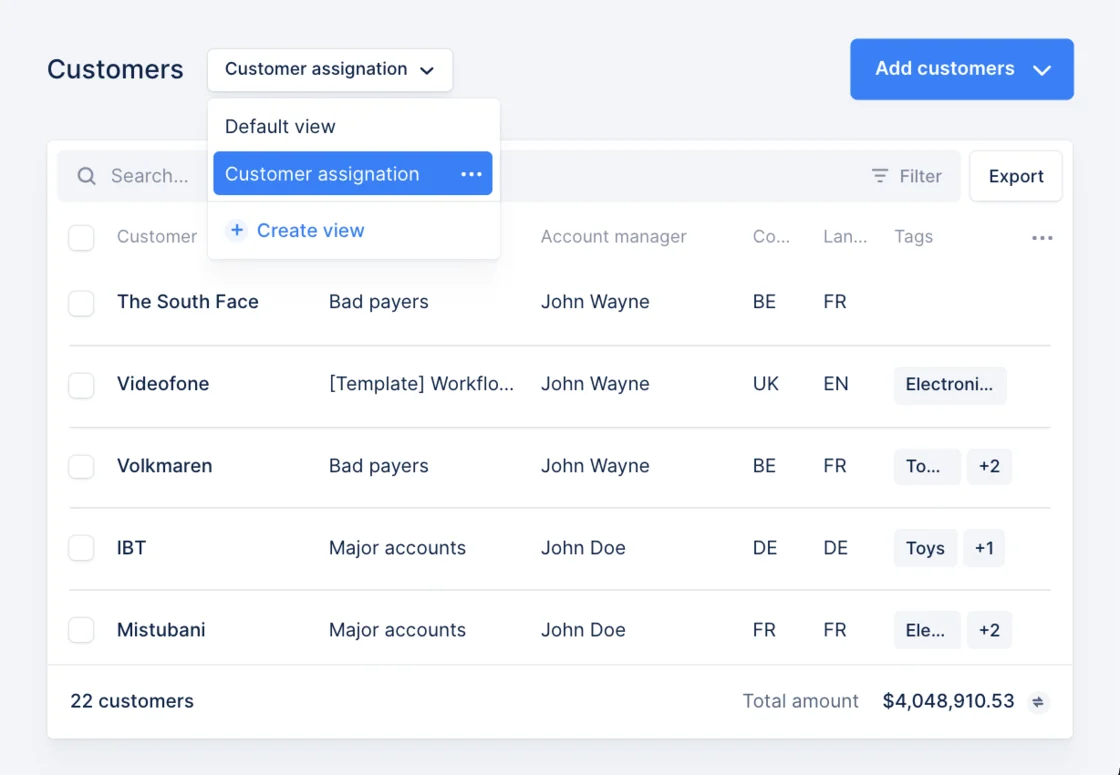
In just a few clicks, adapt your table to your needs:- Add new information like tags, language, or country
- Save your view and add as many as you like
-
Mass assign workflows and account managers in 2-clicks
New
Align your team around cash collection
Aligning your entire team on cash collection is hard. Quickly have a look at who is working actively on the collection, and who needs more help!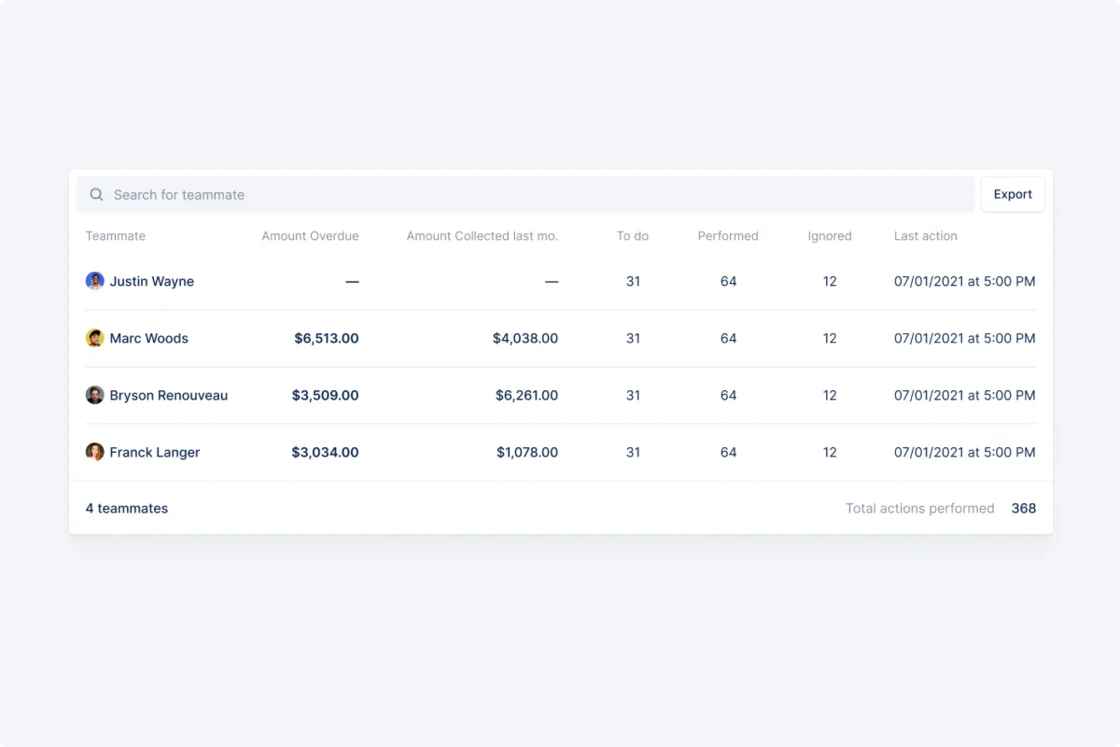
New
Prioritize your collection efforts
Hundreds of actions to do? A call session scheduled? Prioritize your collection efforts to have the biggest impact.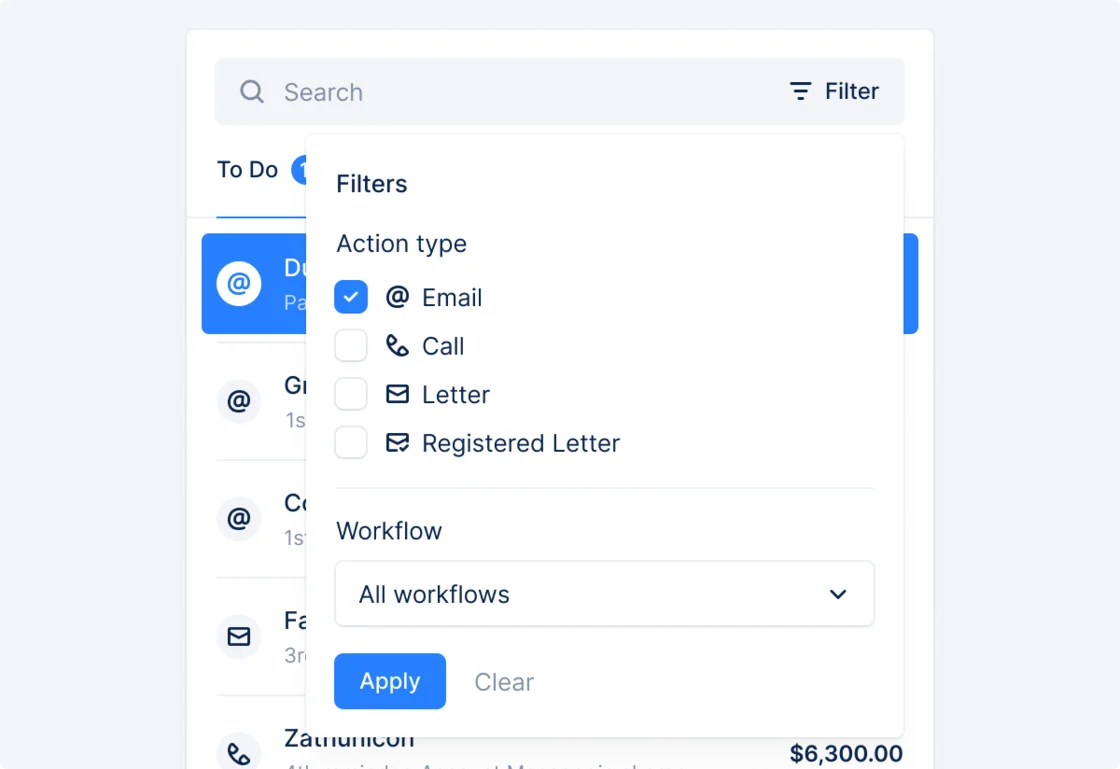
New
Portal payments synchronized with Stripe Billing
Starting today, if you’re using Stripe Billing, any payment triggered from the portal will be automatically synced with Stripe, and the invoices marked as paid. Stop worrying about synchronization and focus on your collection!New
Upflow × Netsuite integration
We’re delighted to launch a new connector with Upflow: Oracle Netsuite ERP. In a few clicks, you can connect your Netsuite account and sync your data. Then, in just a few minutes, you’ll have access to your platform, where you can start chasing late invoices.
New
Workflow and account manager assignation via CSV
Do you have a lot of customers and various assignation rules? Use the CSV imports from the customer table to perform bulk assignation using your rules.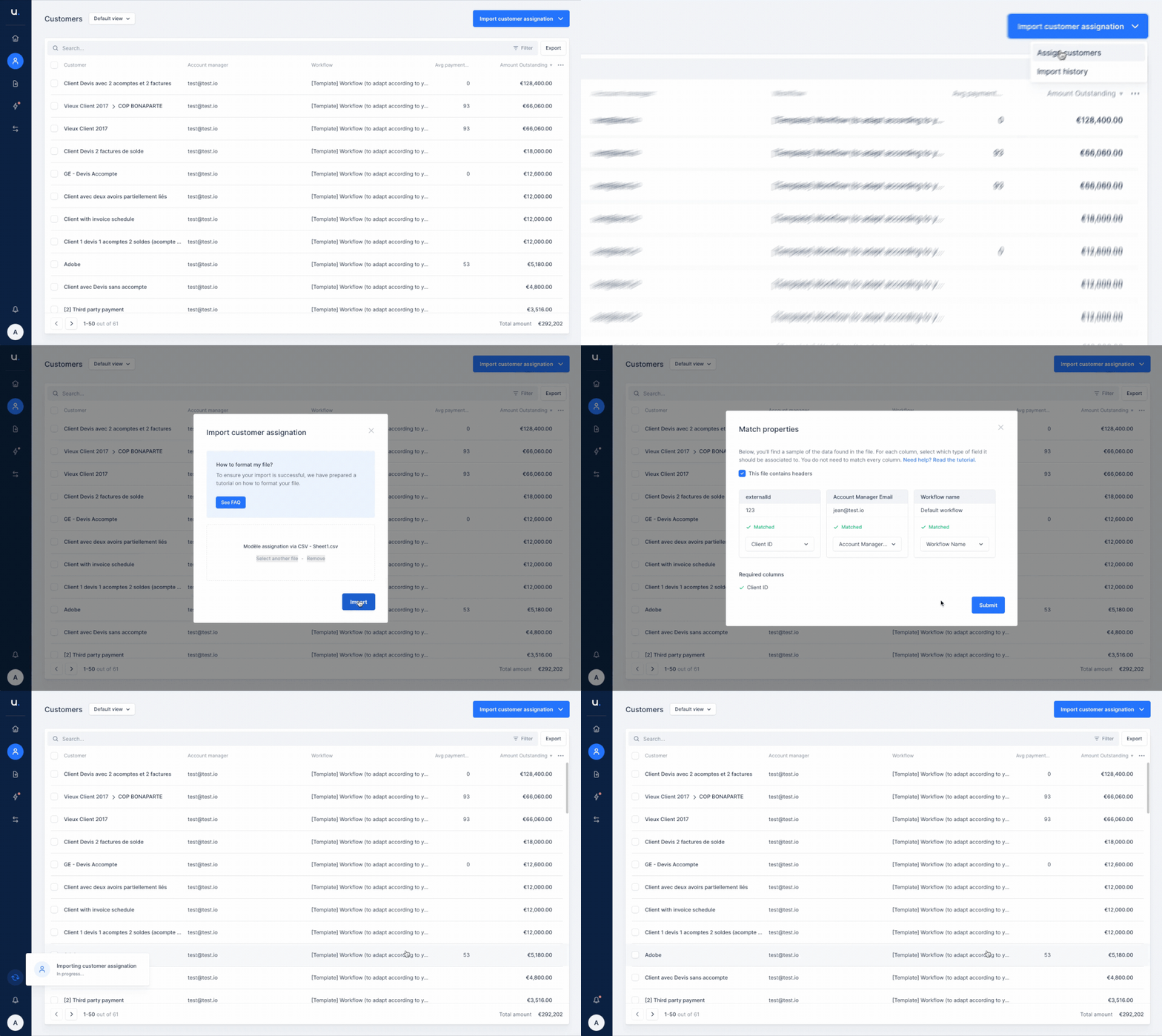
New
Track any letter you sent
Just sent a letter? Track it directly in your customer’s timeline. You’ll know when it’s on its way, when your customer received it and if there was an issue.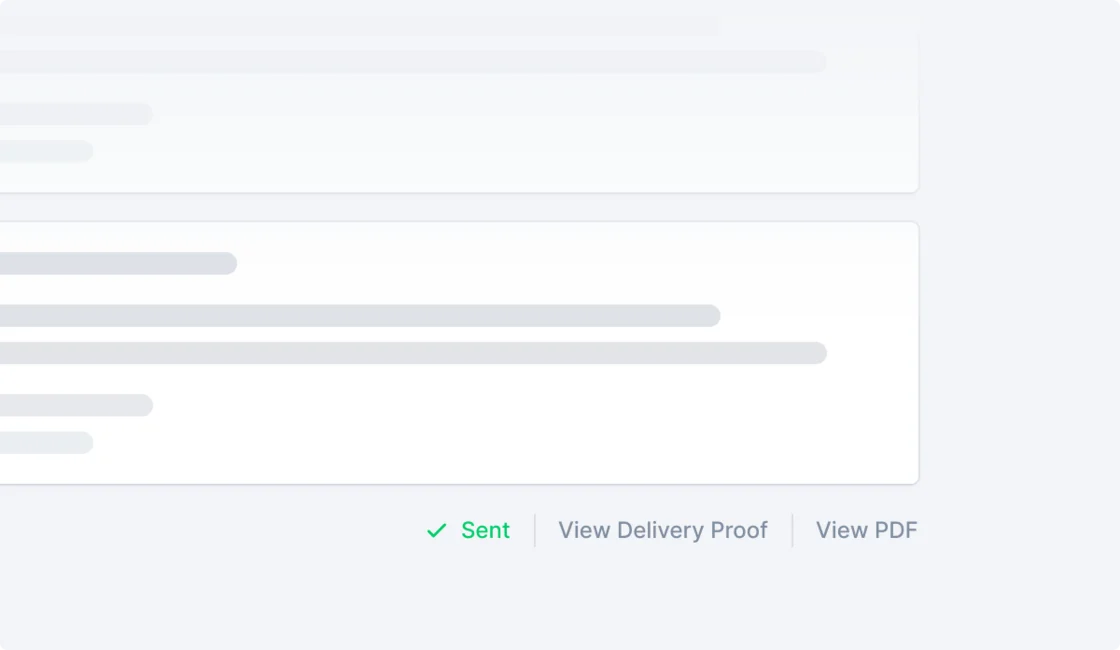
New
Help your customers pay via direct debit
We’re thrilled to announce the beginning of our partnership with GoCardless to help you get paid via Direct Debit. Add your mandate link to Upflow and it will be displayed on the portal. Every time one of your customer receives a reminder, it will be an opportunity to switch them to direct debit!