Each action in a workflow is configured to reach one or more recipients (for example the main contact, or a group). When the action is prepared for a customer, sometimes none of them exists on that customer. The Recipient fallback setting decides what to do in that case. It is configured at the workflow level and applies to every automated action in that workflow.

Where to find it

Open the workflow and go to its settings header. Recipient fallback sits next to First action logic. Image Two options are available:
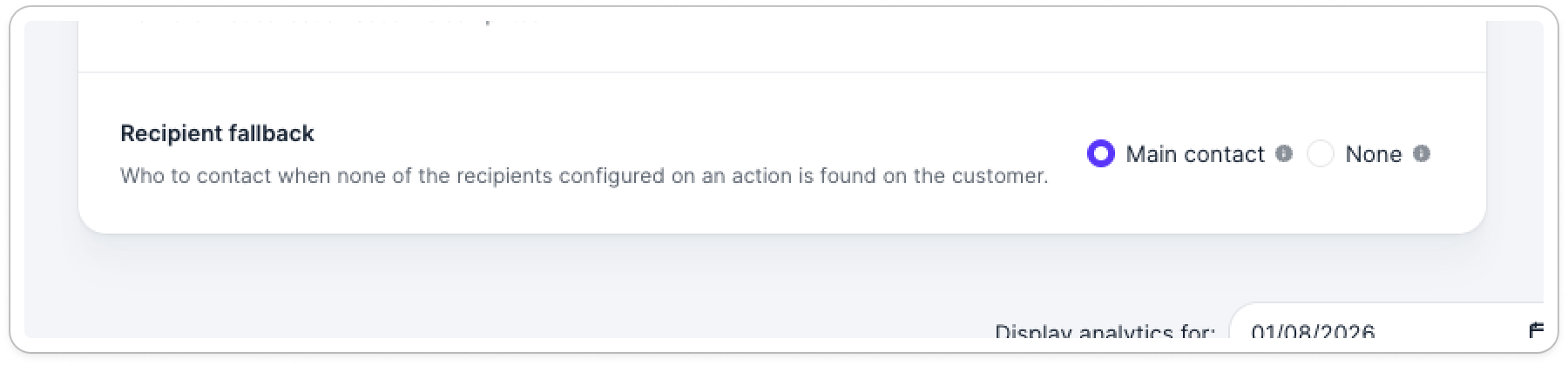
  • Main contact
  • None

Main contact

When none of the recipients configured on an action exist on the customer, the action falls back to the customer’s main contact and sends the action to that contact. Main contact is the default. Keep this option if you always want a reminder to go out, even when the workflow’s targeted contacts are missing on the customer.

None

With None, the action does not fall back to the main contact. If an automated email would have no recipient, it isn’t sent. The action becomes a manual task in the assignee’s Actions to do list. Choose None when your customers’ main contacts are unreliable (for example on CRM-synced customers where the main contact is a generic mailbox or an incorrect person), and you would rather have a human pick the right recipient than send to the main contact by default.