

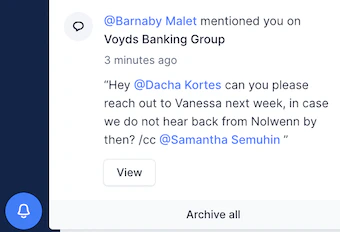
How does it work and what does it look like?
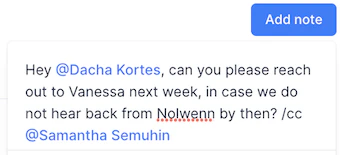
The magic starts in your customer timeline. As long as the teammate you want to loop in or ask to intervene has an Upflow account, you can tag them, by clicking on Add note- at your customer level
- at an invoice level
- in app, systematically
- by e-mail, if the notifications are not disabled
- via slack, if the integration is enabled

My teammate is not available to tag
If you’re trying to mention a teammate into a customer timeline, but their name is not available to tag, it can be due to two reasons: 1 - The user status must be “Joined”, otherwise, they will not be available to be mentioned. Head to your Settings > Users list view and check this user’s status. 2 - If they’re a Member + Account manager (the most limited combination), this person will need to be assigned to the customer to be mentioned/tagged into their timeline, as this combination only allows access to customers assigned to the user.❗ You can edit a note with an @mention. However it will not retroactively trigger a notification. Better safe than sorry, if you need to get somebody’s attention, just add a second note!