Documentation Index

Fetch the complete documentation index at: https://docs.upflow.io/llms.txt

Use this file to discover all available pages before exploring further.

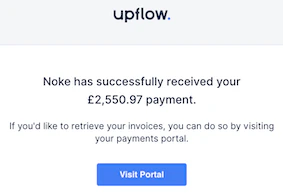
Complete your customers’ payment experience with a payment receipt, confirming the operation went through and allowing them to retrieve a paid invoice PDF from their portal (where they’ll also see potential outstanding invoices!). Please note that this feature applies ONLY for payments synced into Upflow from another source, but does not apply to payments processed through Upflow’s portals (Stripe Standard or Payments by Upflow). Any payment processed through Upflow’s portals will generate an immediate email receipt, whether this feature is enabled or not.

How to enable it?

Set this feature from the Invoicing menu of your Settings by toggling the Send payment receipts.

What will happen then?

Every weekday morning between 8am and 9am (in the organization’s timezone), the main contacts of your customers who have completed a (several) payment(s) within the past 72 hours will receive a confirmation from notifications@upflow.io They will not get an email per payment but a global one summing up payments received; along with a link to their Customer Portal.