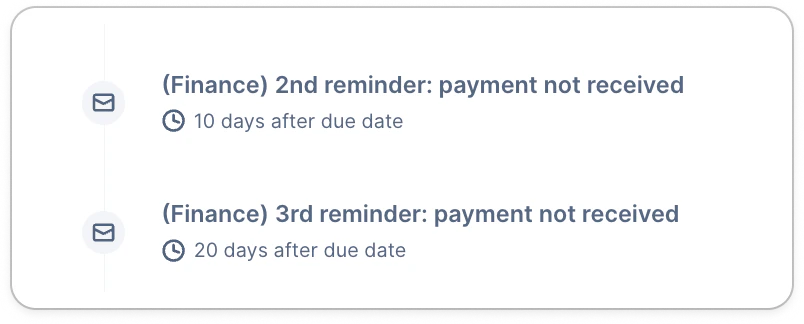
- The Actions list view > All section filtered
- Their timeline - check their latest reminder and date
- Their detail page (top right)
No action to do
- They have no outstanding invoices, therefore, no reminder can be triggered for them. If you need to contact them, you can use our Campaign or Ad hoc actions features.
- The customer is assigned to an empty workflow or “No workflow”.
- They have open invoices, but their balance is null or negative, due to unapplied transactions. In this case, we invite you to apply as many transactions as possible from your accounting tool. If you identify discrepancies, please submit a support request sharing the following examples:
- Customer name(s)
- References
- Screenshots of the latter from your tool
Actions to-do
Next (automatic) action scheduled

Check your workflow minimum contact delay

Actions scheduled later than expected
You may see Next manual/automation [action] scheduled on date for your customer(s), but don’t understand why they’re not due now, based on the invoice’s age and the action’s trigger. But depending on the last action’s performed date and your workflow minimum contact delay (MCD), there might be a bigger delay than expected. The MCD is here to ensure your customers are not contacted within the delay you set up, to avoid spamming them. Which means that, if you have two reminders with triggers that are less than the MCD, the latter will apply and delay the following action. For example, your MCD is 5 days (default), but your 2nd reminder is planned 7 days after the date, and your 3rd reminder is 10 days after the date. Here, we only have 3 days between those two reminders, when we have a 5-day MCD. The 3rd reminder will then be sent 12 days after the due date, instead of 10, to respect the MCD. Based on your process and needs, we advise to either:- Change your reminders triggers to respect the MCD
- Decrease the MCD to adapt to your triggers
Actions triggered sooner than expected
Similar to the above scenario, certain actions can be triggered sooner than what you would expect. For example, if you planned a delay of 10 days between two reminders: