

When is this useful?
- High email volume: Your team receives many customer replies and needs help prioritizing disputed invoices
- Faster resolution: You want to quickly identify and categorize disputes without manually reviewing every email
- Visibility: You want to track which invoices have been flagged as disputed by customers
- Consistency: You need standardized dispute reasons across your organization
Prerequisites
Before using this feature:- Email integration: You must have automatic reply imports configured so Upflow can analyze customer communications
- Custom dispute reasons: Make sure your organization has dispute reasons configured in Settings
How it works
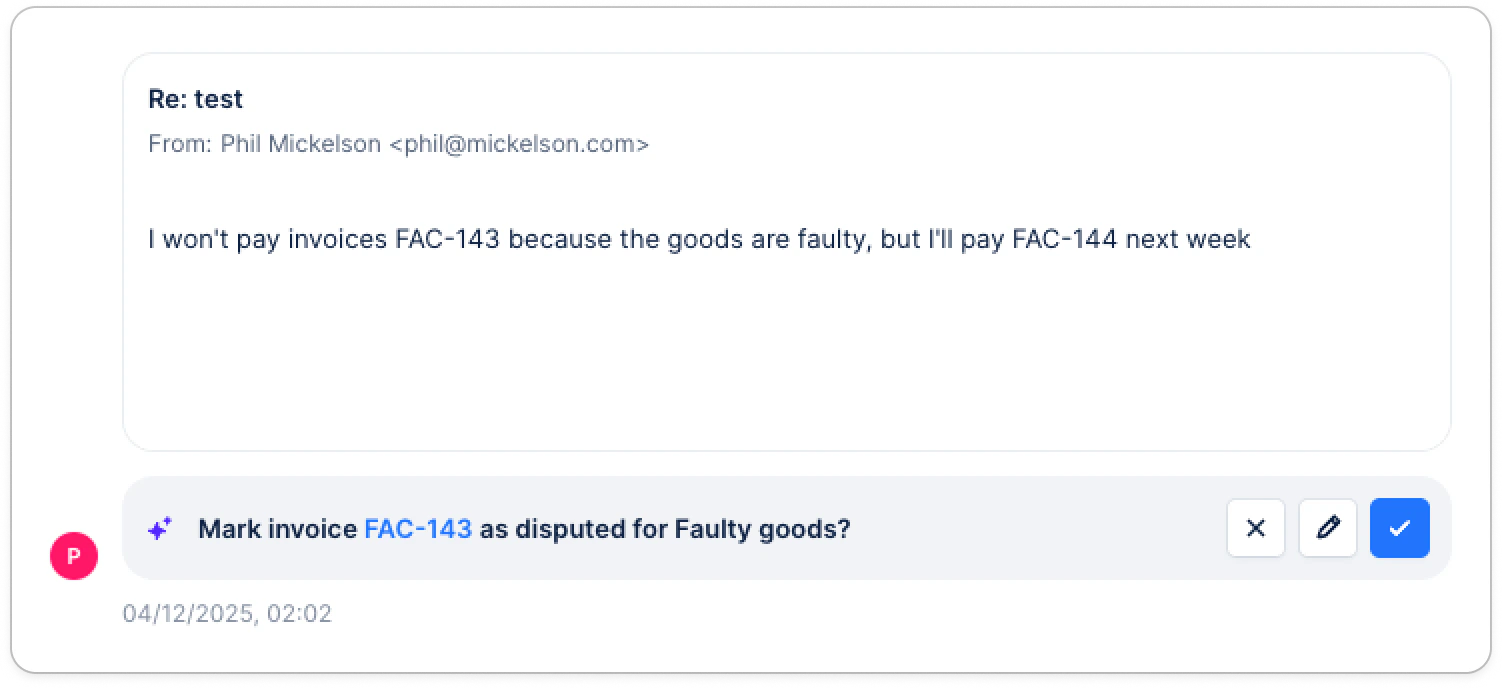
When an email suggesting a potential dispute is received, Upflow:- Identifies the invoice(s) concerned based on the message context and your customer/invoice data.
- Suggests a dispute reason based on the content of the customer message.
- Provides context for review, typically including the key excerpt from the email that triggered the detection.
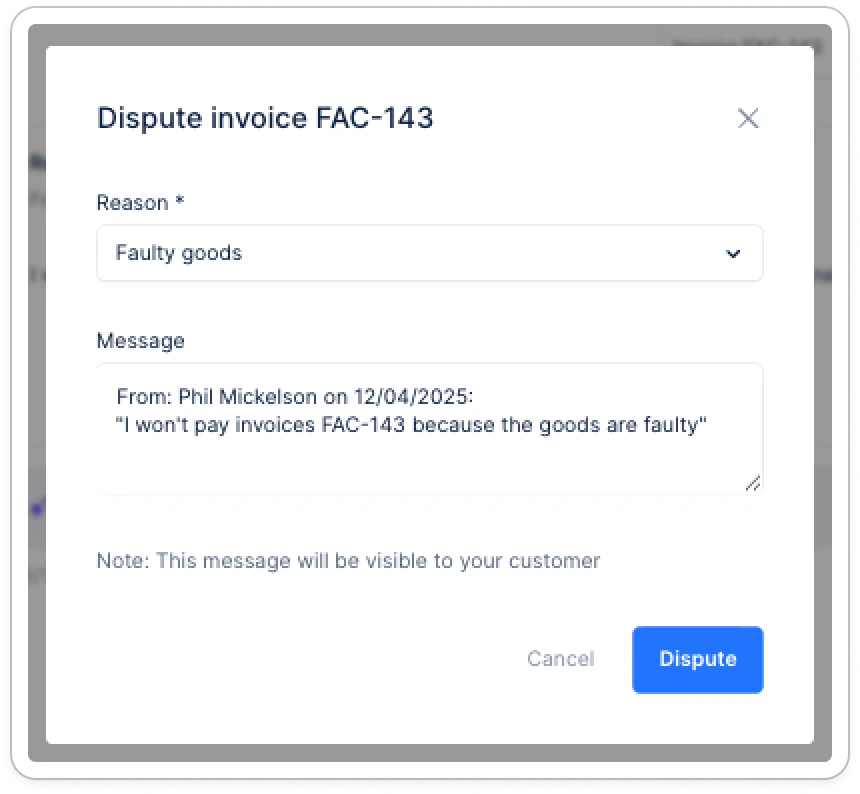
- Lets you decide: you can accept the suggestion to create the dispute, change the dispute reason before confirming, or reject it (no dispute is created).
- Updates status once confirmed: the invoice is marked as Disputed, the dispute appears in the timeline, and it becomes available for filtering/reporting like any other dispute.
Limitations
- AI suggestions are based on imported email content only - they cannot analyze calls, letters, or conversations outside Upflow
- The quality of suggestions depends on clear communication in customer emails