

Creating contact custom fields
Go to Settings > Custom Fields.Add new custom fields
- Once you’re in the dedicated section, select custom fields from NetSuite or Salesforce. This flexibility means you can maintain consistency across your tools.
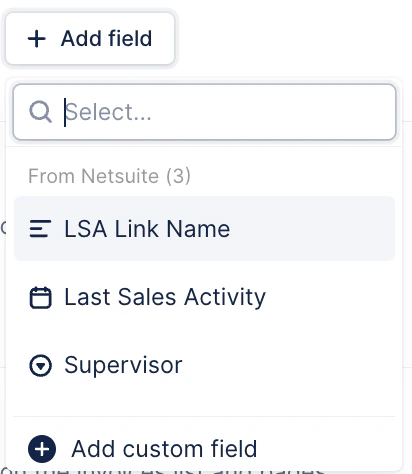
- If you prefer (or don’t use SFDC/NetSuite) you’ll find the option to create a new custom field for the Contacts entity.
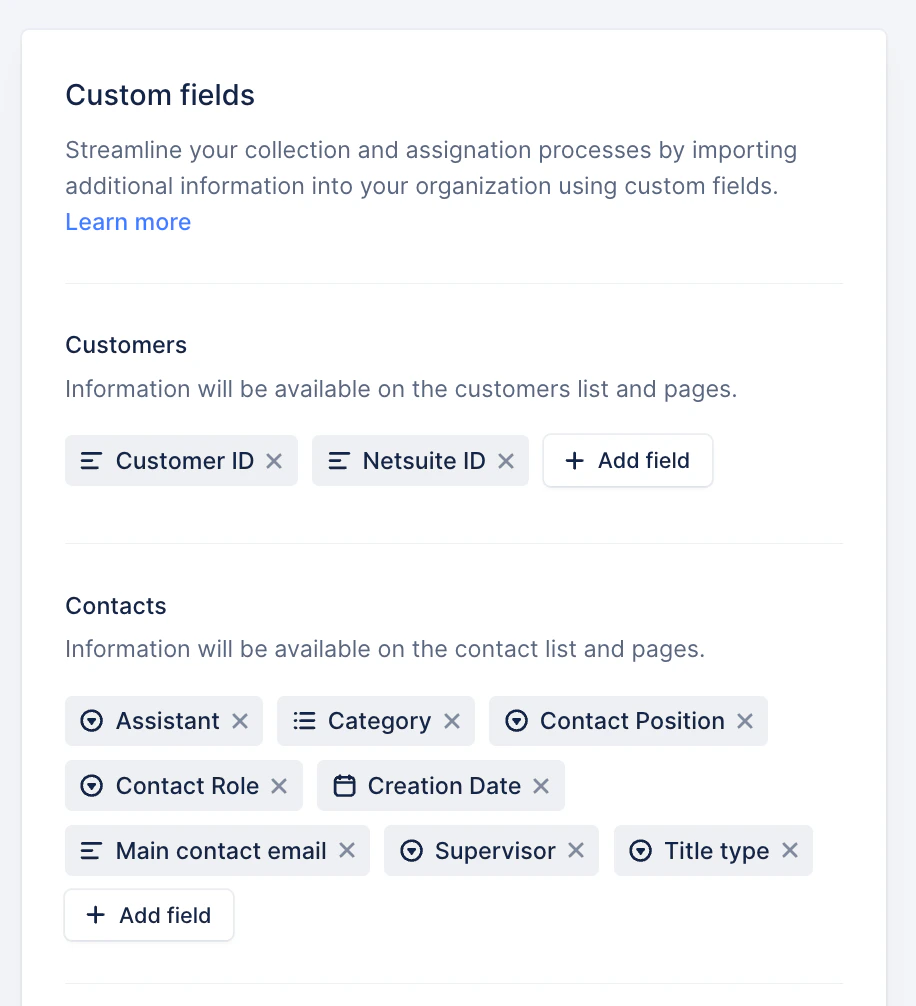
- You can create fields that are specific to your needs. For example, you might want to add fields for “Billing email” or “Executive contact.”
Visibility of custom fields
After you create these fields, they are visible in both the contact list view and on the customer details page.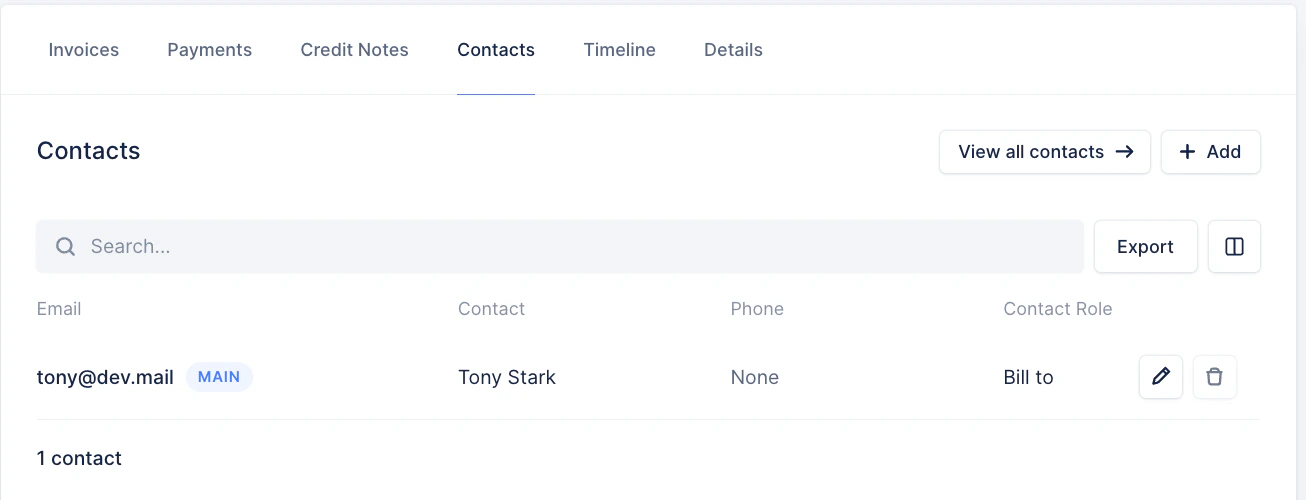

Editing custom fields
To edit a custom field, go to the contact edit modal on the customer page and make your changes.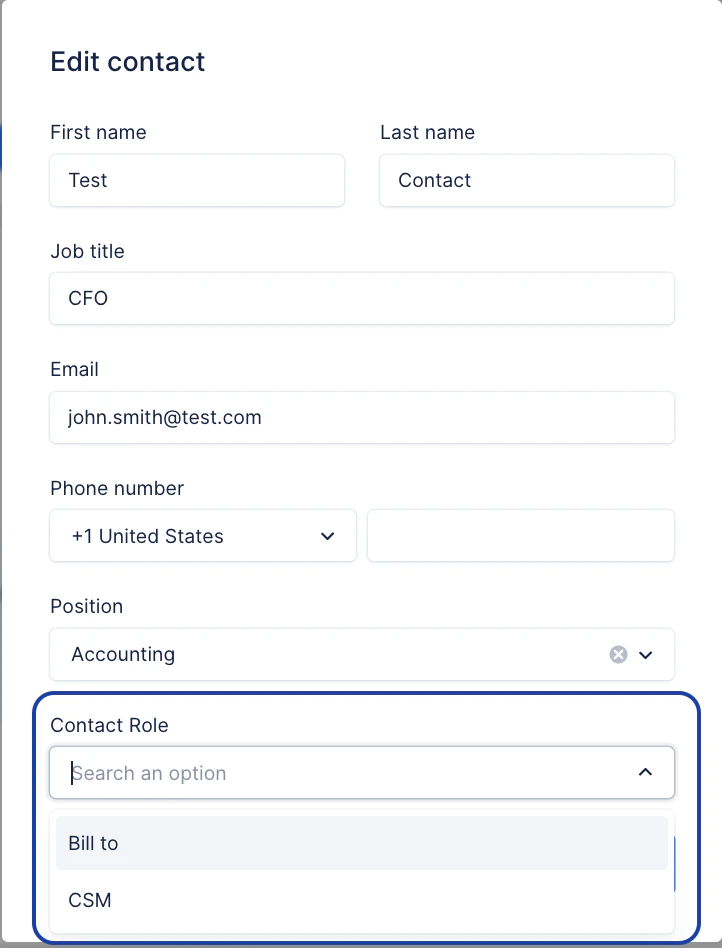
- Create custom field: API documentation - Create custom fields
- Import contact custom field: API documentation - Import contact custom fields
Managing your contact custom fields
Exporting data
You can export your custom fields via CSV from the Contacts list view for reporting or further analysis.Using custom fields in reminders
- You can use these fields to specify which contacts should receive payment reminders, tailoring your communication to each customer’s needs.
- Each field can be filtered, allowing for targeted messages. You cannot combine multiple fields for a single reminder.
Adding recipients
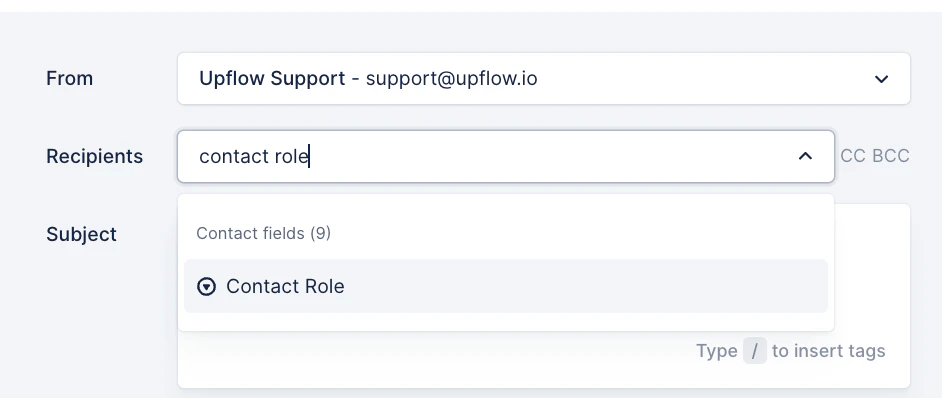
You can use custom fields to specify which contacts should receive collection reminders. Add tags explicitly when you set them as recipients.- Look for your contact custom position and select it:
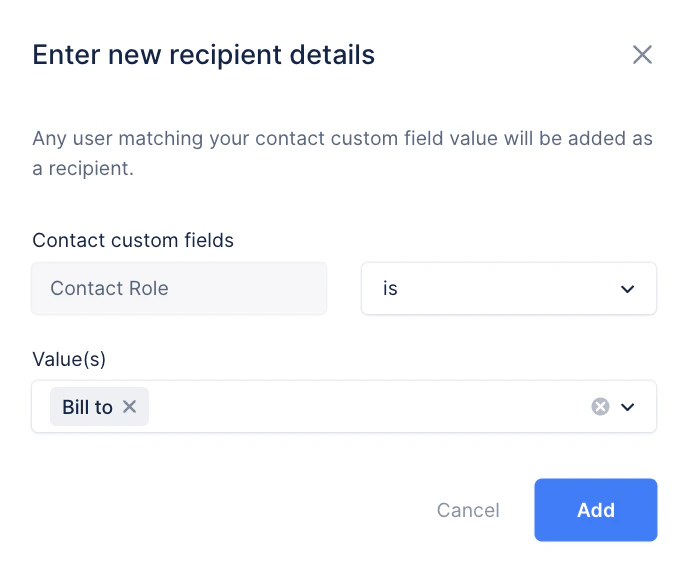
- Select a value according to the field type:
- If not, you will see the field in red, and it won’t be usable. Click Edit and add a value:
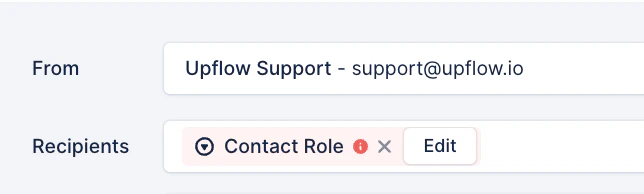
Good to know: Always double-check your entries for accuracy to ensure the successful addition of tags.
Takeaways
- Custom fields are vital for organizing contact information and improving targeted communication in Upflow.
- You can create and manage custom fields easily, importing from tools like NetSuite and Salesforce for consistency.
- Double-check tags for accuracy to avoid communication errors.
- Bulk editing isn’t supported — updates must be made individually.
- Integration with other sources requires API configuration.