

When is this useful?
This feature is helpful when:- You’re managing multiple payment conversations and need quick, data-driven recommendations
- You want to maintain consistent follow-up practices across your team
Prerequisites
To use AI-suggested promise to pay:- Email integration: You must have automatic reply imports configured so Upflow can analyze customer communications
How it works
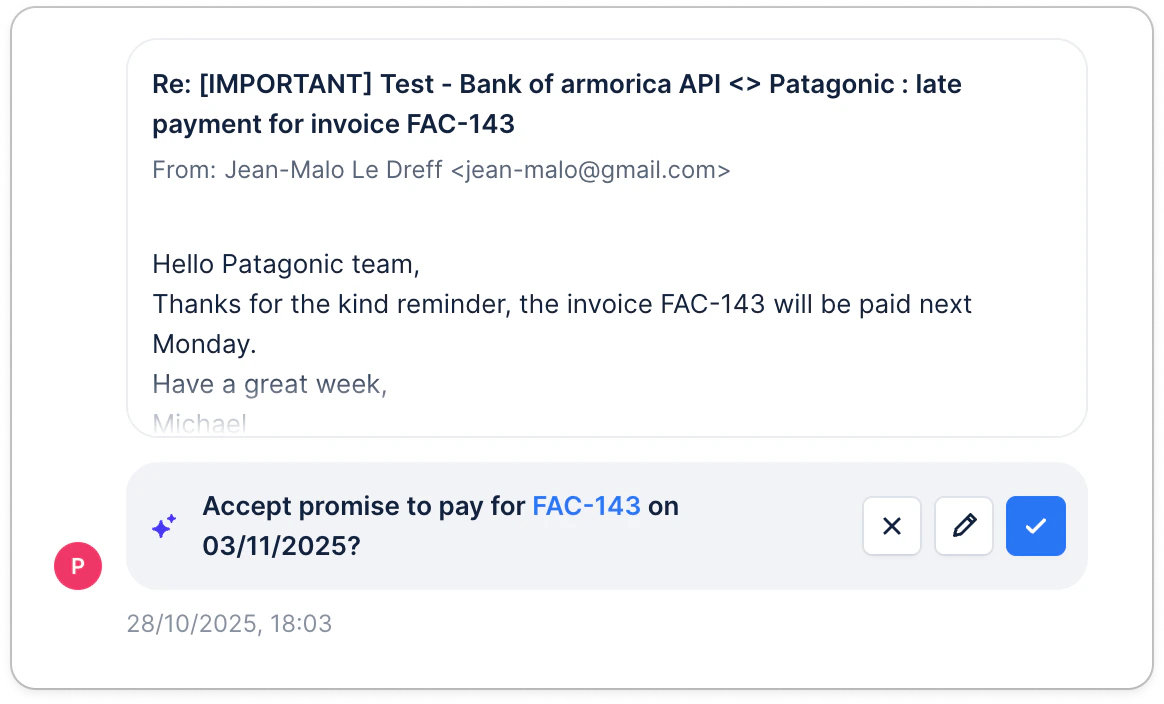
Upflow analyzes customer communications (e.g., email replies imported into Upflow) to detect when a customer is committing to pay later. When a promise is detected, Upflow:- Identifies the invoice(s) concerned based on the message context and your customer/invoice data.
- Suggests a Promise to Pay date based on the conversation
- Surfaces the suggestion in-context, along with the supporting excerpt from the customer message when possible.
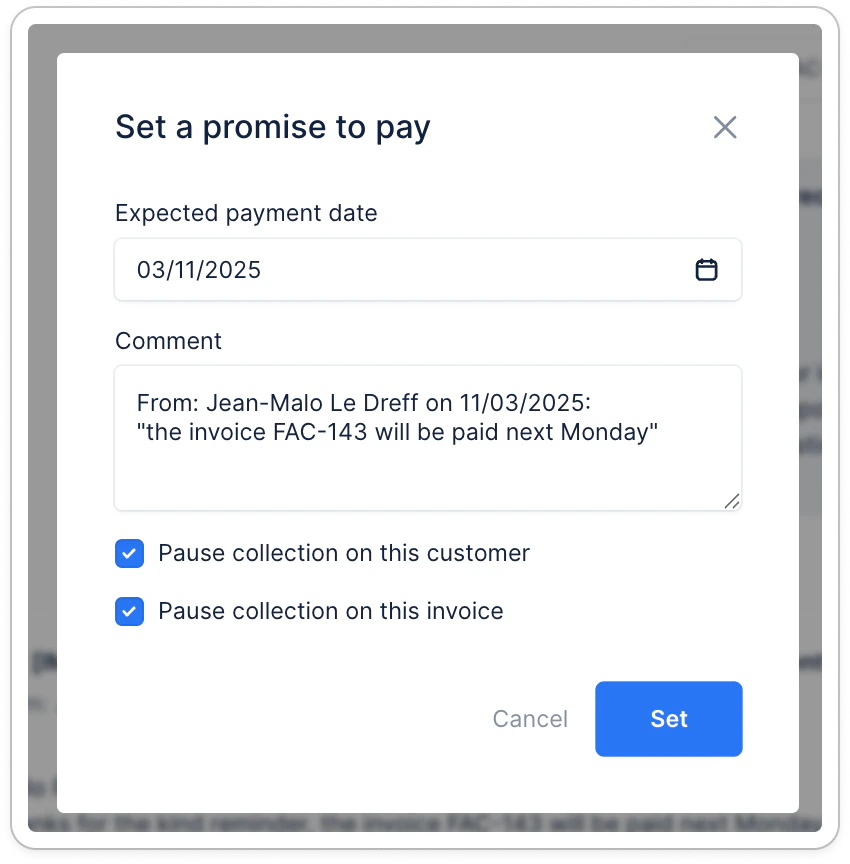
- Keeps you in control: you can accept the suggested date, edit it, or reject it and set a different date.
- Logs the outcome once confirmed so your team can follow up consistently and track promises over time.
Limitations
- AI suggestions are based on imported email content only - they cannot analyze calls, letters, or conversations outside Upflow
- The quality of suggestions depends on clear communication in customer emails
- Manual review is always recommended to ensure the suggested date aligns with any specific agreements or circumstances