Before you start
You’ll need admin access to your QuickBooks Online company. The connection is set up over OAuth from your Upflow account, and only an admin can grant Upflow the required permissions.Connect QuickBooks Online to Upflow
-
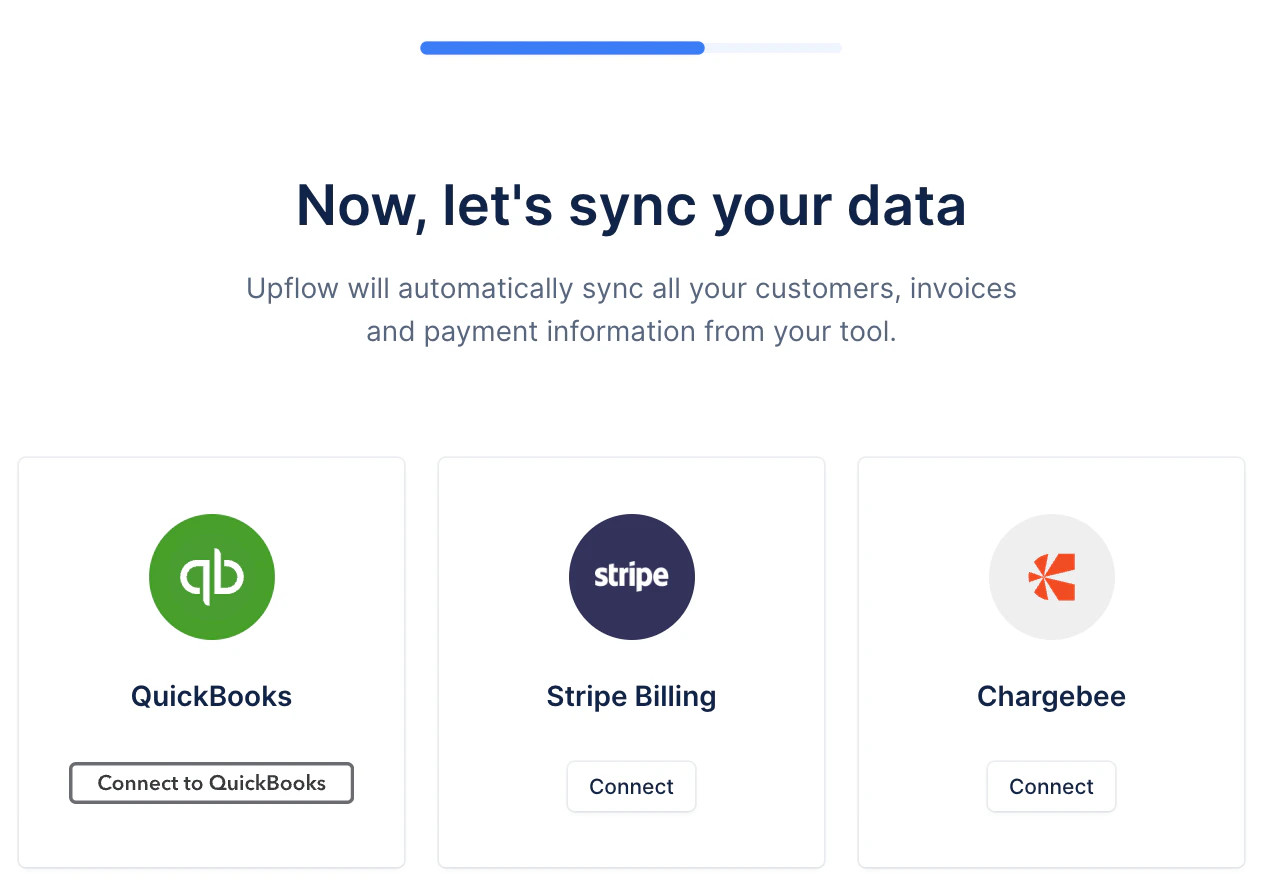
Choose QuickBooks as your data source. During Upflow onboarding, on the Now, let’s sync your data step, click Connect to QuickBooks.
-
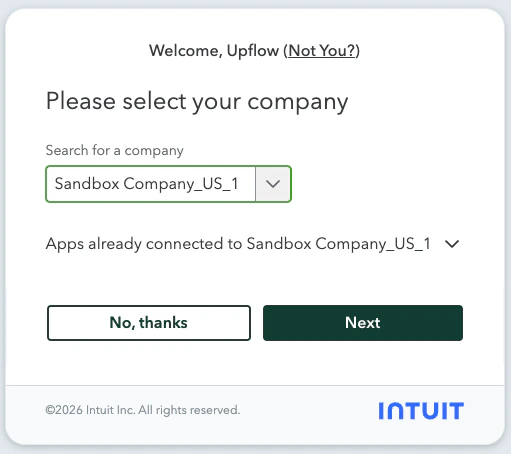
Authorize Upflow on Intuit. You’ll be redirected to Intuit’s OAuth flow. Sign in to QuickBooks if needed, then select the company you want Upflow to sync with and click Next. After confirming the permissions, you’ll be sent back to Upflow.