

Prerequisites
Before reconciling, make sure you have:- An expense account for transaction fees (e.g. “Transaction Fees”).
- A revenue account for surcharges, if you collect them (e.g. “Surcharge Income”).
- The Upflow → QuickBooks payment write-back configured. Upflow pushes the invoice amount as a Receive Payment to Undeposited Funds; surcharges and processing fees are not pushed and must be booked at reconciliation time.
How to reconcile a payout
1. Export the payout from Upflow
In the Payments settings (Settings → Payment gateway), under Export your payout data, click Download to export the CSV — see Payout reconciliation for the columns. Eachtransaction_upflow_id in the CSV matches a Receive Payment number already created in QuickBooks by the write-back, posted against Undeposited Funds.
Only reconcile payouts with payout_status = paid. Pending payouts have not arrived in your bank yet — wait until they are marked paid before reconciling.
2. Compute the three totals for the payout
For each payout, sum the following from the CSV rows that share the samepayout_upflow_id:
- Gross customer payments — sum of
transaction_converted_total_amount. This equals the invoice amounts already in Undeposited Funds plus any surcharges collected. - Processing fees — sum of
transaction_processing_fees. Not yet in QuickBooks. - Surcharges in payout currency — sum of
transaction_surcharge_amountconverted to the payout currency. Not yet in QuickBooks. Skip if you do not collect surcharges.
3. Record the deposit in QuickBooks
The deposit must clear the Receive Payments from Undeposited Funds, book surcharges as revenue, book fees as an expense, and land the net in the bank. Both the surcharge and fee adjustments are added as lines on the deposit itself — no separate journal entries are required. The flow depends on whether the destination bank account is connected to a bank feed.With a bank feed
When the payout appears in Bookkeeping → Transactions → Bank transactions → For review: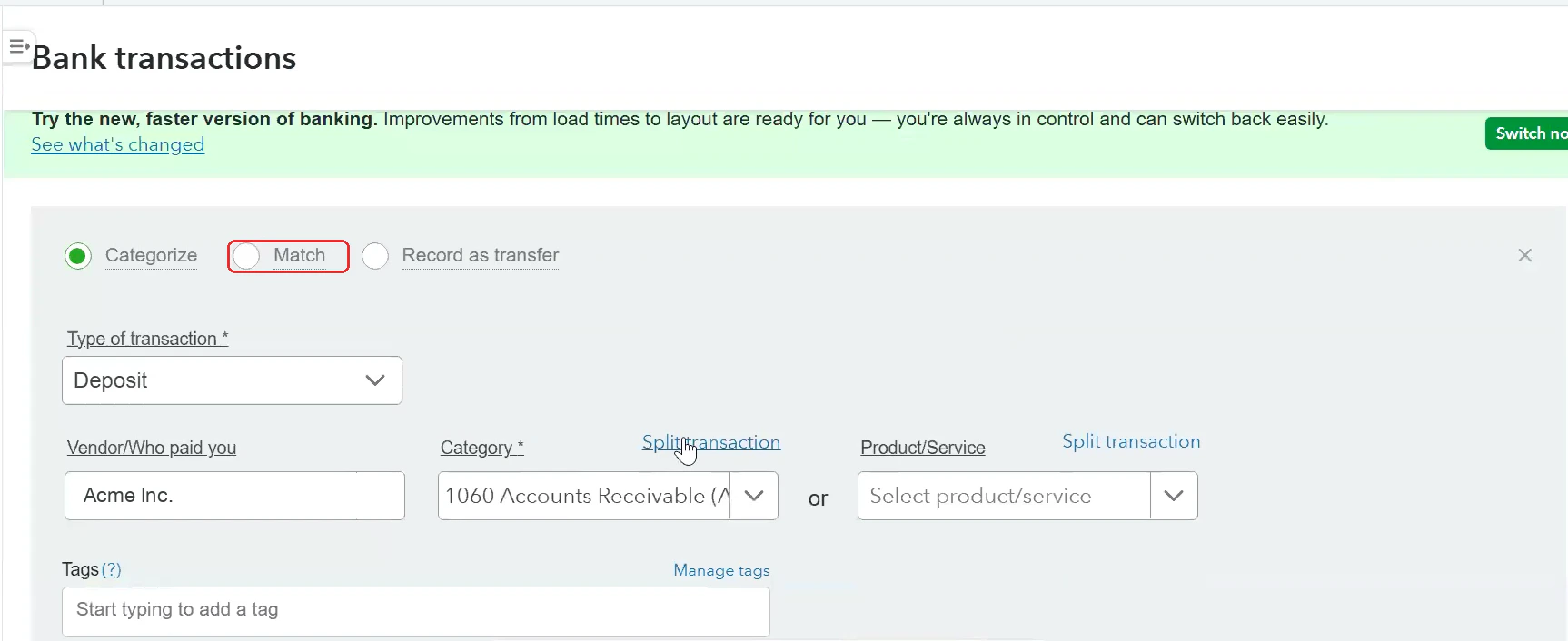
- Click the payout line, then Find match.
- Set the filter to Money received and source to Undeposited Funds.
- Tick every Receive Payment listed in the CSV for that payout. The selected total will be larger than the bank line by the fee amount and smaller than gross by the surcharge offset.
- Click Resolve difference (or Add resolving transactions) and add:
- A positive line to your Surcharge Income account for the surcharge total. Skip if no surcharges.
- A negative line to your Merchant Processing Fees account for the fee total.
- Confirm the remaining difference is
$0.00and save. The bank feed entry is now matched and Undeposited Funds is cleared for those payments.
Without a bank feed
- Go to + New → Bank Deposit.
- Select the bank account where the payout landed and set the date to
payout_arrival_date. - Under Select the payments included in this deposit, tick the Receive Payments listed in the CSV for that payout.
- Under Add funds to this deposit, add:
- A positive line to Surcharge Income for the surcharge total. Skip if no surcharges.
- A negative line to Merchant Processing Fees for the fee total.
- Confirm the deposit Total equals
payout_amountand save.
Worked example
For a payout of$239,058.68 arriving on 2026-05-10, after summing the CSV rows that share the same payout_upflow_id:
In the Bank Deposit (or Resolve panel), you would tick
$243,468 of Receive Payments from Undeposited Funds (gross minus surcharge), add a −$4,874 line to Merchant Processing Fees, and the total would match the $239,058.68 deposit. Surcharge lines are only added when surcharges were collected for that payout.