

Subsidiaries
Upflow does not support multi-subsidiary organisations. Only one Sage subsidiary can be mapped/synced per Upflow organization.Sync Frequency
The sync frequency between Sage and Upflow is every hour.Entities and Data flows
Note that we don’t filter on GL account type - we filter on journal types and entity types.
Parent <> Child hierarchies
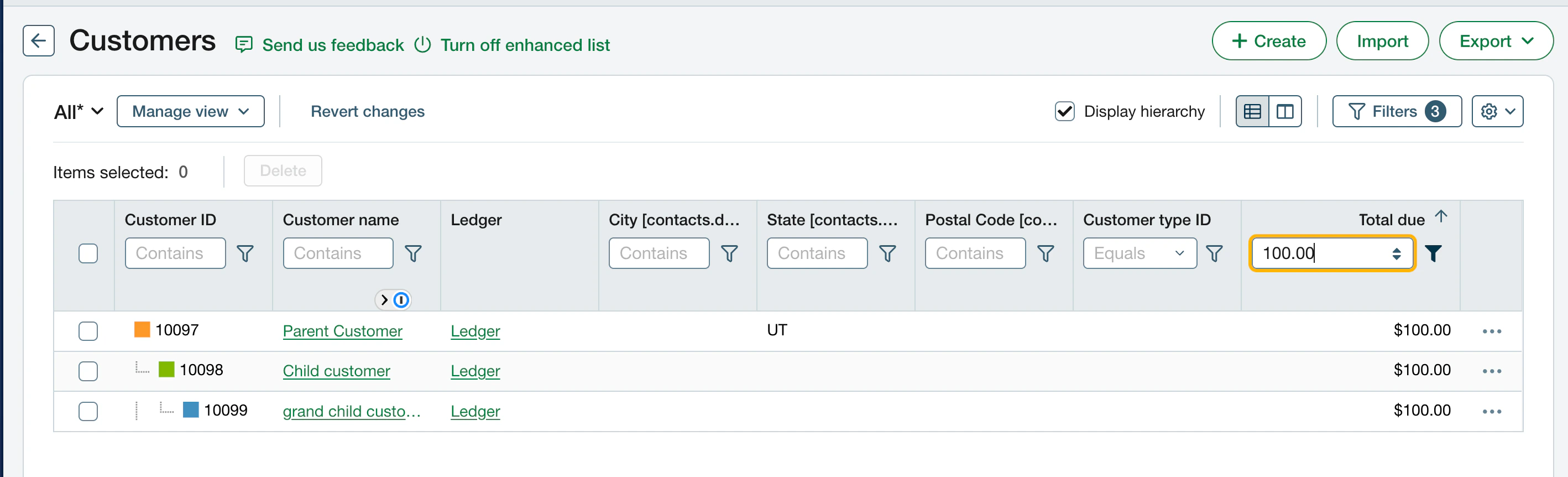
- Sage Intacct offers several levels of depth in their customer hierarchy. Here is an example of parent → child → grand child
- Upflow only supports 1 level of depth, so any grand children will be “flattened” at the child level
Payments on child customer invoices
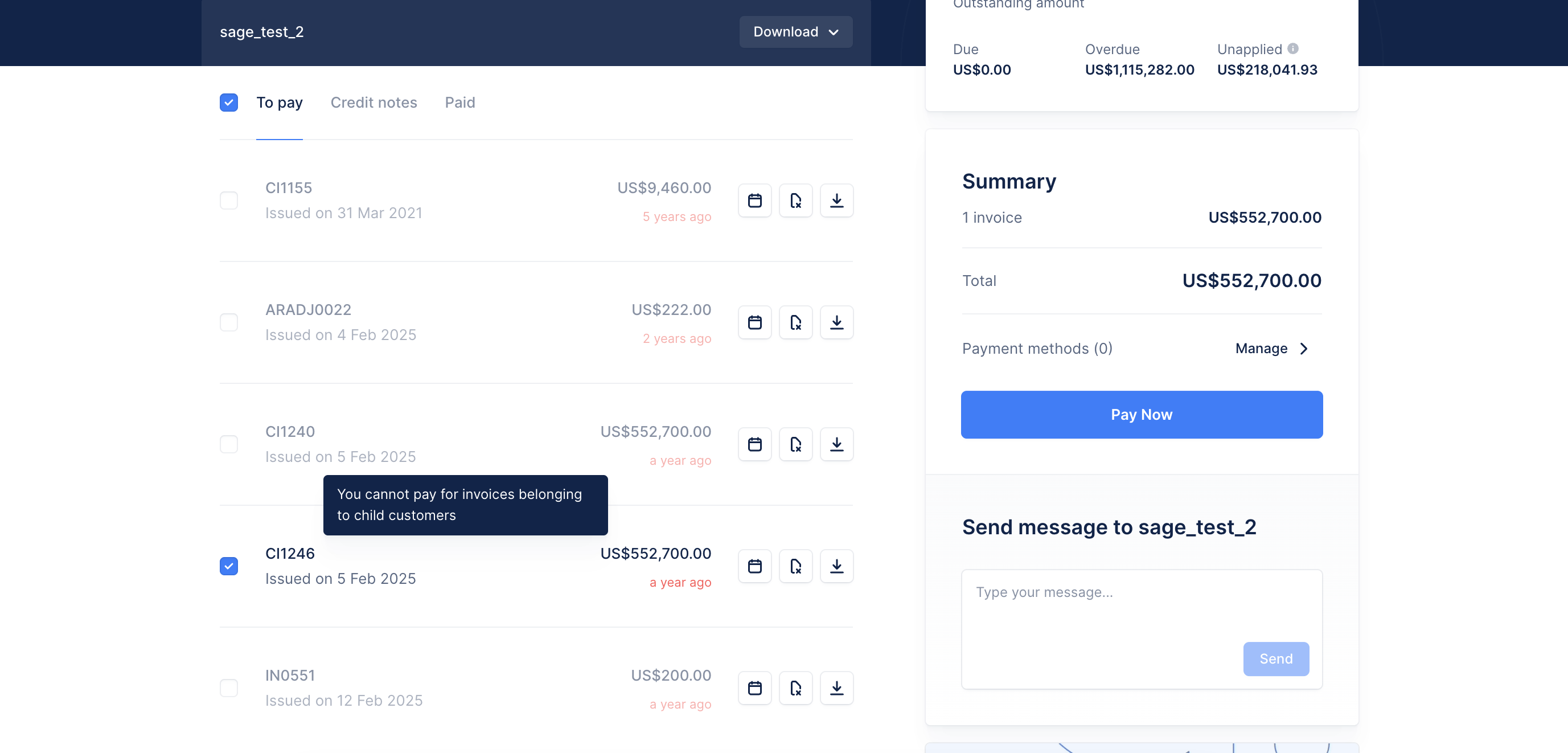
To guarantee consistent payment write-backs to Sage Intacct, Upflow blocks payments on child customer invoices in two places:- Portal payments: child customer invoices cannot be paid from a parent customer’s portal. Their checkboxes are disabled, with the message “You cannot pay for invoices belonging to child customers”. To pay these invoices, use the child customer’s own portal.
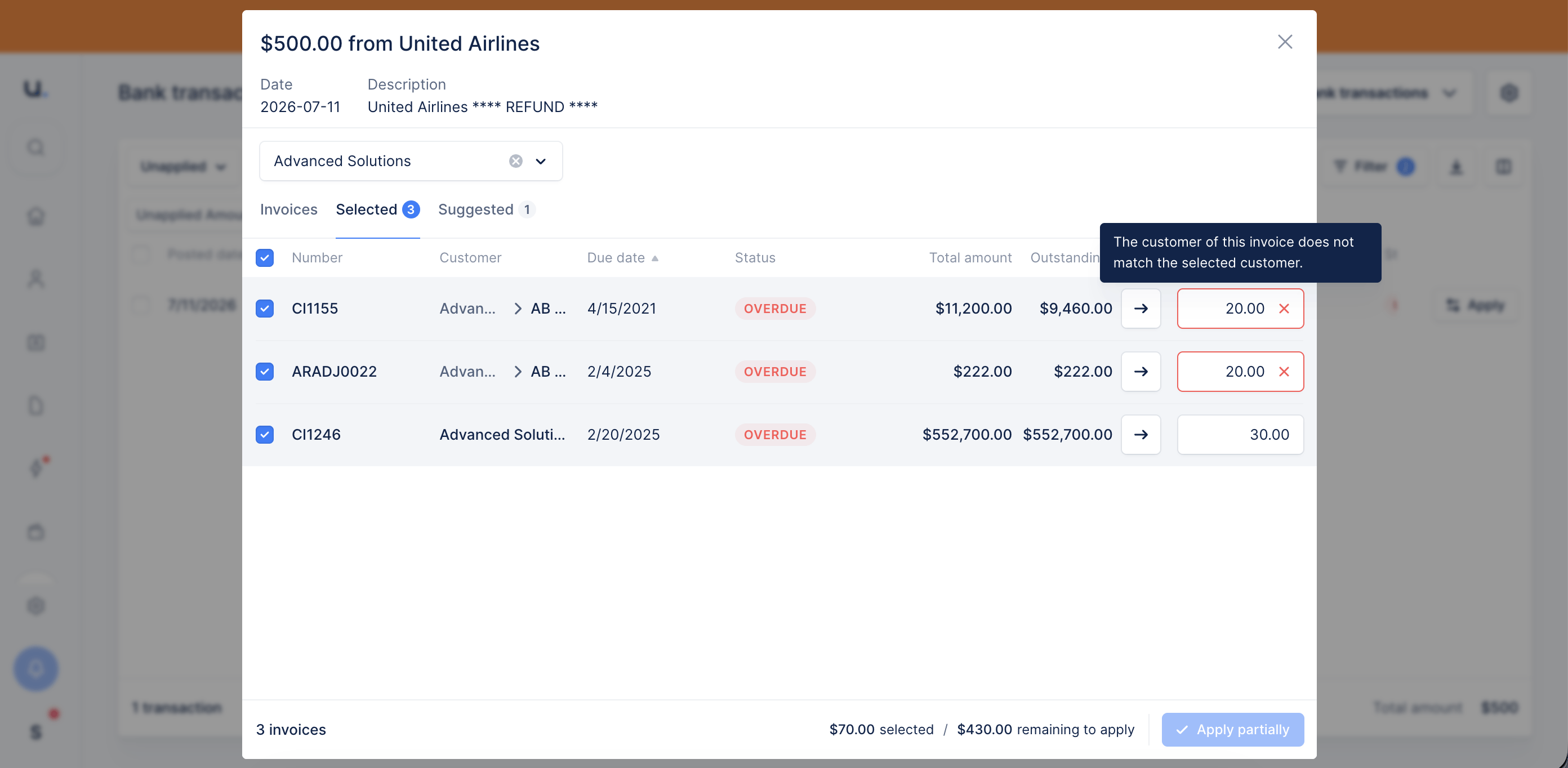
- Cash application: bank transactions cannot be applied to child customer invoices. In the transaction application modal, these invoices show the message “The customer of this invoice does not match the selected customer”. Select the child customer directly to apply the transaction to its invoices.
Invoices
Invoice statuses
Negative invoices
Negative invoices in Sage are imported in Upflow as credit notes. Note that Upflow only has 4 core accounting data entities: invoices / credit notes / payments / refunds. Every Sage Intacct entity is therefore mapped to one of these 4. Since negative invoices have the same effect as credit notes on the customer balance, they are imported as such.Invoice PDFs
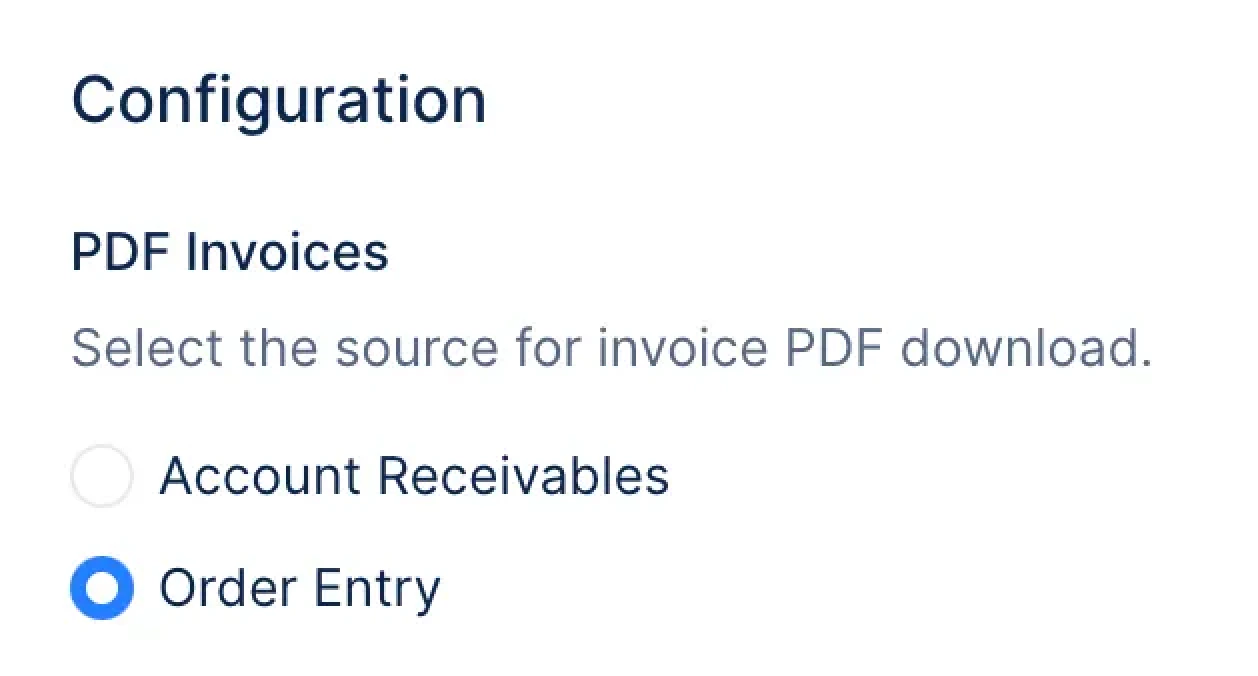
Invoice PDFs can be imported from either Sage modules:- Account receivables
- Order entry
Payments
Payment Statuses
Payment methods
The following methods are imported and mapped into Upflow.Payments write back into Sage
Payments collected through Upflow are written back to Sage Intacct. For the full configuration, status tracking, and how to recover from a failed export, see Payment write-back.Contacts
Contacts are created in Upflow from several different sources of information in Sage Intacct: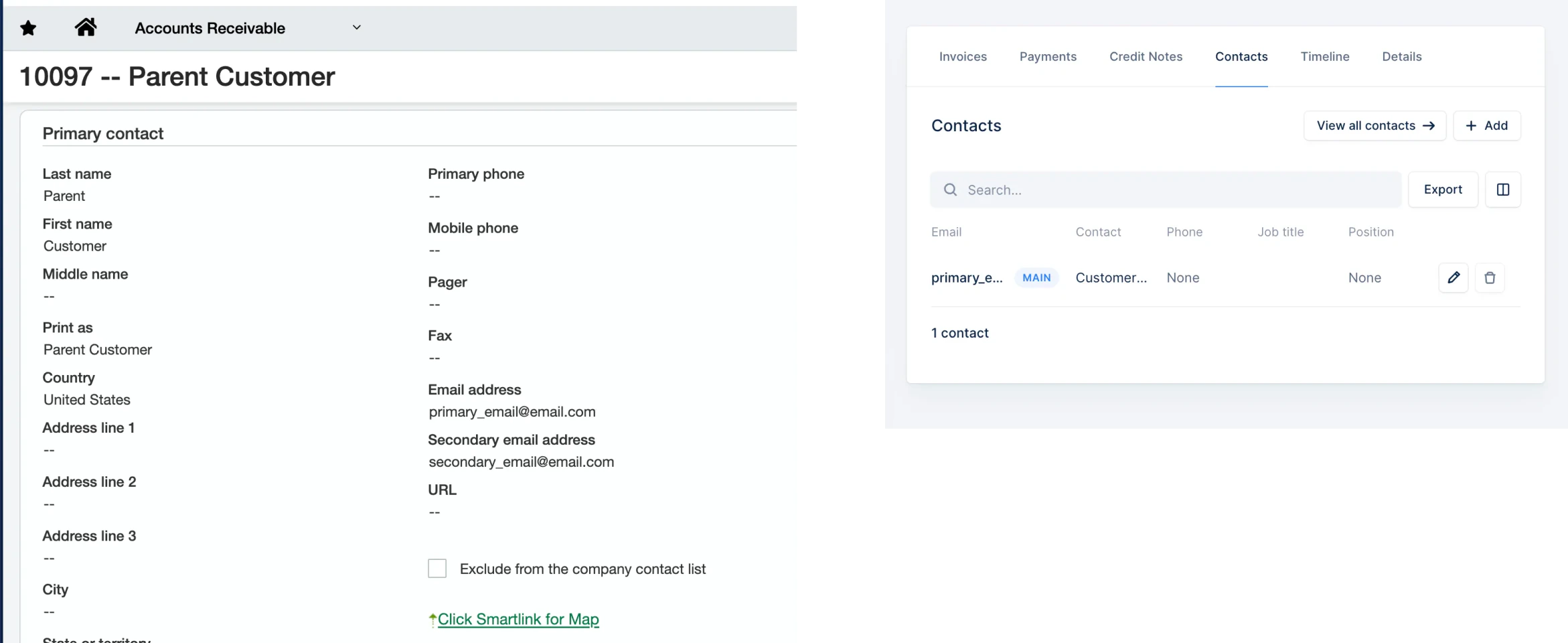
Custom fields
Upflow supports native and custom fields whenever they are available in Sage, in particular:- ✅ Contacts
- ✅ Customers
- ✅ Invoices
- ✅ Payments
- ✅ Credit notes
Contact custom fields
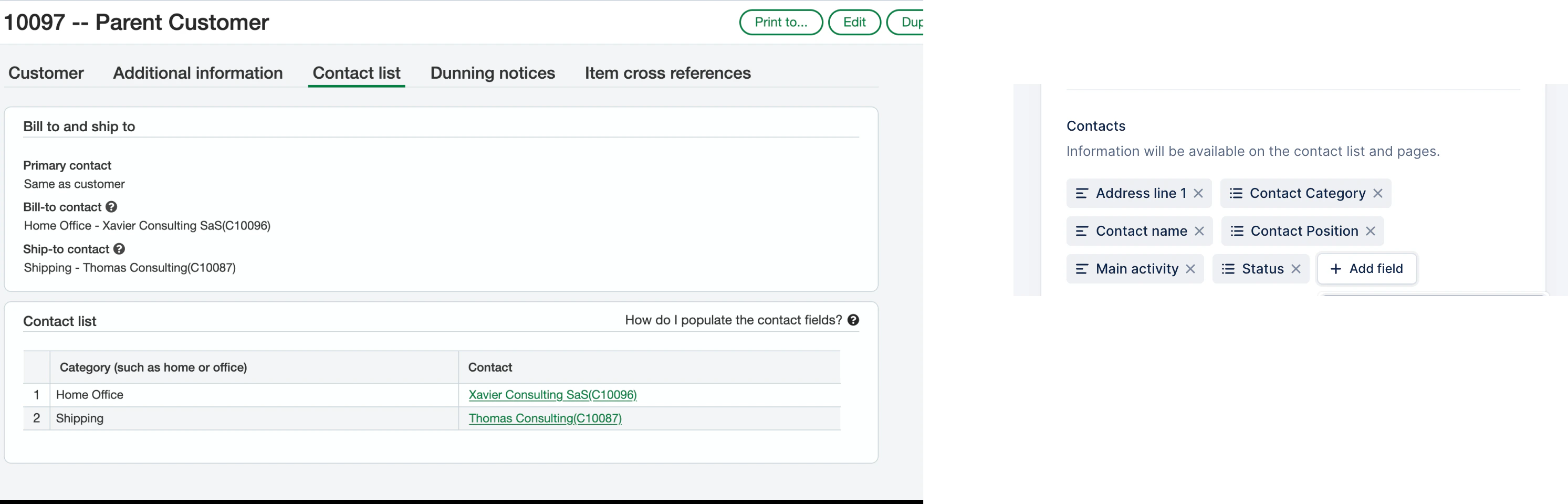
Contact native fields are imported into Upflow as custom fields:- ✅ Bill-to contact or Ship-to contact → Contact custom field
Contact position - ✅ Category → Contact custom field
Contact position
Good to know
- Sage Intacct projects are not imported into Upflow.