

Refunded payments
From the Payments page, when you initiate a refund on a payment that was exported to Sage Intacct, Upflow will automatically create a payment reversal in Sage Intacct.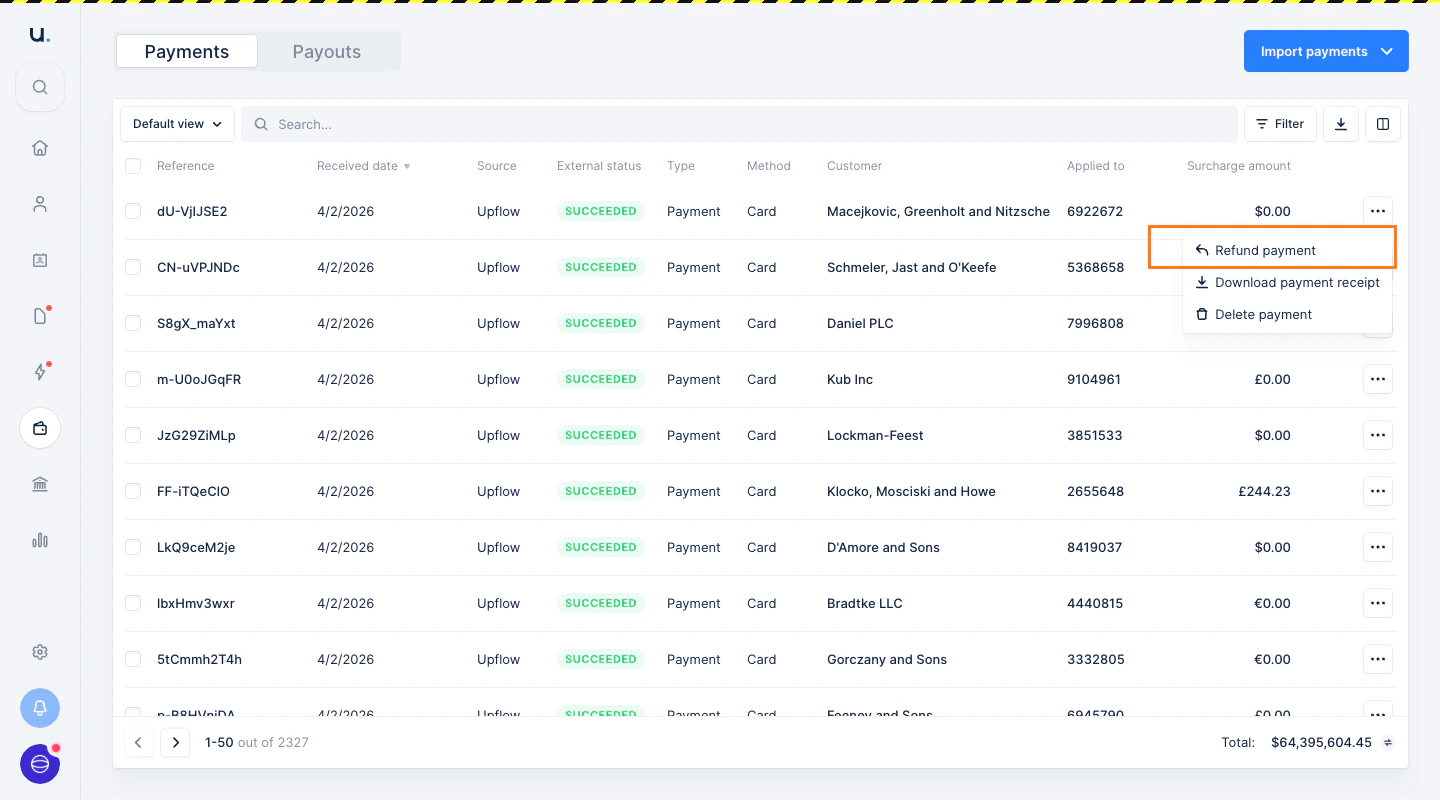
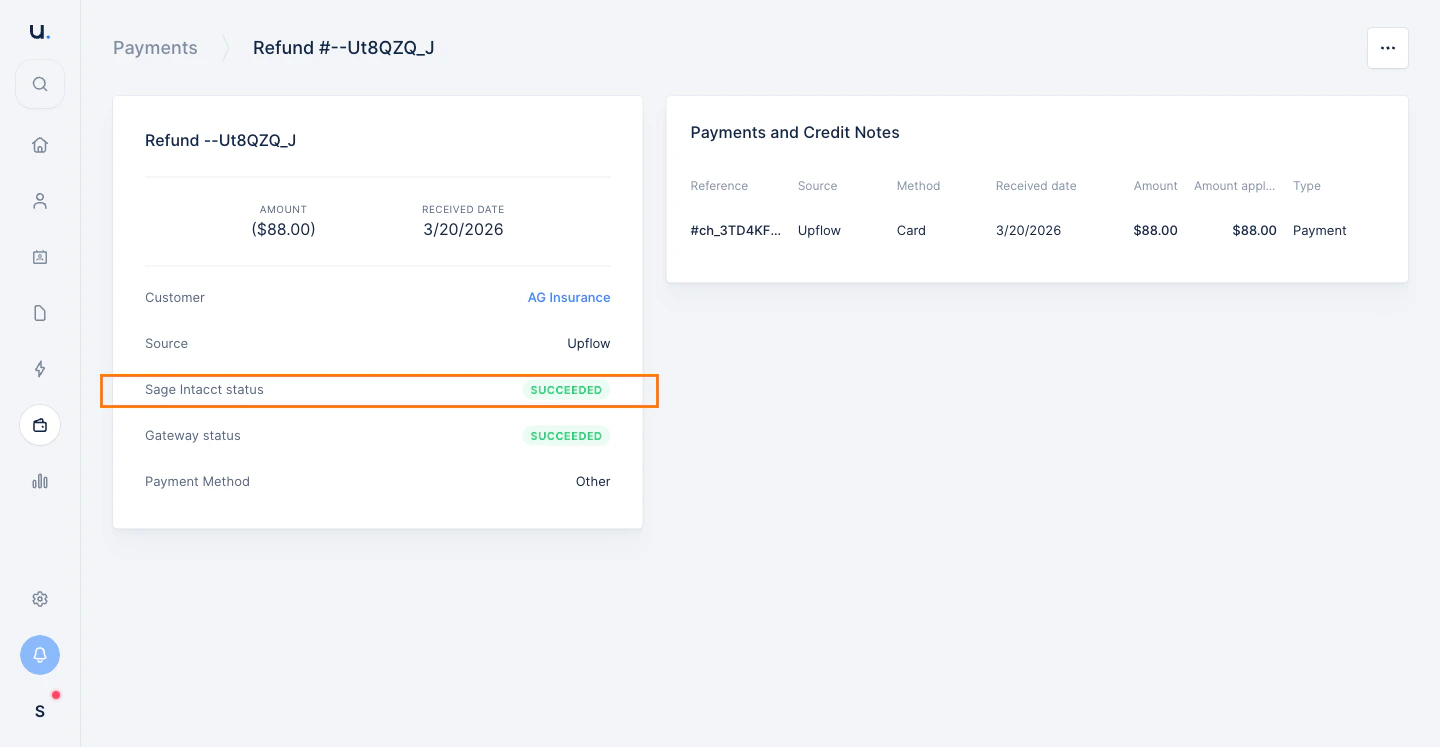
SUCCEEDED in Upflow. The right-hand panel shows the original payment the refund was applied to.
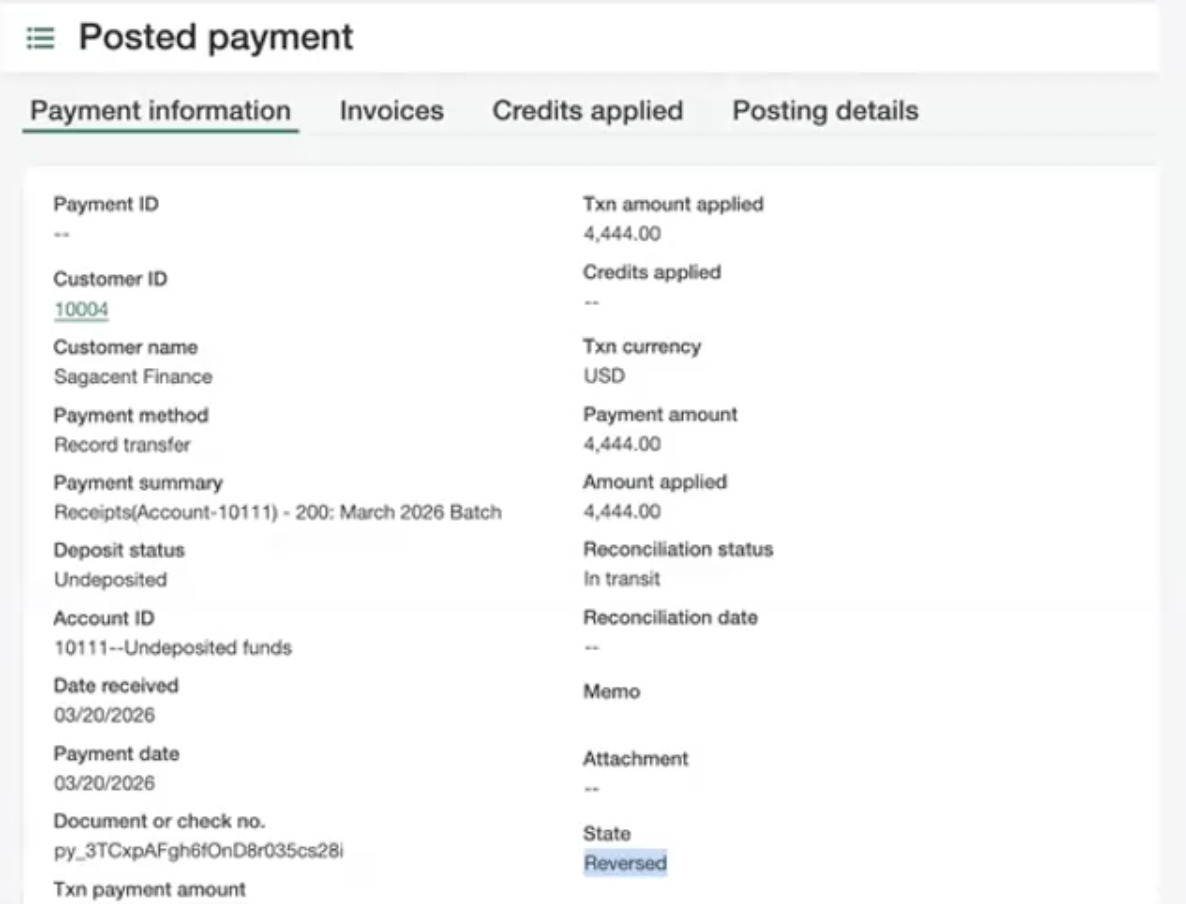
Reversed. The Document or check no. field carries the Stripe payment ID, so you can match it back to the payment in Stripe and Upflow.
Late payment failures
When a payment that was already exported to Sage Intacct fails at a later stage (for example, a returned bank transfer), Upflow automatically reverses that payment in Sage Intacct as well.Good to know
- Upflow does not create “Customer Refund” entities in Sage Intacct. Both refunds and late payment failures are handled as payment reversals.
- Only payments that were previously exported to Sage Intacct by Upflow are eligible for automatic reversal.
- Partial refunds are not yet supported.