

Deleting payments via the API
The Upflow API has a “Delete Payment” endpoint, through which you can remove any payment you have previously imported. As always, you can reference this payment by its Upflow ID or your own External ID (if initially imported).Deleting payments via the UI
Provided you have the necessary permissions*, you can delete payments directly from the UI. From the Payments list view: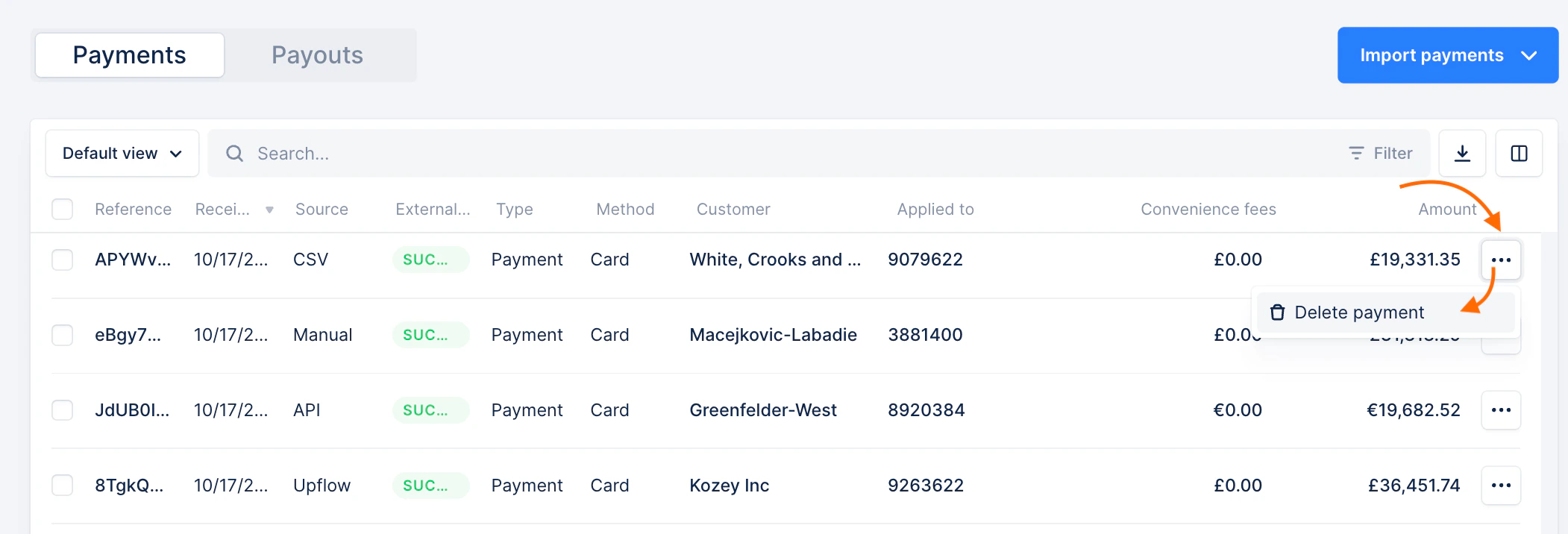


Who can delete payments?
All Admin users, regardless of their position can delete payments from the UI. However, for Member users:- Finance user = can delete payments
- Accountant = can’t delete payments
- Account manager = can’t delete payments