

Basic overview
When you collect online payments via Upflow, funds don’t land directly on your bank account as they first transit over our processing infrastructure. The physical transfer of funds happens automatically in 3 simple steps: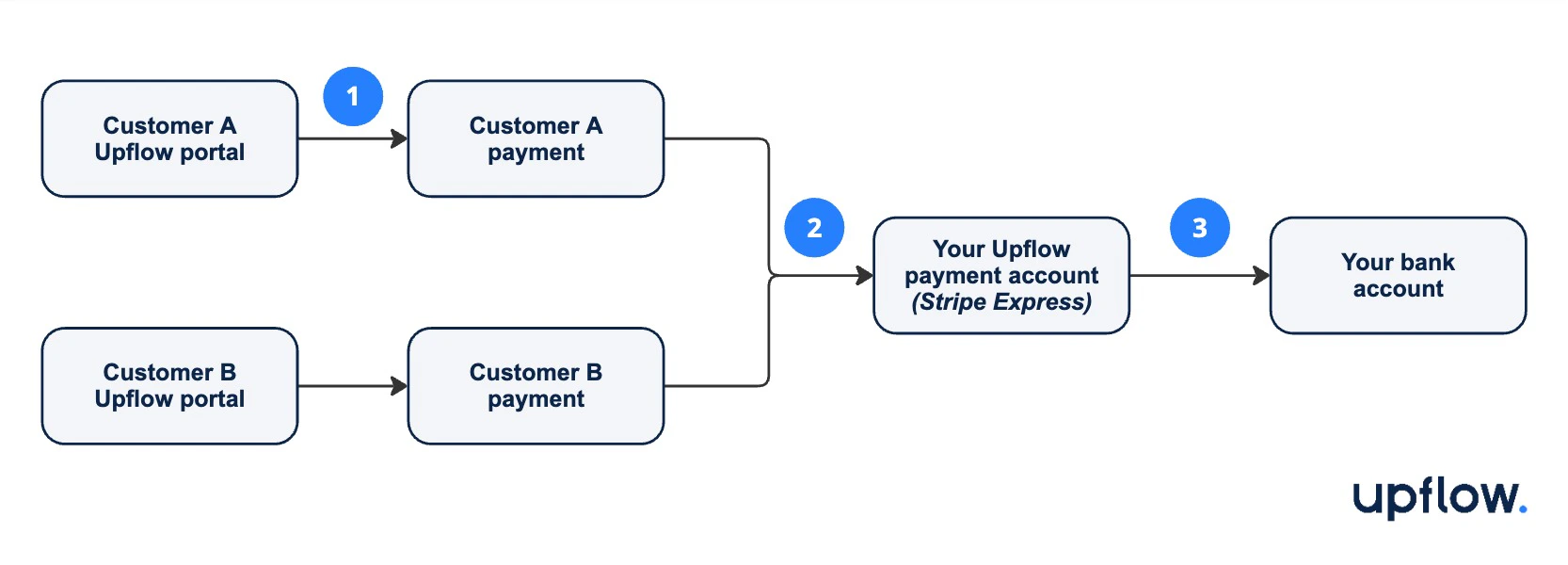
- Payment is authorized & captured, whether manually by your customer or automatically through Autopay.
- Funds are added to your payment account balance, minus applicable processing fees.
- Funds collected are “paid out”/deposited to your bank account in daily batches.
- Your customers’ cards are debited for $1,000 each. They automatically receive a payment receipt from your Upflow platform.
- Funds captured are immediately added to your payment account balance for 2 x $1,000 minus processing fees, e.g. $1,930.
- Your full payment account balance is paid out to your bank account. You will receive a bank transfer of $1,930 in the next few days.