

- your customer may prefer a refund, especially if your commercial relationship is occasional or if your company made a billing mistake.
- refunds can be proactively issued to avoid payment disputes, which hurt both your customer relationship & reputation with payment networks.
How to process a refund
Only Upflow Admin users can initiate a full refund for a payment from the Payments list view. First, find the payment you want to refund. You can use the search bar or filters to help you: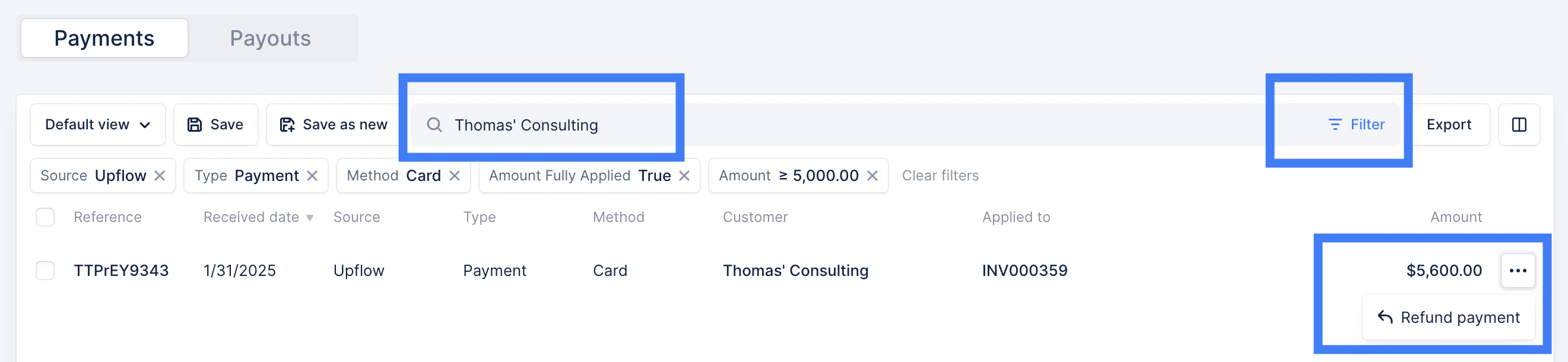
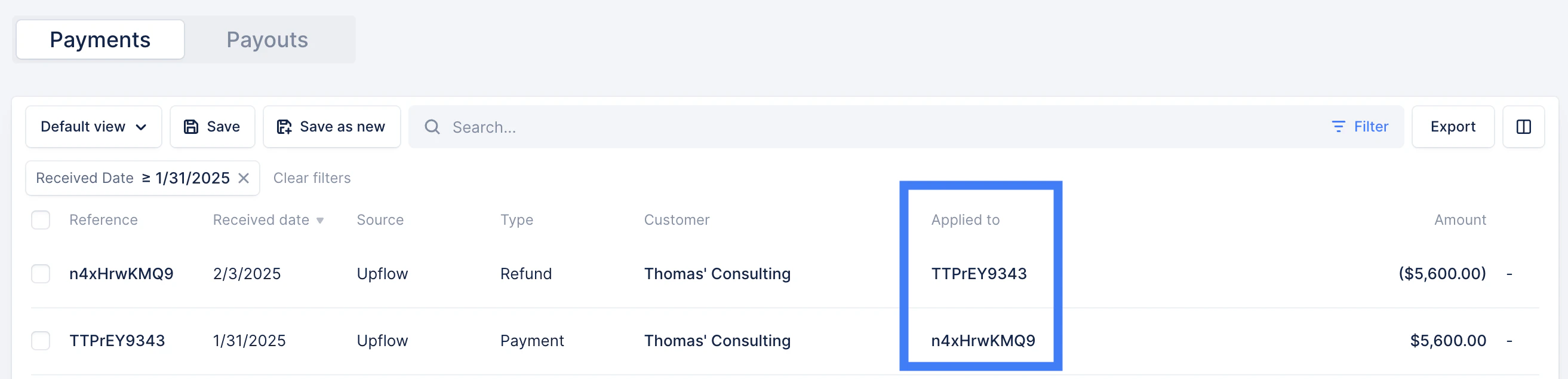
Good to know
- Refunds can only be created on succeeded payments made in Upflow.
- Partial refunds (amount less than the original payments) are not yet supported.
Troubleshooting

- Refund the customer outside of Upflow, via bank transfer or wire, if they need the funds back as soon as possible.
- Wait until the Stripe Express available balance is sufficient, then process the refund back to the customer’s used payment method.
- Top up your Stripe account to have the necessary funds for the refund
- Go to Balance
- Click “See details” on the top right
- A pop up of “Your balance” full details will show up.
- Below Your balance section, there would be the section “Future refunds, disputes, or negative balance”
- Just click “Add to balance” and enter the amount you’d like to top up.
- Click continue and follow the prompts.