

* includes other SEPA countries: Norway, Switzerland, Iceland, Liechtenstein, Monaco, San Marino, Andorra, Vatican City.
What is SEPA direct debit?
SEPA (“Single Euro Payments Area”) is a European payment network overseen by the European Payments Council (EPC) that enables euro-denominated bank-to-bank payments across 36 countries. It features two main modes for transferring funds:- SEPA Credit Transfer: your customer instructs their bank to send the money to yours. This is functionally similar to a wire transfer; customers “push” money to you.
- SEPA Direct Debit: you instruct your bank to debit the customer’s account after obtaining authorization. You “pull” the funds into your bank account.
Collecting payments via SEPA direct debit
First, follow this short guide to make SEPA Direct Debit available as a payment method for your customers in a few clicks. Triggering a direct debit over the SEPA network involves 2 main steps:- your customer provides their IBAN and authorizes the debit by agreeing to a mandate.
- the debit order is issued over the SEPA network.
Step 1 - Mandate
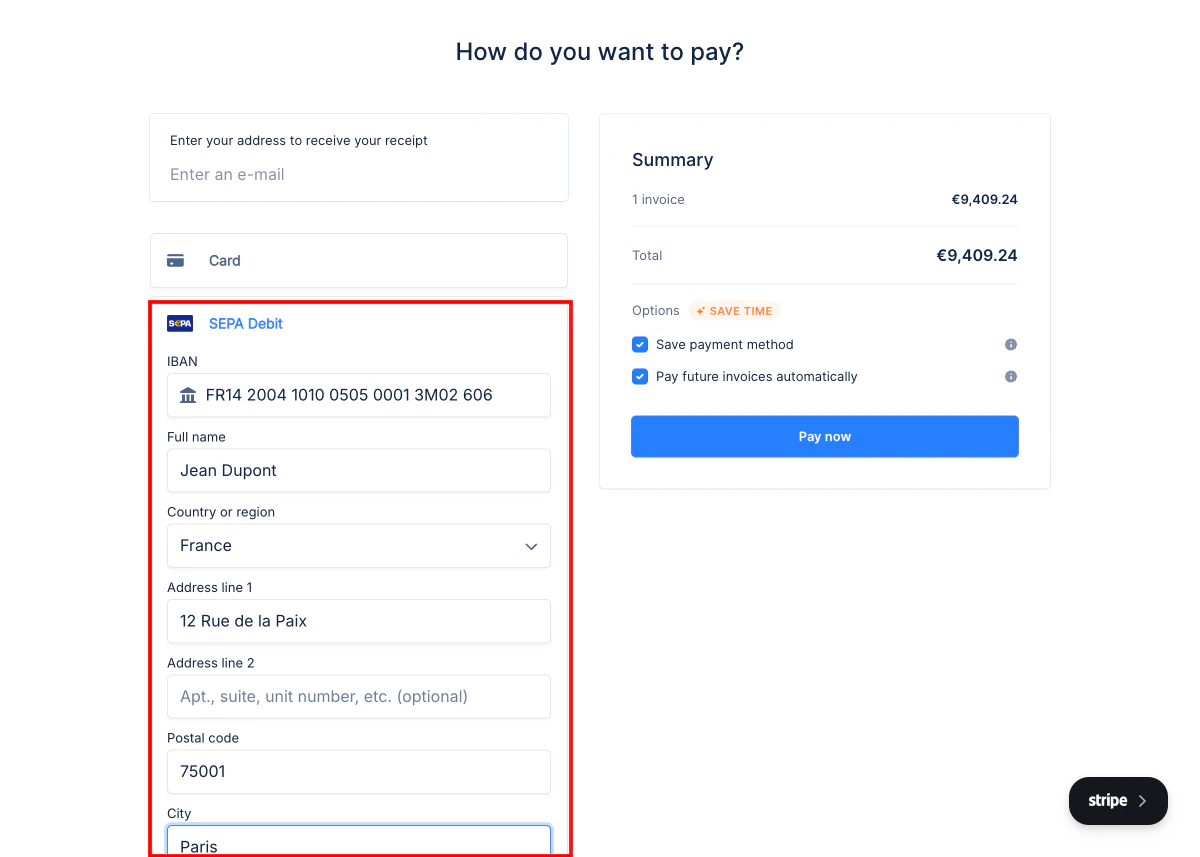
From their payment portal, your customer selects SEPA Debit as their payment method and fills in their:- IBAN — their International Bank Account Number
- Full name — the account holder’s name
- Country or region and billing address
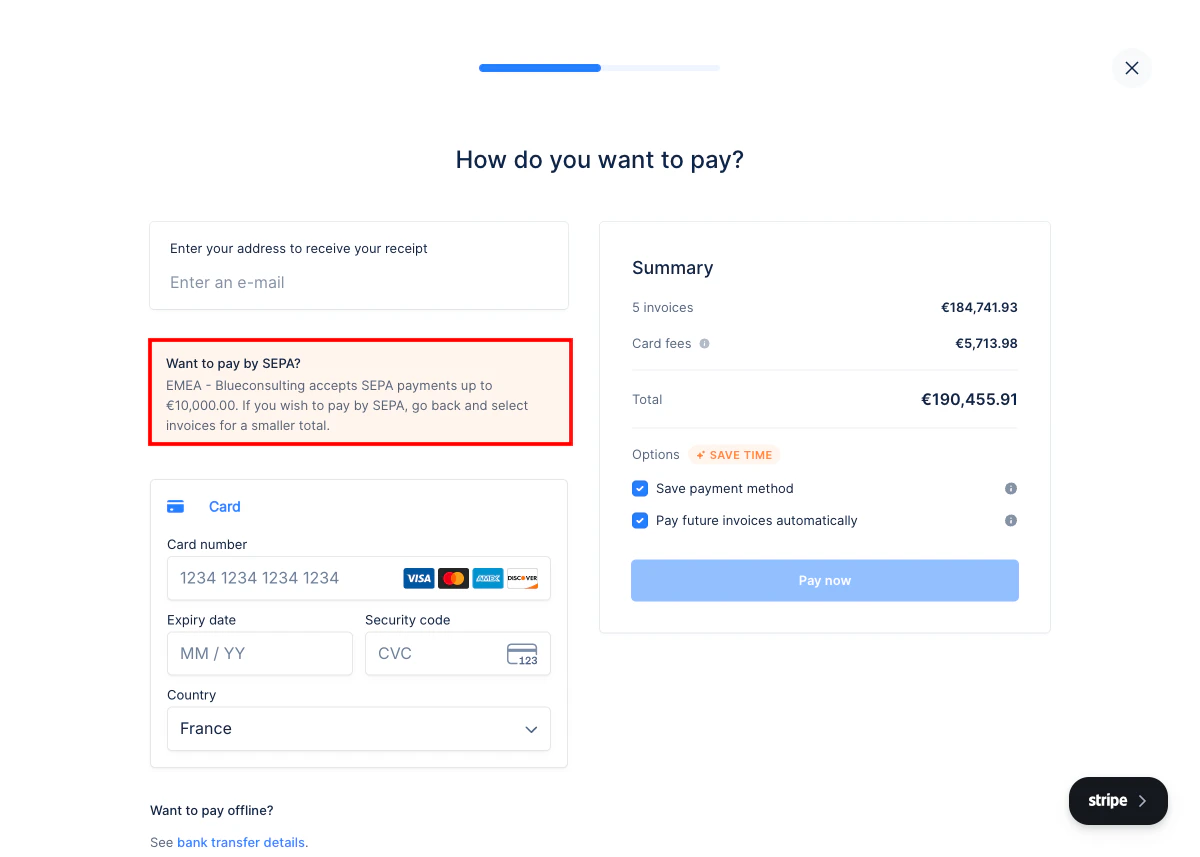
Note: SEPA Direct Debit has a default transaction limit of €10,000 per payment. If a customer selects invoices totaling more than this amount, they will be prompted to reduce their selection or use another payment method. You can request an increase through Stripe support.
Step 2 - triggering SEPA debit
Once your customer has confirmed the mandate, the SEPA Debit is automatically triggered:- immediately when payment is confirmed in step 1 above.
- or according to the autopay schedule if no invoice is currently overdue.
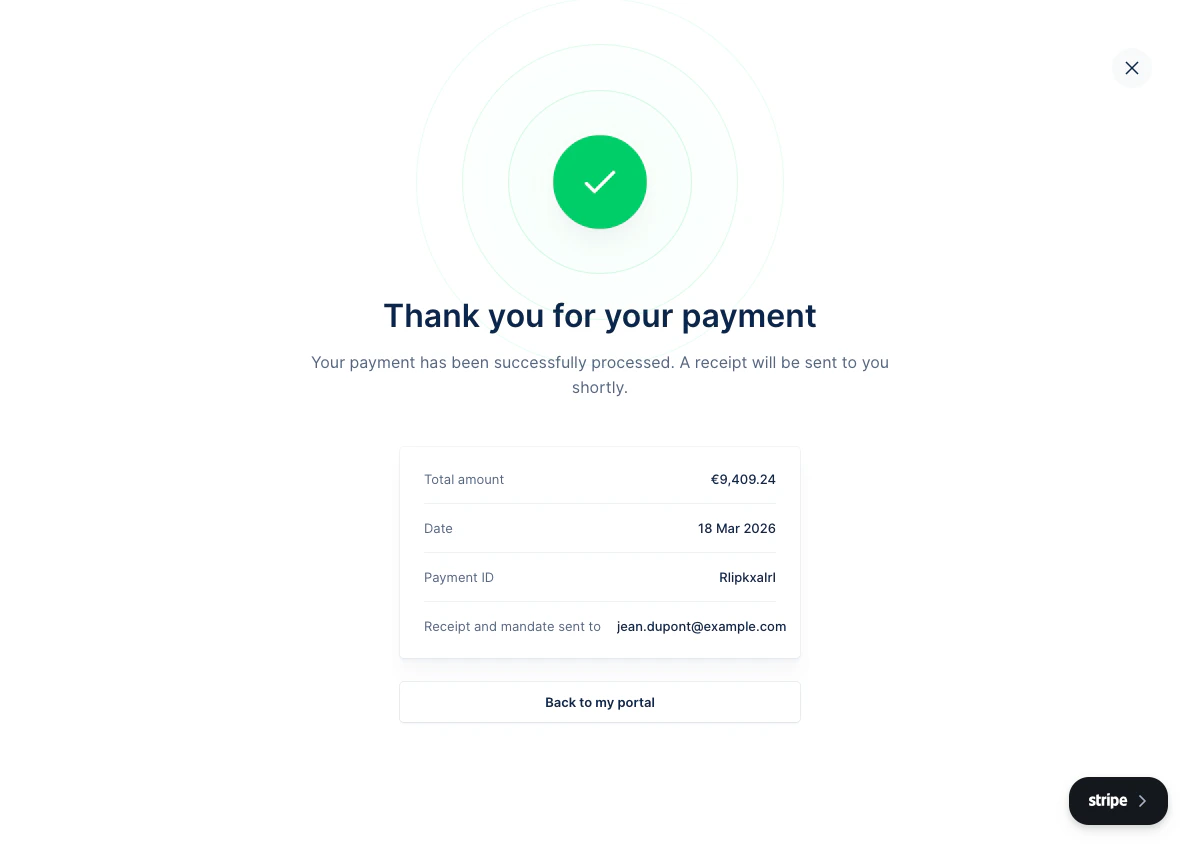
Note on recurring debits: if your customer opted into autopay when saving their payment method, future invoices will be debited automatically using the same IBAN — no further action required from your customer.