

Good to know
When filtering Text fields, you can only filter one value at a time. The value you filter must have the exact same wording (fully or partially) as the one filled at the entity level (customer, invoice, etc.).Customers
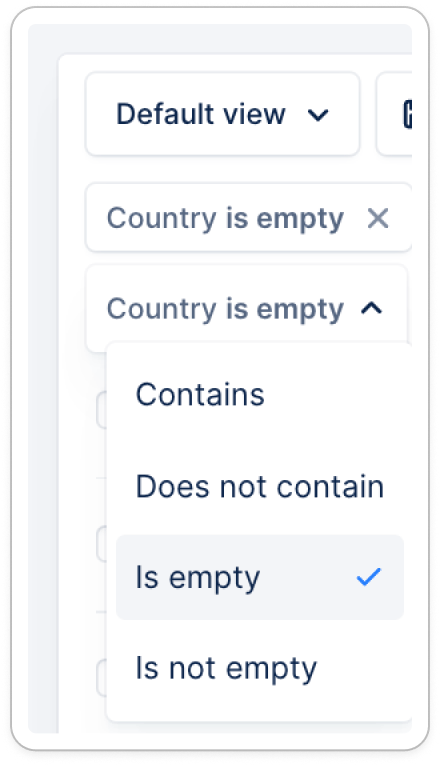
| Filter name | Is/Is Not | Empty/Not empty | Contains/Doesn’t contain | Date or amount options | Option |
|---|---|---|---|---|---|
| Sync status | ✅ | ✅ | ❌ | True/False | |
| Collection status | ✅ | ✅ | ❌ | True/False | |
| Owner | ✅ | ❌ | ✅ | User names | |
| Paused by | ❌ | ✅ | ✅ | User names | |
| Workflow name | ❌ | ✅ | ✅ | Workflow names | |
| Saved payment method | ❌ | ✅ | ✅ | Payment methods | |
| Save payment method status | ❌ | ✅ | ✅ | Failed/Succeeded | |
| Payment method | ❌ | ✅ | ✅ | Payment methods | |
| Autopay | ✅ | ✅ | ❌ | True/False | |
| Surcharges | ✅ | ✅ | ❌ | True/False | |
| Customer portal | ✅ | ✅ | ❌ | True/False | |
| Last action name | ❌ | ✅ | ✅ | Template names | |
| Last action performed by | ❌ | ✅ | ✅ | User names | |
| Last action date | ❌ | ✅ | ❌ | is on; is not on; is after; is before; is on or before; is on or after; is between | |
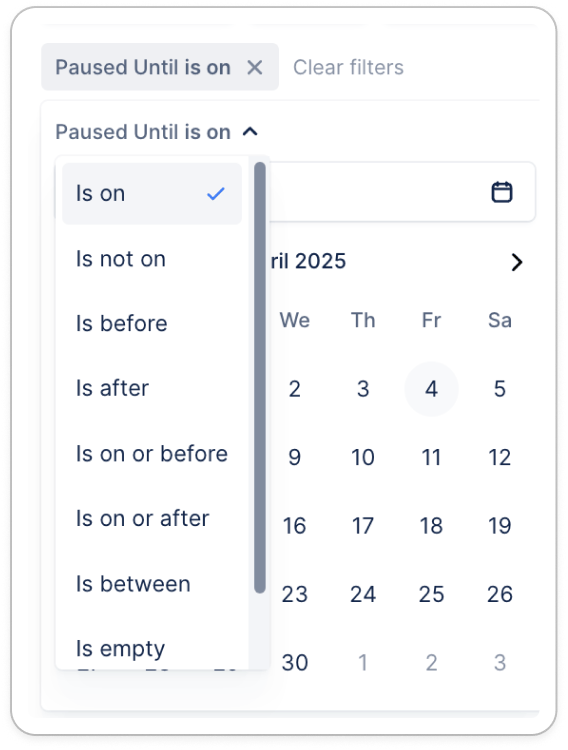
| Paused until | ❌ | ✅ | ❌ | is on; is not on; is after; is before; is on or before; is on or after; is between | |
| Next action name | ❌ | ✅ | ✅ | Template names | |
| Next action owned by | ❌ | ✅ | ✅ | User names | |
| Next action date | ❌ | ✅ | ❌ | is on; is not on; is after; is before; is on or before; is on or after; is between | |
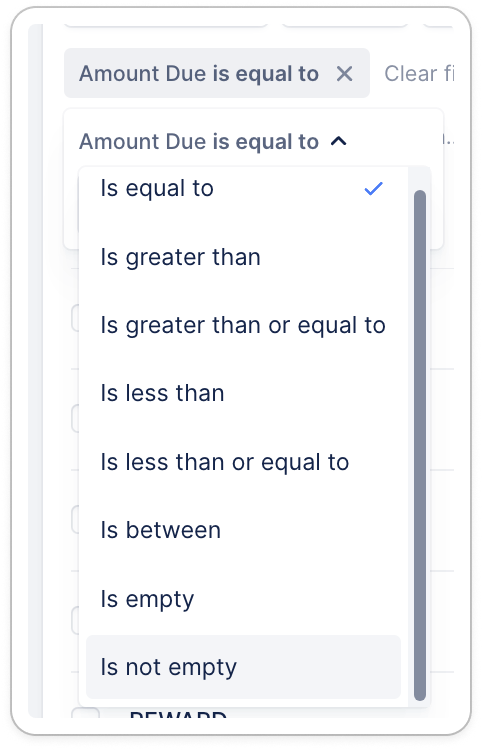
| Amount due | ❌ | ✅ | ❌ | In default currency: | |
| equal to; is greater than; is greater than or equal to; is less than; is less than or equal to; is between | |||||
| Amount overdue | ❌ | ✅ | ❌ | In default currency: | |
| equal to; is greater than; is greater than or equal to; is less than; is less than or equal to; is between | |||||
| Amount outstanding | ❌ | ✅ | ❌ | In default currency: | |
| equal to; is greater than; is greater than or equal to; is less than; is less than or equal to; is between | |||||
| Amount overdue <31d | ❌ | ✅ | ❌ | In default currency: | |
| equal to; is greater than; is greater than or equal to; is less than; is less than or equal to; is between | |||||
| Amount overdue 31-60d | ❌ | ✅ | ❌ | In default currency: | |
| equal to; is greater than; is greater than or equal to; is less than; is less than or equal to; is between | |||||
| Amount overdue 61-90d | ❌ | ✅ | ❌ | In default currency: | |
| equal to; is greater than; is greater than or equal to; is less than; is less than or equal to; is between | |||||
| Amount overdue >90d | ❌ | ✅ | ❌ | In default currency: | |
| equal to; is greater than; is greater than or equal to; is less than; is less than or equal to; is between | |||||
| Rating | ❌ | ✅ | ✅ | A, B, C, D | |
| Avg payment delay | ❌ | ✅ | ❌ | Free text in #. | |
| equal to; is greater than; is greater than or equal to; is less than; is less than or equal to; is between | |||||
| Country | ❌ | ✅ | ✅ | Country list | |
| Address status | ✅ | ❌ | ❌ | Valid address; Invalid address | |
| Language | ❌ | ✅ | ✅ | Language list | |
| Type | ❌ | ✅ | ✅ | Parent/Standard | |
| Custom fields | Options based on the field type. |
Invoices
| Filter | Is/Is Not | Empty/Not empty | Contains/Doesn’t contain | Date or amount options | Option |
|---|---|---|---|---|---|
| Customer | ❌ | ✅ | ✅ | ❌ | Customer names |
| Status | ❌ | ✅ | ✅ | ❌ | In dispute; Due; Overdue; Paid; Voided; Written off; Unsent*; Draft* |
| Due date | ❌ | ✅ | ❌ | is on, is not on, is after, is before, is on or before, is on or after, is between | |
| Outstanding amount | ❌ | ✅ | ❌ | Equal to, is greater than, is greater than or equal to, is less than, is less than or equal to, is between | |
| Paid amount | ❌ | ✅ | ❌ | Equal to, is greater than, is greater than or equal to, is less than, is less than or equal to, is between | |
| Total amount | ❌ | ✅ | ❌ | Equal to, is greater than, is greater than or equal to, is less than, is less than or equal to, is between | |
| Aging bucket | ❌ | ✅ | ✅ | ❌ | Amount overdue <31d |
| Amount overdue 31-60d | |||||
| Amount overdue 61-90d | |||||
| amount overdue >90d | |||||
| Currency | ❌ | ✅ | ✅ | ❌ | Currencies (i.e, USD) |
| Issue date | ❌ | ✅ | ❌ | is on, is not on, is after, is before, is on or before, is on or after, is between | |
| Payment date | ❌ | ✅ | ❌ | is on, is not on, is after, is before, is on or before, is on or after, is between | |
| Promise to pay | ✅ | ❌ | ❌ | ❌ | |
| Promise to pay date | ❌ | ✅ | ❌ | is on, is not on, is after, is before, is on or before, is on or after, is between | |
| Promise to pay source | ❌ | ✅ | ✅ | ❌ | Team member/Customer |
| Invoice workflow | ❌ | ✅ | ✅ | ❌ | Workflow names |
| Invoice visibility | ✅ | ❌ | ❌ | ❌ | Hidden/Visible |
| Custom fields | Multiple options, based on the field type and values. |
Credit notes
| Filter name | Field type | Option |
|---|---|---|
| Customer | Multi select | Customer names |
| Issue date | Date | Start date / End date |
| Amount fully applied | Boolean | True/False |
| Currency | Multi select | Based on billed currencies in your organization |
Contacts
| Filter | Is/Is Not | Empty/Not empty | Contains/Doesn’t contain | Option |
|---|---|---|---|---|
| Customer | ❌ | ✅ | ✅ | Customer names |
| Phone number status | ✅ | ❌ | ❌ | With phone number |
| No phone number | ||||
| Position | ❌ | ✅ | ✅ | Positions available |
| Main | ✅ | ❌ | ❌ | Yes/No |
| Email status | ✅ | ❌ | ❌ | Valid email |
| Invalid email | ||||
| Source | ❌ | ✅ | ✅ | Your billing tool, Upflow, etc. |
| Custom fields | Based on the field type and values. |
Actions list view
Actions > “To do” tab
| Filter name | Field type | Option |
|---|---|---|
| Type | Multiselect | Email; Task; Call; Letter; Registered letter*; SMS* |
| Workflow name | Multiselect | Workflow names |
| Workflow type | Multiselect | Customer |
| Invoice | ||
| Campaign | Select | Available campaigns* |
Actions > “All” tab
| Filter name | Field type | Option |
|---|---|---|
| Action name | Multi select | Template names |
| Customer | Multi select | Customer names |
| Owner | Multi select | User names |
| Due date | Date | Start/End dates |
| Performed date | Date | Start/End dates |
| Action state | Multi select | To do; In Progress; Failed; Ignored; Done |
| Type | Multi select | Email; Task; Call; Letter; Registered letter*; SMS* |
| Workflow name | Multi select | Workflow names |
| Workflow type | Multi select | Customer |
| Invoice | ||
| Campaign | Multi select | Available list |
| Performed by | Multi select | User names |
| Assigned to | Multi select | User names |
Payments list view
| Filter name | Field type | Option |
|---|---|---|
| Received date | Date | Start date/End date |
| Source | Select | Upflow; Your accounting tool; API*; CSV*; Manual* |
| Type | Select | Payment/Refund |
| External status | Multi select | Canceled; Error; Processing; Voided; Succeeded; Failed; Deleted |
| Gateway status | Multi select | Canceled; Failed; Processing; Succeeded |
| Method | Multi select | Available payment methods |
| Customer | Multi select | Customer names |
| Amount fully applied | Number | True/False |
| Amount | Number | Min/Max |
| Currency | Multi select | Currencies (i.e, USD) |
| Payout ID | Select | List |
| Surcharges | Number | Min/Max |
Payouts tab
| Filter name | Field type | Option |
|---|---|---|
| Arrival date | Date | Start date/End date |
| Created date | Date | Start date/End date |
| Amount | Number | Start/End date |
| Status | Multi select | Canceled; Failed; Pending; Paid |
Analytics
| Filter name | Field type | Option |
|---|---|---|
| Date range | Date | Start/End |
| Owner | Multi select | User names |
| Workflow name | Multi select | Workflow names |
| Country | Multi select | Available countries |
| Language | Multi select | Available languages |
| Rating | Multi select | A, B, C, D |
| Saved payment method | Multi select | None + available payment methods |
| Saved payment method status | Multi select | Not applicable/None; Succeeded; Failed |
| Custom fields | Except for TEXT types |
Smart rules
Customer level rules’ filters
| Filter name | Field type | Option |
|---|---|---|
| Average payment delay | Number | Is minimum/maximum |
| Country | Multi select | Is or Is not |
| Address status | Select | Is or Is not Valid address/Invalid address |
| Amount due | Number | Is minimum/maximum |
| Amount overdue | Number | Is minimum/maximum |
| Available payment methods | Multi select | Is or Is not |
| Workflow name | Multi select | Isselected options |
| Language | Select | Is or Is not |
| Type | Select | Is/Is not Parent/Standard |
| Custom fields | Multiple options, based on the field type and values. |
Invoice level rules’ filters
| Filter name | Field type | Option |
|---|---|---|
| Customer | Multi select | Based on existing customers in Upflow. |
| Status | Multi select | Invoices status (up to 8) |
| Due Date | Date | Is Start date/End date |
| Issue date | Date | Is Start date/End date |
| Payment date | Date | Is Start date/End date |
| Outstanding amount | Number | Is minimum/maximum |
| Total amount | Number | Is minimum/maximum |
| Paid amount | Number | Is minimum/maximum |
| Currency | Multi select | |
| Aging bucket | Select | |
| Workflow name | Multi select | |
| Invoice visibility | Select | Is or Is not |
| Custom fields | Multiple options, based on the field type and values. |