

- URLs generated via this endpoint have a lifespan of 24 hours (see https://developer.upflow.io/#tag/customers/POST/customers/{customerId}/portal.body.expiresIn)
- when URLs delivered via invoice reminders and generated on the customer page have a default lifespan of 25 days (learn more here).
- You can use a free API testing tool such as Postman to run this request.
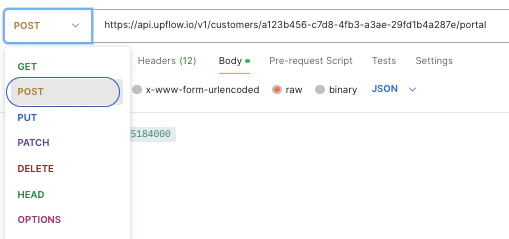
- The URL for the request is:


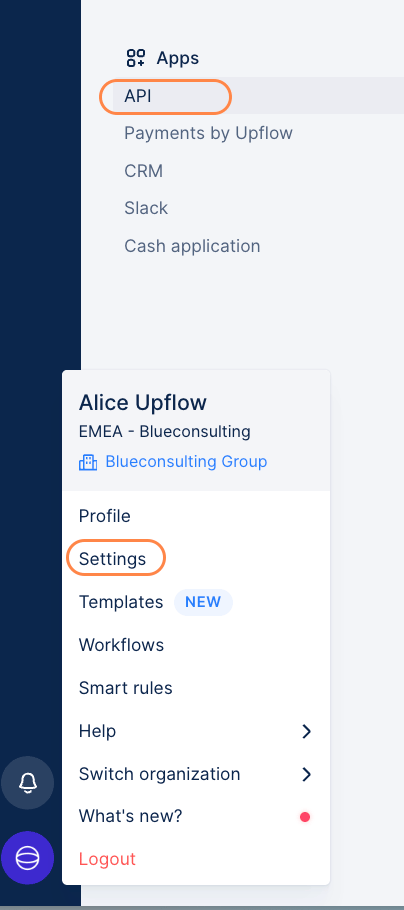
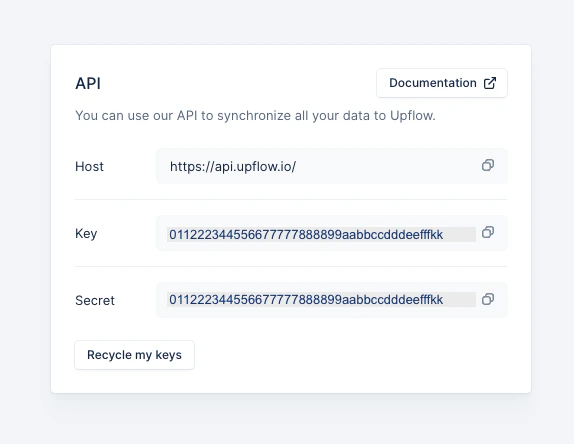
- The Upflow API uses API keys to authenticate requests. You can view your API keys by accessing your Account Settings > under Apps > click on API.

- The third header is Content-Type:application/json. (By specifying this header, we ensure that the server knows to interpret the data correctly as JSON, which helps it process and respond accurately to the request)
- In the Body of the request, you will specify the data format for the request as Raw / JSON. The JSON array will consist of the following:
- “frameAncestors” To embed it in an iframe to allow your users to access the customer portal from your app, you must specify this attribute in the request. It will contain space-separated fully qualified domain names which are authorized to embed the portal in an iframe. (Leave it out altogether if you don’t intend to use the URL for this purpose.) Example: “frameAncestors”: “extranet.merchant.com intranet.merchant.com”
- “expiresIn” Expressed in seconds. Time span during which the token is valid. Default is 86400 (1 day) Example: “expiresIn”: 86400
URL expanded lifespan
The default lifespan for the request if I don’t specify or include the “expiresIn” attribute is 24 hours.

- This is a POST endpoint, so make sure that’s specified in the request.
- Now, you’re ready to run this POST request! The response will contain the URL for the Customer Portal which you can then provide to your customer:
