
Documentation Index

Fetch the complete documentation index at: https://docs.upflow.io/llms.txt

Use this file to discover all available pages before exploring further.

How does it work?

Once Upflow and Salesforce are connected, you can export some information to Salesforce to help your team better understand each customer’s collection situation. Today, only the information stored at the customer level can be exported. After creating the field in Salesforce, the information will be available in Upflow in a few minutes. You can then do the mapping. Once you have selected the mapping between the Upflow and Salesforce fields, save the configuration, and the sync will be started. If you disable the field sync in Upflow, the field should be deleted in Salesforce.
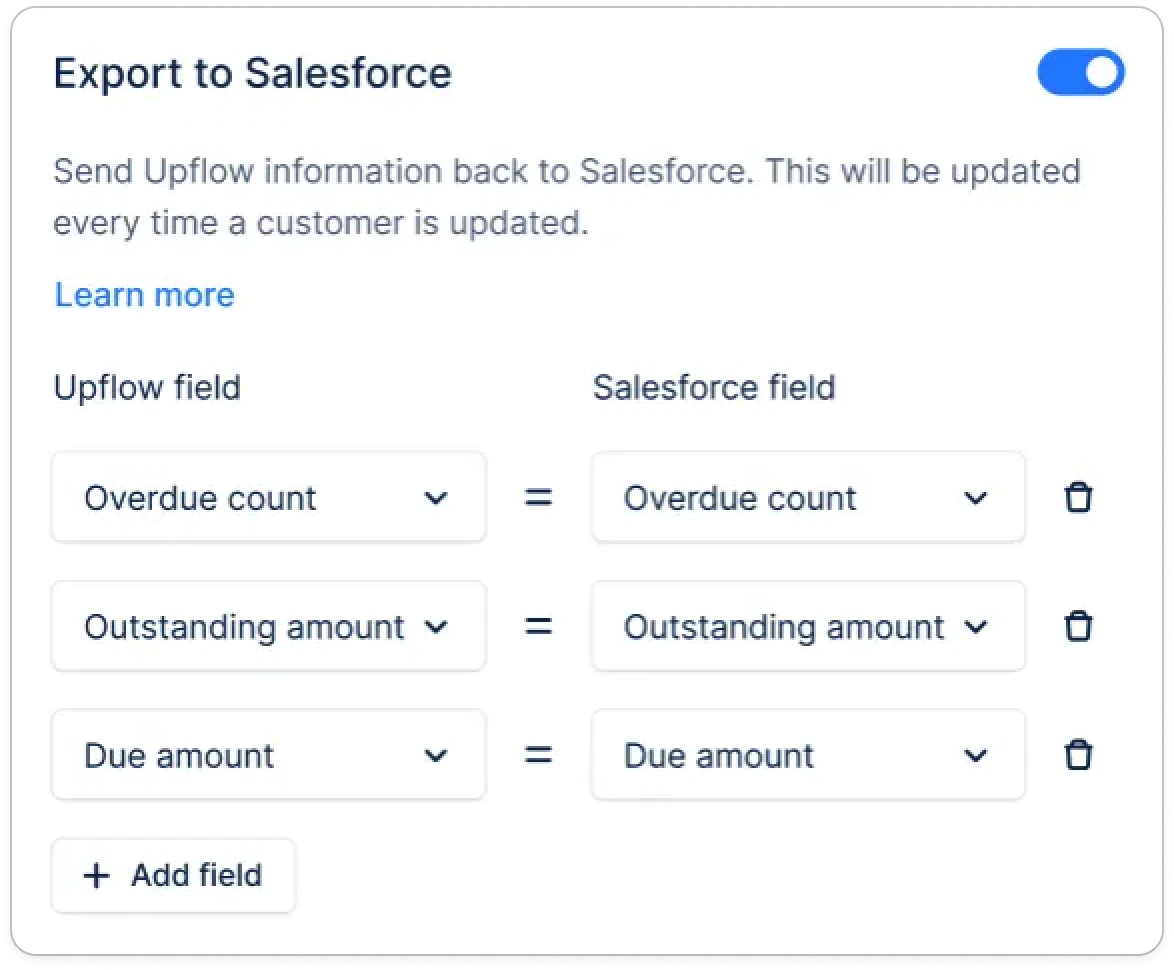
Customer fields available for export

FieldDescriptionSalesforce field typeSync frequency
Outstanding amountOutstanding amount in the org currencyCurrencyNear real-time
Overdue amountOverdue amount in the org currencyCurrencyNear real-time
Due amountDue amount in the org currencyCurrencyNear real-time
Overdue countNumber of overdue invoicesNumberNear real-time
Due countNumber of due invoicesNumberNear real-time
Average payment delayAverage payment delay in daysNumberNear real-time
RatingCustomer ratingTextNear real-time
Collection statusActive or PausedTextNear real-time
Customer portal URLLink to the customer portal. The link validity will be at least of 30 days.Text Area (Long), Text Aread (Rich)Every 30 days, we sync a new link valid for 60 days. Independently of your organization token duration configuration.
Customer details page URLLink to the customer page in Upflow.Text Area (Long), Text Aread (Rich), URLNear real-time
Saved payment methodSaved payment method type.TextNear real-time
Saved payment method statusSaved payment method last payment status.TextNear real-time
Text custom fieldText, Text Area (Long), Text Area (Rich)Near real-time
Select custom fieldPicklistNear real-time
Multi-select custom fieldMulti-picklistNear real-time
Date custom fieldDateNear real-time
Boolean custom fieldCheckboxNear real-time
Number custom fieldNumberNear real-time