> ## Documentation Index
> Fetch the complete documentation index at: https://docs.upflow.io/llms.txt
> Use this file to discover all available pages before exploring further.
# BACS Direct Debit
> Collect GBP payments from UK customers via BACS direct debit through Upflow portals, including mandate signing, autopay enrollment, and eligibility rules.
Let your customers based in the UK easily pay by authorizing you to debit their bank account via Upflow portals. Available for:
| **Customer (payer) country** | **Presentment currency** | **Merchants (payee) country** |
| ---------------------------- | ------------------------ | ----------------------------- |
| UK | GBP | UK |
**Eligibility requirement:** BACS Direct Debit requires a UK legal entity tied to your Stripe account. This is a Stripe platform constraint — merchants without a UK legal entity cannot enable BACS DD, even if their customers are based in the UK.
# What is BACS direct debit?
BACS ("Bankers Automated Clearing System") is a UK payment network that enables bank-to-bank payments. It features two main modes for transferring the funds:
* **BACS Credit:** your customer instructs their bank to send the money to yours. This is functionally similar to a wire transfer; customers *"push"* money to you.
* **BACS Debit:** you instruct your bank to debit the customer's account after obtaining authorization. You *"pull"* the funds into your bank account.
👉 BACS Direct Debit lets you collect payments by directly instructing your customer's bank to transfer the funds to yours. The network supports both one-off and recurring debits.
# Collecting payments via BACS direct debit
First, [follow this short guide](/en-us/payments/accept-online-payments/managing-online-payment-methods) to make BACS Direct Debit available as a payment method for your customers in a few clicks.
Triggering a direct debit over the BACS network involves 3 main steps:
1. your customer sets up a Direct Debit mandate with their bank details.
2. for new mandates, the mandate is verified with the customer's bank.
3. once the mandate is verified, the debit order is issued over the BACS network.
## Step 1 - Mandate setup
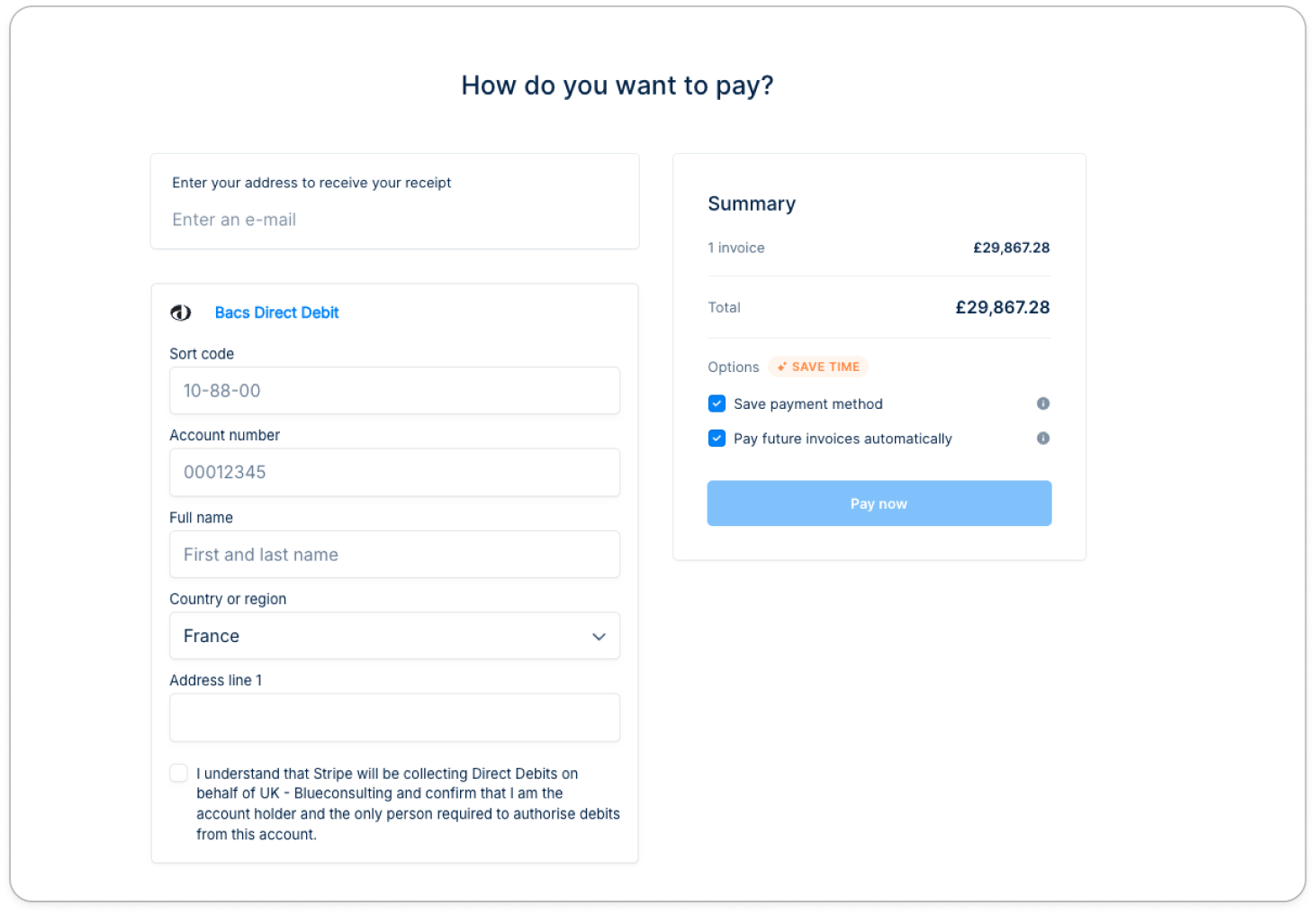
1 - Customer enters their sort code and account number
1 - Customer enters their sort code and account number
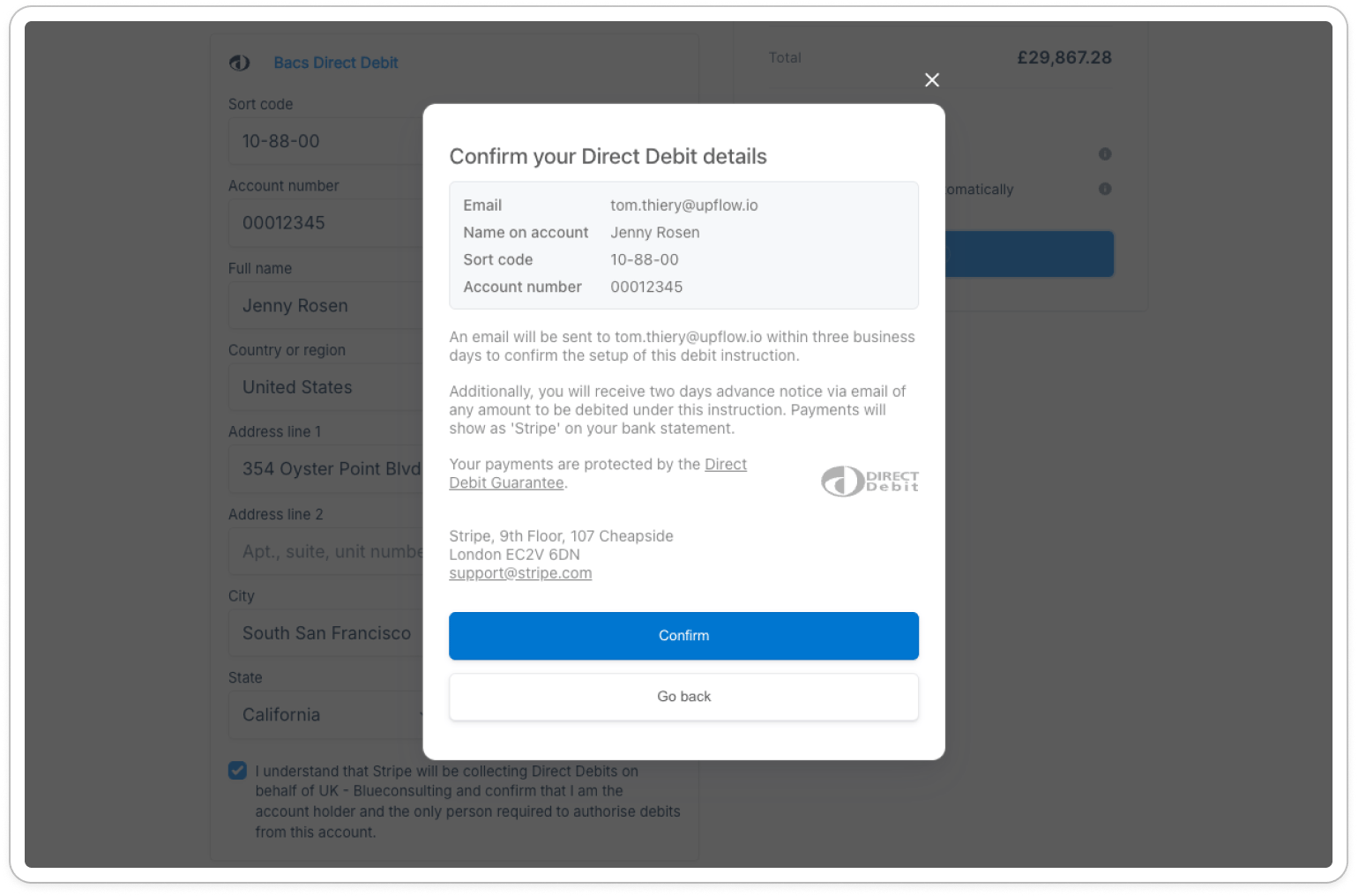
 2 - Customer reviews and confirms the BACS Direct Debit mandate, authorizing the debit.
2 - Customer reviews and confirms the BACS Direct Debit mandate, authorizing the debit.
2 - Customer reviews and confirms the BACS Direct Debit mandate, authorizing the debit.
 ## Step 2 - Mandate verification (new mandates only)
If this is a **new mandate**, it enters a *pending* state while it's being validated with the customer's bank.
While a BACS payment is being processed:
* Customer sees a callout on their portal homepage with the payment amount, the linked invoices, and a cancel option.
## Step 2 - Mandate verification (new mandates only)
If this is a **new mandate**, it enters a *pending* state while it's being validated with the customer's bank.
While a BACS payment is being processed:
* Customer sees a callout on their portal homepage with the payment amount, the linked invoices, and a cancel option.
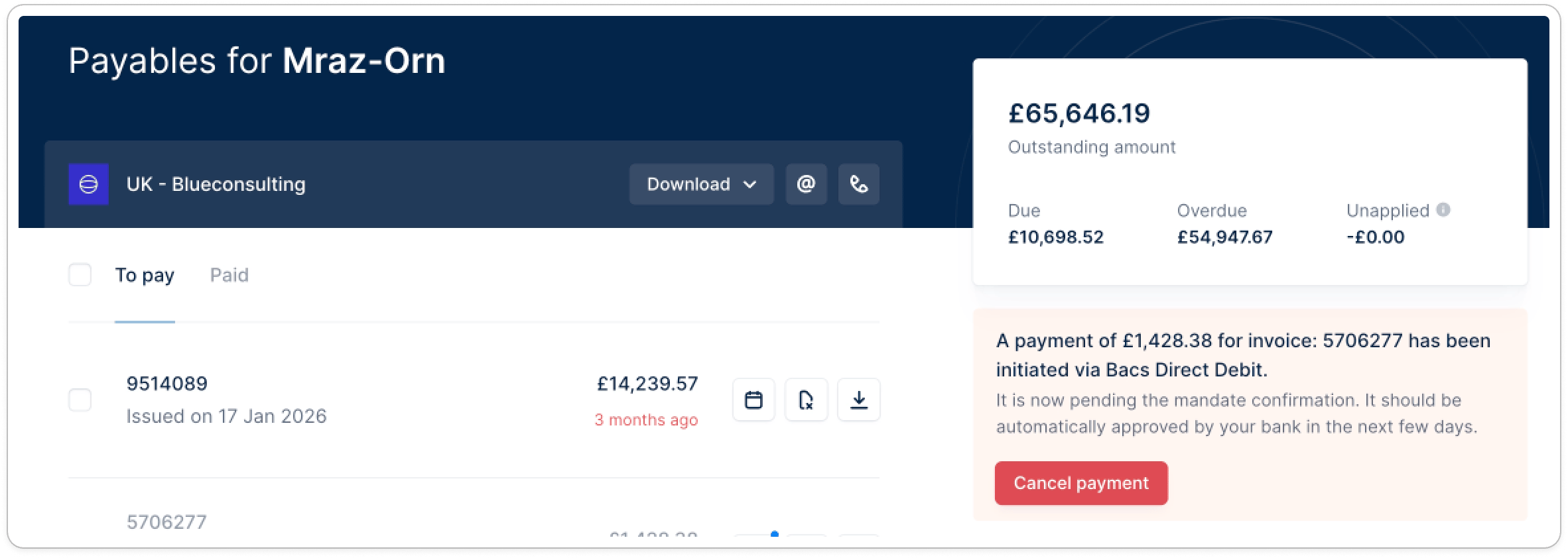 * The invoices tied to that in-progress payment are removed from the pre-selected list (no duplicate payments).
* You see a payment-in-progress callout on the customer's details page.
## Step 3 - BACS Debit triggered
Once the mandate is verified, Upflow automatically triggers the BACS Debit. The payment then stays *pending* for several business days while it's processed by the BACS network, before settling (or failing). BACS Debits typically take several business days to be confirmed (or fail).
## Autopay supports BACS
Your customer can opt into [Autopay](/en-us/payments/collect-online-payments/collecting-automatically-with-autopay) so future invoices are debited automatically on their due date — either when they enrol in BACS at checkout, or later from their customer portal.
* The invoices tied to that in-progress payment are removed from the pre-selected list (no duplicate payments).
* You see a payment-in-progress callout on the customer's details page.
## Step 3 - BACS Debit triggered
Once the mandate is verified, Upflow automatically triggers the BACS Debit. The payment then stays *pending* for several business days while it's processed by the BACS network, before settling (or failing). BACS Debits typically take several business days to be confirmed (or fail).
## Autopay supports BACS
Your customer can opt into [Autopay](/en-us/payments/collect-online-payments/collecting-automatically-with-autopay) so future invoices are debited automatically on their due date — either when they enrol in BACS at checkout, or later from their customer portal.