> ## Documentation Index
> Fetch the complete documentation index at: https://docs.upflow.io/llms.txt
> Use this file to discover all available pages before exploring further.
# Portal: Pay button unavailable
> Troubleshoot why the Pay button is hidden in the Upflow customer portal when a saved payment method is on file, and learn how to enable manual payments.
Your customers want to pay their open invoice(s) in their Upflow portal, but the *Pay* button is not available?
This might be because they have a saved payment method on file:
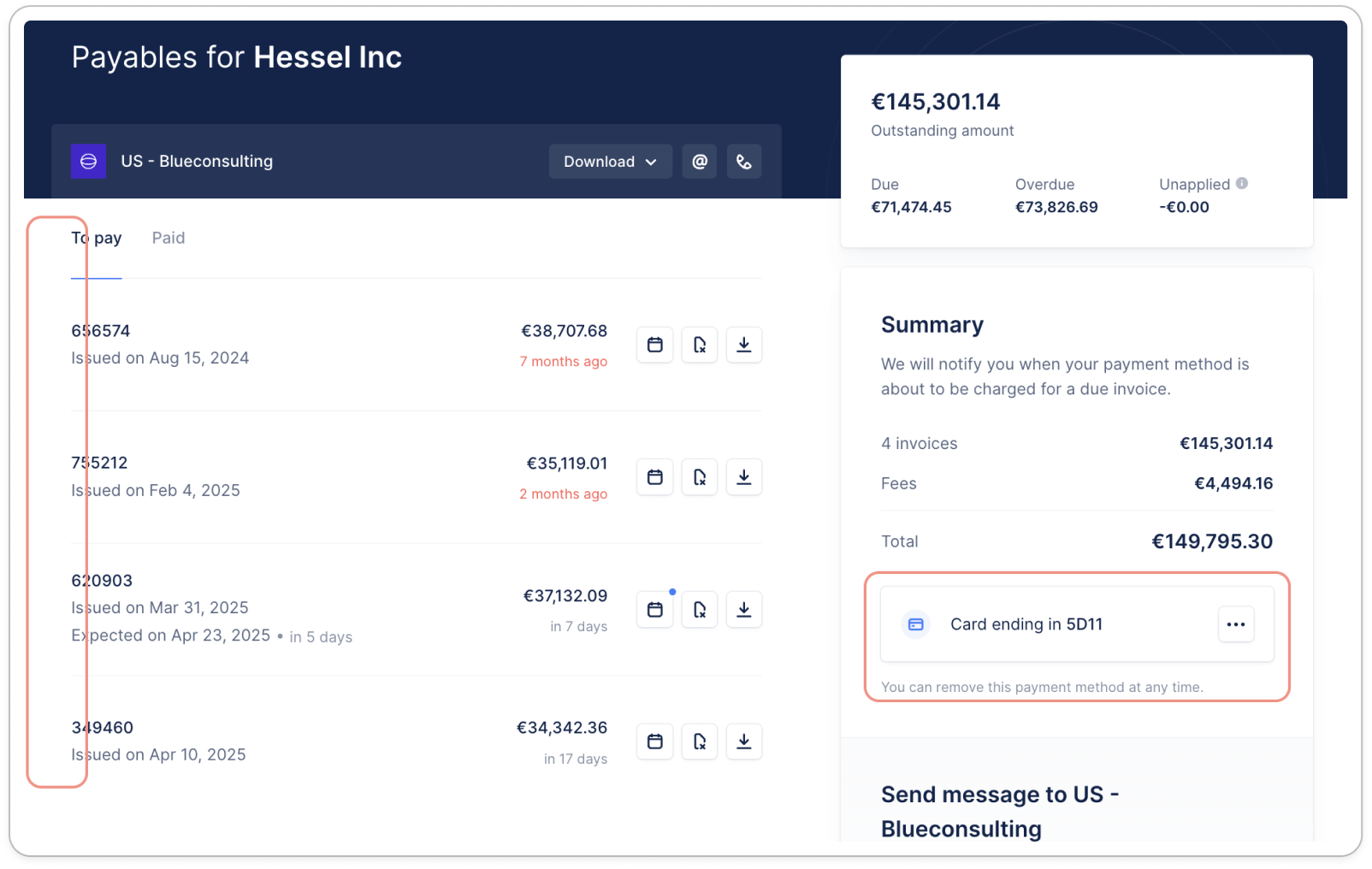 When they do, the manual payments are not available, to avoid any duplicate payments (manual vs automatic debits).
### Process a manual payment
To proceed with a manual payment, your customer must remove their payment information from the portal:
When they do, the manual payments are not available, to avoid any duplicate payments (manual vs automatic debits).
### Process a manual payment
To proceed with a manual payment, your customer must remove their payment information from the portal:
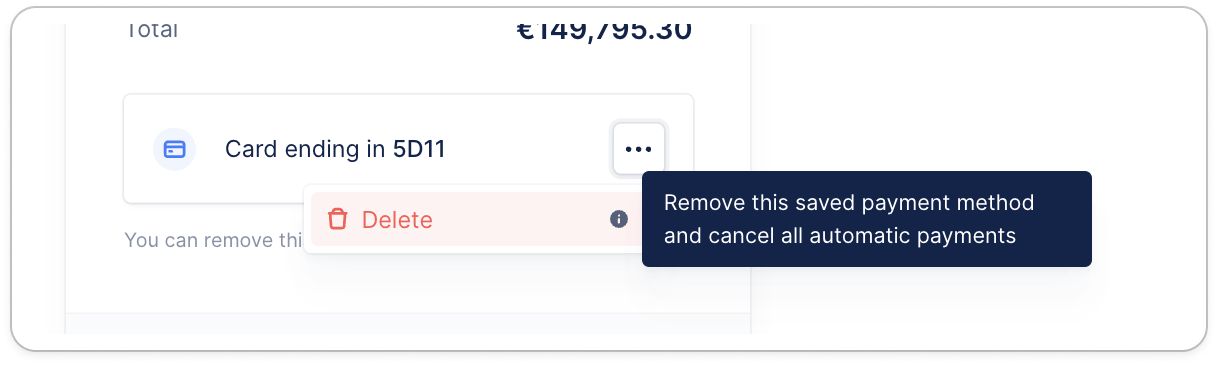 They will then be able to select/unselect invoices, click the Pay butto, select the payment method they wish to use, and save their payment information again.
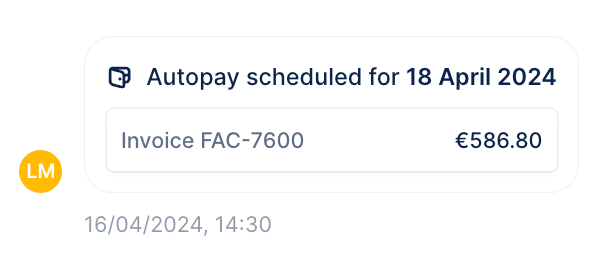
📌 If the invoice's due date is less than two days away, the automatic debit might already be scheduled. You can check it from your customer's timeline "Autopay scheduled for *date* ".
They will then be able to select/unselect invoices, click the Pay butto, select the payment method they wish to use, and save their payment information again.
📌 If the invoice's due date is less than two days away, the automatic debit might already be scheduled. You can check it from your customer's timeline "Autopay scheduled for *date* ".
 You can refer to our article on [Collecting automatically with Autopay](/en-us/payments/collect-online-payments/collecting-automatically-with-autopay) for more insights.