> ## Documentation Index
> Fetch the complete documentation index at: https://docs.upflow.io/llms.txt
> Use this file to discover all available pages before exploring further.
# Reconnect Stripe to Upflow
> Restore the Stripe Billing or Stripe Payments connection to Upflow after a disconnection, including the Stripe Admin requirement and step-by-step flow.
You're integrated with Stripe payments (Standard) or Stripe Billing, and your account got disconnected from Upflow?
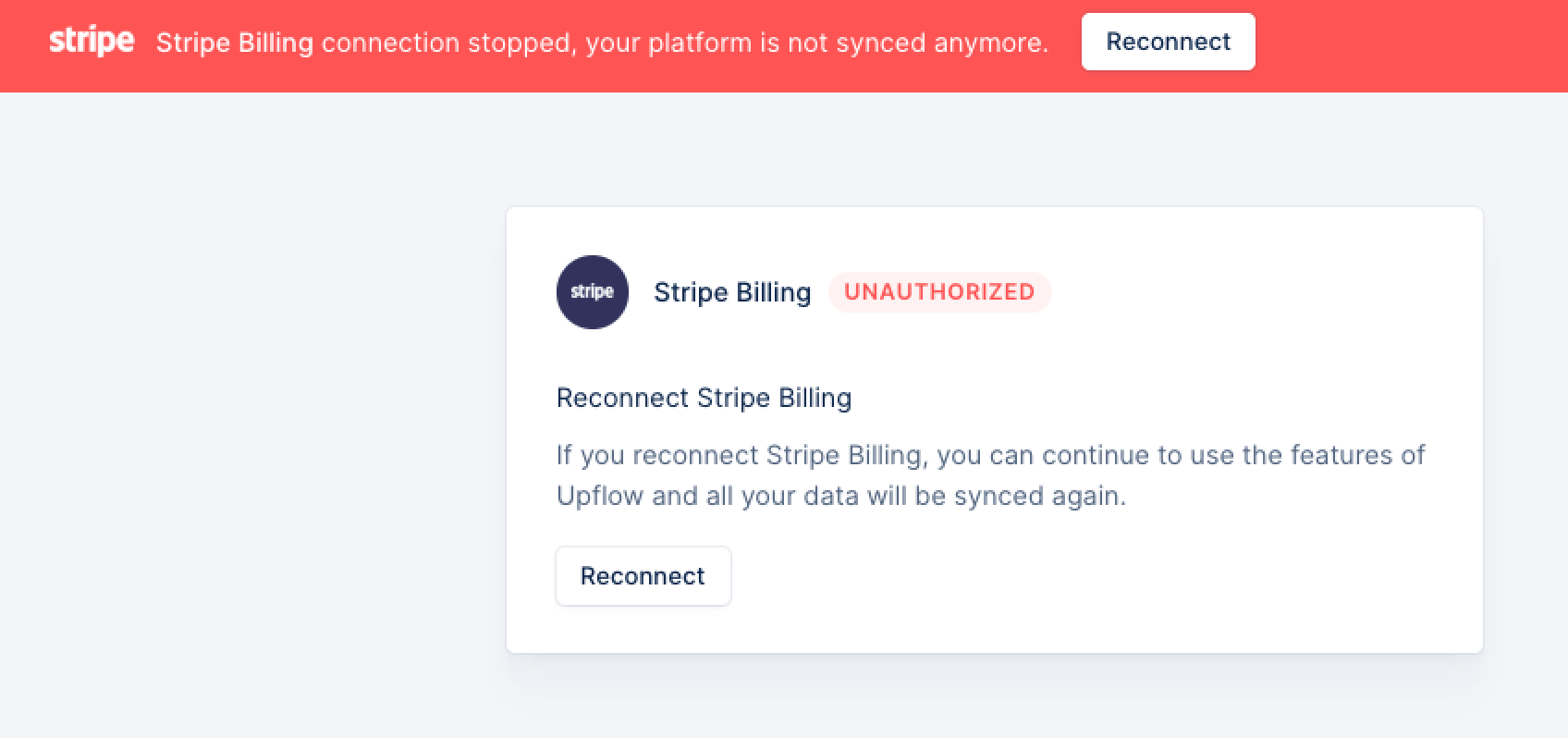 📍The user (re)connecting Stripe to Upflow must be a Stripe Admin.
Head to your Upflow Settings > Integrations ([here](https://app.upflow.io/organization/-/settings/integrations)).
First, try to Reconnect from the button on that page (the one from the banner will redirect you to your Settings' page):
* The user reconnecting must be the one who connected Stripe to Upflow for the first time.
* Ensure this is the same Stripe account as originally connected
## Stripe unsuccessful reconnection
If you experience issues with the above points, or need to connect a new account, please head to your Stripe account to uninstall Upflow (Stripe Settings > Team and Security > Installed apps).
📍The user (re)connecting Stripe to Upflow must be a Stripe Admin.
Head to your Upflow Settings > Integrations ([here](https://app.upflow.io/organization/-/settings/integrations)).
First, try to Reconnect from the button on that page (the one from the banner will redirect you to your Settings' page):
* The user reconnecting must be the one who connected Stripe to Upflow for the first time.
* Ensure this is the same Stripe account as originally connected
## Stripe unsuccessful reconnection
If you experience issues with the above points, or need to connect a new account, please head to your Stripe account to uninstall Upflow (Stripe Settings > Team and Security > Installed apps).
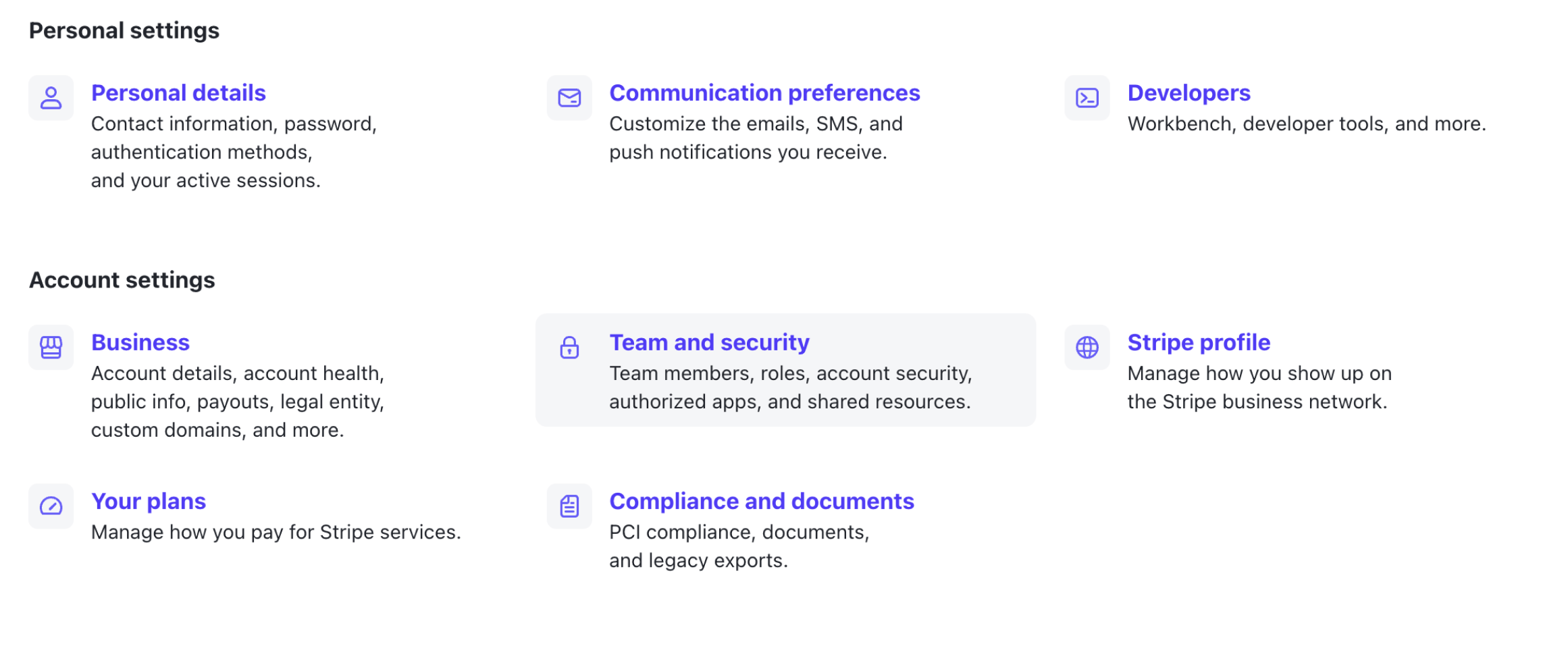
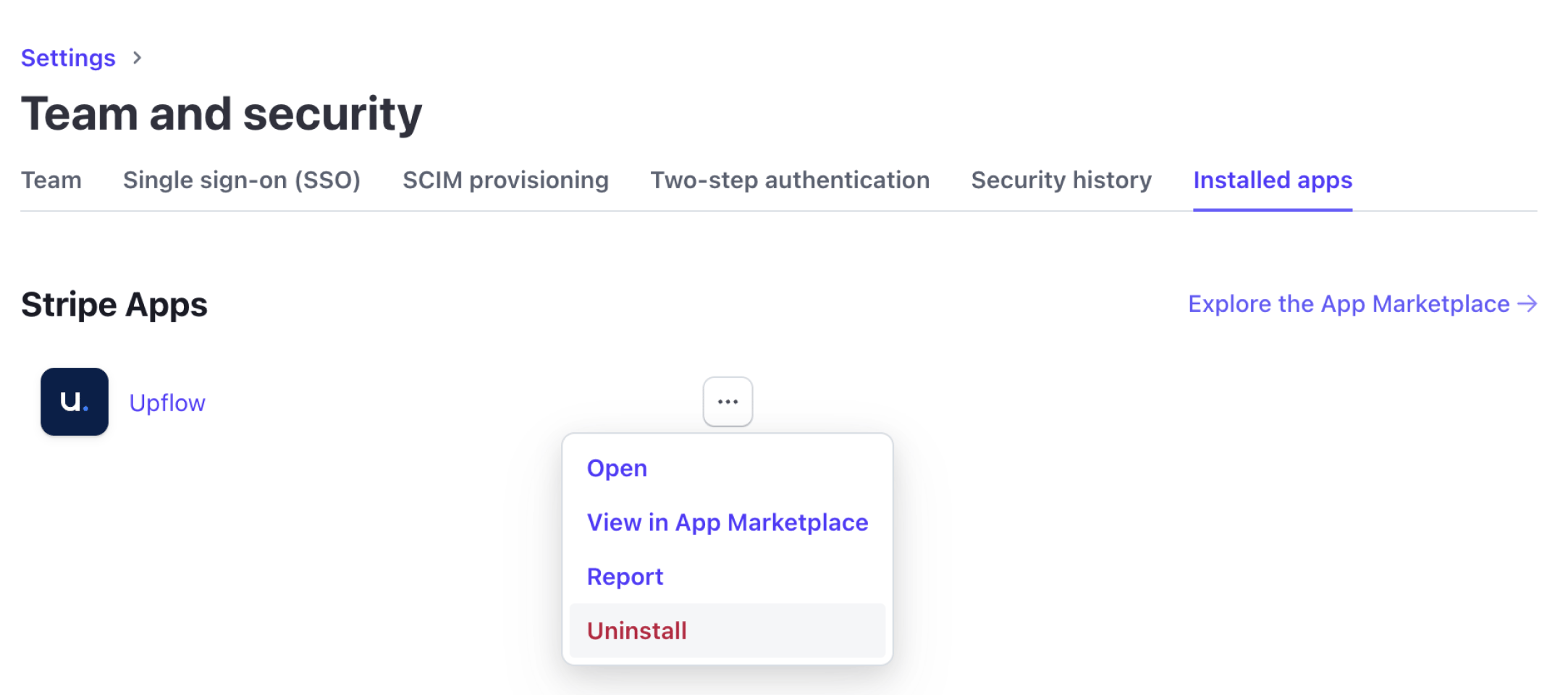 Finally, head back to your Upflow Settings and click Reconnect.
If you face any additional issues, please submit a [Support request](https://support.upflow.io/hc/en-us/requests/new) with context.
Finally, head back to your Upflow Settings and click Reconnect.
If you face any additional issues, please submit a [Support request](https://support.upflow.io/hc/en-us/requests/new) with context.