> ## Documentation Index
> Fetch the complete documentation index at: https://docs.upflow.io/llms.txt
> Use this file to discover all available pages before exploring further.
# Connect my Chargebee account to Upflow
> Sync your Chargebee account with Upflow in minutes: pick your currency, locate your namespace, generate the connection, and start your cash collection.
Create your Upflow organization from our [Sign Up page](https://app.upflow.io/signup), name it, select your timezone (same as in Chargebee). Then, in the following step, click Connect under Chargebee, and on **Continue** from the page you'll be redirected to.
Pick your currency, and fill in your *Namespace* - you will find it in your Chargebee account URL, right before *.chargebee.com*
 Here, it would be ***demo-account***.
Click on the generated link.
***
👉 You will always be able to access it later from the **Configure Chargebee** page of your Chargebee settings (under **Api Keys**).
Here, it would be ***demo-account***.
Click on the generated link.
***
👉 You will always be able to access it later from the **Configure Chargebee** page of your Chargebee settings (under **Api Keys**).
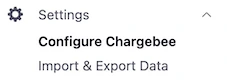 Click on **Add API Key**...
 ...and create one with a **Write**, **Full-access** by selecting these options from the menus you will be taken through.
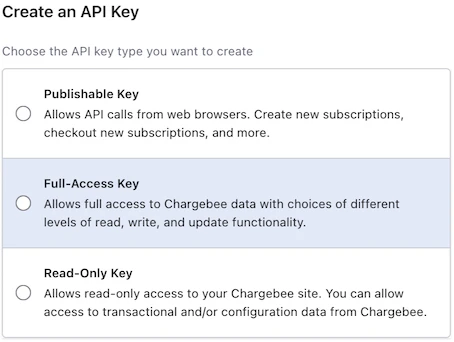
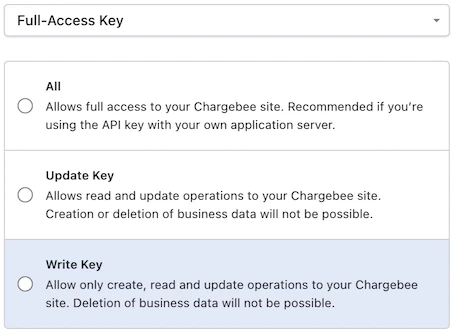 Give it a name of your choice before saving it by clicking on ***Create Key*** *.*
And copy it from Chargebee…
Give it a name of your choice before saving it by clicking on ***Create Key*** *.*
And copy it from Chargebee…
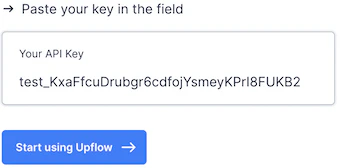
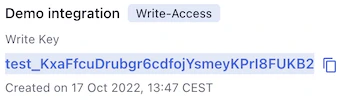 …into Upflow.