> ## Documentation Index
> Fetch the complete documentation index at: https://docs.upflow.io/llms.txt
> Use this file to discover all available pages before exploring further.
# Invoice disputes
> Flag disputed invoices in Upflow to pause reminders, capture the blocker reason and route the issue to the right team for faster resolution.
If there is an issue with one of your invoices, you better know sooner rather than later. The invoice doesn't have to be 90 days past due for you to solve the issue.
To identify those invoices, you can use the dispute feature.
## What is the impact of disputing an invoice?
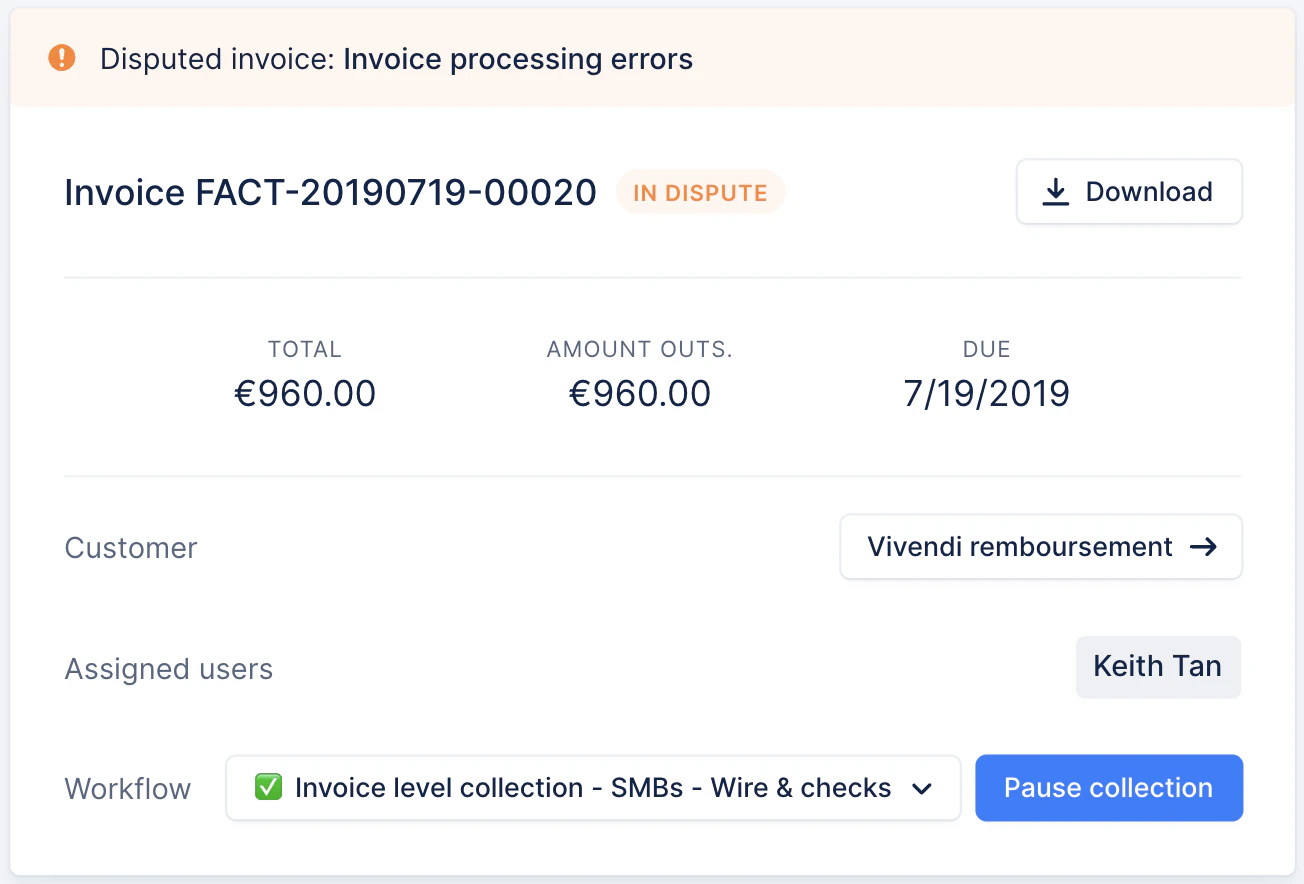
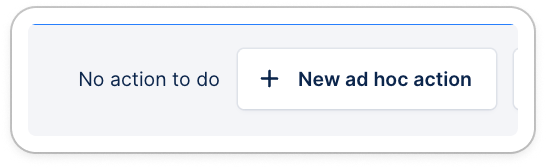
When disputed, an invoice is excluded from the collection process though it remains accounted for in your analytics and available on your customer portal.
From the **invoice details page**
 On your **customer portal**
### Get notified
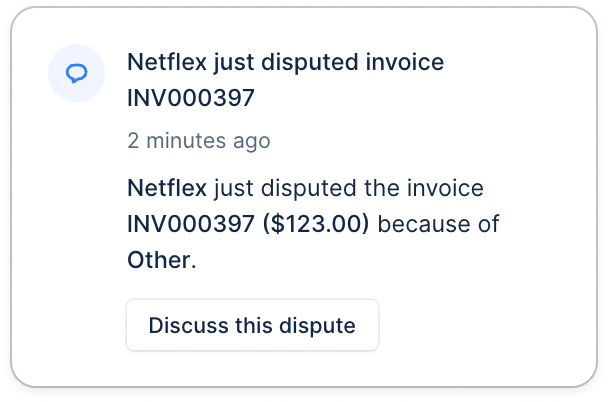
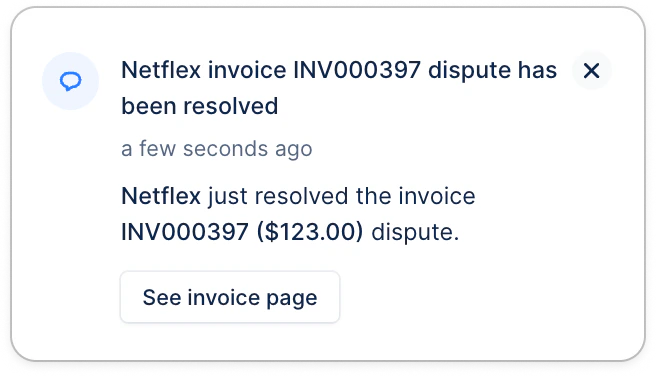
When a customer disputes or resolves an invoice from their portal, the customer's assigned user is notified according to their [profile's choices](https://app.upflow.io/organization/care-support-test-zblnc0b4oo/profile/notifications). If the customer has no assigned user, then the notification will be sent to all Finance users.
### Get notified
When a customer disputes or resolves an invoice from their portal, the customer's assigned user is notified according to their [profile's choices](https://app.upflow.io/organization/care-support-test-zblnc0b4oo/profile/notifications). If the customer has no assigned user, then the notification will be sent to all Finance users.
 → The customer never gets notified regarding disputes, whether it's adding one or resolving it.\\
## How to dispute an invoice?
Invoices can be disputed by you, or by your customers.
### From the invoice details page
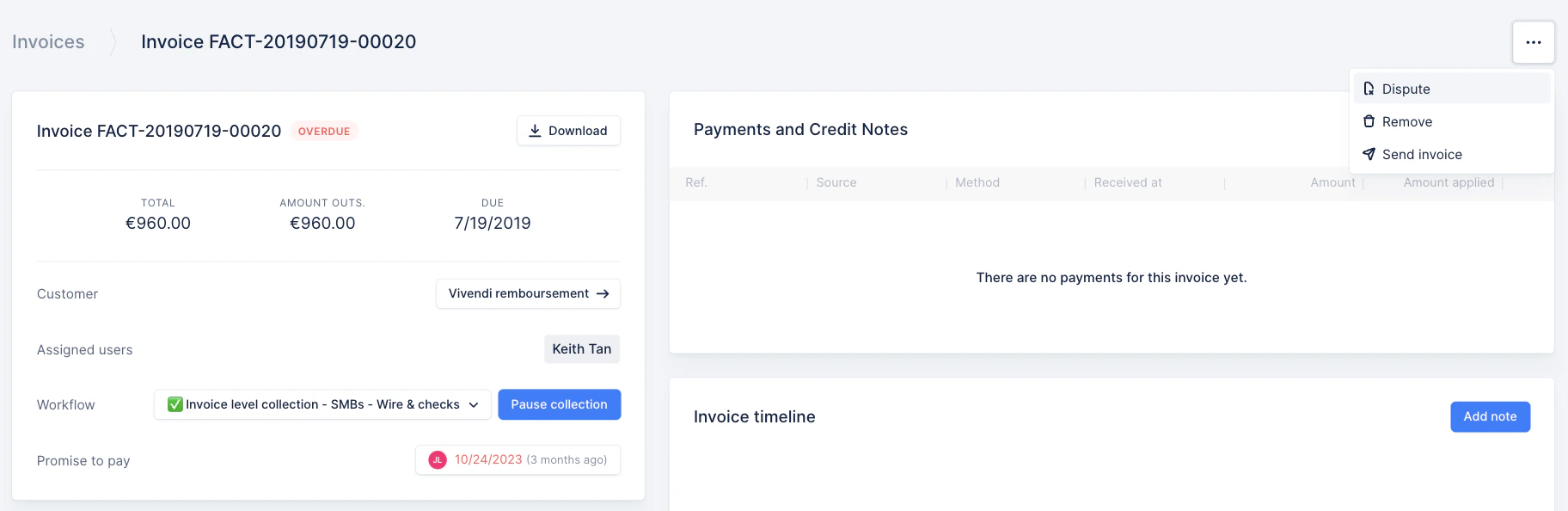
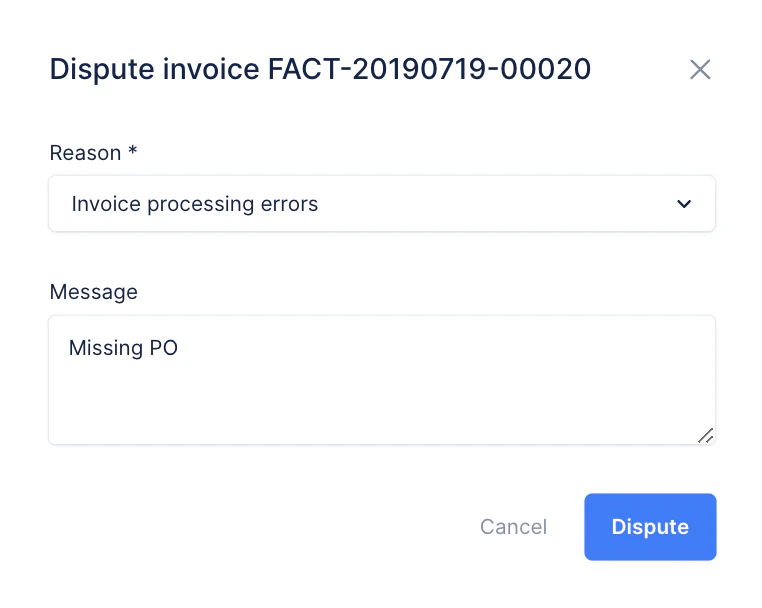
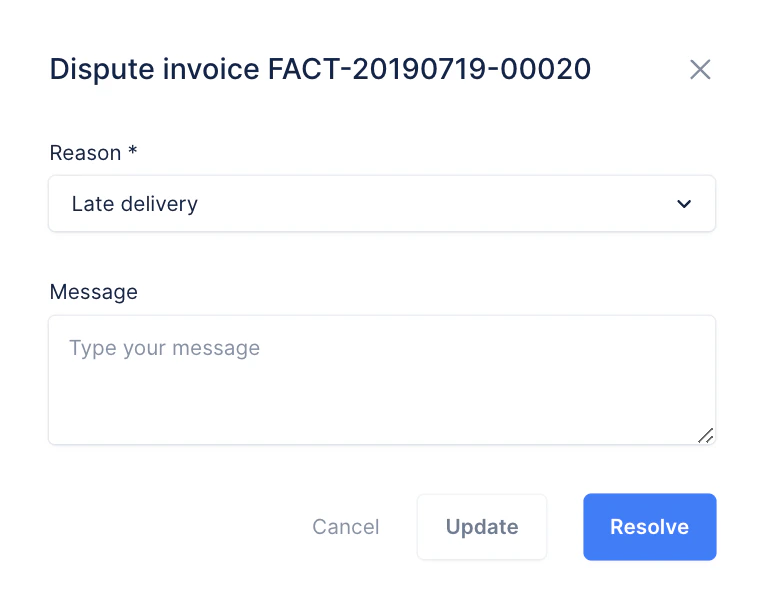
You can dispute an invoice from the invoice details page, by clicking on the three dots at the top right. Select the reason for the dispute so you are able to identify issues in your process and solve them.
→ The customer never gets notified regarding disputes, whether it's adding one or resolving it.\\
## How to dispute an invoice?
Invoices can be disputed by you, or by your customers.
### From the invoice details page
You can dispute an invoice from the invoice details page, by clicking on the three dots at the top right. Select the reason for the dispute so you are able to identify issues in your process and solve them.
 ### From the customer portal
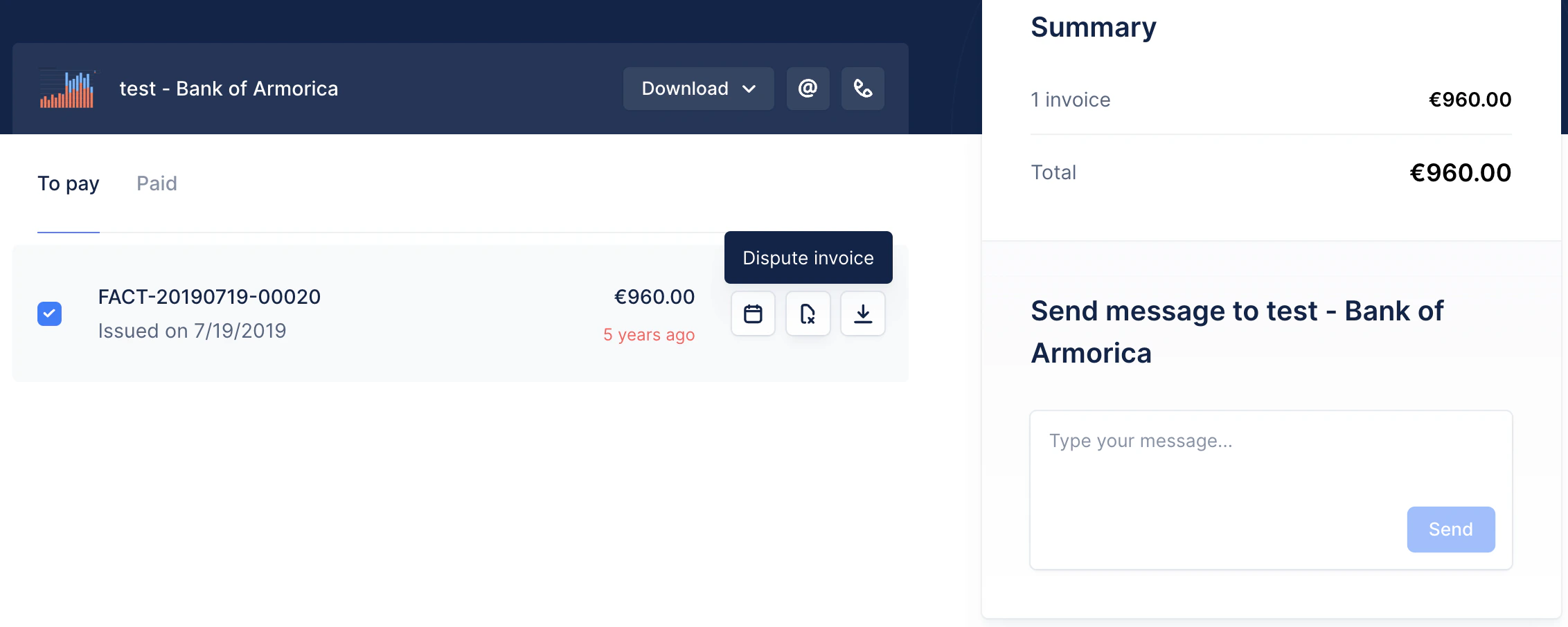 When a customer disputes an invoice from the portal, their assigned users will receive a notification (if no assigned user, it'll fall back on Finance users). Similarly, if they resolve the dispute from the portal.
## How to identify disputed invoices
### As a user in Upflow
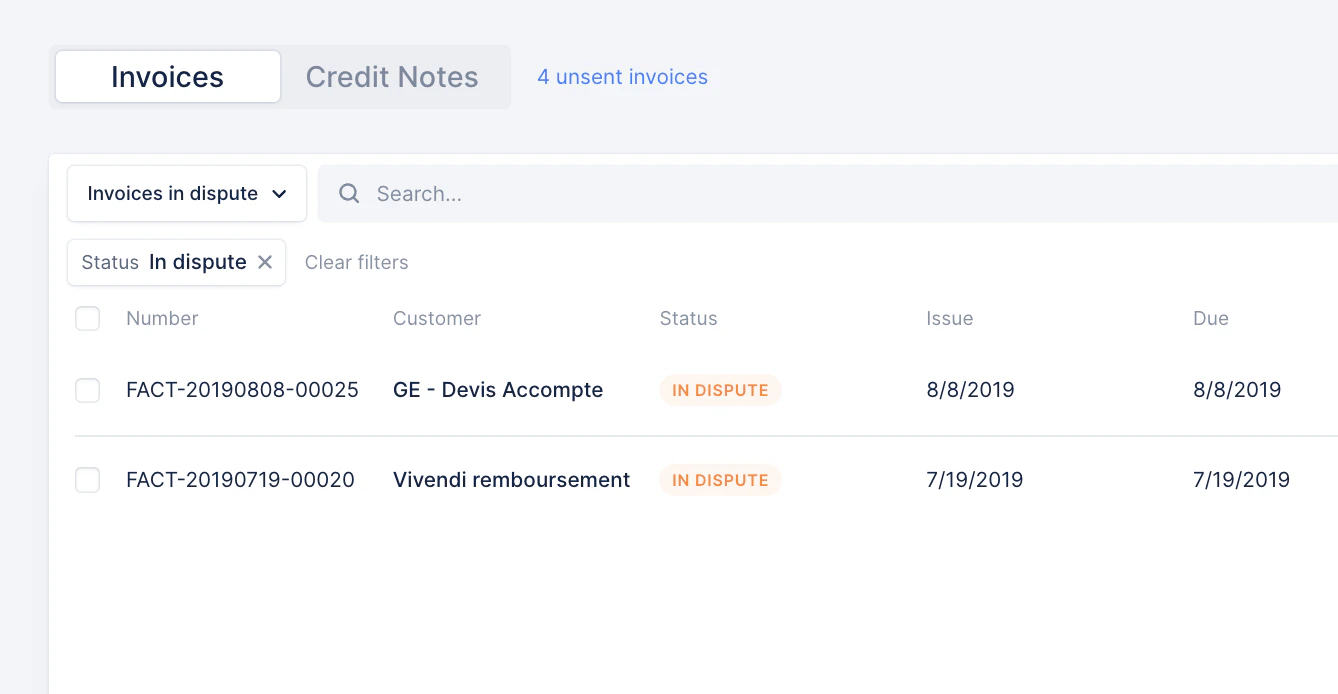
You can identify and track disputed invoices by filtering on the `IN DISPUTE` status in your [Invoices list view](https://app.upflow.io/organization/-/invoices).
When a customer disputes an invoice from the portal, their assigned users will receive a notification (if no assigned user, it'll fall back on Finance users). Similarly, if they resolve the dispute from the portal.
## How to identify disputed invoices
### As a user in Upflow
You can identify and track disputed invoices by filtering on the `IN DISPUTE` status in your [Invoices list view](https://app.upflow.io/organization/-/invoices).
 ### As a customer from their portal
From their portal, your customers can see a disputed invoice, as it'll be flagged with:
* The orange ! icon at the left, and the selected reason
* As well as an orange dot on the Dispute icon at the right
### As a customer from their portal
From their portal, your customers can see a disputed invoice, as it'll be flagged with:
* The orange ! icon at the left, and the selected reason
* As well as an orange dot on the Dispute icon at the right
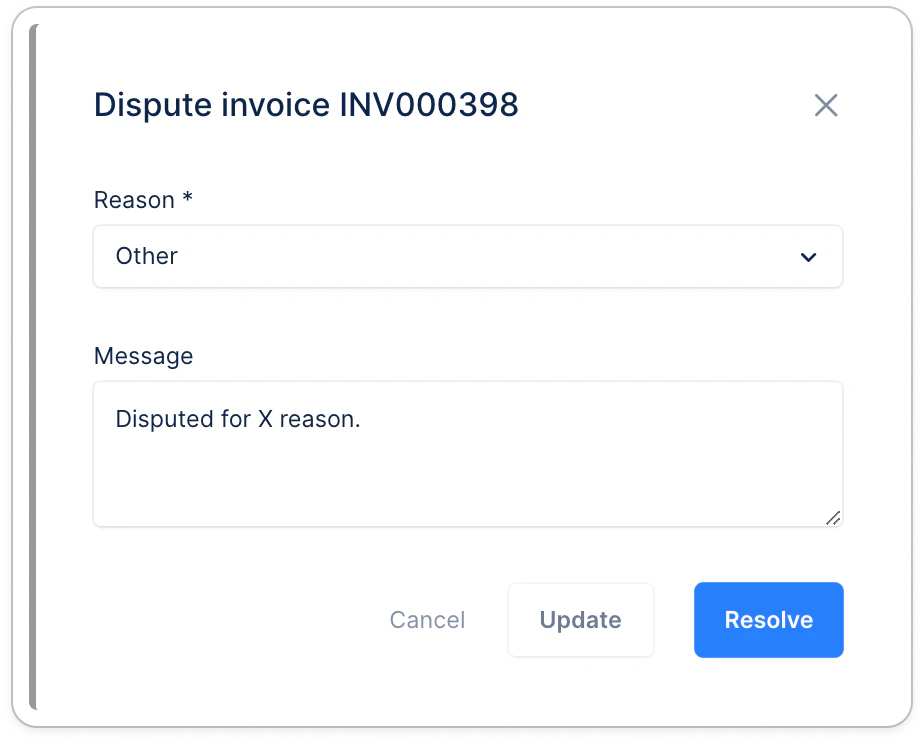
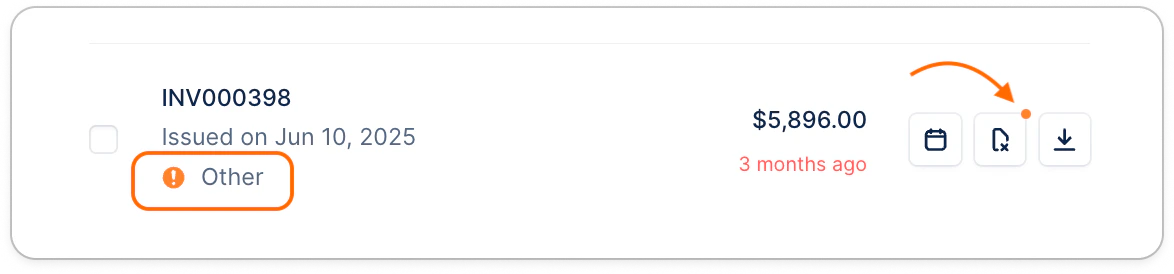 Then, if they click the Dispute icon at the right...
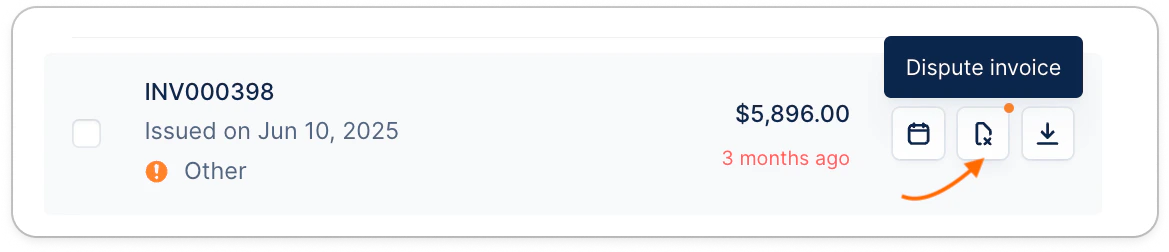 ...they will also have access to more context and the ability to Resolve the dispute:
 #### Remove the dispute ability to your customers
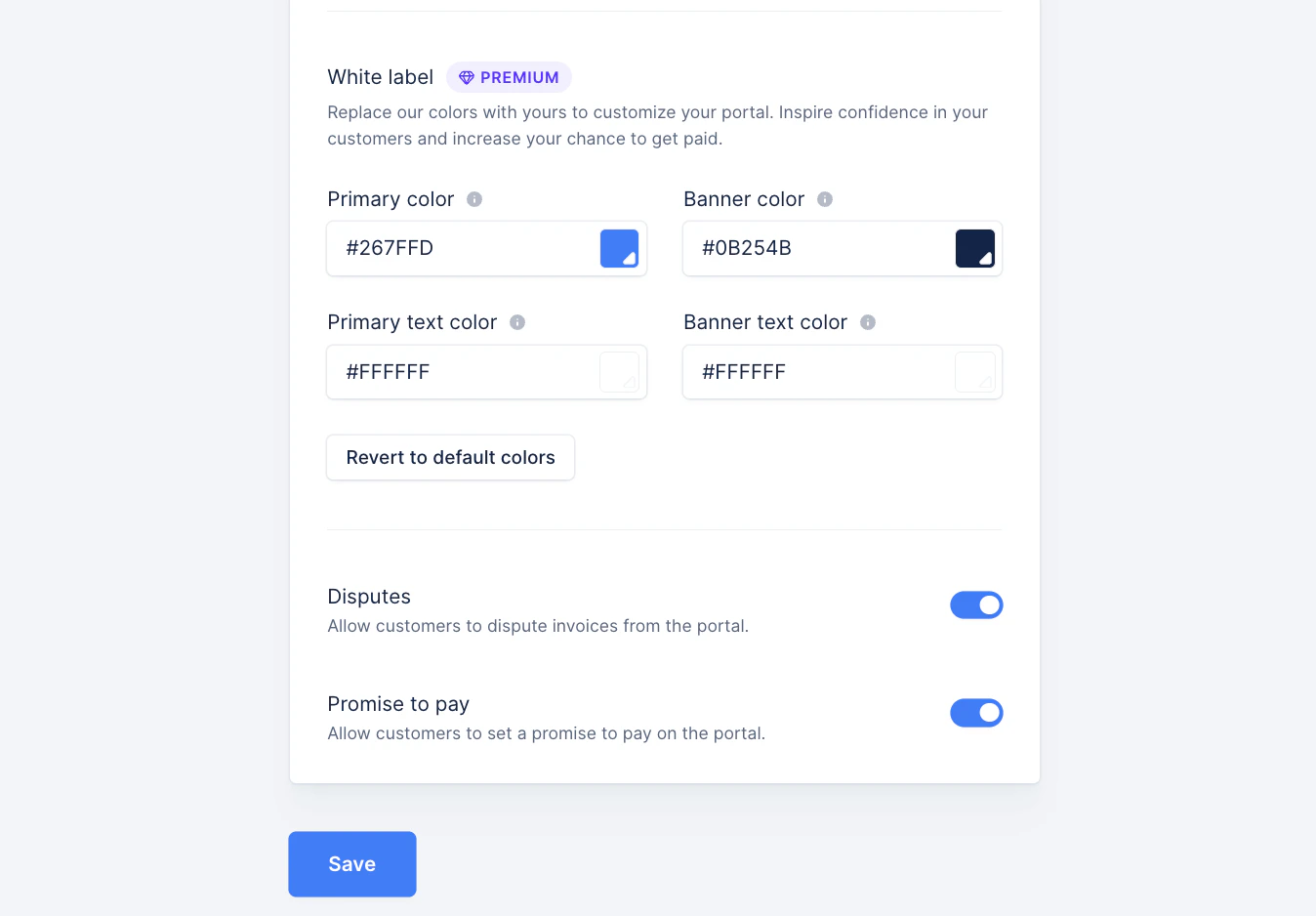
If you don't want to give your customers the ability to dispute invoices themselves, or see the dispute comment, head over to your [Settings, Customer portal section](https://app.upflow.io/organization/-/settings/customer-portal), and disable the Dispute feature:
#### Remove the dispute ability to your customers
If you don't want to give your customers the ability to dispute invoices themselves, or see the dispute comment, head over to your [Settings, Customer portal section](https://app.upflow.io/organization/-/settings/customer-portal), and disable the Dispute feature: