> ## Documentation Index
> Fetch the complete documentation index at: https://docs.upflow.io/llms.txt
> Use this file to discover all available pages before exploring further.
# AI-suggested promise to pay
> Let Upflow AI scan customer replies and invoice context to suggest a realistic promise-to-pay date your AR team can confirm in a single click.
Upflow can now automatically suggest a promise to pay date when a customer indicates they'll pay later. This feature analyzes customer communications and invoice context to recommend the most suitable payment timeline.
## When is this useful?
This feature is helpful when:
* You're managing multiple payment conversations and need quick, data-driven recommendations
* You want to maintain consistent follow-up practices across your team
## Prerequisites
To use AI-suggested promise to pay:
* **Email integration**: You must have [automatic reply imports](/en-us/collection-and-collaboration/emails/import-your-customers-replies-automatically) configured so Upflow can analyze customer communications
## How it works
Upflow analyzes customer communications (e.g., email replies imported into Upflow) to detect when a customer is **committing to pay later**. When a promise is detected, Upflow:
1. **Identifies the invoice(s) concerned** based on the message context and your customer/invoice data.
2. **Suggests a Promise to Pay date** based on the conversation
3. **Surfaces the suggestion in-context**, along with the supporting excerpt from the customer message when possible.
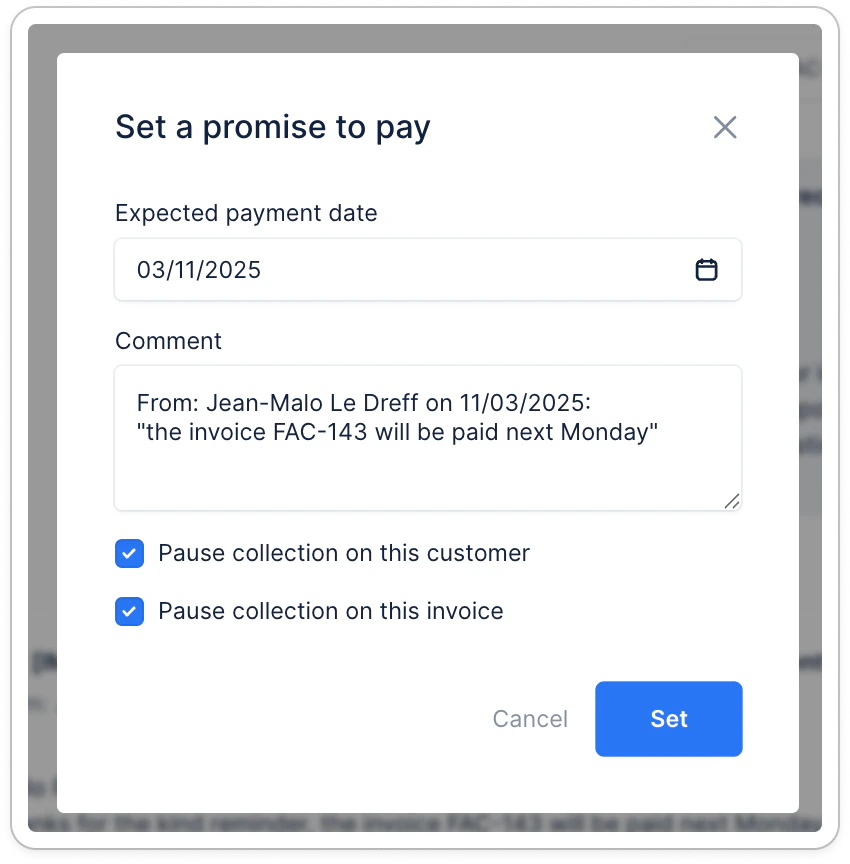
4. **Keeps you in control**: you can **accept** the suggested date, **edit** it, or **reject** it and set a different date.
5. **Logs the outcome** once confirmed so your team can follow up consistently and track promises over time.
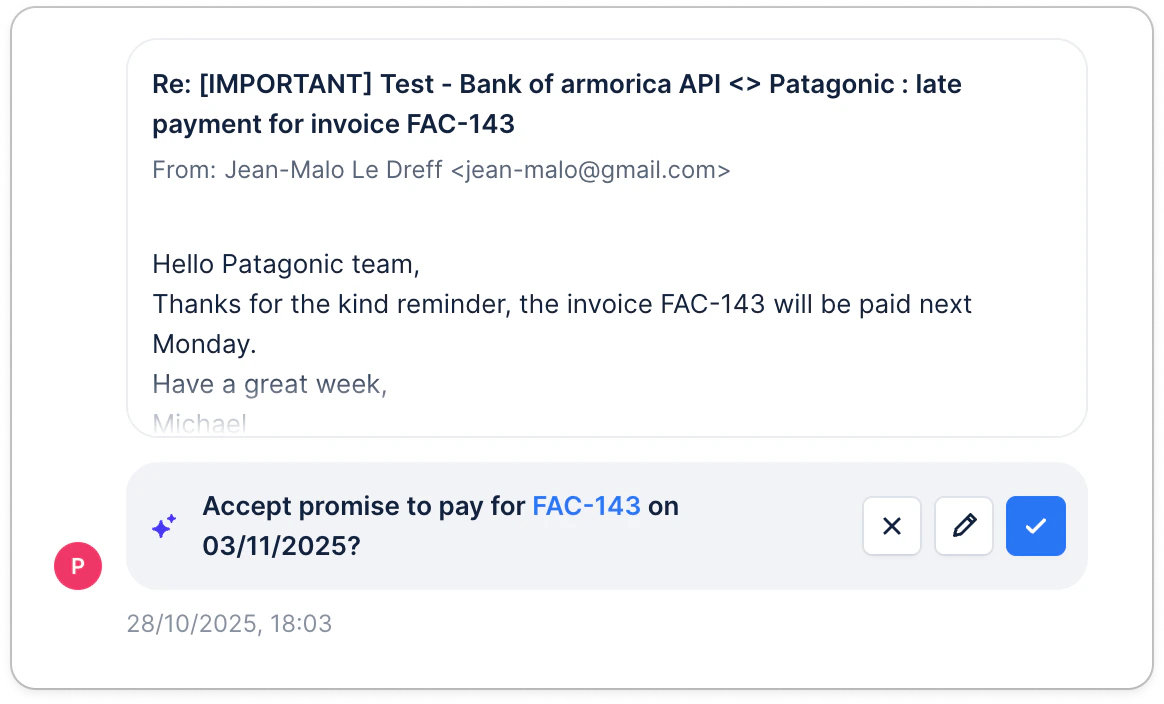 The promise to pay that is suggested will include a quote from the communication that explains the rationale behind the suggestion. You can always edit it.
 ## Limitations
* AI suggestions are based on imported email content only - they cannot analyze calls, letters, or conversations outside Upflow
* The quality of suggestions depends on clear communication in customer emails
* Manual review is always recommended to ensure the suggested date aligns with any specific agreements or circumstances
## Frequently asked questions
**Can I override the suggested date?**
Yes. The AI provides a recommendation, but you have full control to accept, modify, or ignore the suggestion and enter your own date.
**What happens if I don't agree with the suggestion?**
Simply enter the date you prefer. The AI learns from actual outcomes over time, so your corrections help improve future suggestions.
**Does this work for all invoices?**
The feature works best when there's sufficient customer history and clear communication about payment intent. For brand new customers or ambiguous replies, suggestions may be less precise.
**Is this available for all integrations?**
Yes, as long as your accounting system is connected to Upflow and automatic reply imports are configured, the feature works regardless of your integration type.
## Limitations
* AI suggestions are based on imported email content only - they cannot analyze calls, letters, or conversations outside Upflow
* The quality of suggestions depends on clear communication in customer emails
* Manual review is always recommended to ensure the suggested date aligns with any specific agreements or circumstances
## Frequently asked questions
**Can I override the suggested date?**
Yes. The AI provides a recommendation, but you have full control to accept, modify, or ignore the suggestion and enter your own date.
**What happens if I don't agree with the suggestion?**
Simply enter the date you prefer. The AI learns from actual outcomes over time, so your corrections help improve future suggestions.
**Does this work for all invoices?**
The feature works best when there's sufficient customer history and clear communication about payment intent. For brand new customers or ambiguous replies, suggestions may be less precise.
**Is this available for all integrations?**
Yes, as long as your accounting system is connected to Upflow and automatic reply imports are configured, the feature works regardless of your integration type.