> ## Documentation Index
> Fetch the complete documentation index at: https://docs.upflow.io/llms.txt
> Use this file to discover all available pages before exploring further.
# Exclude customers from Upflow
> Exclude test, internal or do-not-contact customers from Upflow collection workflows, reporting and analytics while keeping their record in the system.
Certain customers, such as test accounts, internal users, or customers you don't want to contact, may need to be excluded from your Upflow collection process and data analysis.
Customer exclusion means the customer itself and its meta-data (name, etc.) will be in Upflow (but invisible) but none of its associated data (invoices, transactions, etc…) will be.
### Excluded customers
As mentioned at the top, Customer exclusion means the customer itself and its metadata (name, etc.) will remain in Upflow (but invisible), but none of its associated data (invoices, transactions, etc). Those will be deleted.
You will be able to see any excluded customers from your [Upflow Settings](https://app.upflow.io/organization/-/settings/excluded-customers) (only accessible by Admin users).
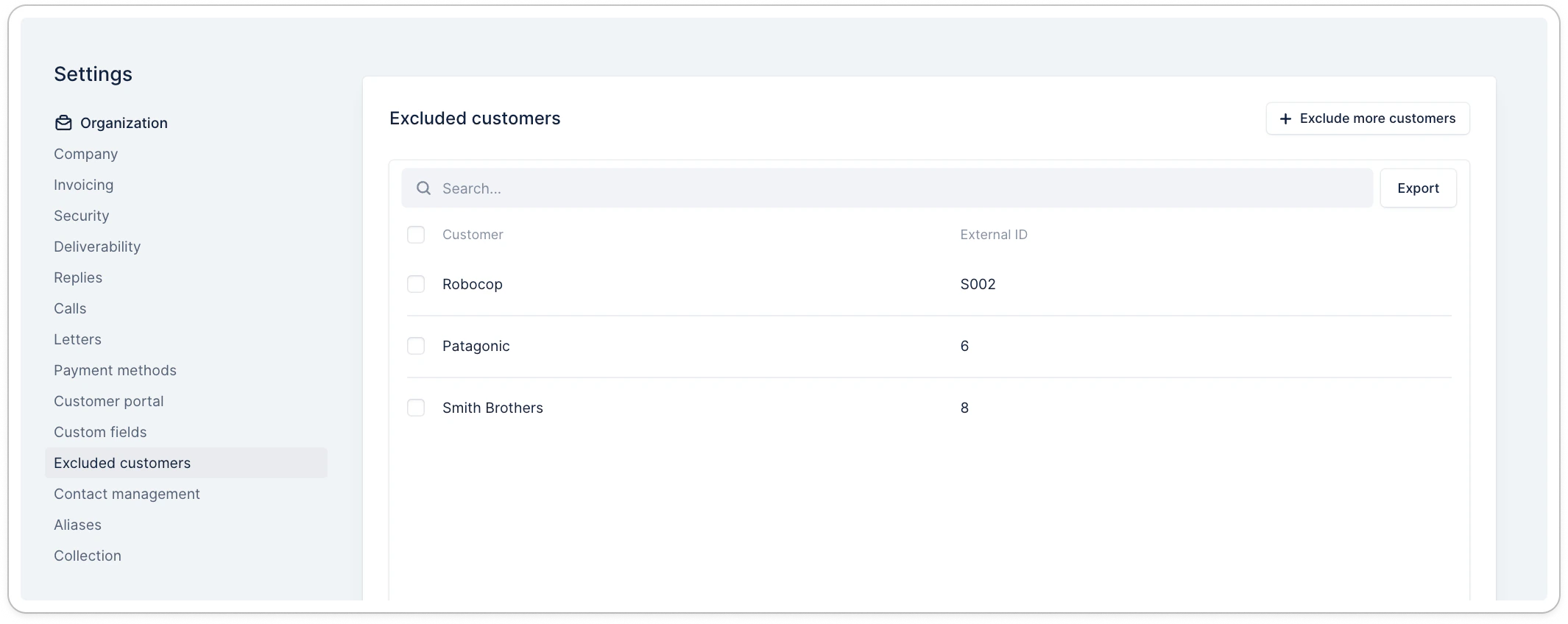 There, you can also export the list of corresponding customers.
Upflow natively excludes some customers depending on your integration (e.g., Intracompany or Inactive customers on NetSuite).
#### Exclude customers from the settings
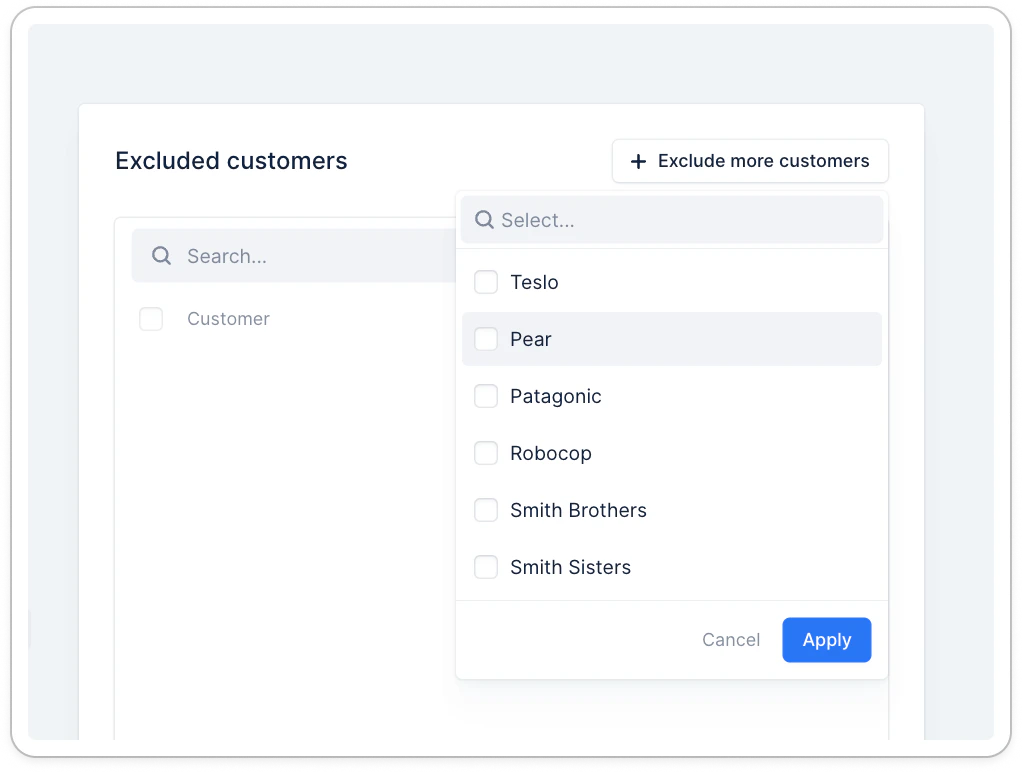
By clicking on **Exclude more customers**, you can search and exclude specific ones:
There, you can also export the list of corresponding customers.
Upflow natively excludes some customers depending on your integration (e.g., Intracompany or Inactive customers on NetSuite).
#### Exclude customers from the settings
By clicking on **Exclude more customers**, you can search and exclude specific ones:
 #### Exclude a customer individually
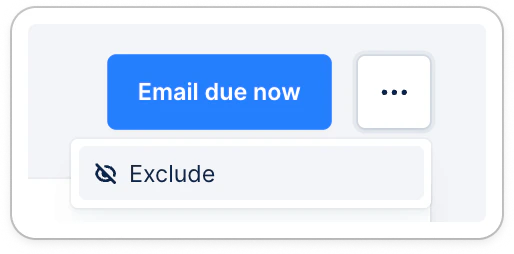
From the customer details page, click the three dots at the top right, then the option:
#### Exclude a customer individually
From the customer details page, click the three dots at the top right, then the option:
 #### Excluding customers in bulk
From the Customer list view, you can also decide to exclude several customers.
#### Excluding customers in bulk
From the Customer list view, you can also decide to exclude several customers. #### Excluding customers automatically
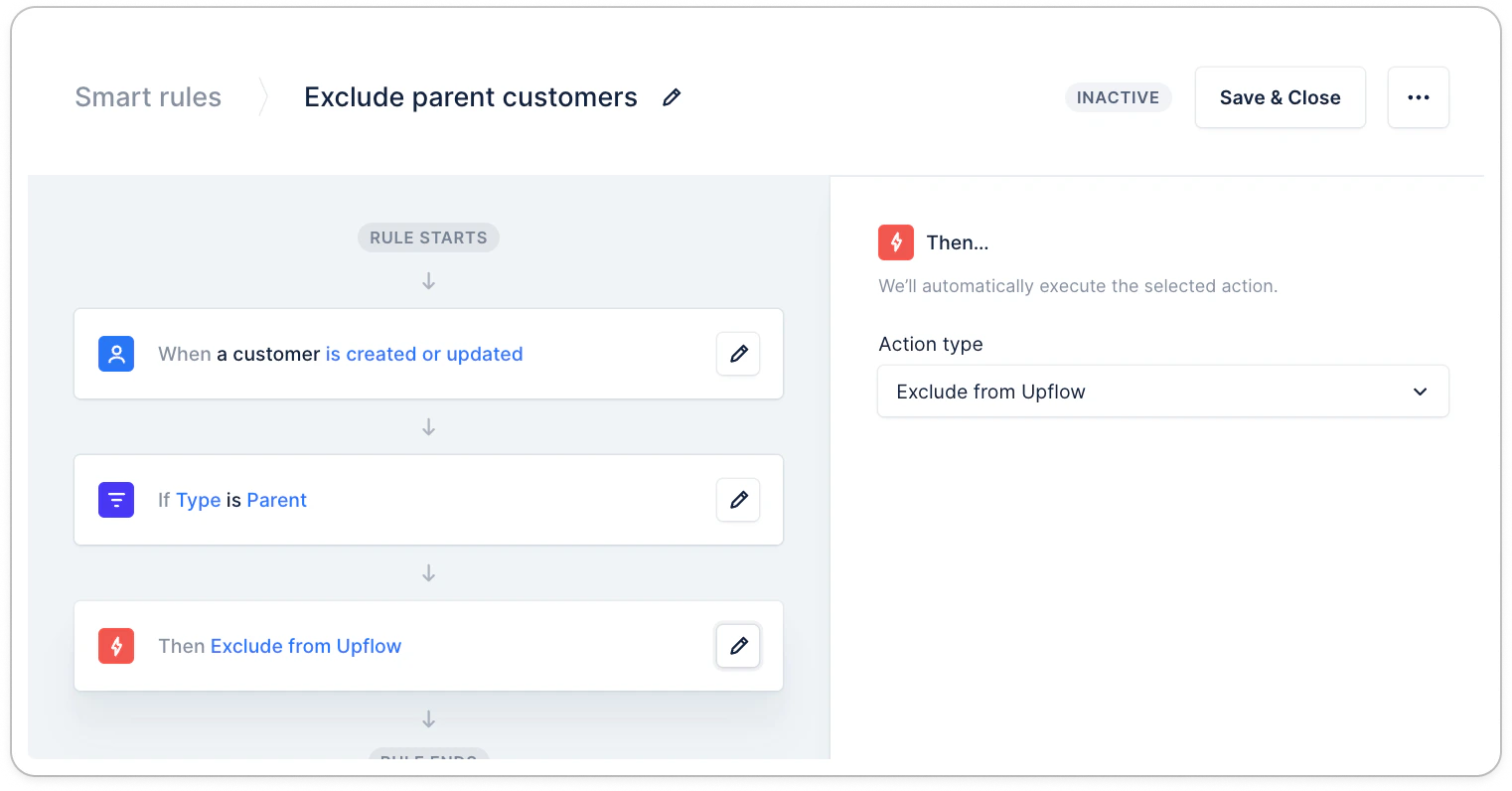
To ensure that a certain type of customers is never available on Upflow, set up a dedicated smart rule.
* Note that when setting up this rule, you will need to perform a [mass manual exclusion](/en-us/collection-and-collaboration/smart-rules/smart-rules-assignment-best-practice), using the option above, for existing customers.
#### Excluding customers automatically
To ensure that a certain type of customers is never available on Upflow, set up a dedicated smart rule.
* Note that when setting up this rule, you will need to perform a [mass manual exclusion](/en-us/collection-and-collaboration/smart-rules/smart-rules-assignment-best-practice), using the option above, for existing customers.
 ### Re-include customers
To re-include customers, head over to the list of excluded ones. Search for and select excluded customers you wish to import back into Upflow. Then click Actions > Re-include customers.
### Re-include customers
To re-include customers, head over to the list of excluded ones. Search for and select excluded customers you wish to import back into Upflow. Then click Actions > Re-include customers.
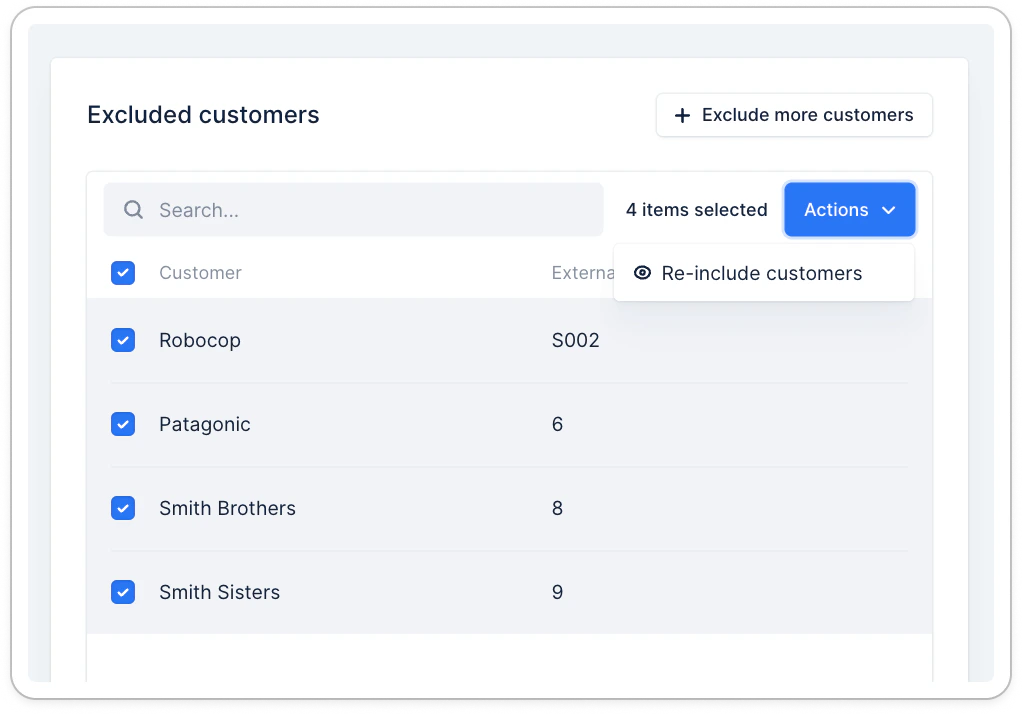 Once you have started the re-inclusion, our system will resync the customers’ data; it may take some time, depending on the volume.
If you notice customers must be re-included regularly, check your exclusion smart rules to ensure their configuration matches your needs ([add a filter](/en-us/collection-and-collaboration/smart-rules/smart-rules-filters-best-practices), such as "**is not** > this condition" or only **"is** this condition") to ensure only necessary customers are excluded from Upflow.
#### Missing customers
If you are missing a customer in Upflow, looking in the excluded customers list is always a good start.
Once you have started the re-inclusion, our system will resync the customers’ data; it may take some time, depending on the volume.
If you notice customers must be re-included regularly, check your exclusion smart rules to ensure their configuration matches your needs ([add a filter](/en-us/collection-and-collaboration/smart-rules/smart-rules-filters-best-practices), such as "**is not** > this condition" or only **"is** this condition") to ensure only necessary customers are excluded from Upflow.
#### Missing customers
If you are missing a customer in Upflow, looking in the excluded customers list is always a good start.