> ## Documentation Index
> Fetch the complete documentation index at: https://docs.upflow.io/llms.txt
> Use this file to discover all available pages before exploring further.
# How do I include account managers in the payment reminder process?
> Bring sales and account managers into Upflow payment reminders by adding them as users, assigning customers, and looping them into collection emails.
Sending customer payment reminders often takes place separately from the sales cycle process. However, it should be a primary focus for your sales team/account managers since it is the key driver of your financial performance.
**Step 1: Add new members**
Are you looking to add your Account Managers to the platform but you don't know which status to give them?
To invite new members: Click in the top right corner settings menu Members. You then click on "Invite a member".
We recommend inviting them as a **Member** to give them access to the platform (while restricting access to the account settings), and to give them the **Account Manager** status so that they can view their customer portfolio with a personalized overview.
**Step 2: Assign account managers to their customer accounts**
[Here's](/en-us/core-entities/customers/assign-users-or-workflows-to-your-customers) the 3 alternatives on how to do this.
**Step 3: Assign a follow-up reminder action to your Account Managers**
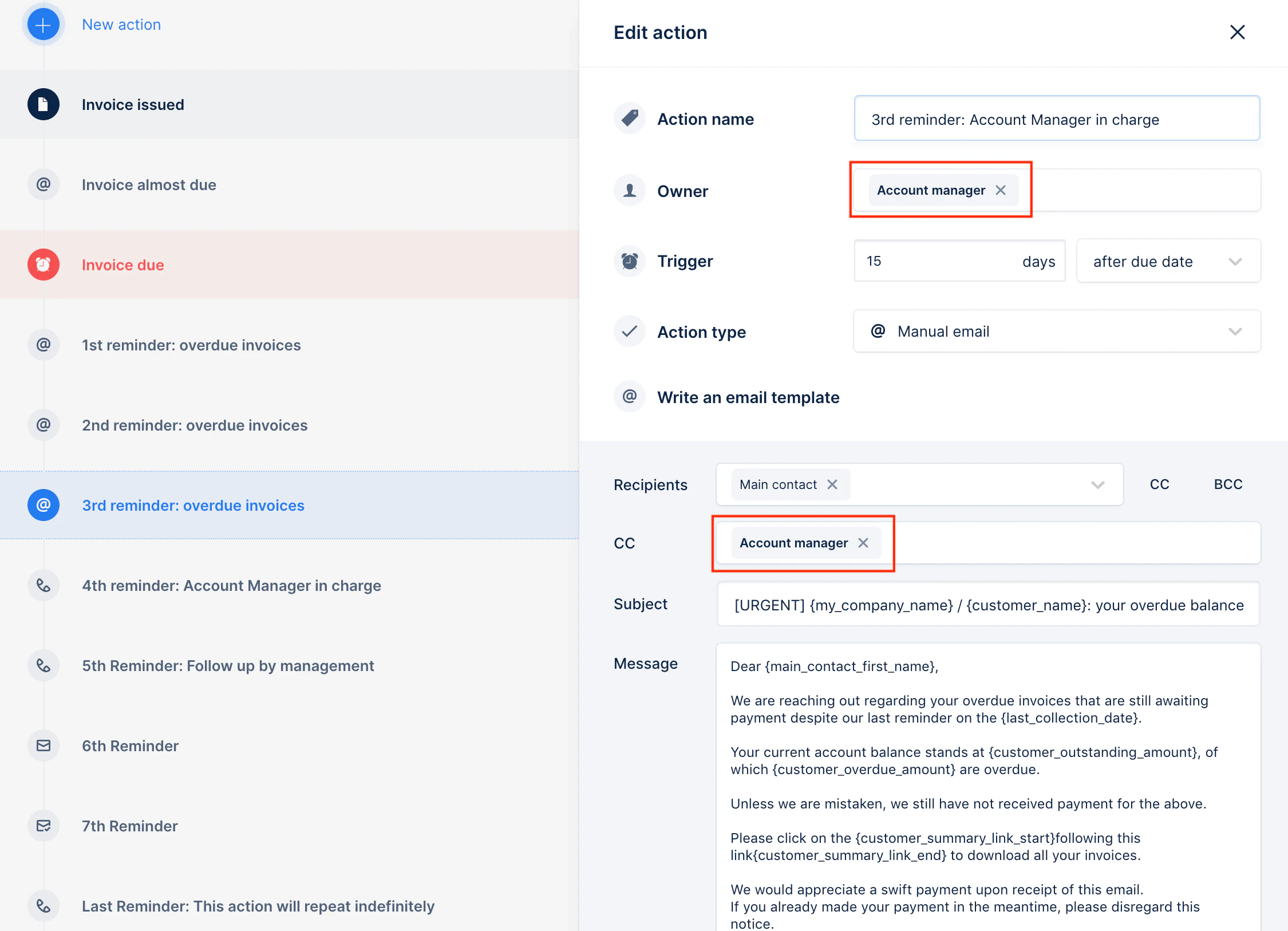
From the **Action** tab, your Account Managers are able to follow-up on the actions that need to be performed. To do so, you have to include "Account Manager" in the field "Owner".
You can also add them by default to be in copy of reminder emails by adding the "Account Manager" in the copy field (CC) or as a hidden copy (CCI).
 **Step 4: Monitor and follow-up on reminders**
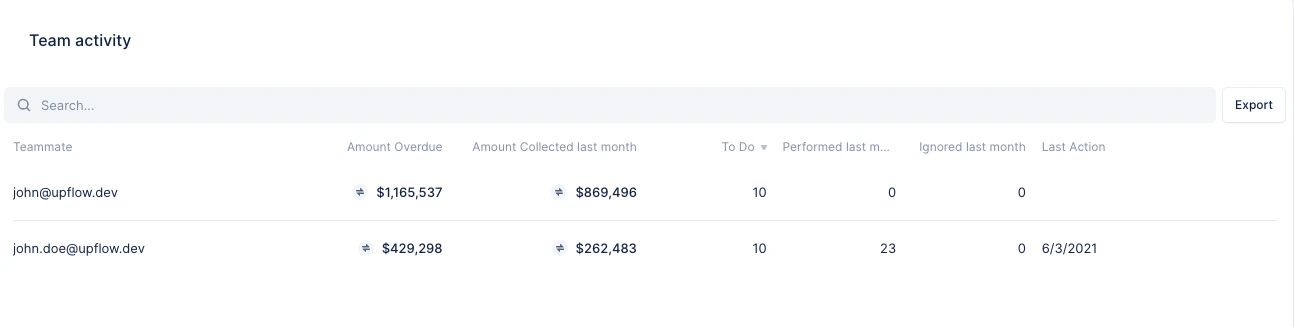
In your Analytics tab, you can access data pertaining to your Account Managers such as:
* Actions that need to be performed and actions that have been completed by Account Managers
**Step 4: Monitor and follow-up on reminders**
In your Analytics tab, you can access data pertaining to your Account Managers such as:
* Actions that need to be performed and actions that have been completed by Account Managers
 Still have a question? Don’t hesitate to get in touch!