> ## Documentation Index
> Fetch the complete documentation index at: https://docs.upflow.io/llms.txt
> Use this file to discover all available pages before exploring further.
# Customize Collection Reminders
> Tailor each step of an Upflow workflow by adjusting reminder names, recipients, tone and content, escalating from soft email follow-ups to legal involvement.
Chances are you will not involve your Finance director from the very beginning of your cash collection journey ; let alone start reminding your customers of their pending invoices via postal letters, or directly reach out to their Legal team. You might also want to personalize the content of your communications with information related to the due amount, names, or simply *the* appropriate tone. Configure these variants to create a communication adapted to each step.
To do so, jump on the workflow you want to adjust, and click on the action you want to improve. It will display an edition panel on the right half of your screen where you can configure the following elements from.
## Bespokable variants
 The name helps you identify the action and will be displayed on your Workflow’s dashboard, your Actions list; the customer or invoice timelines, but it will not be visible to your customers.
 An action's owner (who can differ from the customers' Assigned users!) is responsible for completing the manual actions. You can add as many owners as you want to be chosen from your teammates, individual people, specific roles (Finance users, for example), or [groups](/en-us/upflow-configuration/your-teams-access/create-user-groups).
 The trigger defines the moment an action is executed/triggered based on the carrying invoice's due or issue date. Note that [triggers can be overruled](/en-us/collection-and-collaboration/workflows-basics/customer-level-workflow-trigger)!
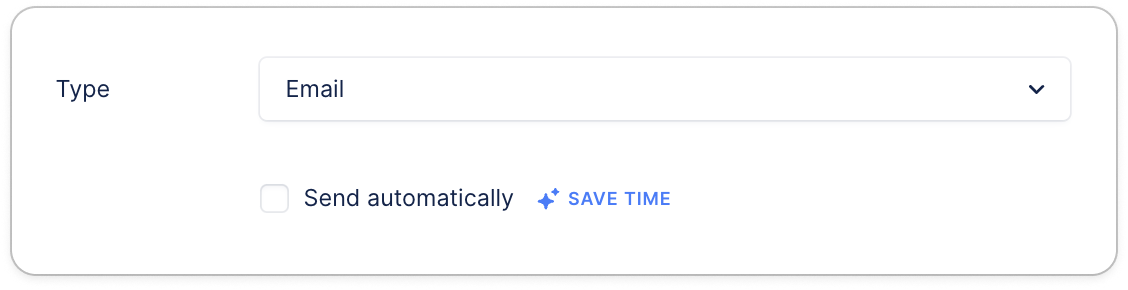 An action type is your collection reminder channel. This last choice will display a template or a script of what is to be shared with your customer. You can choose to automate it or keep if manual. Only emails, sms, and letters can be automated.
### Billing templates
If you send your invoices from Upflow, your workflows will contain an additional step at the top of the list. This template will have a dedicated field, called "Delay", so you can choose if the invoice must be sent on issue date, before or after the issue date:
An action type is your collection reminder channel. This last choice will display a template or a script of what is to be shared with your customer. You can choose to automate it or keep if manual. Only emails, sms, and letters can be automated.
### Billing templates
If you send your invoices from Upflow, your workflows will contain an additional step at the top of the list. This template will have a dedicated field, called "Delay", so you can choose if the invoice must be sent on issue date, before or after the issue date:
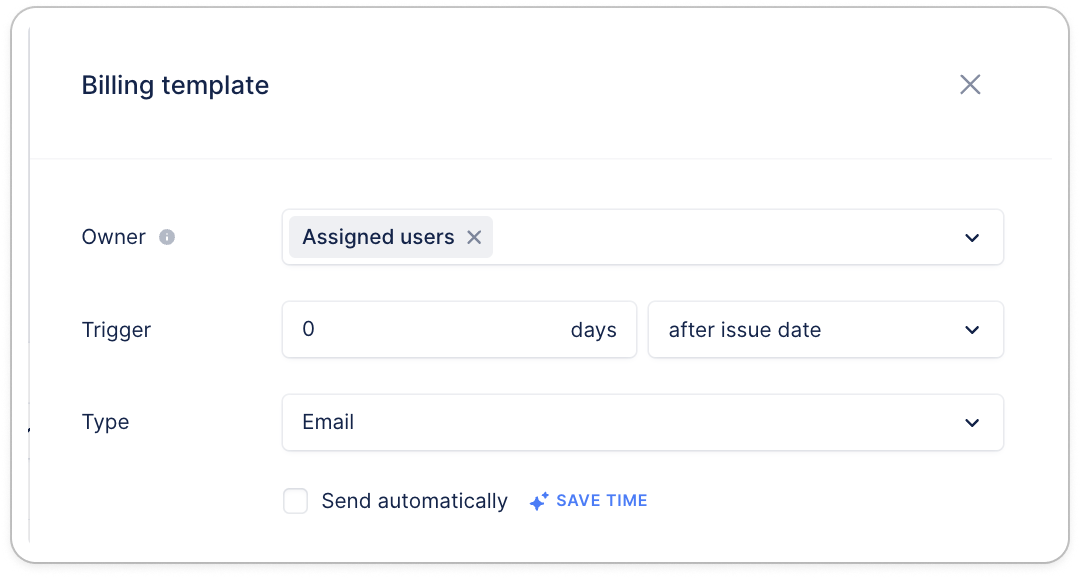 The rest of the billing template will work as actions' detailed below.
## Action templates
### Emails
#### Sender
The rest of the billing template will work as actions' detailed below.
## Action templates
### Emails
#### Sender
 Define whose address the action will be sent from. You can choose any user from your list, not necessarily the assigned user. It can also be a users' group, as long as you’ve created a member with the group’s email (no need to log in with it!). Or an alias.
❗ If you haven’t set your DNS, the *From* field of your recipient will display the chosen member’s name along with a generic address ([**reminders@upflow-mail.com**](mailto:reminders@upflow-mail.com)).
#### Recipients
Define whose address the action will be sent from. You can choose any user from your list, not necessarily the assigned user. It can also be a users' group, as long as you’ve created a member with the group’s email (no need to log in with it!). Or an alias.
❗ If you haven’t set your DNS, the *From* field of your recipient will display the chosen member’s name along with a generic address ([**reminders@upflow-mail.com**](mailto:reminders@upflow-mail.com)).
#### Recipients
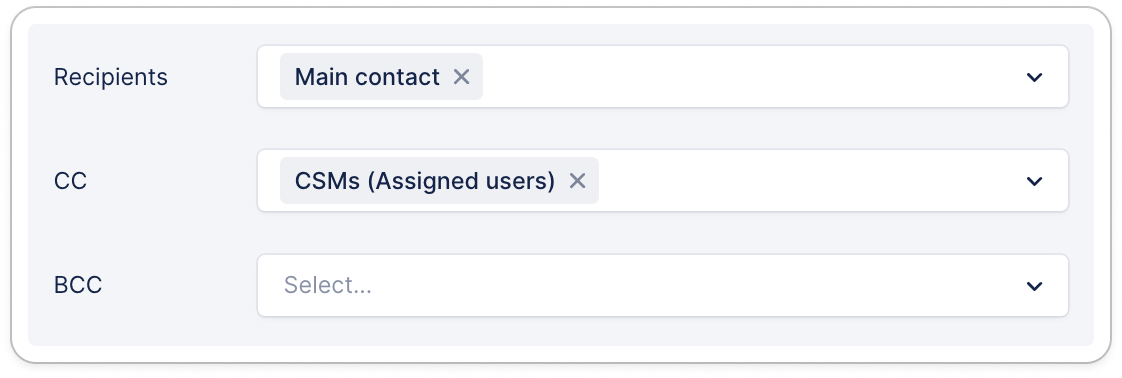 Pick the right interlocutor(s) among your customers’ contacts and your team members,
; or add an external email address (❗don’t forget this will be applied across all the accounts this workflow is assigned to).
Note that only the selected users will receive this email template. If they are not available at the customer level, the email will fall back to the Main contact.
➡️ Learn more on positions: [Positions](/en-us/core-entities/contacts/your-upflow-contacts).
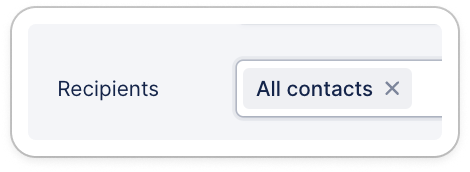
You also have the option to include all contacts on file for each customer to receive the email reminders:
Pick the right interlocutor(s) among your customers’ contacts and your team members,
; or add an external email address (❗don’t forget this will be applied across all the accounts this workflow is assigned to).
Note that only the selected users will receive this email template. If they are not available at the customer level, the email will fall back to the Main contact.
➡️ Learn more on positions: [Positions](/en-us/core-entities/contacts/your-upflow-contacts).
You also have the option to include all contacts on file for each customer to receive the email reminders:
 💡 If the right email address lives in a custom field — for example a billing contact synced from your ERP — you can pick that field as the recipient instead. See [Send emails to a custom field address](/en-us/collection-and-collaboration/workflows-customize-your-collection/custom-field-email-recipients).
#### Subject
💡 If the right email address lives in a custom field — for example a billing contact synced from your ERP — you can pick that field as the recipient instead. See [Send emails to a custom field address](/en-us/collection-and-collaboration/workflows-customize-your-collection/custom-field-email-recipients).
#### Subject
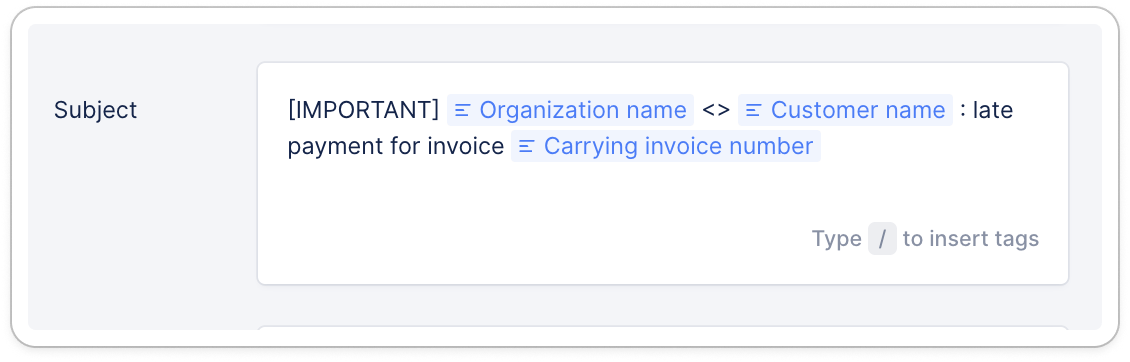 Last but not least, type in your action’s content! Start with customizing your email Subject.
#### Content
Then, the content:
Last but not least, type in your action’s content! Start with customizing your email Subject.
#### Content
Then, the content:
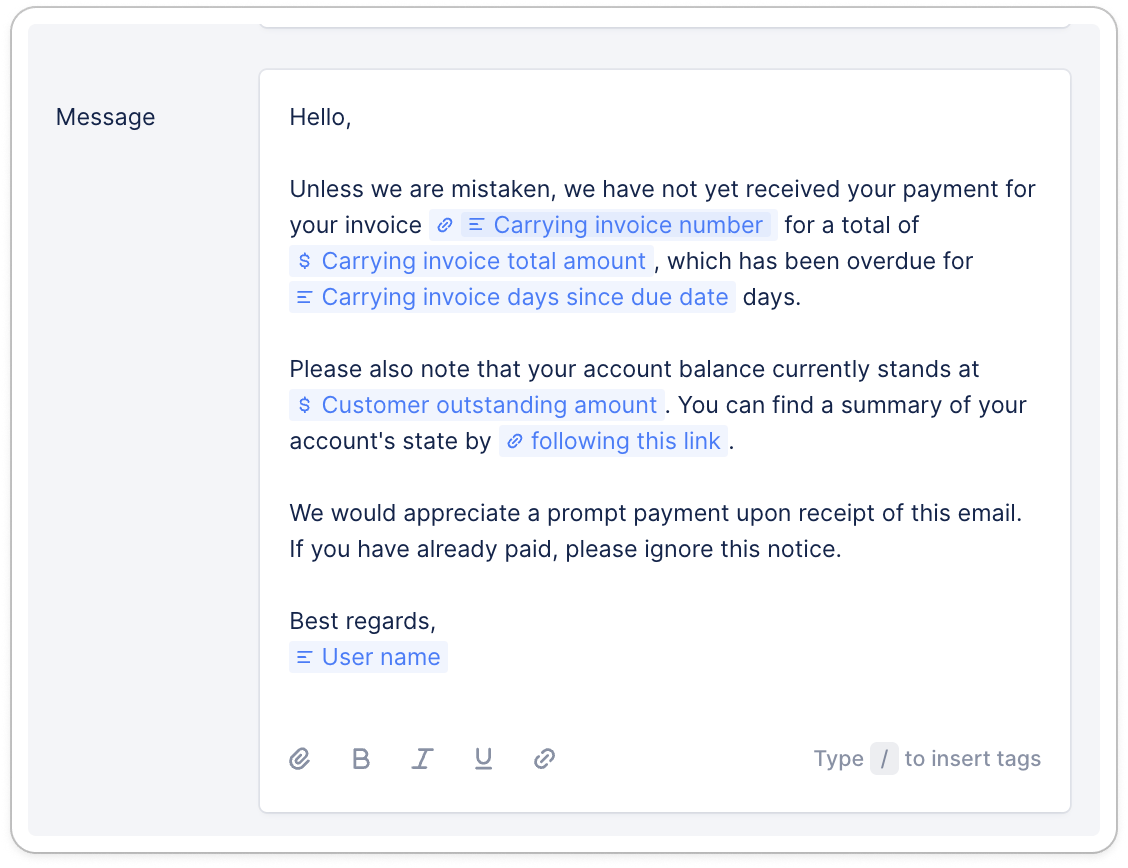 You can use our [collection tag inserter](/en-us/collection-and-collaboration/workflows-customize-your-collection/collection-tag-inserter) for more personalization.
#### Attach invoices
You can use our [collection tag inserter](/en-us/collection-and-collaboration/workflows-customize-your-collection/collection-tag-inserter) for more personalization.
#### Attach invoices
 From your [workflow](https://app.upflow.io/organization/-/settings/workflows) templates, for your automatic and manual actions, you can select which invoices you wish to attach by default to your email reminders:
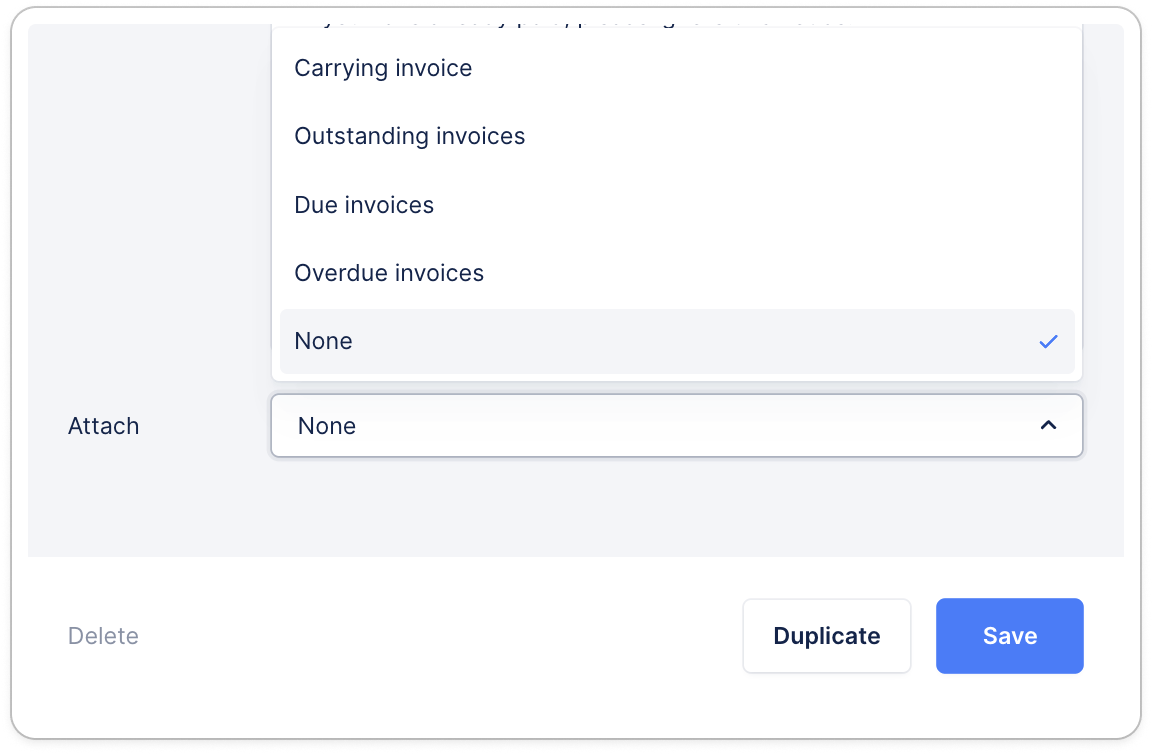 The option is by default "None". You can update it at any times and save.
It can also be a different option per email reminder within the same workflow, or depending on the workflow.
Read more about attachments [here](/en-us/collection-and-collaboration/workflows-customize-your-collection/add-attachments-to-my-emails).
Do not forget to ***Save*** your work!
### Calls
The option is by default "None". You can update it at any times and save.
It can also be a different option per email reminder within the same workflow, or depending on the workflow.
Read more about attachments [here](/en-us/collection-and-collaboration/workflows-customize-your-collection/add-attachments-to-my-emails).
Do not forget to ***Save*** your work!
### Calls
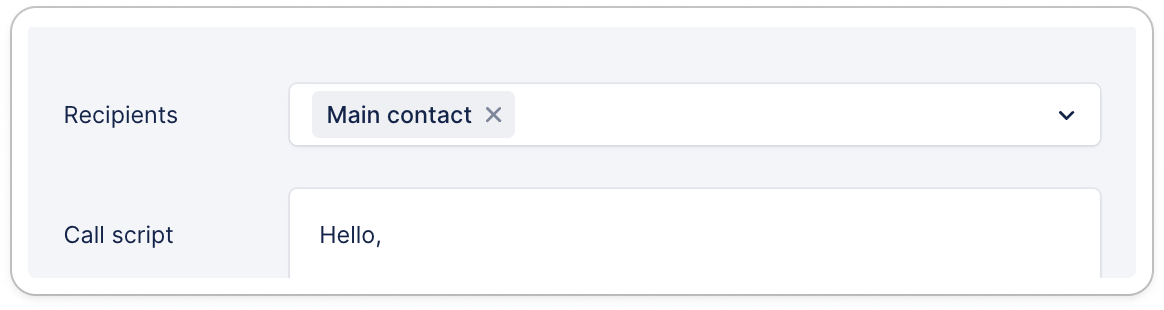 For a phone call, select the recipients, and draft a script to be followed or read through by your action’s owner. Read more [here](/en-us/collection-and-collaboration/live-calls/live-calls-from-upflow).
### Tasks
For a phone call, select the recipients, and draft a script to be followed or read through by your action’s owner. Read more [here](/en-us/collection-and-collaboration/live-calls/live-calls-from-upflow).
### Tasks
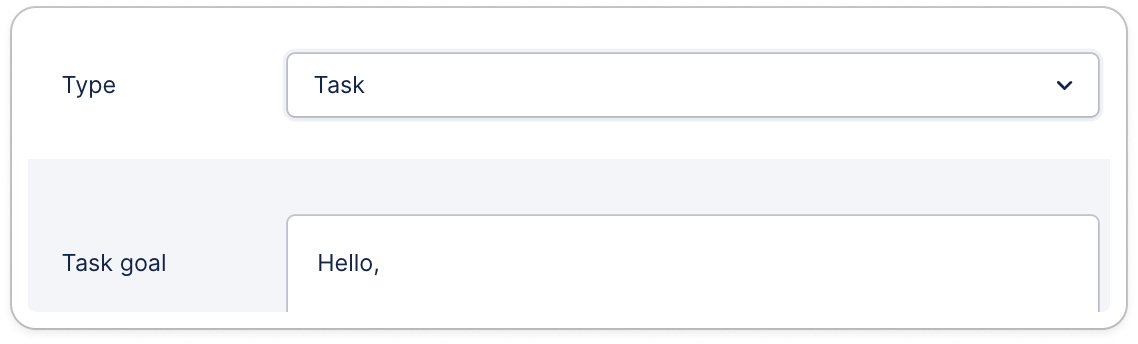 Right down the steps your team must follow at this stage of your customer collection.
### Letters
Right down the steps your team must follow at this stage of your customer collection.
### Letters
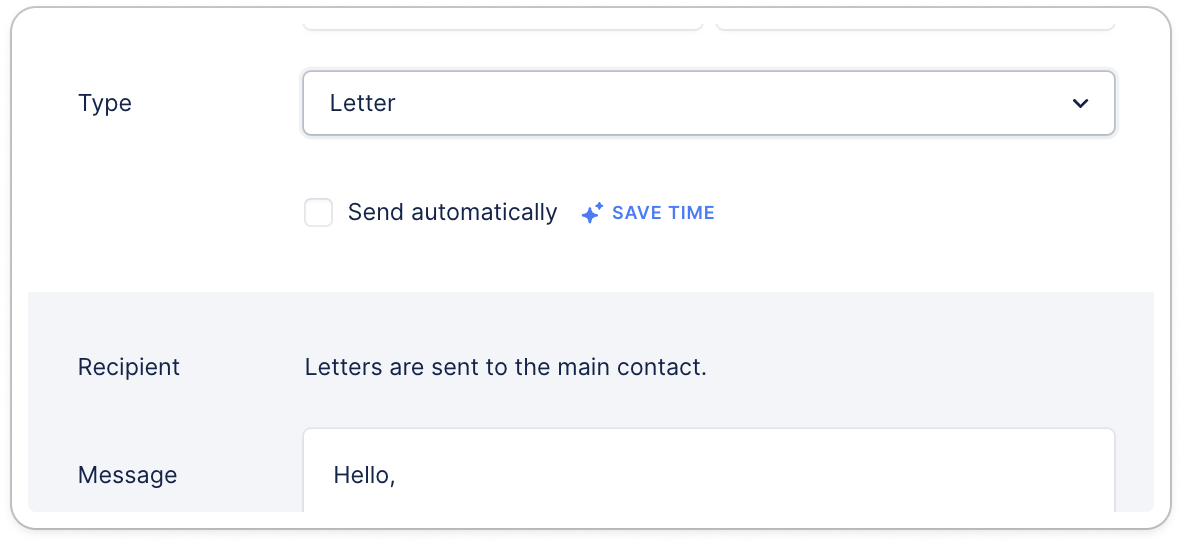 Personalize the content of your letter, and attach the invoices you wish to sent along.
Read more [here](/en-us/collection-and-collaboration/letters/send-postal-reminders).
💡 If you are happy with an Action, you can ***Duplicate*** it (it will be fully updatable, of course). And no worries, any outdated Action can also be *Deleted*!
Do you still have a question? [Submit a Support request](https://support.upflow.io/hc/en-us/requests/new)!
Personalize the content of your letter, and attach the invoices you wish to sent along.
Read more [here](/en-us/collection-and-collaboration/letters/send-postal-reminders).
💡 If you are happy with an Action, you can ***Duplicate*** it (it will be fully updatable, of course). And no worries, any outdated Action can also be *Deleted*!
Do you still have a question? [Submit a Support request](https://support.upflow.io/hc/en-us/requests/new)!