> ## Documentation Index
> Fetch the complete documentation index at: https://docs.upflow.io/llms.txt
> Use this file to discover all available pages before exploring further.
# Collection tag inserter - Best practices
> Pick the right collection tags in your Upflow email and letter templates, focusing on the carrying invoice and other key references to keep reminders accurate.
When configuring your collection email/letter templates, you can personalize them using our [collection tag inserter](/en-us/collection-and-collaboration/workflows-customize-your-collection/collection-tag-inserter).
But, how to best use them to reflect the right information in your templates?
## Focus on the carrying invoice
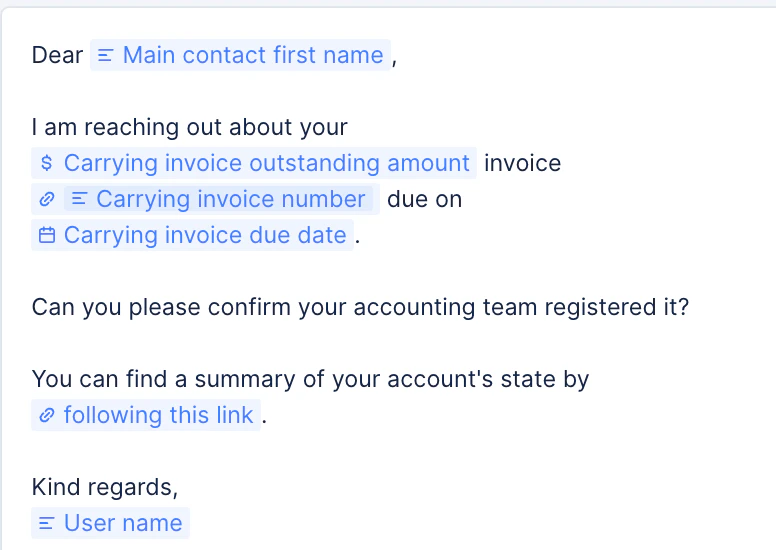
The Carrying invoice is the oldest unpaid invoice of your customer, when the reminder is triggered. You can benefit from multiple tags based on this reference to focus your reminders on it. This is the reference (and tags) we'll offer in our default templates when creating a workflow or a new action.
 ## Due vs Overdue
When using due/overdue tags in your reminders, be mindful of when this reminder is meant to be triggered.
Any reminders scheduled **before the due date** must absolutely not use **Overdue** tags (invoice list or amount). As this reminder is meant to be triggered only if the customer has no overdue invoices, these tags would render blank or show a 0.00 amount.
**Before the due date...**
## Due vs Overdue
When using due/overdue tags in your reminders, be mindful of when this reminder is meant to be triggered.
Any reminders scheduled **before the due date** must absolutely not use **Overdue** tags (invoice list or amount). As this reminder is meant to be triggered only if the customer has no overdue invoices, these tags would render blank or show a 0.00 amount.
**Before the due date...**
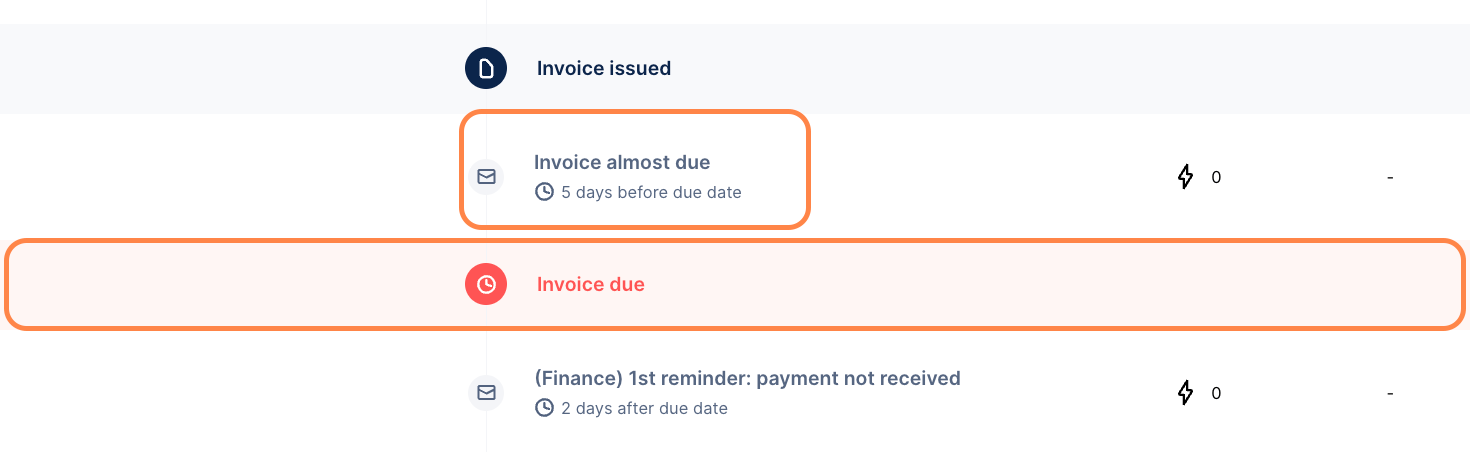 Focus on the Carrying invoice tags, the **Due**, or outstanding tags:
* Customer due amount
* Customer outstanding amount
* Due invoice number list
* Carrying invoice number
* Carrying invoice outstanding amount
* Any other carrying invoice tags
**After the due date...**
**You can then focus on the customer's entire balance:**
* Customer outstanding amount
* Outstanding invoice number list
And also add some overdue data additionally:
* Customer overdue amount
* Carrying invoice days since due date or Carrying invoice due date
""... of which Customer overdue amount has been overdue for Carrying invoice days since due date days." → "... of which \$2,500 have been overdue for 5 days.
## Highlight your customer's entire balance
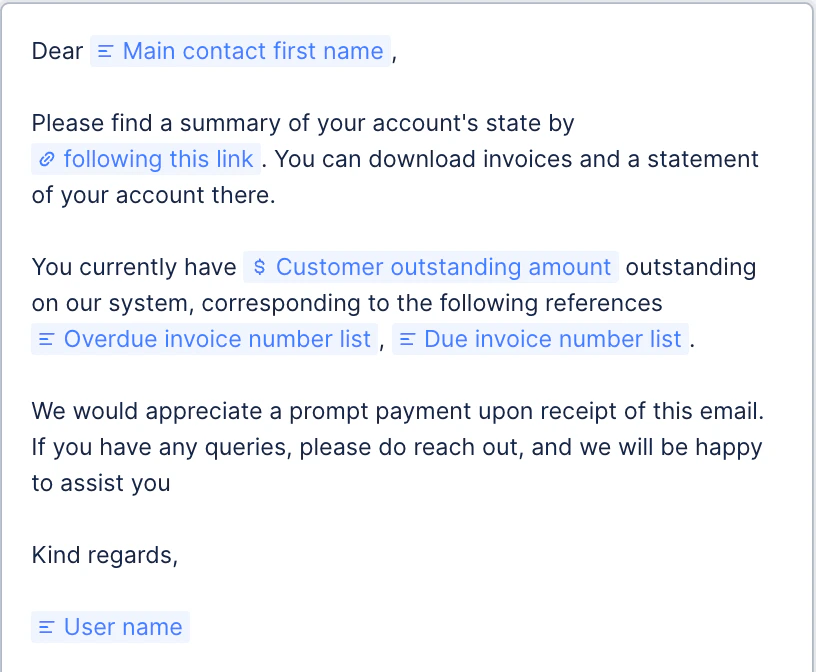
If you want your collection reminders to show the outstanding balance and all open references, then we'd advise using the following tags:
* Customer outstanding amount
* Customer overdue amount
* Overdue invoice number list
* Due invoice number list
For example:
Focus on the Carrying invoice tags, the **Due**, or outstanding tags:
* Customer due amount
* Customer outstanding amount
* Due invoice number list
* Carrying invoice number
* Carrying invoice outstanding amount
* Any other carrying invoice tags
**After the due date...**
**You can then focus on the customer's entire balance:**
* Customer outstanding amount
* Outstanding invoice number list
And also add some overdue data additionally:
* Customer overdue amount
* Carrying invoice days since due date or Carrying invoice due date
""... of which Customer overdue amount has been overdue for Carrying invoice days since due date days." → "... of which \$2,500 have been overdue for 5 days.
## Highlight your customer's entire balance
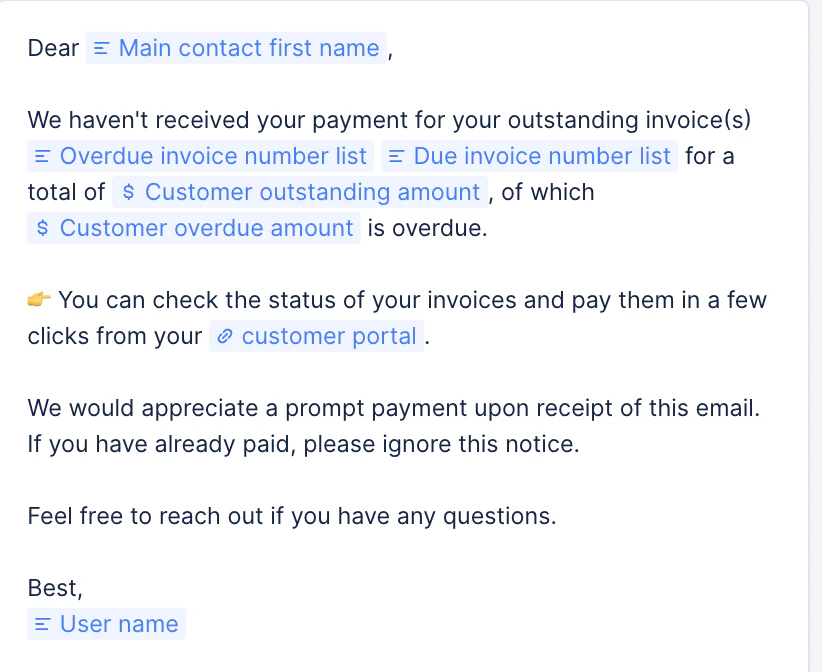
If you want your collection reminders to show the outstanding balance and all open references, then we'd advise using the following tags:
* Customer outstanding amount
* Customer overdue amount
* Overdue invoice number list
* Due invoice number list
For example:
 Or
Or
 ## Highlight your customer's Overdue balance
Then, only use the following tags, and attachment option:
* Customer overdue amount
* Overdue invoice number list
## Highlight your customer's Overdue balance
Then, only use the following tags, and attachment option:
* Customer overdue amount
* Overdue invoice number list
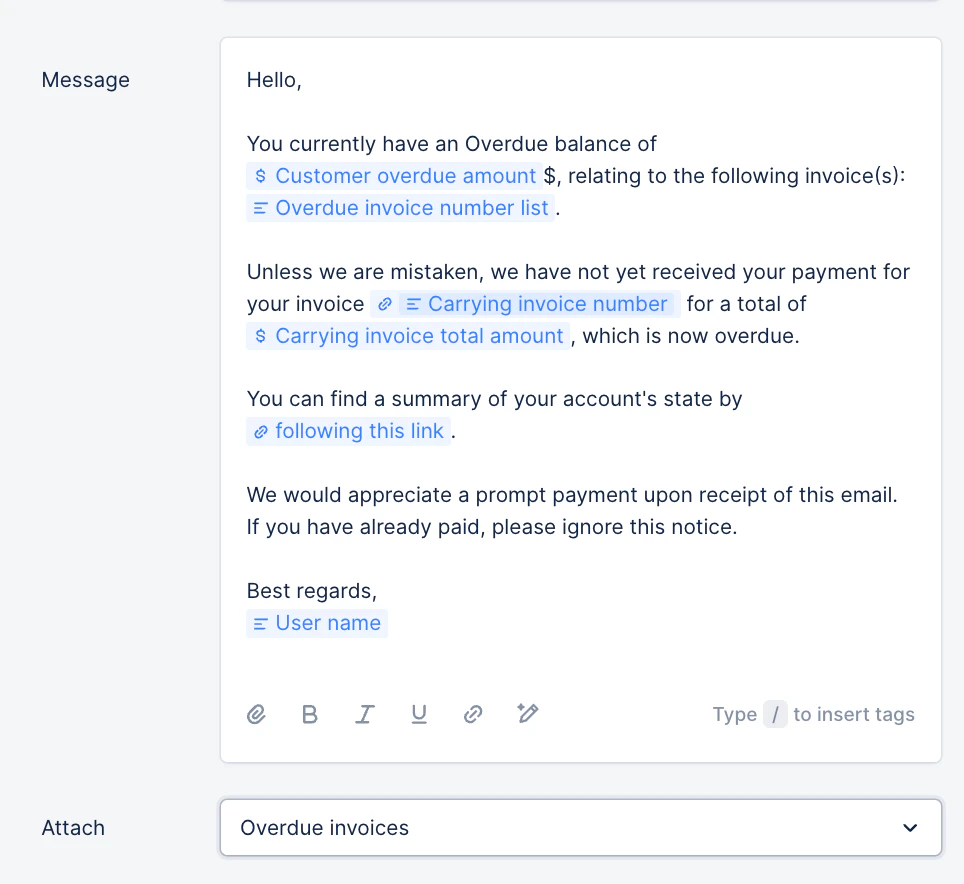 Overdue tags must only be used in email templates sent after the due date (under the red banner "Invoice is due"). If used in templates scheduled before the due date, they will be blank in the received email, as these are only sent when the carrying invoice isn't overdue yet. Meaning the customer has then no overdue balance.
## Billing template specificities
If you use our feature to [Send invoices from Upflow ✨](/en-us/collection-and-collaboration/send-invoices-from-upflow/overview), you must only focus on the **carrying invoices tags** , as mentioned in the first example above.
Overdue tags must only be used in email templates sent after the due date (under the red banner "Invoice is due"). If used in templates scheduled before the due date, they will be blank in the received email, as these are only sent when the carrying invoice isn't overdue yet. Meaning the customer has then no overdue balance.
## Billing template specificities
If you use our feature to [Send invoices from Upflow ✨](/en-us/collection-and-collaboration/send-invoices-from-upflow/overview), you must only focus on the **carrying invoices tags** , as mentioned in the first example above.
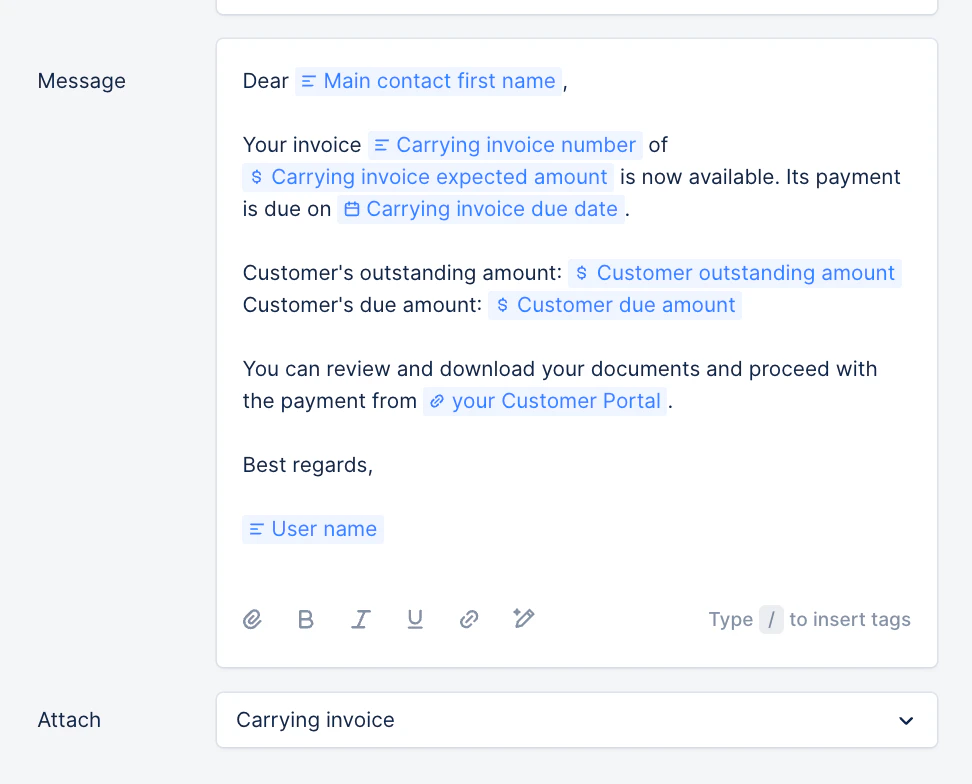 If you insert tags such as \[Customer outstanding amount], \[Customer due amount], the related fields will not take the unsent invoice into account. Unsent invoices are included in the customer's amounts, only **after** it is sent, so **after** the related billing email is sent.
Please note that when testing a billing template (cf. [Test your email templates](/en-us/collection-and-collaboration/workflows-customize-your-collection/test-your-email-templates)), the template collection tags will be blank or incomplete in the received test email, as the unsent invoice is not taken into account in the customer's balance and related data, until it's actually sent.
Would you like suggestions on other use cases? Please let us know by submitting a Support request.
If you insert tags such as \[Customer outstanding amount], \[Customer due amount], the related fields will not take the unsent invoice into account. Unsent invoices are included in the customer's amounts, only **after** it is sent, so **after** the related billing email is sent.
Please note that when testing a billing template (cf. [Test your email templates](/en-us/collection-and-collaboration/workflows-customize-your-collection/test-your-email-templates)), the template collection tags will be blank or incomplete in the received test email, as the unsent invoice is not taken into account in the customer's balance and related data, until it's actually sent.
Would you like suggestions on other use cases? Please let us know by submitting a Support request.