> ## Documentation Index
> Fetch the complete documentation index at: https://docs.upflow.io/llms.txt
> Use this file to discover all available pages before exploring further.
# Pause a customer's collection
> Delay pending or scheduled dunning actions for a specific customer in Upflow when payment is agreed for a later date, then automatically resume after the pause expires.
This article explains how to pause a specific customer collection. To pause your entire collection, please refer to [Manage your Collection: optimize & pause your reminders](/en-us/collection-and-collaboration/run-your-collection/manage-and-pause-collection).
Whether you need to delay a pending or coming action, or you agreed with your customer to delay their collection process and payment, you can pause their collection for a defined time.
For example: If you spoke to your customer recently and they mentioned the payment will be done by the end of the month, you can pause the actions they're linked to and will be reminded after the pause is stopped. For this specific example, you can also add a [Promise to pay](/en-us/core-entities/invoices/promise-to-pay) to the dedicated invoice(s).
## From the Actions To do list
In the [Actions list view, To do section](https://app.upflow.io/organization/-/actions), click on the "Pause" button and indicate the date at which you would like to have it planned. This will pause the customer's collection entirely (or the invoice if the collection is at [the invoice level](/en-us/collection-and-collaboration/workflows-basics/invoice-level-workflow-trigger)) until the selected date.
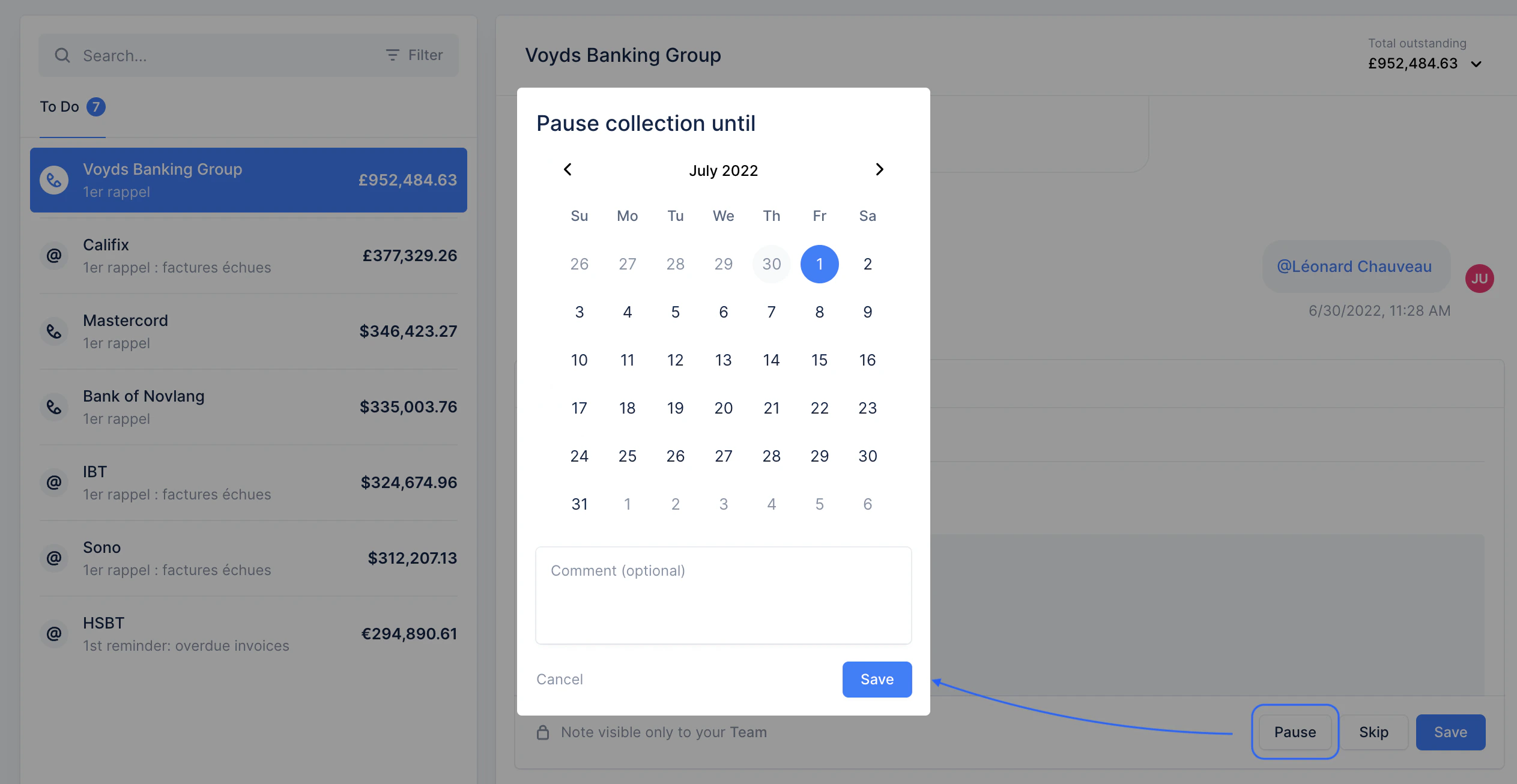 The action will only appear again as to be performed on the date you've paused it until.
## From the customer detail page
Whether the customer has a pending action or one to come soon, you can pause their collection from their detail page. Click "Pause collection".
The action will only appear again as to be performed on the date you've paused it until.
## From the customer detail page
Whether the customer has a pending action or one to come soon, you can pause their collection from their detail page. Click "Pause collection".
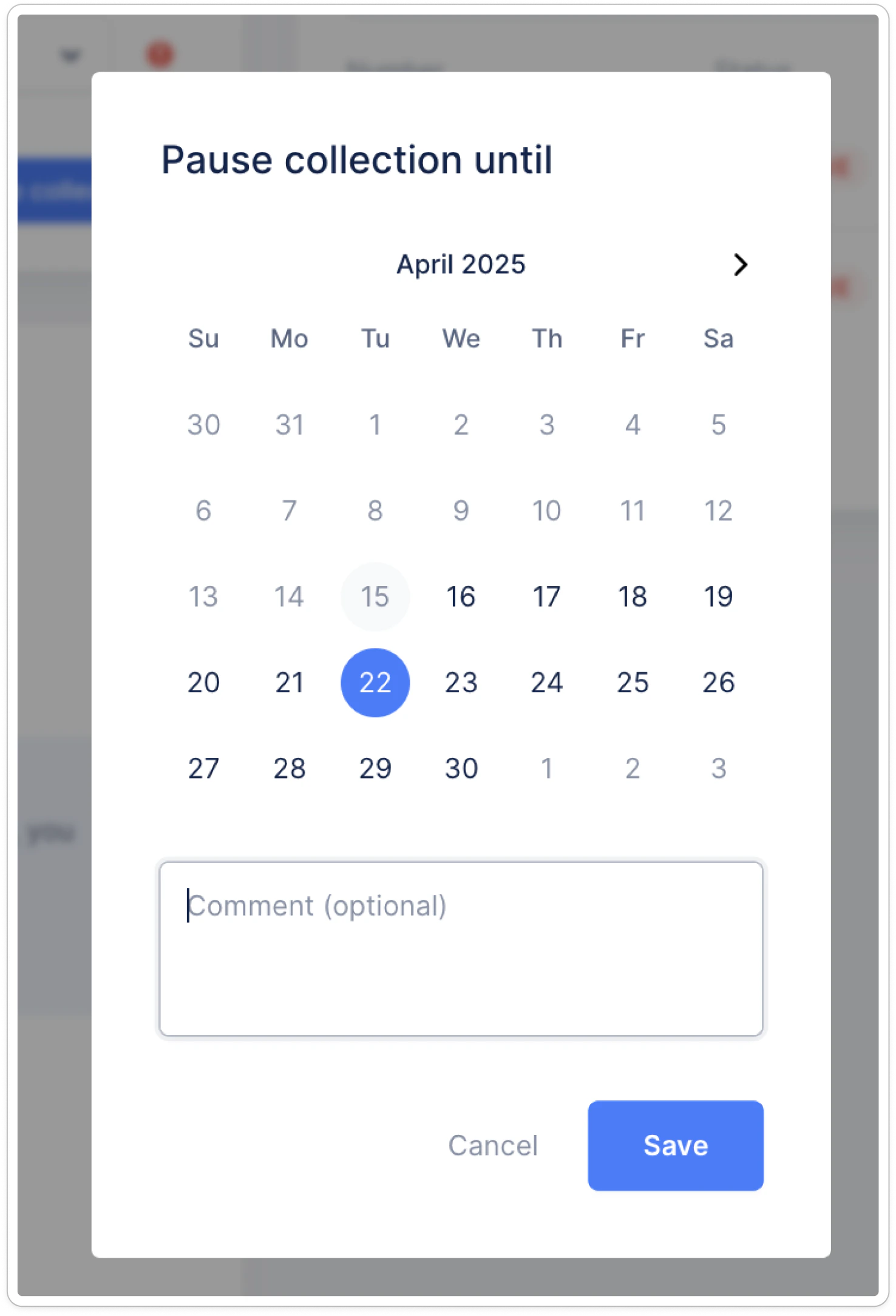
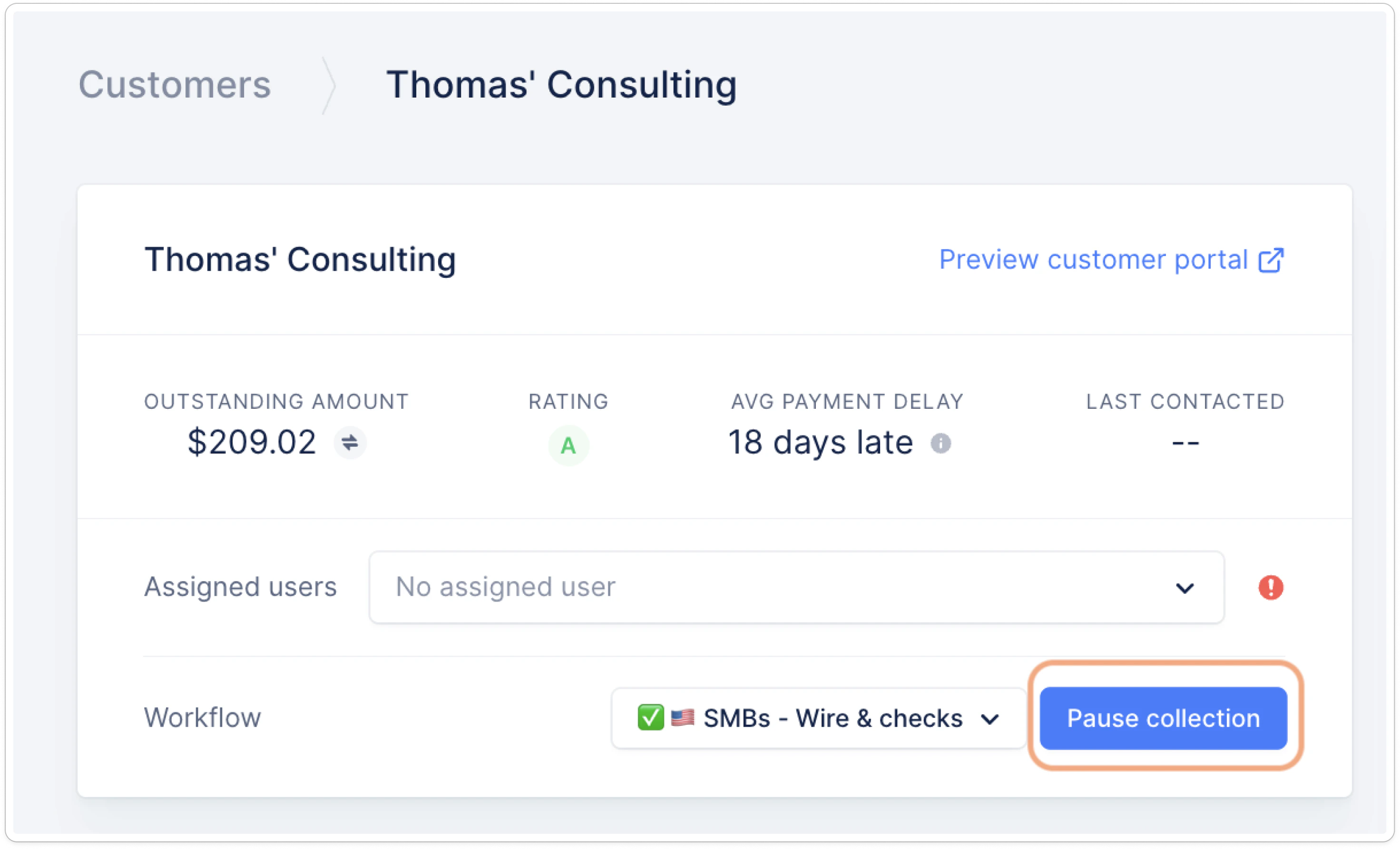 ...select the date you wish to pause the collection until:
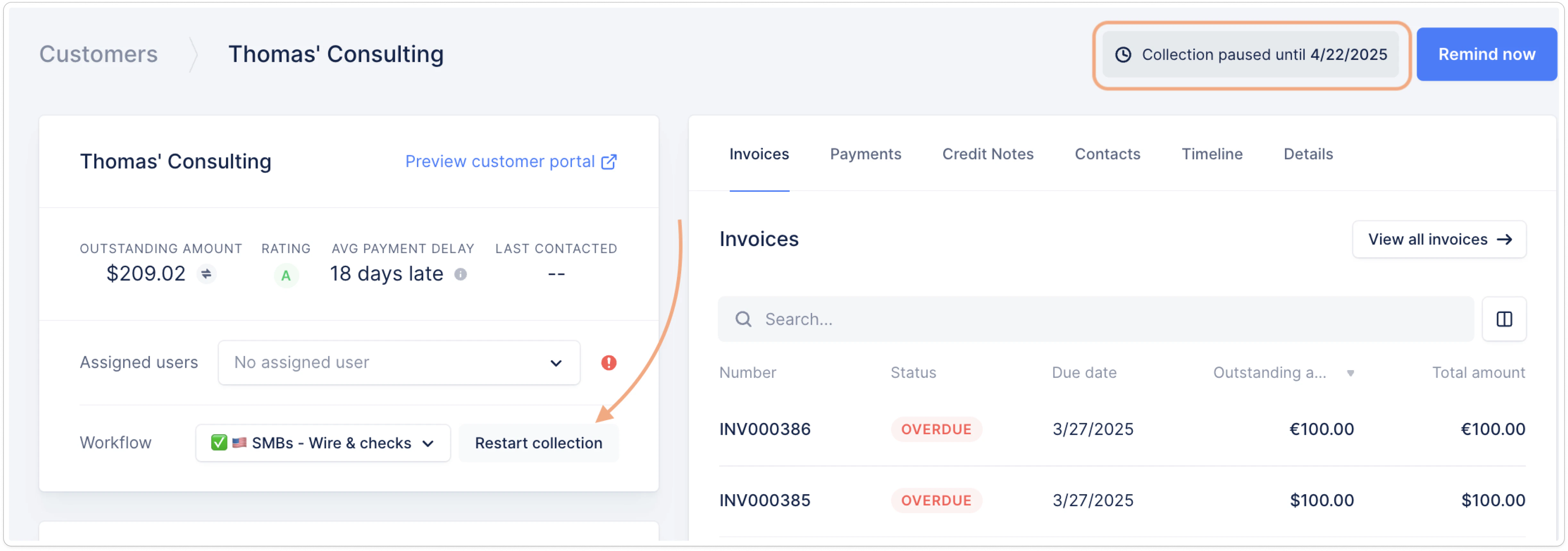
 You'll then see on the same page, top right, that the collection is paused until the date you selected, and you'll see a Restart button where the Pause collection one was before:
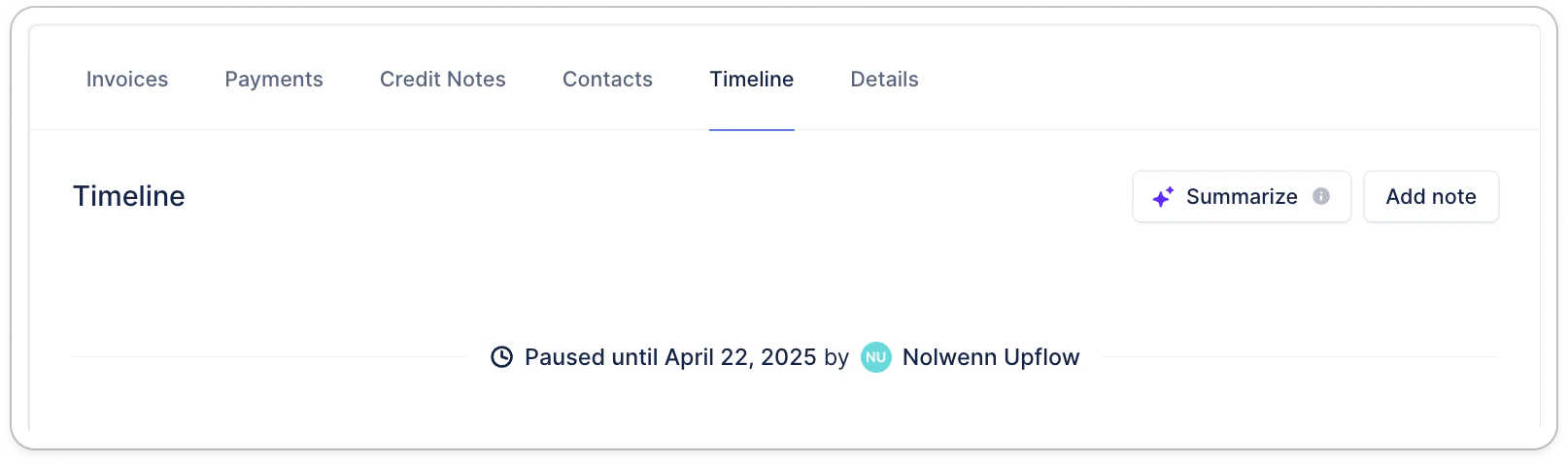
 Finally, you can also see the pause on your customer's timeline:
 ## Identify paused customers
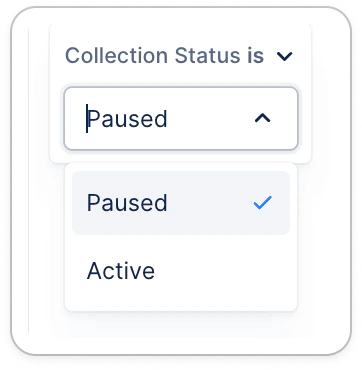
From the Customers list view, filter on "Collection status is Paused":
## Identify paused customers
From the Customers list view, filter on "Collection status is Paused":
 You can also add the column "End of pause" and sort it for better management. Don't hesitate to click "Save as new" at the top left to find this result in a few clicks ([Your Upflow list views](/en-us/upflow-configuration/organization-configuration/list-views)).
## Good to know
📍 Upflow pauses the collection at the beginning of the day UTC. In the platform, if the collection is paused until 1st of July, we guarantee that no actions will be sent for that customer before the 30th of June included. But collection would resume on 1st of July. Please, take the timezone you specified in your [Settings](https://app.upflow.io/organization/-/settings/company) into consideration.
If the collection is supposed to restart on a Friday, we advise you to push it till the following Monday.
When the pause ends, if the next action is due, it will:
* Appear in the action's owners to do lists if manual.
* Be triggered on the next business day if automated and passed your scheduling time.
You can also add the column "End of pause" and sort it for better management. Don't hesitate to click "Save as new" at the top left to find this result in a few clicks ([Your Upflow list views](/en-us/upflow-configuration/organization-configuration/list-views)).
## Good to know
📍 Upflow pauses the collection at the beginning of the day UTC. In the platform, if the collection is paused until 1st of July, we guarantee that no actions will be sent for that customer before the 30th of June included. But collection would resume on 1st of July. Please, take the timezone you specified in your [Settings](https://app.upflow.io/organization/-/settings/company) into consideration.
If the collection is supposed to restart on a Friday, we advise you to push it till the following Monday.
When the pause ends, if the next action is due, it will:
* Appear in the action's owners to do lists if manual.
* Be triggered on the next business day if automated and passed your scheduling time.