> ## Documentation Index
> Fetch the complete documentation index at: https://docs.upflow.io/llms.txt
> Use this file to discover all available pages before exploring further.

# Email reminders: Delivery Statuses

> Track whether your email and letter reminders are sent, delivered, opened or refused from the customer timeline in Upflow, and learn what each status means.

When sending reminders to your customers through Upflow, you can view the status of your outgoing actions from the customer timeline. Whether it's an email or a letter, track their status to see if your customers have received, opened, or refused them.

In your customer's timeline, you can see whether your email has been opened, received, or ignored, as long as your Deliverability is configured ([learn more](/en-us/collection-and-collaboration/emails/sending-emails-configure-your-domain)). Regarding your letters, you can find out if they have been delivered or are still being dispatched.

### Email reminders statuses
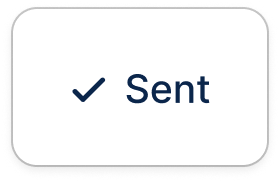
<Frame caption="Email sent to all recipients.">
  <img src="https://mintcdn.com/upflow-04dc27cd/YwioLl1uc6Rwjn_8/images/Status---Sent.png?fit=max&auto=format&n=YwioLl1uc6Rwjn_8&q=85&s=bd692ea728de52e4d1c121ece0da3b99" alt="Status Sent" title="Status Sent" className="mx-auto" style={{ width:"30%" }} width="279" height="181" data-path="images/Status---Sent.png" />
</Frame>

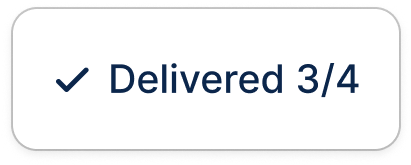
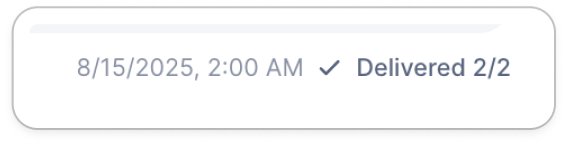
<Frame caption="Email delivered to most or all recipients">
  <img src="https://mintcdn.com/upflow-04dc27cd/YwioLl1uc6Rwjn_8/images/Status---Delivered.png?fit=max&auto=format&n=YwioLl1uc6Rwjn_8&q=85&s=ba2fd1b7845510ac66e1417cdef71f4c" alt="Status Delivered" title="Status Delivered" className="mx-auto" style={{ width:"22%" }} width="411" height="165" data-path="images/Status---Delivered.png" />

  <img src="https://mintcdn.com/upflow-04dc27cd/YwioLl1uc6Rwjn_8/images/Status---Delivered-2.png?fit=max&auto=format&n=YwioLl1uc6Rwjn_8&q=85&s=e0682dfc6c97d6ebff29bbc6a0dcb41f" alt="Status Delivered 2" title="Status Delivered 2" className="mx-auto" style={{ width:"25%" }} width="566" height="144" data-path="images/Status---Delivered-2.png" />
</Frame>

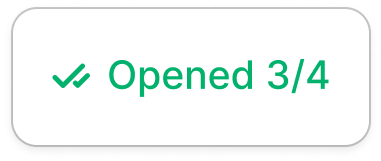
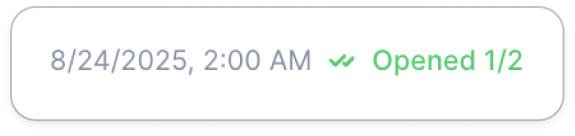
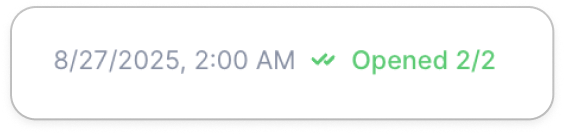
<Frame caption="Email opened by most or all recipients. When there are several recipients for one email, you can view the details per recipient by moving your mouse over the status.">
  <img src="https://mintcdn.com/upflow-04dc27cd/YwioLl1uc6Rwjn_8/images/Status---Opened.png?fit=max&auto=format&n=YwioLl1uc6Rwjn_8&q=85&s=c193b3e60f319191507868c24daa224d" alt="Status Opened" title="Status Opened" className="mx-auto" style={{ width:"22%" }} width="381" height="161" data-path="images/Status---Opened.png" />

  <img src="https://mintcdn.com/upflow-04dc27cd/YwioLl1uc6Rwjn_8/images/Status---Opened-2.png?fit=max&auto=format&n=YwioLl1uc6Rwjn_8&q=85&s=1d2dabe9b2cac9af63974316fccca265" alt="Status Opened 2" title="Status Opened 2" className="mx-auto" style={{ width:"23%" }} width="575" height="136" data-path="images/Status---Opened-2.png" />

  <img src="https://mintcdn.com/upflow-04dc27cd/YwioLl1uc6Rwjn_8/images/Status---Opened-3.png?fit=max&auto=format&n=YwioLl1uc6Rwjn_8&q=85&s=339e8fb29d72eb37a753a2678d0b9979" alt="Status Opened 3" title="Status Opened 3" className="mx-auto" style={{ width:"24%" }} width="565" height="135" data-path="images/Status---Opened-3.png" />
</Frame>

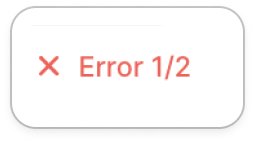
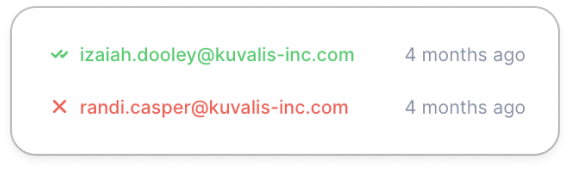
<Frame caption="An error happened for 1 recipient out of 2. The email was unable to be sent. In this case, check the customer's contacts, and refer to Identify and correct your contacts.">
  <img src="https://mintcdn.com/upflow-04dc27cd/YwioLl1uc6Rwjn_8/images/Status---Error.png?fit=max&auto=format&n=YwioLl1uc6Rwjn_8&q=85&s=fc80fb5f1aa6326a57e65e4105cf9821" alt="Status Error" title="Status Error" className="mx-auto" style={{ width:"20%" }} width="255" height="143" data-path="images/Status---Error.png" />

  <img src="https://mintcdn.com/upflow-04dc27cd/YwioLl1uc6Rwjn_8/images/Status---Error-2.png?fit=max&auto=format&n=YwioLl1uc6Rwjn_8&q=85&s=9a423136d90eeb20896b8f5dba46265a" alt="Status Error 2" title="Status Error 2" className="mx-auto" style={{ width:"28%" }} width="570" height="170" data-path="images/Status---Error-2.png" />
</Frame>

<Info>
  🚨 When your [Deliverability](https://app.upflow.io/organization/-/settings/domain) isn't configured, or is invalid, it can lead to emails delivery issues.

  Some email providers might block Upflow's emails such as [reminders@upflow-mail.com](mailto:reminders@upflow-mail.com).\
  [Here's how to resolve it](https://docs.upflow.io/en-us/collection-and-collaboration/emails/sending-emails-configure-your-domain)!
</Info>