> ## Documentation Index
> Fetch the complete documentation index at: https://docs.upflow.io/llms.txt
> Use this file to discover all available pages before exploring further.
# AI editor assistant
> Turn rough bullet points into polished reminders and notes inside Upflow with an AI editor that improves writing, fixes grammar, translates and adjusts tone.
As you write your reminders and notes, just write a few bullet points and let the AI editor assistant finish the work.
 #### With the AI editor assistant, you can:
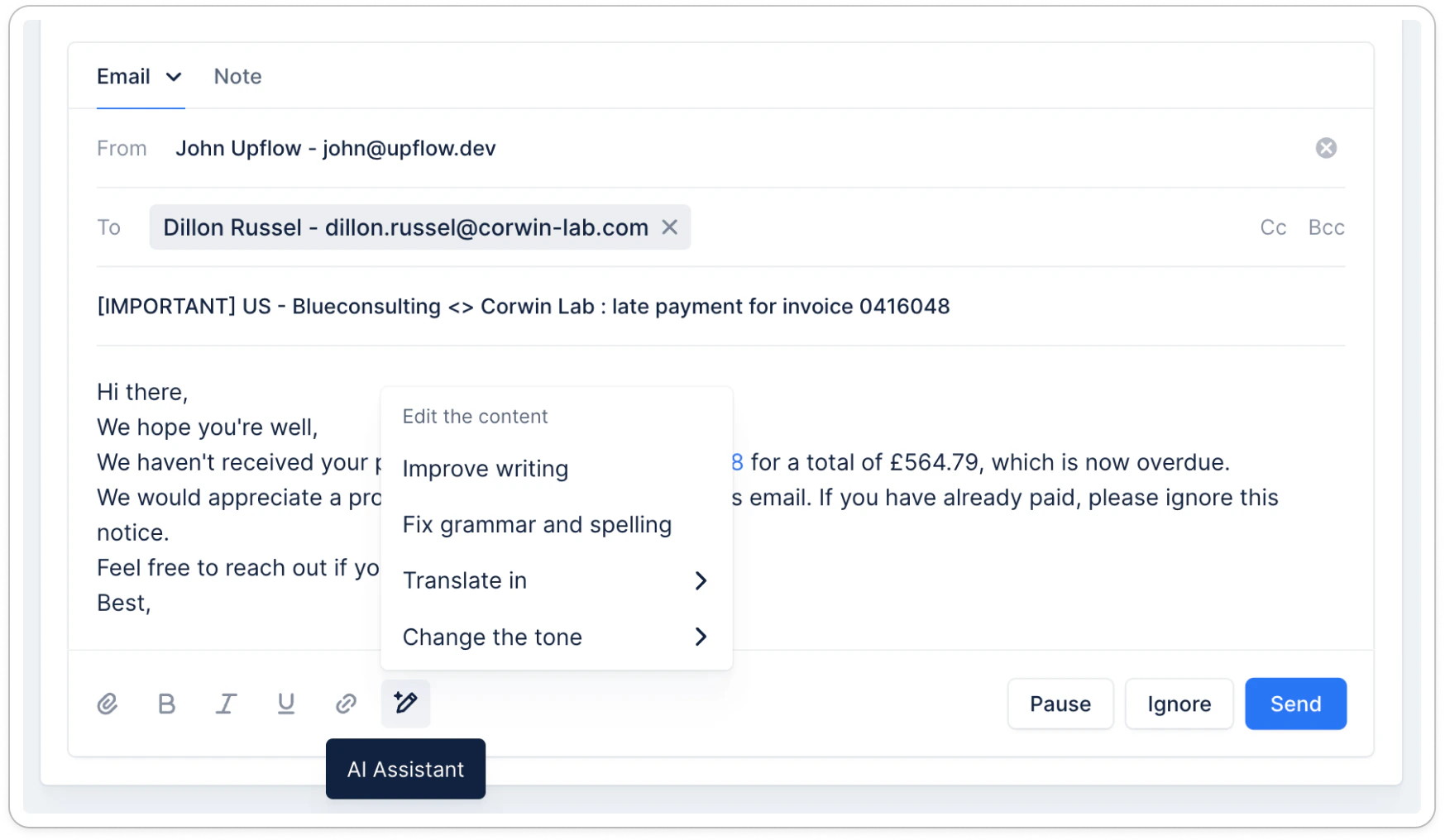
* **Improve writing** : the AI will take your content and figure out ways to improve it, by making it simpler, clearer, and without spelling mistakes.
* **Fix grammar and spelling** : the AI will take your existing content and ensure there are no grammar and spelling mistakes, without changing your content.
* **Translate** : the AI will translate your content into the language of your choice (see suggested list in-app).
* **Change the tone** : the AI will update your content to use the appropriate tone
* Friendly
New customers, good payment history, or when a softer approach is preferred.
* Encouraging
Customer expresses difficulty paying or you want to preserve long-term customer loyalty.
* Professional
Early-stage reminders or for important customers where positive relations matter.
* Concise
When the urgency is high, you want to respect the recipient’s time.
* Firm
Late payments with no response; to prompt immediate action.
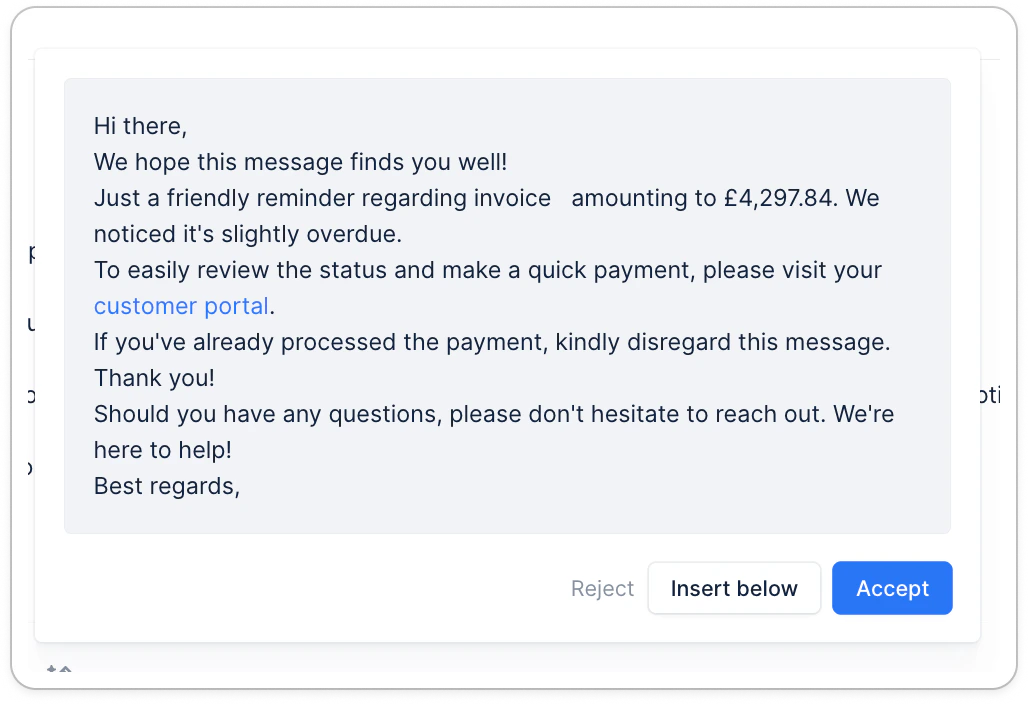
Each time you use the AI editor assistant, it will provide the new content, and you can then:
* **Accept** : you are happy with the result and want to replace the original content
* **Insert below** : you like the new content but want to compare it with the original content. In that case the new content is inserted below the previous content
* **Reject** : you are not happy with the result and want to keep the original content
#### With the AI editor assistant, you can:
* **Improve writing** : the AI will take your content and figure out ways to improve it, by making it simpler, clearer, and without spelling mistakes.
* **Fix grammar and spelling** : the AI will take your existing content and ensure there are no grammar and spelling mistakes, without changing your content.
* **Translate** : the AI will translate your content into the language of your choice (see suggested list in-app).
* **Change the tone** : the AI will update your content to use the appropriate tone
* Friendly
New customers, good payment history, or when a softer approach is preferred.
* Encouraging
Customer expresses difficulty paying or you want to preserve long-term customer loyalty.
* Professional
Early-stage reminders or for important customers where positive relations matter.
* Concise
When the urgency is high, you want to respect the recipient’s time.
* Firm
Late payments with no response; to prompt immediate action.
Each time you use the AI editor assistant, it will provide the new content, and you can then:
* **Accept** : you are happy with the result and want to replace the original content
* **Insert below** : you like the new content but want to compare it with the original content. In that case the new content is inserted below the previous content
* **Reject** : you are not happy with the result and want to keep the original content
 The AI editor assistant is available in your **actions** and **notes**.
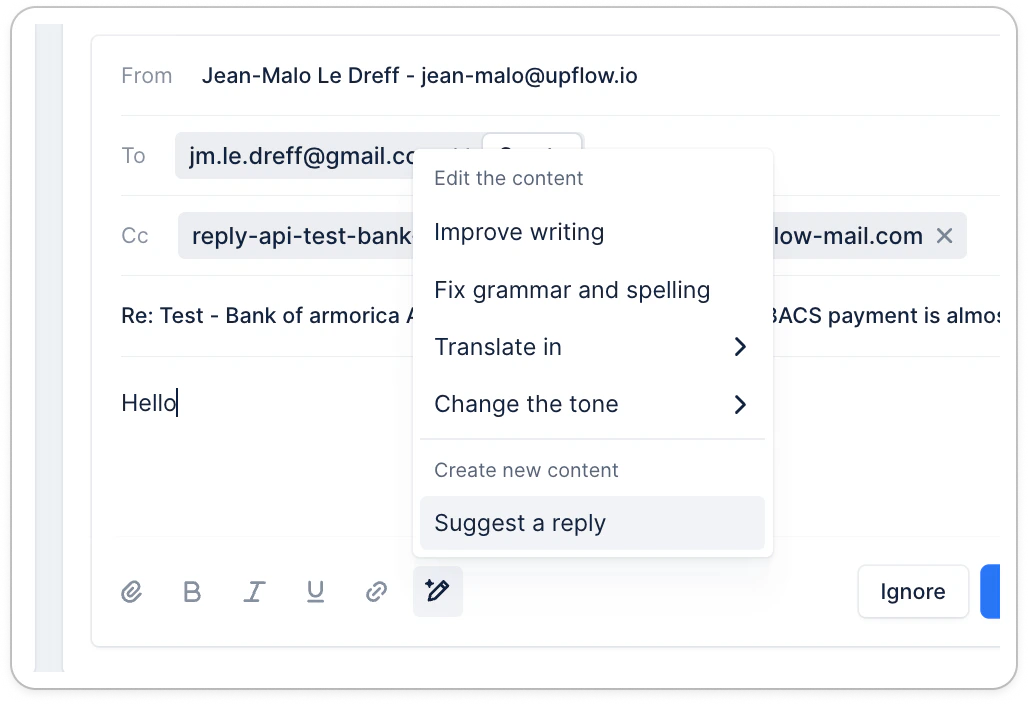
When you are working on a reply action, it will also offer to suggest a reply to your customer
The AI editor assistant is available in your **actions** and **notes**.
When you are working on a reply action, it will also offer to suggest a reply to your customer