> ## Documentation Index
> Fetch the complete documentation index at: https://docs.upflow.io/llms.txt
> Use this file to discover all available pages before exploring further.
# Deliverability - HTTPS links
> Ensure outbound Upflow emails use HTTPS links to improve deliverability, verify your DNS records in the Deliverability settings and fix issues if they are invalid.
To improve the deliverability of your emails and the links you send to your customers, HTTPS links are enabled by default, as long as your DNS is properly configured.
You can check this from your [Deliverability settings](https://app.upflow.io/organization/-/settings/domain/dns).
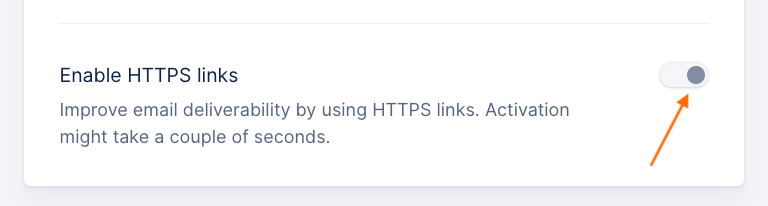 If you see the following message, it means one of your DNS records might be invalid:
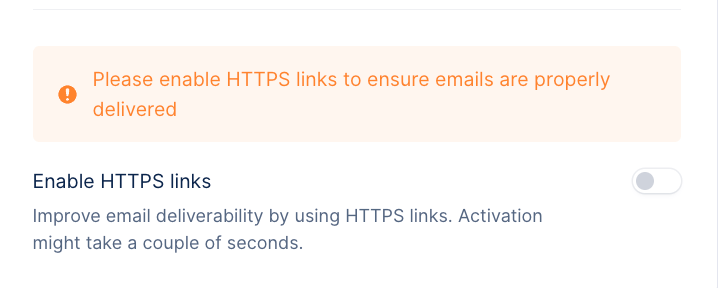 If you do not see an invalid record, click *Verify your domain*, and it should appear.
Contact your IT team or the person in charge of your domain, for them to update the configuration (cf. [Sending emails - Configure your domain](/en-us/collection-and-collaboration/emails/sending-emails-configure-your-domain).
Once done, you can click *Verifiy your domain*, and the record should move back to *Verified.* The HTTPS links should then be enabled again, ensuring a better deliverability for your customers, and smoother access to customer portal links.
If you do not see an invalid record, click *Verify your domain*, and it should appear.
Contact your IT team or the person in charge of your domain, for them to update the configuration (cf. [Sending emails - Configure your domain](/en-us/collection-and-collaboration/emails/sending-emails-configure-your-domain).
Once done, you can click *Verifiy your domain*, and the record should move back to *Verified.* The HTTPS links should then be enabled again, ensuring a better deliverability for your customers, and smoother access to customer portal links.