> ## Documentation Index
> Fetch the complete documentation index at: https://docs.upflow.io/llms.txt
> Use this file to discover all available pages before exploring further.
# Review match suggestions
> Review Upflow's automatic transaction-to-invoice match suggestions and approve them in a single click instead of searching customers and invoices manually.
When a new bank transaction is imported, Upflow automatically analyzes it and tries to identify the most likely customer and invoice match. If a suggestion is found, it is surfaced directly in the [**Bank transactions**](https://app.upflow.io/organization/-/bank-transactions) list and pre-filled in the matching interface — so you can approve it with a single click instead of searching manually.
When the match is clear, the [Cash App agent](/en-us/cash-application/cash-app-agent) can skip the review step and apply the transaction for you automatically.
## Identify transactions with suggestions
In the [**Bank transactions**](https://app.upflow.io/organization/-/bank-transactions) list, the **Suggestions** column shows a badge with the number of suggested invoice matches for each transaction.
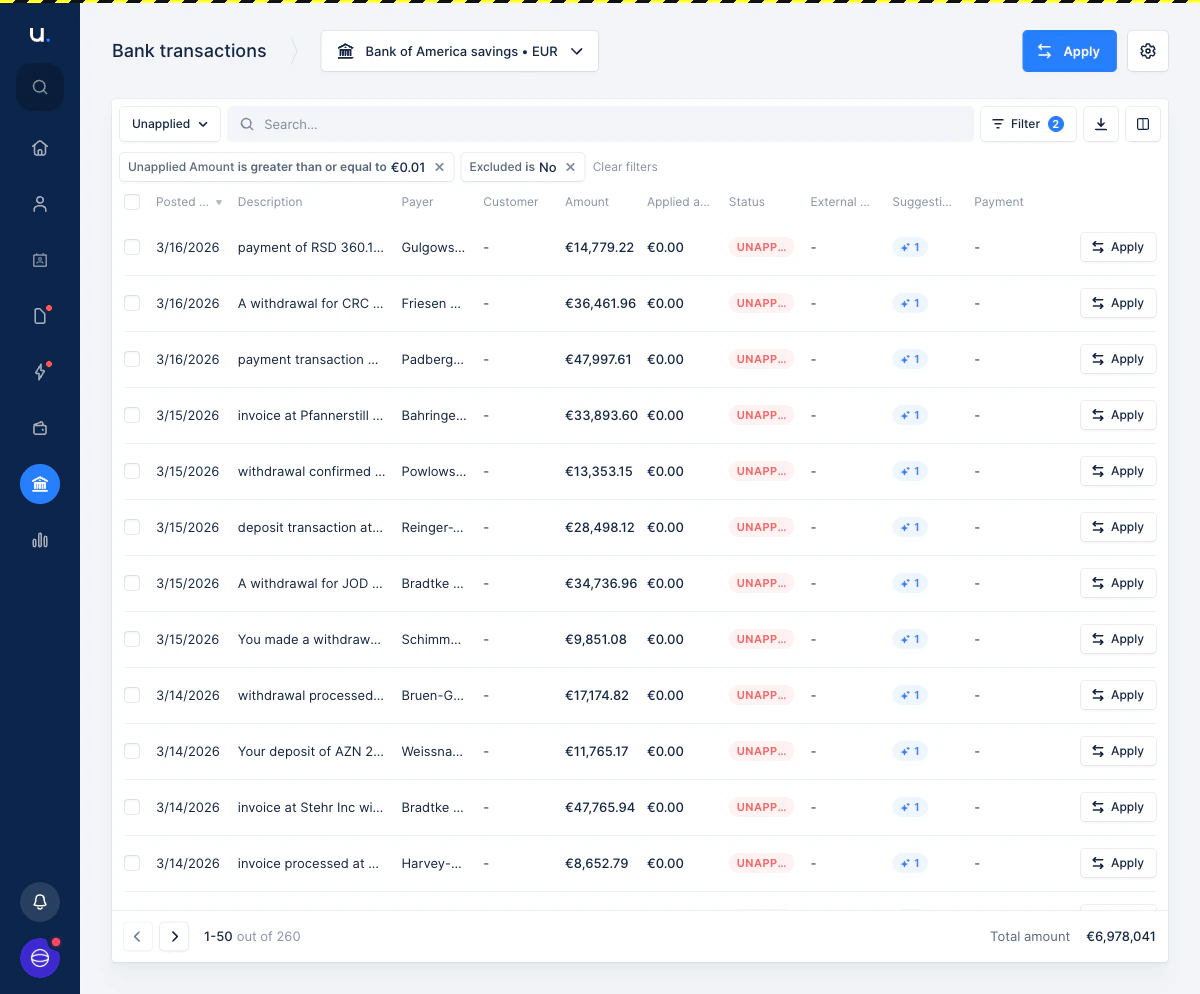 A badge of **+1** means Upflow found one suggested invoice match. Transactions without a badge have no suggestion and must be matched manually.
## Review and approve a suggestion
1. In the [**Bank transactions**](https://app.upflow.io/organization/-/bank-transactions) list, click the **Apply** button on a transaction that has a suggestion badge.
The matching interface opens with the **Suggested** tab active. The suggested invoice is listed, along with the matched customer and the invoice amount.
A badge of **+1** means Upflow found one suggested invoice match. Transactions without a badge have no suggestion and must be matched manually.
## Review and approve a suggestion
1. In the [**Bank transactions**](https://app.upflow.io/organization/-/bank-transactions) list, click the **Apply** button on a transaction that has a suggestion badge.
The matching interface opens with the **Suggested** tab active. The suggested invoice is listed, along with the matched customer and the invoice amount.
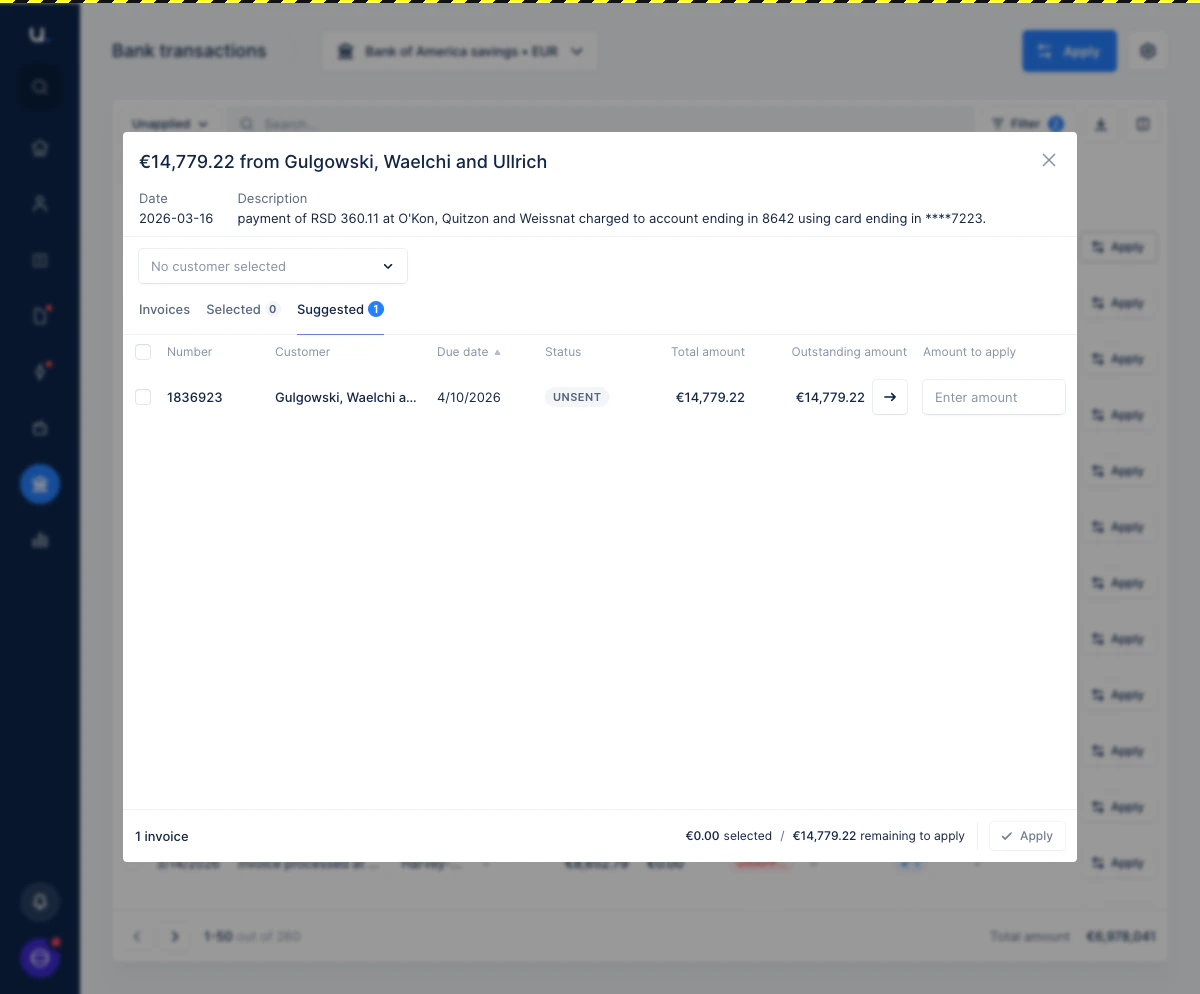 2. Click the **→** arrow button on the suggested invoice row to fill in the outstanding amount.
Upflow auto-fills the customer dropdown and the amount to apply, and moves the invoice to the **Selected** tab. The footer updates to show the total selected and remaining amount.
2. Click the **→** arrow button on the suggested invoice row to fill in the outstanding amount.
Upflow auto-fills the customer dropdown and the amount to apply, and moves the invoice to the **Selected** tab. The footer updates to show the total selected and remaining amount.
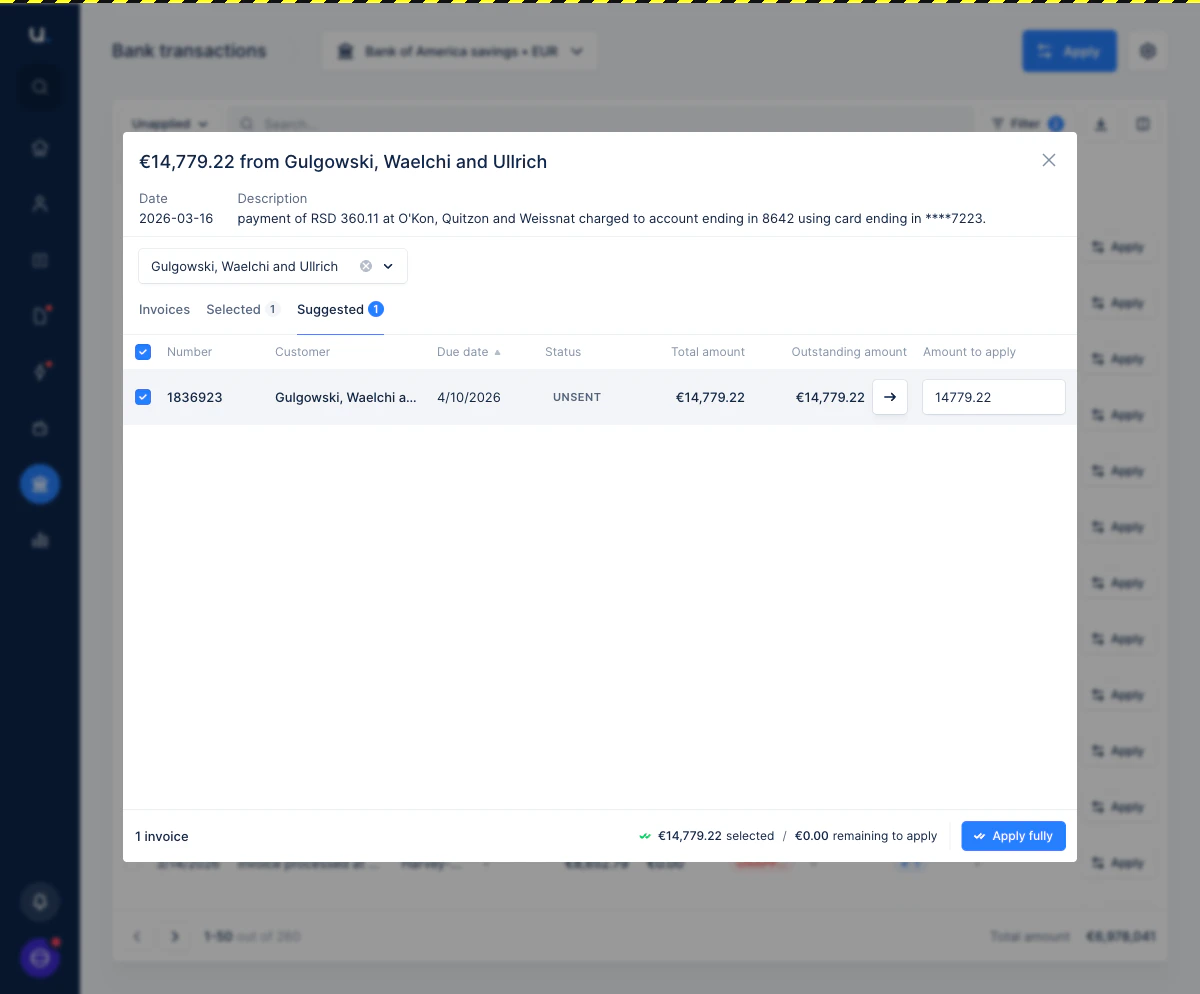 3. Click **Apply fully** to apply the transaction.
> 👉 If the suggested amount does not match the full transaction amount, the button will read **Apply partially** instead.
## Override or ignore a suggestion
If the suggestion is incorrect, you can switch to the **Invoices** tab and select the right customer and invoices manually. The suggestion is not applied unless you click **Apply**.
Switching tabs does not delete the suggestion — if you come back to the **Suggested** tab later, the original proposal is still there.
## How suggestions are generated
Upflow runs a matching algorithm each time a new bank transaction is imported. Suggestions are built using the following information:
* The transaction memo and any invoice reference numbers it contains
* The payer name, matched against your customer names
* Your previous cash application history for the same payer
* The transaction amount, compared against outstanding invoice amounts
The higher the quality of the match, the more confident the suggestion.
3. Click **Apply fully** to apply the transaction.
> 👉 If the suggested amount does not match the full transaction amount, the button will read **Apply partially** instead.
## Override or ignore a suggestion
If the suggestion is incorrect, you can switch to the **Invoices** tab and select the right customer and invoices manually. The suggestion is not applied unless you click **Apply**.
Switching tabs does not delete the suggestion — if you come back to the **Suggested** tab later, the original proposal is still there.
## How suggestions are generated
Upflow runs a matching algorithm each time a new bank transaction is imported. Suggestions are built using the following information:
* The transaction memo and any invoice reference numbers it contains
* The payer name, matched against your customer names
* Your previous cash application history for the same payer
* The transaction amount, compared against outstanding invoice amounts
The higher the quality of the match, the more confident the suggestion.